 United States
Category Catalyst 3560 Network Module
The Cisco Catalyst 3560 Network Module delivers uncompromising reliability and optimized performance, enabling secure, scalable connectivity. Engineered for modern enterprises, it enhances network efficiency and safeguards critical communications.
Talk to an expert
3 Matching results
- BEST SELLING
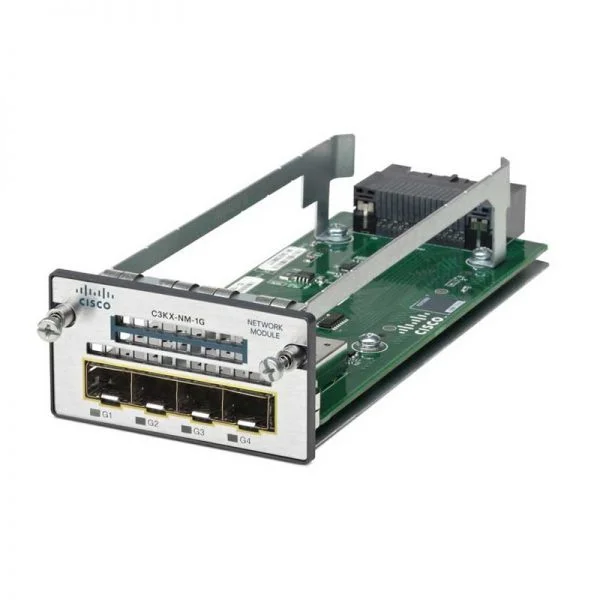
C3KX-NM-1G (CATALYST 3K-X 1G NTWK MODULE OPT PID)
5 (5)- Network Module / Network Card
- Cisco
- Ethernet
- 1Gbps
- RJ-45
- TCP/IP
- Modular
Est Value $600.00
$47.25
92.1% offIn stockNewRefurbishedFirst-Time Buyer Discount – Get up to 2% additional off on your first order
ORM Rewards Earn $50 in Rewards + Free Expedited Delivery – Join Now!
Use eCoupon ORMSAVE10
eCoupon limited to 5 units
- BEST SELLING
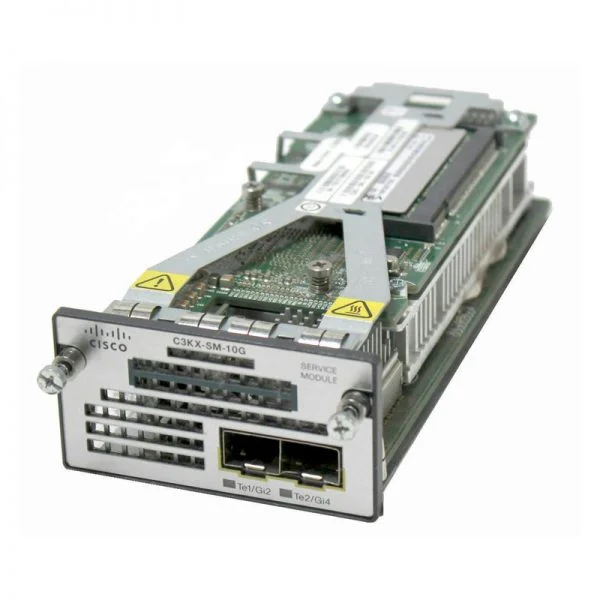
C3KX-SM-10G (Catalyst 3K-X 10G Service Module )
4.4 (5)- Network Module / Network Card
- Cisco
- SFP+
- 10Gbps
- SFP+
- TCP/IP, iSCSI
- Modular
Est Value $4,350.09$57.86
98.7% offIn stockNewRefurbishedFirst-Time Buyer Discount – Get up to 2% additional off on your first order
ORM Rewards Earn $50 in Rewards + Free Expedited Delivery – Join Now!
Use eCoupon ORMSAVE10
eCoupon limited to 5 units
- BEST SELLING
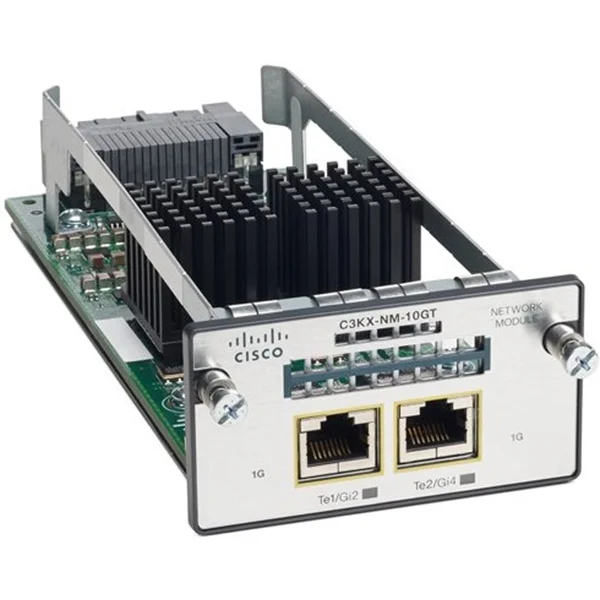
C3KX-NM-10GT (Catalyst 3K-X 10G-T Network Module )
4.6 (5)- Network Module / Network Card
- Cisco
- Ethernet
- 10Gbps
- RJ-45
- TCP/IP
- Modular
Est Value $1,063.80$172.84
83.8% offIn stockNewRefurbishedFirst-Time Buyer Discount – Get up to 2% additional off on your first order
ORM Rewards Earn $50 in Rewards + Free Expedited Delivery – Join Now!
Use eCoupon ORMSAVE10
eCoupon limited to 5 units

ORM Sales Advisors
Buying for your business? Get a personalised quote in under 2 hours. Talk to an expert
LEARNFilters (3) 
Questions & Answers
What is the Cisco Catalyst 3560 Network Module?
The Cisco Catalyst 3560 Network Module is a fixed-configuration Layer 3 switch that delivers Gigabit Ethernet connectivity, advanced security, and QoS features for enterprise access networks.
What port options does the Catalyst 3560 Network Module offer?
Catalyst 3560 modules offer up to 48 10/100/1000 Ethernet ports and optional Gigabit SFP uplinks for fiber connectivity.
Does the Cisco Catalyst 3560 support Power over Ethernet (PoE)?
Yes, the Catalyst 3560 supports both PoE and PoE+ on select models, delivering up to 30 W per port for IP phones, wireless access points, and surveillance cameras.
What is the switching capacity and performance of the Catalyst 3560?
The Catalyst 3560 delivers up to 101.2 Gbps switching capacity with a non-blocking architecture and line-rate forwarding.
Which Layer 3 routing features are available on the Catalyst 3560?
It supports IPv4/IPv6 static routing, RIP, EIGRP Stub, OSPF, PIM Multicast, and VRF-Lite for advanced Layer 3 deployments.
How do I configure VLANs on the Catalyst 3560 Network Module?
Use the Cisco IOS CLI or web GUI to create VLANs, assign ports, and configure inter-VLAN routing with the “vlan” and “interface vlan” commands.
What QoS features does the Catalyst 3560 support?
The switch provides classification, marking (802.1p, DSCP), policing, shaping, and priority queuing to ensure optimal performance for voice, video, and data.
How can I manage the Cisco Catalyst 3560 Network Module?
Management options include Cisco IOS CLI, Cisco Prime Infrastructure, SNMP v2/v3, RMON, and the web-based Device Manager for simplified monitoring and configuration.
Can I stack multiple Catalyst 3560 Network Modules?
Yes, Cisco StackWise technology supports up to nine switches in a single logical unit, providing up to 32 Gbps of stack bandwidth and unified management.
What power supply options are available for the Catalyst 3560?
It supports dual redundant internal or external power supplies with load sharing to enhance availability and simplify maintenance.
How do I upgrade the IOS firmware on the Catalyst 3560?
Copy the IOS image via TFTP, FTP, or USB and install it using the “archive download-sw” command in privileged EXEC mode.
What redundancy features does the Catalyst 3560 offer?
HSRP, VRRP, and GLBP provide default gateway redundancy while SSO and NSF with Cisco StackWise ensure high availability.
How can I monitor performance and health of the Catalyst 3560?
Use real-time CLI commands, SNMP-based tools, and Cisco Prime to monitor CPU, memory, interface statistics, and error logs.
What security features are built into the Catalyst 3560?
It includes 802.1X authentication, port security, DHCP snooping, Dynamic ARP Inspection, IP Source Guard, and ACL-based threat defense.
What software licenses are required for advanced features on the Catalyst 3560?
The 3560 Basic image covers essential Layer 2/3 services, while IP Base or IP Services licenses unlock advanced routing and multicast features.
What are the typical deployment use cases for the Catalyst 3560?
Common use cases include campus access layer deployments, branch office connectivity, IP telephony, and PoE support for wireless and security devices.