 United States
Switch Modules Cisco Nexus 5000
Elevate network performance with Cisco Nexus 5000 switch modules engineered for high-density data centers. Achieve optimized, scalable connectivity, robust security, and enterprise-grade reliability that empowers your digital transformation.
Talk to an expert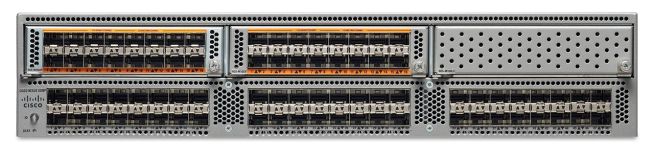
3 Matching results
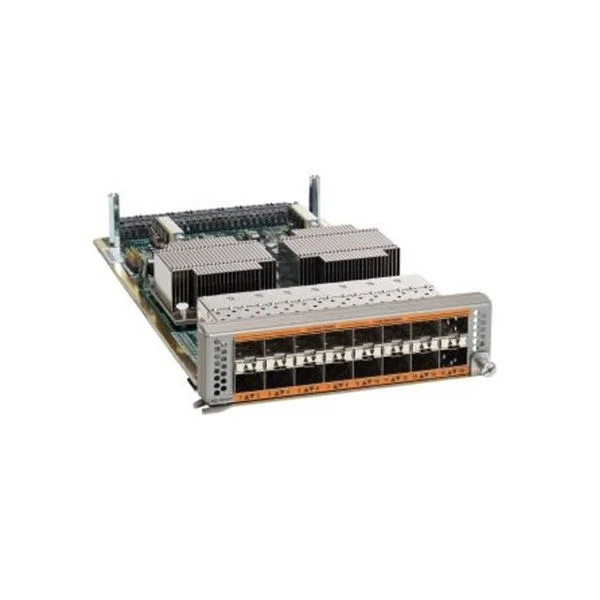
N55-M16UP (Nexus 5500 Unified Ports Module 16p, Spare)
4.6 (5)- Network Module / Network Card
- Cisco
- Ethernet
- 10Gbps
- SFP+
- TCP/IP, iSCSI
- PCIe
Est Value $6,400.00
$55.59
99.1% offIn stockNewRefurbishedFirst-Time Buyer Discount – Get up to 2% additional off on your first order
ORM Rewards Earn $50 in Rewards + Free Expedited Delivery – Join Now!
Use eCoupon ORMSAVE10
eCoupon limited to 5 units
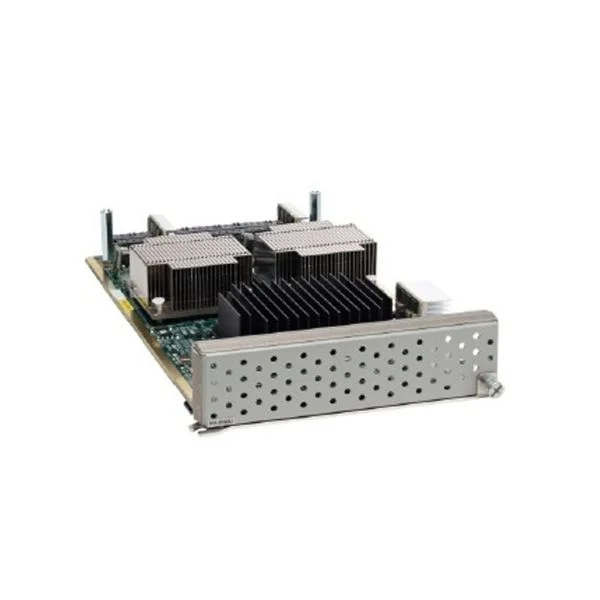
N55-M160L3-V2 (Nexus 5596 Layer 3 Expansion Module, Version 2, Spare)
4.6 (5)- Network Module
- Cisco
- Ethernet
- 10Gbps
- RJ-45
- TCP/IP
- PCIe
Est Value $5,000.00$267.54
94.6% offIn stockNewRefurbishedFirst-Time Buyer Discount – Get up to 2% additional off on your first order
ORM Rewards Earn $50 in Rewards + Free Expedited Delivery – Join Now!
Use eCoupon ORMSAVE10
eCoupon limited to 5 units
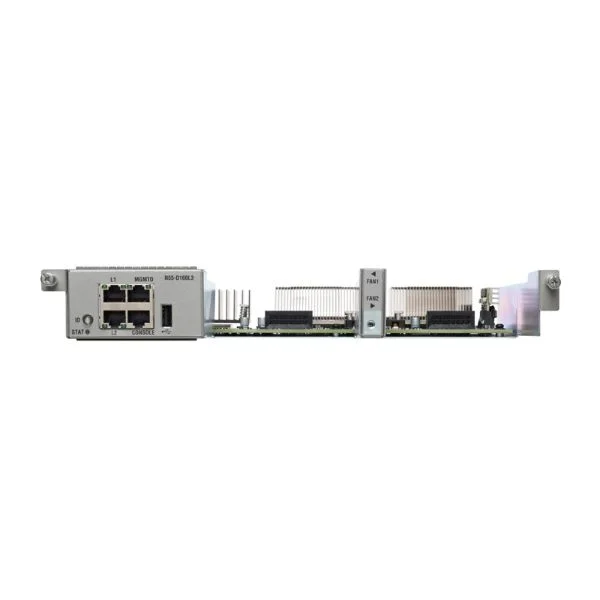
N55-D160L3-V2 (Nexus 5548 Layer 3 Daughter Card, Version 2, Spare)
4.6 (5)- Network Module
- Cisco
- Ethernet
- 10Gbps
- SFP+
- TCP/IP
- PCIe
Est Value $12,075.00$635.25
94.7% offIn stockNewRefurbishedFirst-Time Buyer Discount – Get up to 2% additional off on your first order
ORM Rewards Earn $50 in Rewards + Free Expedited Delivery – Join Now!
Use eCoupon ORMSAVE10
eCoupon limited to 5 units

ORM Sales Advisors
Buying for your business? Get a personalised quote in under 2 hours. Talk to an expert
LEARNFilters (3) 
Questions & Answers
What I/O modules are available for the Cisco Nexus 5000 series?
Cisco Nexus 5000 supports several I/O modules, including 24-port 10Gb SFP+, 48-port 1/10Gb SFP, and 40Gb QSFP+ modules, enabling flexible port density and speed combinations.
Which optical transceiver modules are compatible with Cisco Nexus 5000 switches?
Cisco Nexus 5000 is certified for Cisco SFP, SFP+ and QSFP+ optics—such as SR, LR, LRM, and CWDM/DWDM variants—ensuring full interoperability and line-rate performance.
Can I install Cisco Nexus 5000 modules without powering down the switch?
Yes. Cisco Nexus 5000 I/O modules are fully hot-swappable, allowing installation or removal without interrupting the switch’s operation or network connectivity.
How do I verify module compatibility across Nexus 5000 chassis models?
Use the Cisco Nexus 5000 Hardware Installation Guide or Cisco’s compatibility matrix, which lists supported modules per chassis model and NX-OS version.
What is the maximum port density per Cisco Nexus 5000 chassis?
A single Cisco Nexus 5000 chassis can host up to 48 10Gb ports or 12 40Gb ports, depending on the combination of installed I/O modules.
Are there special power requirements for Nexus 5000 switch modules?
Each Nexus 5000 I/O module consumes between 45–60 W; verify total chassis power capacity and install redundant power supplies to meet peak load.
How do I install an I/O module on a Cisco Nexus 5000 switch?
Align the module with the chassis slot rails, slide it in until it seats firmly, and secure the captive screws; the switch LED will indicate module readiness.
What licensing is required for Nexus 5000 I/O modules?
All I/O modules operate under the base NX-OS license; advanced features like FCoE require the LAN Enterprise or Data Center license depending on your NX-OS release.
Can I mix 10Gb and 40Gb modules in the same Nexus 5000 chassis?
Yes. Cisco Nexus 5000 supports mixed deployments of 10Gb SFP+ and 40Gb QSFP+ modules in different slots, subject to available module-slot mappings.
How do I upgrade the firmware on a Nexus 5000 I/O module?
Use NX-OS ‘install all’ or ‘install module’ commands to push the unified fabric driver and module firmware from the bootflash image repository during maintenance windows.
What diagnostics are available to verify module health?
The ‘show module’, ‘show hardware internal’ and ‘show diagnostic result module’ NX-OS commands report module status, temperature, voltage and self-test results.
How does module redundancy work on Cisco Nexus 5000?
Deploy redundant I/O modules in paired slots and configure vPC or port-channel bundles to ensure path failover and uninterrupted traffic in case of module failure.
Does the Nexus 5000 support Fibre Channel over Ethernet (FCoE) modules?
Yes. Cisco Nexus 5000 I/O modules support FCoE traffic natively over 10Gb SFP+ ports with the required Data Center license and NX-OS feature set.
What is the typical forwarding latency for Nexus 5000 modules?
Cisco Nexus 5000 delivers sub-microsecond latency (around 600 ns) per port, making it suitable for low-latency data center and virtualization environments.
How do I troubleshoot a module that fails to initialize?
Check module–chassis seating, review ‘show module’ for status codes, inspect syslog for errors, reseat the module, and verify NX-OS compatibility with the installed firmware.
Can I monitor module power and cooling on the Nexus 5000?
Yes. Use ‘show environment all’ or the Cisco DCNM platform to monitor module intake/exhaust temperatures, fan speeds and power consumption in real time.