 United States
Cisco Router 10000 Series Modules
Discover Cisco Router 10000 Series Modules & Cards, engineered for enterprise-grade reliability, high-performance networking, and seamless scalability. Maximize network efficiency with optimized connectivity solutions for critical applications.
Talk to an expert
15 Matching results
- BEST SELLING
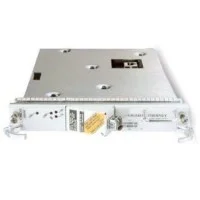
ESR-HH-1GE (1 port Gigabit Ethernet Half-Slot Line Card)
4.8 (8)- Network Module
- Cisco
- Ethernet
- 1Gbps
- RJ-45
- TCP/IP
- PCIe
Est Value $20,000.00
$204.52
99% offIn stockNewRefurbishedFirst-Time Buyer Discount – Get up to 2% additional off on your first order
ORM Rewards Earn $50 in Rewards + Free Expedited Delivery – Join Now!
Use eCoupon ORMSAVE10
eCoupon limited to 5 units
- BEST SELLING
ESR-HH-8FE-TX (8 port Fast Ethernet Half-Slot Line Card)
4.8 (8)- Network Module / Network Card
- Cisco
- Ethernet
- 10Gbps
- SFP+
- TCP/IP
- PCIe
Est Value $23,000.00$1,306.37
94.3% offIn stockNewRefurbishedFirst-Time Buyer Discount – Get up to 2% additional off on your first order
ORM Rewards Earn $50 in Rewards + Free Expedited Delivery – Join Now!
Use eCoupon ORMSAVE10
eCoupon limited to 5 units
- BEST SELLING
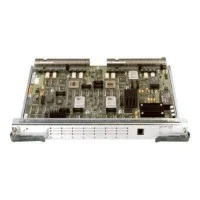
ESR-8E3/DS3 (8 port clear channel E3/DS3 Line Card)
4.9 (8)- Network Module
- Cisco
- WAN
- 44.736 Mbps
- RJ-45
- TCP/IP
- PCIe
Est Value $45,000.00$228.38
99.5% offIn stockNewRefurbishedFirst-Time Buyer Discount – Get up to 2% additional off on your first order
ORM Rewards Earn $50 in Rewards + Free Expedited Delivery – Join Now!
Use eCoupon ORMSAVE10
eCoupon limited to 5 units
- BEST SELLING
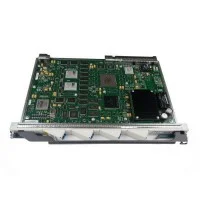
ESR-4OC3ATM-SM (4 Port OC3/STS3c/STM1c ATM Line Card, single mode)
4.8 (6)- Network Module
- Cisco
- WAN / ATM Module
- OC-3 (155Mbps)
- Fiber LC
- ATM, TCP/IP
- Modular
Est Value $45,000.00$537.60
98.8% offIn stockNewRefurbishedFirst-Time Buyer Discount – Get up to 2% additional off on your first order
ORM Rewards Earn $50 in Rewards + Free Expedited Delivery – Join Now!
Use eCoupon ORMSAVE10
eCoupon limited to 5 units
- BEST SELLING
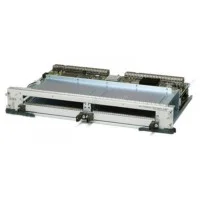
ESR-4OC3-CHSTM1 (4 pt OC3 chan. STM1 SDH SM line card)
4.7 (6)- Network Module
- Cisco
- Ethernet
- 10G
- SFP+
- TCP/IP
- PCIe
Est Value $182,500.00$623.44
99.7% offIn stockNewRefurbishedFirst-Time Buyer Discount – Get up to 2% additional off on your first order
ORM Rewards Earn $50 in Rewards + Free Expedited Delivery – Join Now!
Use eCoupon ORMSAVE10
eCoupon limited to 5 units
- FEARURED
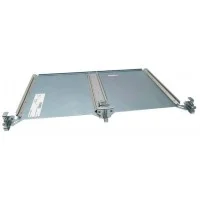
ESR-HH-CARRIER (Full Length Base Carrier for Half-Slot Line Card)
4.6 (5)- Network Card
- Cisco
- Ethernet
- 10Gbps
- SFP+
- TCP/IP
- PCIe
Est Value $1,000.00$548.63
45.1% offIn stockNewRefurbishedFirst-Time Buyer Discount – Get up to 2% additional off on your first order
ORM Rewards Earn $50 in Rewards + Free Expedited Delivery – Join Now!
Use eCoupon ORMSAVE10
eCoupon limited to 5 units
- FEARURED
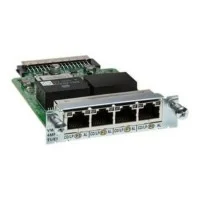
ESR-24CT1/E1 (24port Channelized E1/T1 Line Card)
4.6 (8)- Telecommunications Interface Module
- Cisco
- WAN
- PCIe
Est Value $35,000.00$2,216.76
93.7% offIn stockNewRefurbishedFirst-Time Buyer Discount – Get up to 2% additional off on your first order
ORM Rewards Earn $50 in Rewards + Free Expedited Delivery – Join Now!
Use eCoupon ORMSAVE10
eCoupon limited to 5 units
- FEARURED
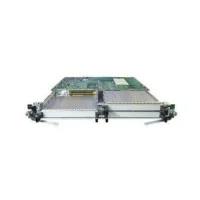
ESR-6OC3/P-SMI (6 Port OC3/STS3c/STM1c POS Line Card, single mode)
4.4 (5)- Network Module / Network Card
- Cisco
- Ethernet
- 10G
- SFP+
- TCP/IP
- PCIe
Est Value $60,000.00$447.99
99.3% offIn stockNewRefurbishedFirst-Time Buyer Discount – Get up to 2% additional off on your first order
ORM Rewards Earn $50 in Rewards + Free Expedited Delivery – Join Now!
Use eCoupon ORMSAVE10
eCoupon limited to 5 units
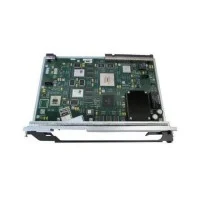
ESR-1OC12ATM-SM (1 pt OC12/STM4 ATM Line Card, Single-Mode)
4.6 (8)- Network Module
- Cisco
- ATM Module
- OC-12 (622 Mbps)
- SFP
- ATM
- PCIe
Est Value $29,000.00$656.25
97.7% offIn stockNewRefurbishedFirst-Time Buyer Discount – Get up to 2% additional off on your first order
ORM Rewards Earn $50 in Rewards + Free Expedited Delivery – Join Now!
Use eCoupon ORMSAVE10
eCoupon limited to 5 units
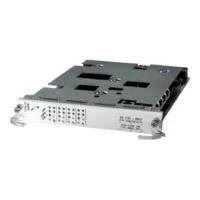
ESR-HH-4CT3 (4 port Channelized T3 Half-Slot Line Card)
4.8 (6)- Network Card
- Cisco
- Ethernet
- 10Gbps
- SFP+
- TCP/IP
- PCIe
Est Value $65,000.00$604.80
99.1% offIn stockNewRefurbishedFirst-Time Buyer Discount – Get up to 2% additional off on your first order
ORM Rewards Earn $50 in Rewards + Free Expedited Delivery – Join Now!
Use eCoupon ORMSAVE10
eCoupon limited to 5 units
ESR-1COC12-SMI (1 pt ChOC12 (STS12) line card, single mode intermed. reach)
4.7 (6)- Network Card
- Cisco
- SFP+
- 10G
- SFP+
- TCP/IP
- PCIe
Est Value $92,000.00$528.19
99.4% offIn stockNewRefurbishedFirst-Time Buyer Discount – Get up to 2% additional off on your first order
ORM Rewards Earn $50 in Rewards + Free Expedited Delivery – Join Now!
Use eCoupon ORMSAVE10
eCoupon limited to 5 units
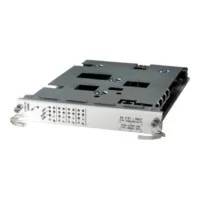
ESR-4CT3-2PACK (Pair of ESR-HH-4CT3 and 8 Y-cables)
4.6 (5)- Network Module / Network Card
- Cisco
- Ethernet
- 10G
- SFP+
- TCP/IP, iSCSI
- PCIe
Est Value $109,000.00$60,825.45
44.2% offIn stockNewFirst-Time Buyer Discount – Get up to 2% additional off on your first order
ORM Rewards Earn $50 in Rewards + Free Expedited Delivery – Join Now!
Use eCoupon ORMSAVE10
eCoupon limited to 5 units
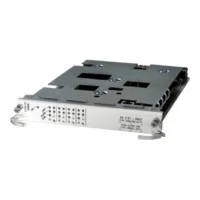
ESR-HH-4CT3-3PACK (Three of ESR-HH-4CT3 cards)
4.8 (5)- Network Card
- Cisco
- Ethernet
- 10Gbps
- SFP+
- TCP/IP, iSCSI
- PCIe
Est Value $130,000.00$72,543.45
44.2% offIn stockNewFirst-Time Buyer Discount – Get up to 2% additional off on your first order
ORM Rewards Earn $50 in Rewards + Free Expedited Delivery – Join Now!
Use eCoupon ORMSAVE10
eCoupon limited to 5 units
- FEARURED
ESR-LC-COVER (COVER FOR FULL HEIGHT LINE CARD SLOT)
4.5 (6)- Network Card
- Cisco
- Ethernet
- 10G
- RJ-45
- TCP/IP / iSCSI / Fibre Channel
- PCIe
Est Value $50.00$26.25
47.5% offIn stockNewFirst-Time Buyer Discount – Get up to 2% additional off on your first order
ORM Rewards Earn $50 in Rewards + Free Expedited Delivery – Join Now!
Use eCoupon ORMSAVE10
eCoupon limited to 5 units
- FEARURED
ESR-PRE-COVER (COVER FOR PRE PROCESSOR SLOT)
4.5 (6)- Network Card
- Cisco
- Ethernet
- 10Gbps
- SFP+
- TCP/IP, iSCSI
- PCIe
Est Value $60.00$31.50
47.5% offIn stockNewFirst-Time Buyer Discount – Get up to 2% additional off on your first order
ORM Rewards Earn $50 in Rewards + Free Expedited Delivery – Join Now!
Use eCoupon ORMSAVE10
eCoupon limited to 5 units

ORM Sales Advisors
Buying for your business? Get a personalised quote in under 2 hours. Talk to an expert
LEARNFilters (15) 
Questions & Answers
What are Cisco Router 10000 Series Modules & Cards?
Cisco 10000 Series Modules & Cards are high-density interface and services modules designed for the ASR 1000 and CRS 10000 router families. They deliver scalable connectivity, advanced services, and consistent performance for enterprise and service-provider networks.
Which interface modules are available for Cisco 10000 Series?
Available interface modules include Gigabit Ethernet, 10/25/40/100 Gbps Ethernet line cards, WAN interface cards (WIC), and service modules such as firewall, encryption, and application visibility. Each module addresses specific throughput and feature requirements.
How do I verify module compatibility with my Cisco 10000 chassis?
Use the Cisco Feature Navigator or the hardware installation guide to confirm module support for your ASR 1000 or CRS 10000 chassis. Check software release, power, and cooling requirements before deployment.
What performance improvements do Cisco 10000 Series modules offer?
Modules like the 100G Ethernet line cards deliver up to 2 Tbps per slot and hardware-accelerated services for encryption, QoS, and packet inspection. They optimize throughput while minimizing latency and CPU load.
How do I install a line card in the Cisco 10000 Series chassis?
Power down or place the chassis in hot-swap mode, slide the line card into the designated slot until it engages, then secure the retention screws. Power up and verify module recognition with the show platform command.
Which power supplies support Cisco 10000 Series Modules?
High-efficiency AC and DC power supply units (PSUs) rated from 2.4 kW to 6 kW support all 10000 Series modules. Redundant PSU configurations ensure uninterrupted operation under full load.
Can I hot-swap modules in the Cisco 10000 Series chassis?
Yes, modules can be inserted or removed without powering down the router if your chassis and software release support Cisco In-Service Software Upgrade (ISSU). Follow Cisco’s hot-swap procedures to maintain network uptime.
What SFP and QSFP transceivers are supported by 10000 Series modules?
Cisco supports a broad range of SFP, SFP+, QSFP+, and QSFP28 optics certified for 1/10/25/40/100 Gbps interfaces. Always use Cisco-branded optics with compatible firmware for optimal performance.
How does module redundancy work in the 10000 Series?
Redundancy is achieved via dual-active and active-standby module configurations with stateful switchover (SSO). This ensures continuous packet forwarding and service state preservation during failures.
What licensing is required for advanced Cisco 10000 Series modules?
Advanced services modules require universal or enhanced feature set licensing, such as Cisco DNA Advantage or Cisco One subscriptions. Validate license compatibility using the Cisco licensing portal.
How can I monitor the health of Cisco 10000 Series modules?
Use Cisco IOS XE Embedded Event Manager (EEM), SNMP, and Cisco Prime Infrastructure to track module temperature, voltage, and throughput. Configure syslog alerts for proactive fault detection.
What are best practices for upgrading module firmware?
Back up current configurations, review release notes for dependencies, and schedule maintenance windows. Use the install add file or upgrade bundle commands in IOS XE to ensure a seamless update.
How do I configure QoS on Cisco 10000 Series modules?
Define class maps, policy maps, and service policies on WAN or Ethernet interfaces, then apply them with the service-policy command. Leverage hardware-based queuing for low latency and traffic prioritization.
What warranty and support options exist for Cisco 10000 Series modules?
Cisco offers limited lifetime warranties, next-business-day hardware replacement, and SMARTnet or Cisco Catalyst Care support contracts. Support levels provide 24/7 access to technical assistance and software updates.
How can I troubleshoot link issues on installed modules?
Verify module status with show platform, inspect interface counters with show interface, and check transceiver diagnostics via show interfaces transceiver detail. Replace faulty optics or cables and review system logs for error messages.
How do I optimize thermal management for Cisco 10000 Series modules?
Maintain proper airflow by following Cisco’s chassis fan speed profiles and rack-airflow guidelines. Monitor module temperature via SNMP and adjust fan trays or ambient cooling to prevent thermal throttling.