 United States
Cisco Wireless Services Module
Optimize network performance with Cisco Wireless Services Module, delivering enterprise-grade connectivity, robust security, and seamless scalability for mission-critical communication in dynamic network environments through advanced management protocols.
Talk to an expert
2 Matching results
- BEST SELLING
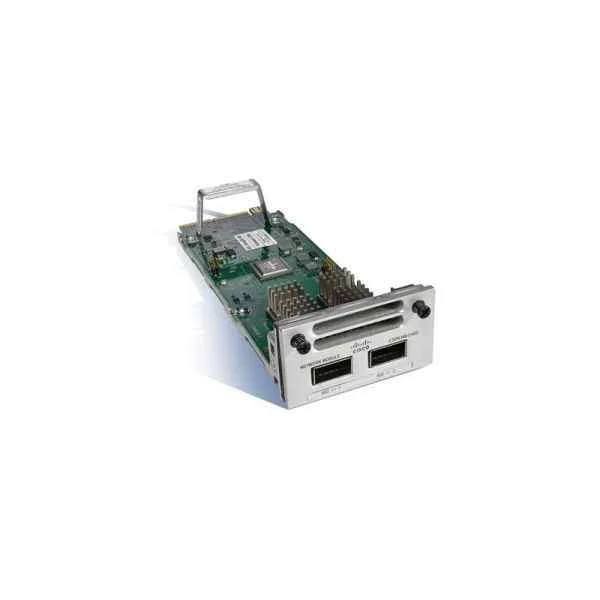
C3850-NM-2-40G (CATALYST 3850 2 X 40GE NETWORK MODULE)
4.6 (5)- Network Module / Network Card
- Cisco
- Network Module
- 40G
- QSFP+
- TCP/IP, Ethernet
- Modular
Est Value $14,268.00
$537.04
96.2% offIn stockNewRefurbishedFirst-Time Buyer Discount – Get up to 2% additional off on your first order
ORM Rewards Earn $50 in Rewards + Free Expedited Delivery – Join Now!
Use eCoupon ORMSAVE10
eCoupon limited to 5 units
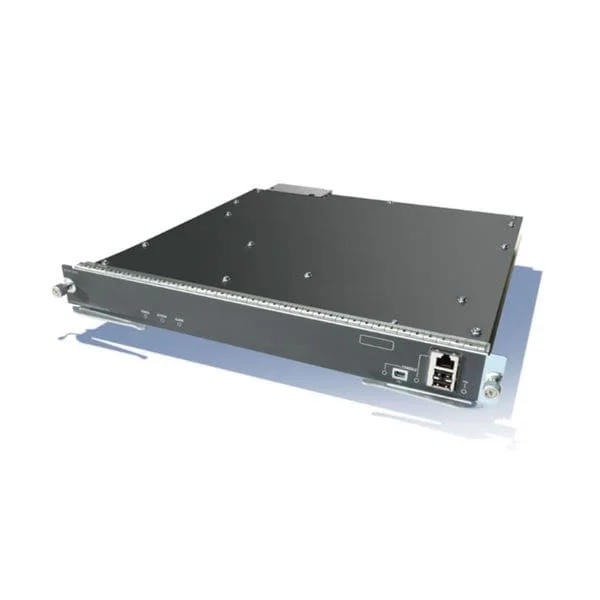
C1-WSSVC-WISM2-K9 (Cisco ONE - Wireless Services Module:WiSM-2 without AP licenses)
4.2 (5)- Wireless Network Module
- Cisco
- Wi-Fi Module
- 1Gbps
- PCIe
- TCP/IP / 802.11ac
- Modular
Est Value In stockFirst-Time Buyer Discount – Get up to 2% additional off on your first order
ORM Rewards Earn $50 in Rewards + Free Expedited Delivery – Join Now!
Use eCoupon ORMSAVE10
eCoupon limited to 5 units

ORM Sales Advisors
Buying for your business? Get a personalised quote in under 2 hours. Talk to an expert
LEARNFilters (2) 
Questions & Answers
What is the Cisco Wireless Services Module (WiSM)?
The Cisco Wireless Services Module (WiSM) is an integrated wireless controller that plugs into compatible Cisco Catalyst switch chassis to centrally manage, secure, and scale Wi-Fi networks for enterprise campuses.
Which Cisco Catalyst switches support the Wireless Services Module?
The Cisco WiSM is supported on Cisco Catalyst 6500 and 6800 Series switches with a Supervisor Engine 2T or 2T-E, enabling seamless integration of wired and wireless services in a single chassis.
What are the key features of the Cisco Wireless Services Module?
WiSM key features include:\n• Centralized RF management and dynamic channel assignment\n• Layer 2/3 roaming and seamless client mobility\n• Integrated security (WPA2, 802.1X, Advanced Malware Protection)\n• Quality of Service for voice and video\n• Scalability to hundreds of APs per module
How many access points can a single Wireless Services Module support?
A single Cisco WiSM 2 can support up to 500 lightweight access points and 7,680 wireless clients, providing enterprise-class scale for large campus deployments.
What throughput performance does the Wireless Services Module deliver?
The Cisco WiSM 2 delivers up to 20 Gbps of wired backplane throughput and supports individual AP data rates up to 1.3 Gbps (802.11ac Wave 2), ensuring high-performance wireless access.
Which security protocols and services are supported by WiSM?
WiSM supports:\n• WPA2/WPA3 enterprise and personal\n• 802.1X with RADIUS and TACACS+\n• Cisco TrustSec and SGT mapping\n• Wireless Intrusion Prevention System (wIPS)\n• Flexible Authentication via web (Hotspot) and MAB
How does WiSM handle high availability and redundancy?
Cisco WiSM supports:\n• Stateful switchovers with Supervisor Engine 2T-E\n• AP and client session persistence\n• Redundant power supplies and fans in the Catalyst chassis\n• Seamless failover for minimal service disruption
What licensing options are available for the Wireless Services Module?
Licensing is managed via Cisco Smart Licensing with two tiers:\n• Access Point license (per-AP basis)\n• Advanced feature licenses (Analytics, Location, MSE integration)\nAll licenses are perpetual with optional support and subscription services.
How do I deploy the Cisco Wireless Services Module?
Deployment steps:\n1. Insert WiSM into a supported Catalyst chassis\n2. Connect uplink and PoE-powered access points\n3. Configure controller settings via CLI or Prime Infrastructure\n4. Apply WLAN, security, and QoS policies\n5. Validate coverage and roaming
How is the Wireless Services Module managed and monitored?
You can manage WiSM via:\n• Cisco Prime Infrastructure for centralized monitoring and troubleshooting\n• CLI and GUI on the module for real-time configuration\n• REST APIs for automation and integration
Can I integrate WiSM with Cisco Prime Infrastructure?
Yes. Cisco WiSM integrates natively with Cisco Prime Infrastructure, providing unified visibility of wired and wireless infrastructure, client analytics, and automated firmware upgrades.
What Power over Ethernet (PoE) requirements apply to the Wireless Services Module?
WiSM itself draws power from the Catalyst chassis. Access points require PoE or PoE+ on switch ports according to 802.3af/at standards, depending on AP model and features.
How does WiSM support Bring Your Own Device (BYOD) environments?
WiSM offers:\n• Self-service guest portals and onboarding\n• Device profiling and posture assessment\n• Dynamic VLAN assignment and role-based access control\n• Secure segmentation via TrustSec and SGT tags
What environmental and form-factor specifications apply?
WiSM installs in a Cisco Catalyst chassis slot and requires:\n• Operating temperature: 0° to 40°C\n• Airflow: front-to-back per chassis specification\n• Rack-mount as part of the host chassis
What warranty and support options are available for WiSM?
Cisco offers a limited lifetime warranty for the module paired with optional Cisco SMARTnet or Solution Support, providing 24×7 access to TAC, hardware replacement, and software updates.