 United States
Juniper Router Modules & Cards
Discover premium Juniper router modules and cards engineered for optimal network performance and unparalleled security, delivering robust, scalable connectivity solutions for enterprise-grade infrastructures worldwide.
Talk to an expert
21 Matching results
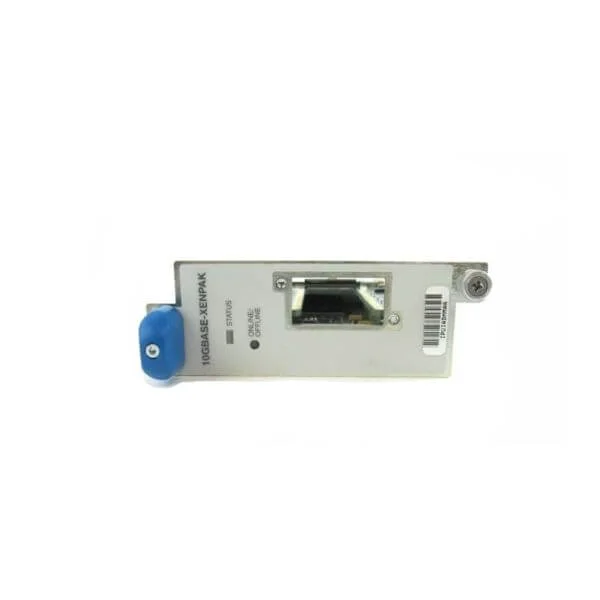
PC-1XGE-XENPAK (PIC, 1-port 10 Gigabit Ethernet LAN, XENPAK Optics)
5 (5)- Network Module / Network Card
- Juniper
- Ethernet
- 10Gbps
- LC Duplex
- TCP/IP
- Modular
Est Value $604.80
$302.40
50% offIn stockRefurbishedFirst-Time Buyer Discount – Get up to 2% additional off on your first order
ORM Rewards Earn $50 in Rewards + Free Expedited Delivery – Join Now!
Use eCoupon ORMSAVE10
eCoupon limited to 5 units
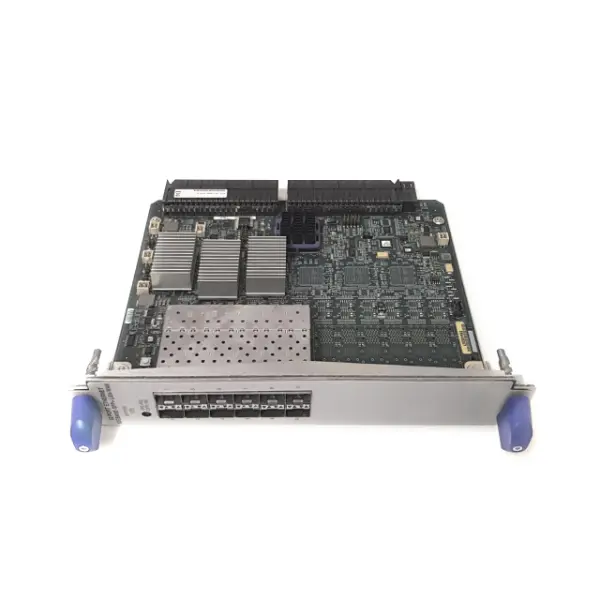
PF-12XGE-SFPP (Type 5 Interface that Supports (12) Line-Rate Ports. Requires SFP+ Pluggable Optics, Sold Separately)
5 (5)- Network Module / Network Card
- Juniper
- SFP+
- 10G
- SFP+
- TCP/IP
- SFP Module
Est Value $4,000.00$1,260.00
68.5% offIn stockRefurbishedFirst-Time Buyer Discount – Get up to 2% additional off on your first order
ORM Rewards Earn $50 in Rewards + Free Expedited Delivery – Join Now!
Use eCoupon ORMSAVE10
eCoupon limited to 5 units

RE-DUO-C1800-16G-BB (Routing engine with dual core 1800MHz processor, SSD and 16GB memory, Base Bundle)
4.4 (5)- Network Module / Network Card
- Juniper
- Ethernet Module
- 1G
- RJ-45
- TCP/IP
- PCIe
Est Value $3,294.00$1,554.00
52.8% offIn stockRefurbishedFirst-Time Buyer Discount – Get up to 2% additional off on your first order
ORM Rewards Earn $50 in Rewards + Free Expedited Delivery – Join Now!
Use eCoupon ORMSAVE10
eCoupon limited to 5 units
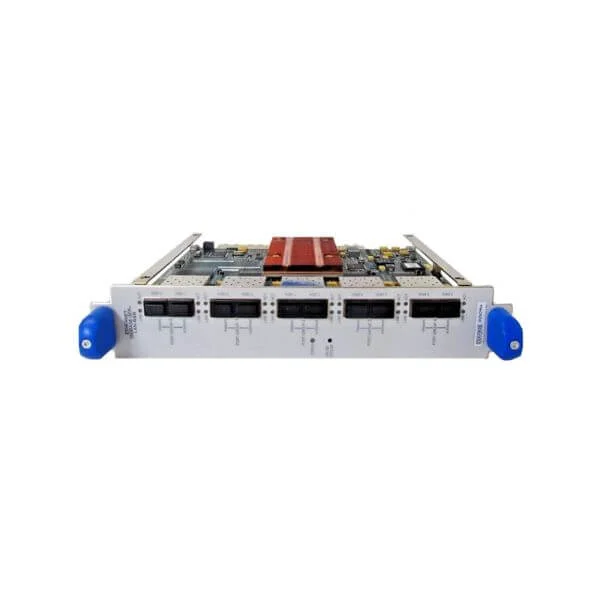
PD-5-10XGE-SFPP (Type 4 PIC with dual mode operation. 5 (line-rate) 10GE ports or 10 (oversubscribed) 10GE ports. With SFP+ optical transceivers sold separately)
4.4 (5)- Network Module
- Juniper
- SFP+
- 10G
- SFP+
- TCP/IP, Ethernet
- Small Form-factor Pluggable
Est Value $2,215.93$1,891.65
14.6% offIn stockRefurbishedFirst-Time Buyer Discount – Get up to 2% additional off on your first order
ORM Rewards Earn $50 in Rewards + Free Expedited Delivery – Join Now!
Use eCoupon ORMSAVE10
eCoupon limited to 5 units

SSD-32G-RE-S (RE Solid State Drive, 32G, M120, M320, MX series)
5 (5)- Solid State Drive
- Juniper
- NVMe SSD
- PCIe
- PCIe
Est Value $6,385.00$4,572.29
28.4% offIn stockNewRefurbishedFirst-Time Buyer Discount – Get up to 2% additional off on your first order
ORM Rewards Earn $50 in Rewards + Free Expedited Delivery – Join Now!
Use eCoupon ORMSAVE10
eCoupon limited to 5 units

MIC-MACSEC-20GE (Multi rate MACsec MIC that supports either 20x1GE SFP or 2x10G SFPP ports. This MIC has 256b AES. This plugs in to MX80/MX104/MPC1E/MPC2E/MPC3E/MPC2E-NG/MPC3E-NG)
4.6 (10)- Network Module / Network Card
- Juniper
- SFP28
- 20Gbps
- SFP28
- TCP/IP
- Modular
Est Value $13,864.00$2,587.67
81.3% offIn stockNewRefurbishedFirst-Time Buyer Discount – Get up to 2% additional off on your first order
ORM Rewards Earn $50 in Rewards + Free Expedited Delivery – Join Now!
Use eCoupon ORMSAVE10
eCoupon limited to 5 units

PF-1CGE-CFP (Type 5 Interface that Supports (1) 100 Gigabit Ethernet Interface. Requires CFP Pluggable Optic Module, Sold Separately.)
4.4 (5)- Network Module / CFP Transceiver
- Juniper
- Ethernet
- 100G
- CFP
- TCP/IP
Est Value In stockFirst-Time Buyer Discount – Get up to 2% additional off on your first order
ORM Rewards Earn $50 in Rewards + Free Expedited Delivery – Join Now!
Use eCoupon ORMSAVE10
eCoupon limited to 5 units

PF-BLANK (Blank plate for PIC slot on type 5 FPC)
4.6 (5)- Network Module / Network Card
- Juniper
- Ethernet
- 10G
- SFP+
- TCP/IP / iSCSI
- PCIe
Est Value In stockFirst-Time Buyer Discount – Get up to 2% additional off on your first order
ORM Rewards Earn $50 in Rewards + Free Expedited Delivery – Join Now!
Use eCoupon ORMSAVE10
eCoupon limited to 5 units

PKG-T640-S (T640/T1600 Spare Shipping Container)
4.8 (5)- Network Module / Network Card
- Juniper
- Ethernet Module
- 10G
- SFP+
- TCP/IP
- PCIe
Est Value In stockFirst-Time Buyer Discount – Get up to 2% additional off on your first order
ORM Rewards Earn $50 in Rewards + Free Expedited Delivery – Join Now!
Use eCoupon ORMSAVE10
eCoupon limited to 5 units

SCG-T-EC-BB (SCG for T Series Supporting External Clocking, Base Bundle for configured systems only)
4.4 (5)- Network Module
- Juniper
- Ethernet
- 10Gbps
- SFP+
- TCP/IP, iSCSI
- PCIe
Est Value In stockFirst-Time Buyer Discount – Get up to 2% additional off on your first order
ORM Rewards Earn $50 in Rewards + Free Expedited Delivery – Join Now!
Use eCoupon ORMSAVE10
eCoupon limited to 5 units

SCG-T-EC-R (SCG for T Series Supporting External Clocking, Redundant option for configured systems only)
4.6 (5)- Network Card
- Juniper
- Ethernet
- 10G
- RJ-45
- TCP/IP / iSCSI
- PCIe
Est Value In stockFirst-Time Buyer Discount – Get up to 2% additional off on your first order
ORM Rewards Earn $50 in Rewards + Free Expedited Delivery – Join Now!
Use eCoupon ORMSAVE10
eCoupon limited to 5 units

SCG-T-EC-S (SCG for T Series Supporting External Clocking)
4.4 (5)- Network Module / Network Card
- Juniper
- Ethernet
- 10Gbps
- SFP+
- TCP/IP, iSCSI
- PCIe
Est Value In stockFirst-Time Buyer Discount – Get up to 2% additional off on your first order
ORM Rewards Earn $50 in Rewards + Free Expedited Delivery – Join Now!
Use eCoupon ORMSAVE10
eCoupon limited to 5 units

RE-DUO-C1800-16G-WW-S (Routing engine with dual core 1800MHz processor, SSD and 16GB memory, Spare)
4.6 (5)- Network Card
- Juniper
- Ethernet Module
- 10Gbps
- SFP+
- TCP/IP, iSCSI
- PCIe
Est Value In stockFirst-Time Buyer Discount – Get up to 2% additional off on your first order
ORM Rewards Earn $50 in Rewards + Free Expedited Delivery – Join Now!
Use eCoupon ORMSAVE10
eCoupon limited to 5 units

T4K-12XGE-FPC5-UPG (Upgrade Kit for T1600 or T640, Bundle, Includes T4000-FPC5-3D and PF-12XGE-SFPP, as well as 2 RE-DUO-C1800-16G-S, 2 CB-LCC-S, 5 SIB-I-T4000-S, FAN-REAR-TXP-LCC-S, 2 FANTRAY-T4000-S, and 2 PWR-T-6-60-DC-S,CRAFT-T-SERIES-S)
4.6 (5)- Network Module / Network Card
- Juniper
- Ethernet
- 10G
- SFP+
- TCP/IP
- Modular
Est Value In stockFirst-Time Buyer Discount – Get up to 2% additional off on your first order
ORM Rewards Earn $50 in Rewards + Free Expedited Delivery – Join Now!
Use eCoupon ORMSAVE10
eCoupon limited to 5 units

T4K-1CGE-FPC5-UPG (Upgrade Kit for T1600 or T640, Bundle, Includes T4000-FPC5-3D and PF-1CGE-CFP, 2 RE-DUO-C1800-16G-S, 2 CB-LCC-S, 5 SIB-I-T4000-S, FAN-REAR-TXP-LCC-S, 2 FANTRAY-T4000-S, and 2 PWR-T-6-60-DC-S,CRAFT-T-SERIES-S)
4.4 (5)- Network Module / Network Card
- Juniper
- Ethernet
- 10G
- SFP+
- TCP/IP, iSCSI
- PCIe
Est Value In stockFirst-Time Buyer Discount – Get up to 2% additional off on your first order
ORM Rewards Earn $50 in Rewards + Free Expedited Delivery – Join Now!
Use eCoupon ORMSAVE10
eCoupon limited to 5 units

T4K-RED-BNDL (T4000,fully redundant,with standalone SIBs.incl (1)T4000BASE,(2)FANTRAY-T4000-BB,(1)FAN-REAR-TXP-LCC-BB,(2)CB-LCC-BB,(2)SCG-T-EC-BB,(2)PWR-T-6-60-DC-BB,(5)SIB-I-T4000 and 2 RE configurable must select in configurator,included in price)
4.4 (5)- Network Module / Network Card
- Juniper
- Ethernet
- 10Gbps
- RJ-45
- TCP/IP, iSCSI
- PCIe
Est Value In stockFirst-Time Buyer Discount – Get up to 2% additional off on your first order
ORM Rewards Earn $50 in Rewards + Free Expedited Delivery – Join Now!
Use eCoupon ORMSAVE10
eCoupon limited to 5 units

T4K-UPG (Upgrade Kit for T1600 or T640, Bundle, Includes 2 RE-DUO-C1800-16G-S, 2 CB-LCC-S, 5 SIB-I-T4000-S , FAN-REAR-TXP-LCC-S, 2 FANTRAY-T4000-S, 1 CRAFT-T-SERIES-S and 2 PWR-T-6-60-DC-S)
5 (5)- Network Module
- Juniper
- Ethernet
- 10Gbps
- SFP+
- TCP/IP, iSCSI
- PCIe
Est Value In stockFirst-Time Buyer Discount – Get up to 2% additional off on your first order
ORM Rewards Earn $50 in Rewards + Free Expedited Delivery – Join Now!
Use eCoupon ORMSAVE10
eCoupon limited to 5 units
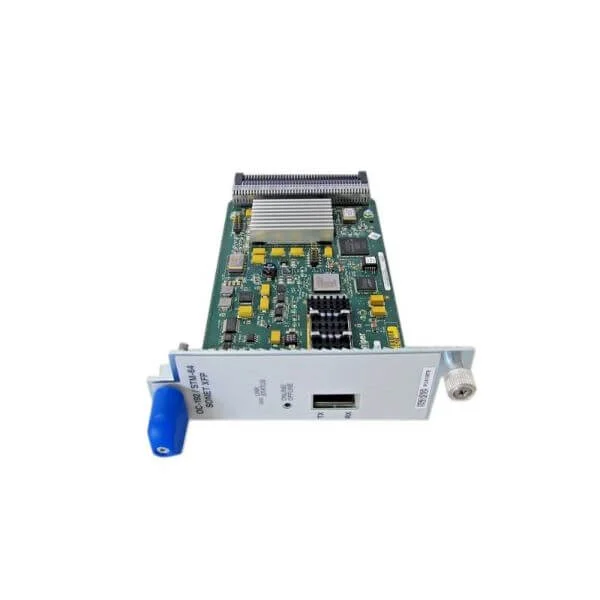
PC-1OC192-SON-XFP (OC192/SDH/STM64 single port Type 3 PIC, accepting XFP optical modules)
4.6 (5)- Network Module
- Juniper
- SONET/OC-192 Transceiver
- OC-192 (~10Gbps)
- XFP
- SONET
- Modular (XFP)
Est Value In stockFirst-Time Buyer Discount – Get up to 2% additional off on your first order
ORM Rewards Earn $50 in Rewards + Free Expedited Delivery – Join Now!
Use eCoupon ORMSAVE10
eCoupon limited to 5 units
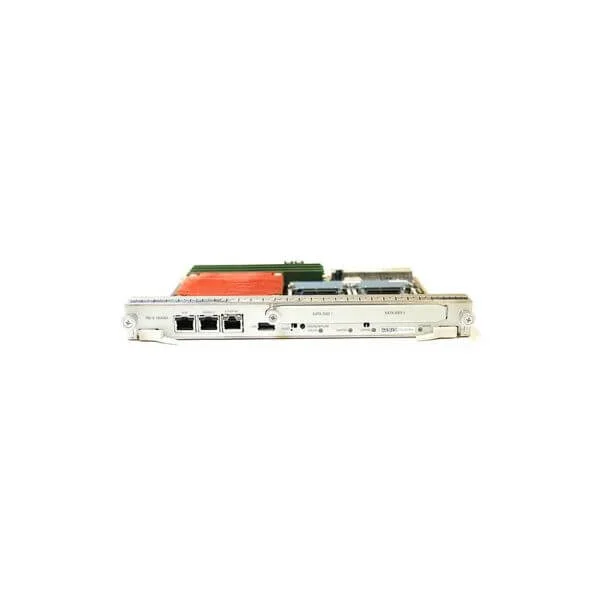
RE-DUO-C1800-16G-R (Routing engine with dual core 1800MHz processor, SSD and 16GB memory, Redundant)
4.8 (5)- Network Module / Network Card
- Juniper
- Ethernet
- 10G
- SFP+
- TCP/IP, iSCSI
- PCIe
Est Value In stockFirst-Time Buyer Discount – Get up to 2% additional off on your first order
ORM Rewards Earn $50 in Rewards + Free Expedited Delivery – Join Now!
Use eCoupon ORMSAVE10
eCoupon limited to 5 units
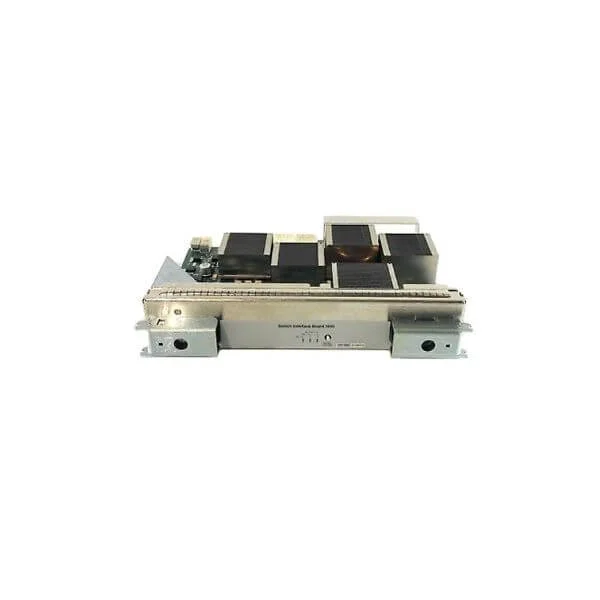
SIB-I-T4000 (Switch Interface Board for T4000 Serving 240G per Slot)
4.2 (5)- Network Card
- Juniper
- Ethernet
- 10Gbps
- SFP+
- TCP/IP
- PCIe
Est Value In stockFirst-Time Buyer Discount – Get up to 2% additional off on your first order
ORM Rewards Earn $50 in Rewards + Free Expedited Delivery – Join Now!
Use eCoupon ORMSAVE10
eCoupon limited to 5 units

ORM Sales Advisors
Buying for your business? Get a personalised quote in under 2 hours. Talk to an expert
LEARNFilters (21) 
Questions & Answers
What are Juniper Router modules and cards?
Juniper Router modules and cards are hardware components—such as line cards, switch fabric cards, power supplies, and routing engines—that expand connectivity, performance, and functionality in Juniper routers.
Which line cards are compatible with Juniper MX Series routers?
Juniper MX Series routers support MPC (MX Physical-CAP) and MIC (MX Interface Card) line cards; refer to the MX Series hardware guide for slot mapping and throughput compatibility.
How do I install a line card in a Juniper router?
Shut down the router, remove the slot cover, insert the line card until it seats firmly, secure it with the provided screws, and power on; Junos OS will auto-detect the new module.
How do I upgrade the firmware on a Juniper router module?
Upload the firmware package to the router and use Junos CLI commands: 'request system software add ' and 'request chassis firmware upgrade ' after backing up configurations.
What is a switch fabric card and why is it important?
A switch fabric card provides the high-speed backplane connectivity between line cards, ensuring packet forwarding throughput matches the router’s overall performance.
How can I monitor the status of installed modules?
Use Junos CLI commands like 'show chassis hardware', 'show chassis fpc', and 'show chassis alarms' or Junos Space to view module status, temperature, and error conditions.
What are power supply and fan tray modules?
Power supply modules deliver redundant AC or DC power and fan trays provide cooling; both are hot-swappable to ensure continuous operation under varied load conditions.
What is the routing engine module and how does it function?
The routing engine module houses the control-plane CPU and memory, runs Junos OS, and manages routing protocols, system processes, and configuration tasks.
How do I troubleshoot a failed module or card?
Check LED indicators, run 'show chassis alarms' and 'show system alarms' in the CLI, reseat the module, test with a known-good replacement, and collect logs for Juniper Support if needed.
How do I select the right module for my network needs?
Assess required interface speeds, port density, throughput, slot compatibility, and budget, then consult Juniper’s compatibility matrix to match the optimal line card or module to your deployment.
What licensing is required for additional modules?
Most hardware modules include perpetual base licenses; advanced features (such as subscriber density or MPLS) may require separate feature or universal licenses available from Juniper or partners.
Are Juniper router modules hot-swappable?
Yes, the vast majority of Juniper router modules and cards are hot-swappable, allowing insertion or removal without powering down the chassis—verify specifics in the hardware documentation.
What are the differences between 10GbE and 100GbE line cards?
10GbE line cards (XFP/SFP+) support up to 10 Gbps per port, while 100GbE cards (CFP2/QSFP28) provide up to 100 Gbps per port, offering higher throughput and port density for large-scale environments.
How do I ensure compatibility between modules and chassis?
Review the router’s hardware documentation for supported module families, slot assignments, and power requirements, and use the Juniper compatibility matrix for validated module-chassis combinations.
How do I order spare modules for network redundancy?
Provide your Juniper partner or Juniper order desk with the router model, chassis serial number, and exact part number of the module to procure identical spares for redundancy.
How often should I perform maintenance on Juniper router modules?
Perform visual inspections and dust removal quarterly, run 'show chassis alarms' monthly, keep firmware up to date per release notes, and replace any failing modules immediately.