 United States
Networking TP-Link PoE Injectors
Discover exceptional PoE performance with TP-Link injectors engineered for reliability, optimal connectivity, and advanced infrastructure scalability. Enhance network efficiency and simplify power delivery in professional environments.
Talk to an expert
3 Matching results
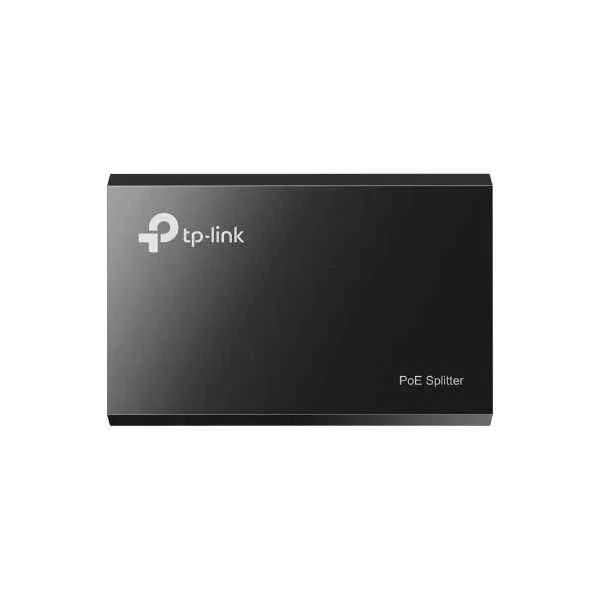
TL-POE10R (TL-POE10R - Gigabit Ethernet - 10,100 Mbit/s - IEEE 802.3af - IEEE 802.3 - 802.3u - 802.3af - White - FCC - CE)
5 (5)- PoE Injector
- Tp-Link
- IEEE 802.3af / IEEE 802.3at / IEEE 802.3bt
- 1 Port
- SMB Networking / Industrial PoE / Surveillance
- IP Phones / Wireless Access Points / IP Cameras
- 10/100/1000 Mbps
Est Value $45.51
$38.85
14.6% offIn stockRefurbishedFirst-Time Buyer Discount – Get up to 2% additional off on your first order
ORM Rewards Earn $50 in Rewards + Free Expedited Delivery – Join Now!
Use eCoupon ORMSAVE10
eCoupon limited to 5 units
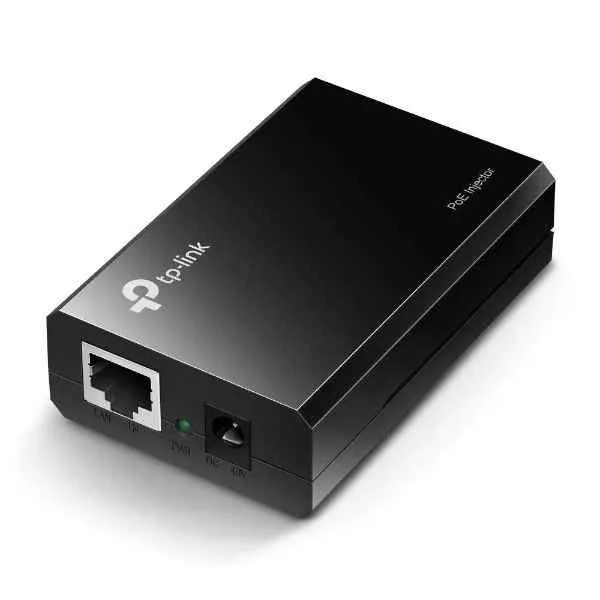
TL-POE150S (TL-POE150S - Gigabit Ethernet - 10,100,1000 Mbit/s - IEEE 802.3af - Black - FCC - CE - 48 V)
5 (5)- PoE Injector
- Tp-Link
- IEEE 802.3af / IEEE 802.3at / IEEE 802.3bt
- 1 Port
- Surveillance / SMB Networking / Industrial PoE
- IP Cameras / Wireless Access Points / IP Phones
- 10/100/1000 Mbps
Est Value In stockFirst-Time Buyer Discount – Get up to 2% additional off on your first order
ORM Rewards Earn $50 in Rewards + Free Expedited Delivery – Join Now!
Use eCoupon ORMSAVE10
eCoupon limited to 5 units
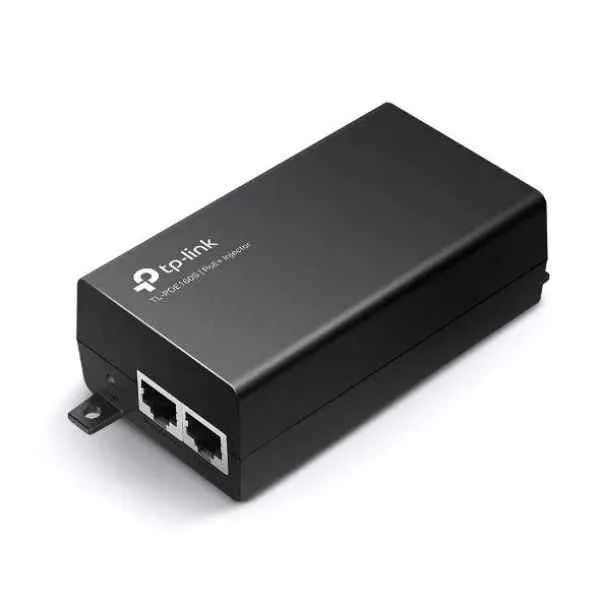
TL-POE160S (TP-LINK PoE+ Injector - Gigabit Ethernet - 10,100,1000 Mbit/s - IEEE 802.3ab,IEEE 802.3af,IEEE 802.3at,IEEE 802.3i,IEEE 802.3u - Cat3,Cat4,Cat5,Cat5e - 100 m - Black (TL-POE160S))
4.6 (5)- PoE Injector
- Tp-Link
- IEEE 802.3af / IEEE 802.3at
- 8 Ports
- Surveillance / SMB Networking / Industrial PoE / Home Automation / General Purpose
- IP Cameras / Wireless Access Points / IP Phones
- 10/100/1000 Mbps
Est Value In stockFirst-Time Buyer Discount – Get up to 2% additional off on your first order
ORM Rewards Earn $50 in Rewards + Free Expedited Delivery – Join Now!
Use eCoupon ORMSAVE10
eCoupon limited to 5 units

ORM Sales Advisors
Buying for your business? Get a personalised quote in under 2 hours. Talk to an expert
LEARNFilters (3) 
Questions & Answers
What is a TP-Link PoE injector?
A TP-Link PoE injector is a network device that adds Power over Ethernet capability to an Ethernet connection, enabling you to power PoE-compatible devices such as IP cameras and wireless access points over a single cable.
How does a TP-Link PoE injector work?
A TP-Link PoE injector combines power and data onto a single Ethernet cable by injecting DC power compliant with IEEE 802.3af/at standards, delivering both power and network connectivity to PoE-enabled devices.
What are the benefits of using a TP-Link PoE injector?
Using a TP-Link PoE injector simplifies installation by eliminating separate power cables, reduces costs, and provides flexible device placement for access points, cameras, and VoIP phones without the need for nearby power outlets.
Which PoE standards do TP-Link injectors support?
TP-Link PoE injectors support IEEE 802.3af (PoE) delivering up to 15.4W per port and IEEE 802.3at (PoE+) delivering up to 30W, ensuring compatibility with a wide range of network devices.
How do I choose the right TP-Link PoE injector for my network?
Select a TP-Link PoE injector based on your device’s power requirements, PoE standard (802.3af or 802.3at), and network speed (10/100Mbps or Gigabit), ensuring it matches the wattage and data throughput needs of your PoE devices.
Can TP-Link PoE injectors power devices over long distances?
TP-Link PoE injectors can transmit power and data up to 100 meters (328 feet) over Cat5e/Cat6 Ethernet cables, which is the standard maximum distance for IEEE 802.3af/at compliant installations.
Are TP-Link PoE injectors compatible with non-TP-Link devices?
Yes, TP-Link PoE injectors are IEEE 802.3af/at compliant, ensuring interoperability with any PoE-enabled device that meets the same PoE standards, regardless of brand.
How do I install a TP-Link PoE injector?
To install, connect your network switch or router to the injector’s LAN port, plug the PoE port into your PoE device, then power on the injector—no additional configuration is required.
How much power can TP-Link PoE injectors deliver per port?
TP-Link PoE injectors deliver up to 15.4W per port with 802.3af and up to 30W per port with 802.3at, sufficient for most IP cameras, wireless APs, and VoIP phones.
What do the LED indicators on a TP-Link PoE injector mean?
The Power LED indicates AC input status, and the PoE/Data LED shows when a valid PoE connection is established; a solid green light means normal operation.
Can I use multiple TP-Link PoE injectors on the same network?
Yes, you can deploy multiple TP-Link PoE injectors on a single network to power multiple PoE devices; ensure each injector is powered and linked to the network switch or router.
How do I troubleshoot a TP-Link PoE injector that is not powering devices?
Verify the AC power source, check Ethernet cable integrity, ensure the PoE device supports the injector’s PoE standard, and inspect LED indicators for power or connection faults.
Are TP-Link PoE injectors safe for indoor and outdoor use?
TP-Link PoE injectors are designed for indoor use; for outdoor applications, use weatherproof enclosures or outdoor-rated PoE injectors specifically engineered to withstand environmental conditions.
Do TP-Link PoE injectors include surge protection?
Many TP-Link PoE injectors feature built-in surge protection to safeguard connected devices against voltage spikes and electrical surges, enhancing network reliability.
What warranty and support options are available for TP-Link PoE injectors?
TP-Link offers a limited lifetime warranty on select PoE injectors and provides 24/7 technical support, downloadable firmware updates, and comprehensive online resources.