 United States
Power Supplies Catalyst 3000 Series
Engineered for reliability and efficiency, our Catalyst 3000 series power supplies deliver unprecedented performance and robust scalability for mission-critical applications. Optimize uptime and ensure consistent operational excellence.
Talk to an expert
3 Matching results
- BEST SELLING
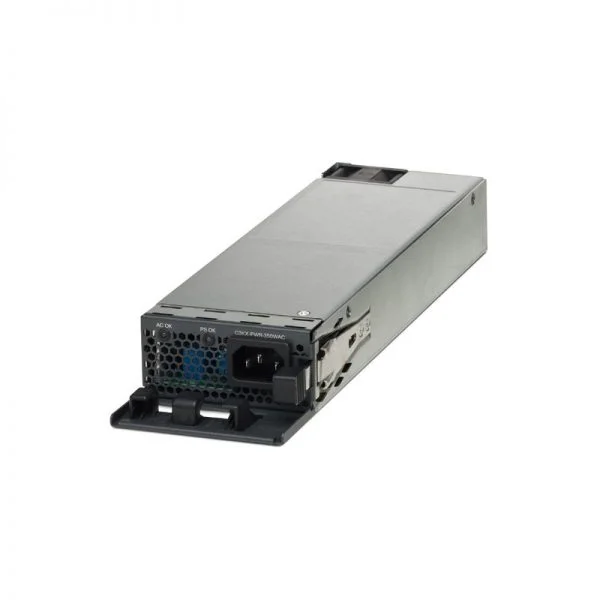
PWR-C1-1100WAC (Cisco Catalyst Config 1 AC Power Supply, 1100W, Hot-Swappable, 115-240V AC)
4.6 (5)- Power Supply
- Switch Power Supply
- Cisco 1100 W AC power supply module
- PWR-C1-1100WAC
- Cisco
- Catalyst Config 1
- C9300 Series Switches; Cisco Catalyst 3850 Series Switches
Est Value $365.00
$54.86
85% offIn stockNewRefurbishedFirst-Time Buyer Discount – Get up to 2% additional off on your first order
ORM Rewards Earn $50 in Rewards + Free Expedited Delivery – Join Now!
Use eCoupon ORMSAVE10
eCoupon limited to 5 units
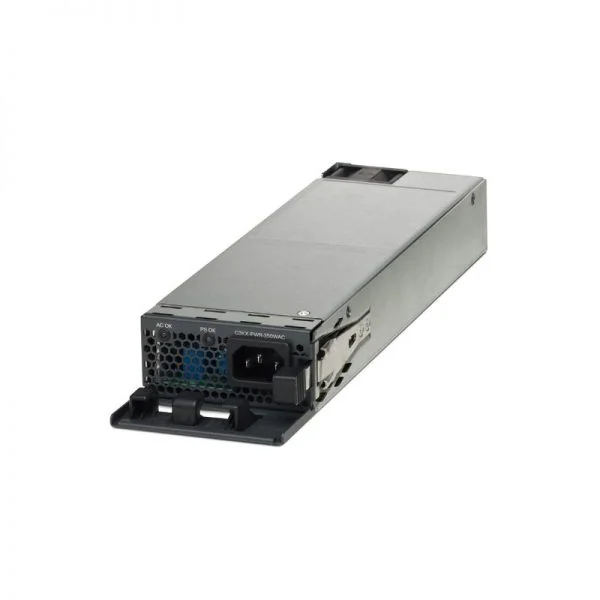
PWR-C1-715WAC (Cisco Catalyst Switch Power Supply, 715W AC, Config 1, Hot-Swappable)
4.6 (5)- Power Supply
- Switch Power Supply
- 715 W AC power supply module
- PWR-C1-715WAC
- Cisco
- Catalyst
- Catalyst 3650 Series Switches; Catalyst 3850 switches; C9300 Series Switches; C9300L Series Switches
Est Value $398.00$59.85
85% offIn stockNewRefurbishedFirst-Time Buyer Discount – Get up to 2% additional off on your first order
ORM Rewards Earn $50 in Rewards + Free Expedited Delivery – Join Now!
Use eCoupon ORMSAVE10
eCoupon limited to 5 units
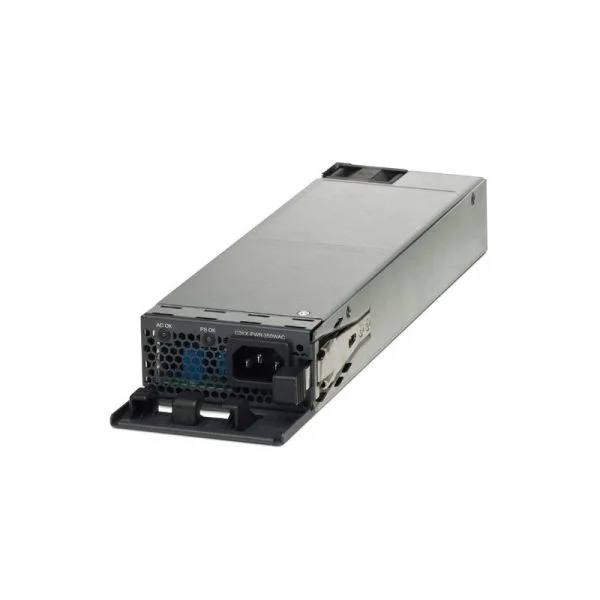
PWR-C1-350WAC (Cisco Catalyst Switch Power Supply, 350W AC, Config 1, Hot-Swappable PSU)
0 (0)- Power Supply
- Switch Power Supply
- Cisco 350 W AC Power Supply Module
- PWR-C1-350WAC
- Cisco
- Config 1
- Cisco Catalyst C9300 Series, C9300L Series, Catalyst 3850 switches
Est Value $412.00$61.95
85% offIn stockNewRefurbishedFirst-Time Buyer Discount – Get up to 2% additional off on your first order
ORM Rewards Earn $50 in Rewards + Free Expedited Delivery – Join Now!
Use eCoupon ORMSAVE10
eCoupon limited to 5 units

ORM Sales Advisors
Buying for your business? Get a personalised quote in under 2 hours. Talk to an expert
LEARNFilters (3) 
Questions & Answers
What types of power supplies are compatible with Catalyst 3000 Series switches?
Cisco-branded AC and DC power supplies designed for the Catalyst 3000 Series are fully compatible. Always verify your switch model’s specifications before ordering to ensure correct form factor and electrical requirements.
How do I replace a faulty power supply in a Catalyst 3000 Series switch?
Power supplies in the Catalyst 3000 Series are hot-swappable. Simply remove the faulty unit by unlatching it from the chassis, slide in the replacement, and verify LED status to confirm proper operation.
What wattage options are available for Catalyst 3000 Series power supplies?
Catalyst 3000 Series supports 350W, 715W, and 1100W AC/AC-DC redundant power supplies. Select the wattage based on your PoE budget and overall switch power consumption.
Can I mix different power supply models in the same Catalyst 3000 Series chassis?
Yes. You can mix identical-output AC and DC power supplies for redundancy as long as they share the same voltage and wattage ratings defined by the chassis.
How does power-supply redundancy work in the Catalyst 3000 Series?
In redundant mode, two identical power supplies share the load; if one fails, the other automatically carries full load without traffic interruption, ensuring uninterrupted switch operation.
What input voltage range do Catalyst 3000 Series power supplies support?
AC power supplies accept 100–240VAC at 50–60Hz, while DC models support –40 to –72VDC. Always confirm compatibility with your local power infrastructure.
Are Catalyst 3000 Series power supplies hot-swappable?
Yes, all Catalyst 3000 Series power supplies are hot-swappable, enabling replacement without powering down the switch and avoiding network downtime.
How can I monitor the health of my Catalyst 3000 power supplies?
Use Cisco IOS commands (show environment power) or Cisco Prime Infrastructure to view real-time voltage, current, and status indicators, and configure SNMP traps for alerts.
What are the part numbers and ordering codes for Catalyst 3000 Series power supplies?
Common Cisco ordering codes include PWR-C3-350WAC, PWR-C3-715WAC, and PWR-C3-1100WAC. Verify compatibility with your specific switch model before purchasing.
What cooling and noise levels can I expect from Catalyst 3000 Series power supplies?
These power supplies use variable-speed fans, operating at approximately 45–55 dBA under full load. Ensure proper rack ventilation to maintain optimal temperatures.
Do Catalyst 3000 Series power supplies have environmental certifications?
Yes. They comply with RoHS, WEEE, and ENERGY STAR standards, and meet CE and UL safety certifications for global deployment.
How do I configure power-supply redundancy on a Catalyst 3000 switch?
By default, redundancy is enabled when two identical supplies are installed. No additional IOS configuration is required for basic redundant functionality.
What warranty coverage is provided for Catalyst 3000 Series power supplies?
Cisco provides a limited lifetime hardware warranty on genuine power supplies, covering defects in materials and workmanship with next-business-day replacement options.
Can I use third-party or refurbished power supplies in a Catalyst 3000 Series switch?
Cisco recommends using genuine power supplies to ensure compatibility, reliability, and to maintain warranty and support coverage.
What troubleshooting steps should I take for a power-supply failure?
Verify input voltage, reseat the module, inspect LEDs for error codes, swap with a known-good unit, and review the Cisco device logs for diagnostic messages.
What are the differences between AC and DC power supplies for Catalyst 3000?
AC units convert 100–240VAC to DC internally, while DC models accept –40 to –72VDC directly. Choose based on your facility’s power source and backup infrastructure.
What safety precautions are required when handling Catalyst 3000 power supplies?
Always wear ESD protection, disconnect power before installation if not hot-swappable, and follow Cisco’s hardware installation guide to avoid electrical hazards.