 United States
Repeaters Precision Signal Amplifiers
Harness cutting-edge repeater technology for optimal signal amplification, extended coverage, and reliable connectivity. Our state-of-the-art repeaters ensure robust network performance and unmatched reliability for modern communication infrastructures.
Talk to an expert
Asus Repeaters
(2)Asus repeaters fit retail backroom Wi-Fi extensions, offering 2.4 GHz and 5 GHz bands for staff tablets and scanners
2 Matching results
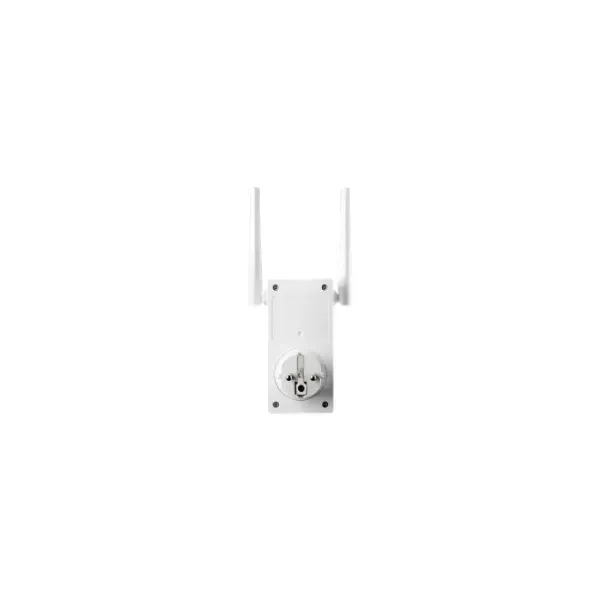
90IG0360-BM3000 (RP-AC53 - 433 Mbit/s - 433 Mbit/s - 10,100 Mbit/s - IEEE 802.11a,IEEE 802.11ac,IEEE 802.11b,IEEE 802.11g,IEEE 802.11n - WPA,WPA2,WPS - Wall)
4.8 (6)Est Value In stock
First-Time Buyer Discount – Get up to 2% additional off on your first order
ORM Rewards Earn $50 in Rewards + Free Expedited Delivery – Join Now!
Use eCoupon ORMSAVE10
eCoupon limited to 5 units
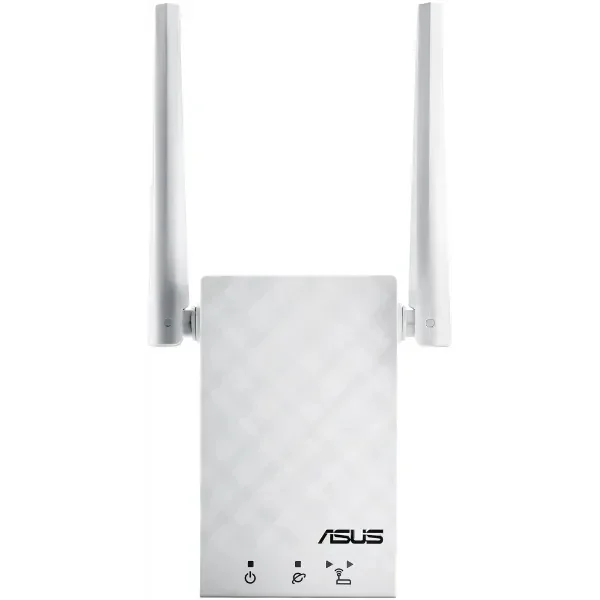
90IG03Z1-BM3R00 (RP-AC55 - Network repeater - 1200 Mbit/s - White)
4.6 (5)Est Value In stockFirst-Time Buyer Discount – Get up to 2% additional off on your first order
ORM Rewards Earn $50 in Rewards + Free Expedited Delivery – Join Now!
Use eCoupon ORMSAVE10
eCoupon limited to 5 units

ORM Sales Advisors
Buying for your business? Get a personalised quote in under 2 hours. Talk to an expert
LEARNFilters (2) 
Questions & Answers
What is a repeater in networking?
A repeater is a physical-layer network device that regenerates and amplifies signals to extend coverage and maintain data integrity over long distances.
How does a repeater work?
A repeater receives a weakened or distorted signal, cleans noise, amplifies the waveform, and retransmits it at full strength to the next segment.
What are the benefits of using a repeater?
Repeaters extend network range, eliminate signal degradation, reduce packet loss, and support reliable data transmission in large or segmented environments.
What is the difference between a repeater and a router?
A repeater operates at the physical layer to amplify signals without routing or IP management, whereas a router directs packets between networks at the network layer.
How does a repeater differ from a Wi-Fi extender?
A repeater regenerates and forwards raw signals at the physical layer, while a Wi-Fi extender often performs routing functions to assign addresses and manage connections.
Can a repeater improve my Wi-Fi signal?
Yes, a wireless repeater captures a weak Wi-Fi signal, amplifies it, and rebroadcasts it to eliminate dead zones and strengthen coverage.
Where should I place a repeater for optimal coverage?
Position the repeater midway between your router and the area with poor signal, ensuring it receives at least 50 % of the original signal strength.
Does using a repeater affect network speed?
While a repeater restores signal strength, it may introduce latency or reduce throughput by up to 50 % per hop due to half-duplex operation.
How many repeaters can I cascade in one network?
You can cascade up to four repeaters in series per IEEE standards, but best practice is to limit hops to two for optimal performance.
What frequency bands do repeaters support?
Most repeaters support common bands like 2.4 GHz and 5 GHz; specialized models may also handle UHF/VHF for radio applications.
Are repeaters compatible with all network standards?
Repeaters are generally compatible with IEEE Ethernet (10/100 Mbps) and 802.11 Wi-Fi protocols; verify compatibility before deployment.
How do I set up a repeater?
Connect the repeater to power, log into its web interface via a browser, select your SSID, enter the network password, and apply settings as instructed.
What security protocols do repeaters support?
Modern repeaters support WPA3, WPA2-AES, WPA-PSK, and WEP; always choose the highest available encryption level to safeguard your network.
How do I troubleshoot a repeater that isn’t working?
Verify power and signal strength, confirm SSID and password accuracy, update firmware, and reposition the unit closer to the primary router if necessary.
Do repeaters require professional installation?
Most consumer repeaters offer plug-and-play setup with guided wizards, eliminating the need for professional installation in typical residential or small-office environments.
What range extension can I expect from a repeater?
A typical repeater can extend coverage by 30–100 meters indoors and up to 300 meters outdoors, depending on environment and antenna quality.