 United States
Switches Nexus 2000 Series
Discover unmatched network performance and security with Nexus 2000 Switches. Ideal for enterprise environments, these advanced devices ensure high throughput connectivity and robust management capabilities.
Talk to an expert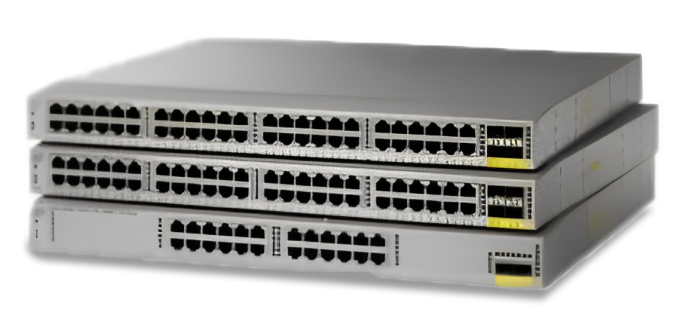
8 Matching results
- BEST SELLING
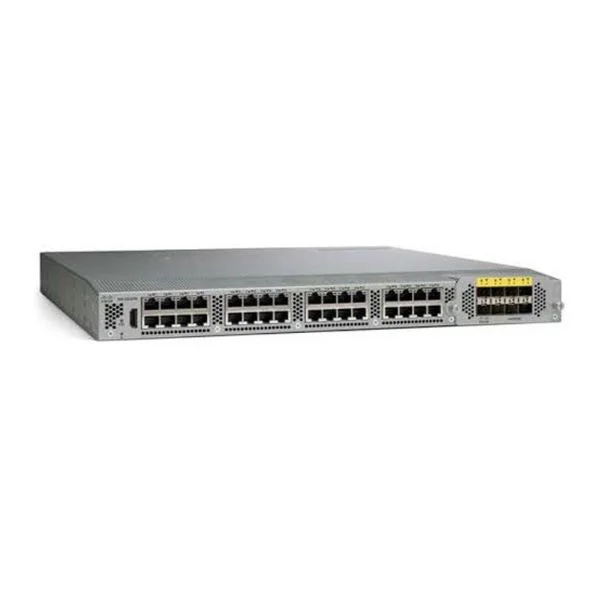
N2K-C2232TM-E (N2K-C2232TM-E-10GE (32x1/10GT+8x10GE), airflow/power option)
4.8 (5)- Switch
- Cisco
- AC Power Supply
- Layer 2
- Rack-mount
- 85 W
- 24–48 Ports
Est Value $11,937.00
$4,271.00
64.2% offIn stockNewFirst-Time Buyer Discount – Get up to 2% additional off on your first order
ORM Rewards Earn $50 in Rewards + Free Expedited Delivery – Join Now!
Use eCoupon ORMSAVE10
eCoupon limited to 5 units
- BEST SELLING
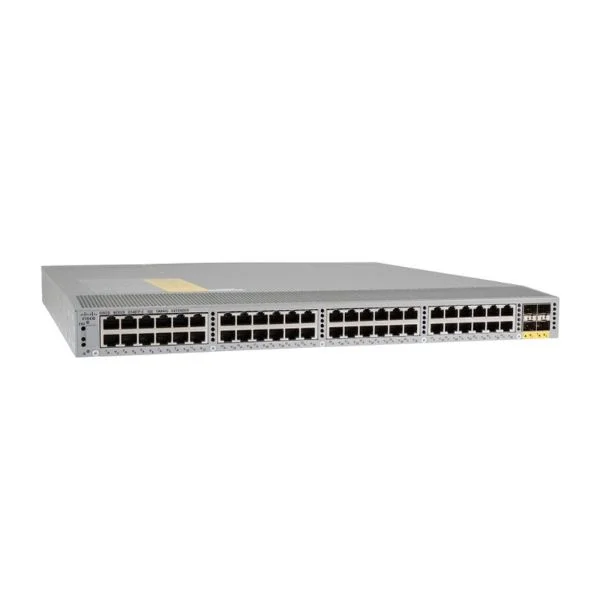
N2K-C2248TP-E (N2K-C2248TP-E-1GE (48x100/1000-T+4x10GE), airflow/PS option)
4.6 (5)- Switch
- Cisco
- AC Power Supply
- Layer 2
- Rack-mount
- 110 W
- 12–24 Ports
Est Value $14,287.00$5,751.00
59.7% offIn stockNewFirst-Time Buyer Discount – Get up to 2% additional off on your first order
ORM Rewards Earn $50 in Rewards + Free Expedited Delivery – Join Now!
Use eCoupon ORMSAVE10
eCoupon limited to 5 units
- BEST SELLING
N2K-C2348TQ-E (Nexus 2000, 10GT FEX; 48x1/10T; 6x40G QSFP)
4.8 (5)- Switch
- Cisco
- Redundant Power Supply
- Layer 3
- Rack-mount
- 150 W
- 24–48 Ports
Est Value $16,668.00$6,710.00
59.7% offIn stockNewFirst-Time Buyer Discount – Get up to 2% additional off on your first order
ORM Rewards Earn $50 in Rewards + Free Expedited Delivery – Join Now!
Use eCoupon ORMSAVE10
eCoupon limited to 5 units
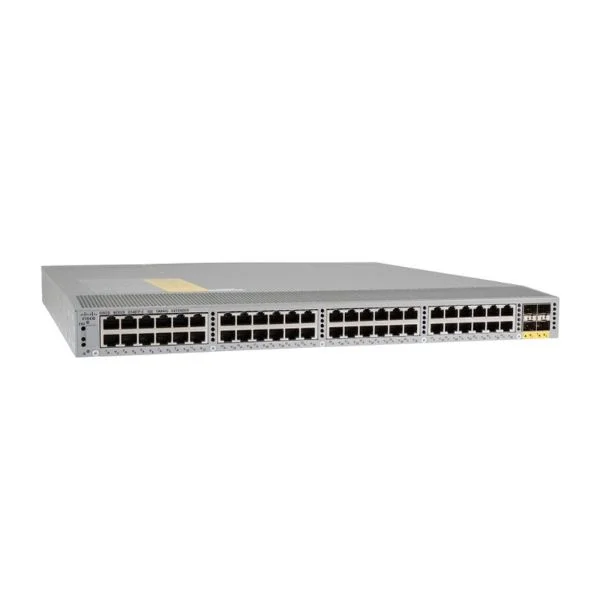
N2K-C2248TF-E (Nexus 2248TP-E with 8 FET, choice of airflow/power)
4.6 (5)- Switch
- Cisco
- AC Power Supply
- Layer 2
- Rack-mount
- 80 W
- 24–48 Ports
Est Value $16,668.00$3,905.00
76.6% offIn stockNewFirst-Time Buyer Discount – Get up to 2% additional off on your first order
ORM Rewards Earn $50 in Rewards + Free Expedited Delivery – Join Now!
Use eCoupon ORMSAVE10
eCoupon limited to 5 units
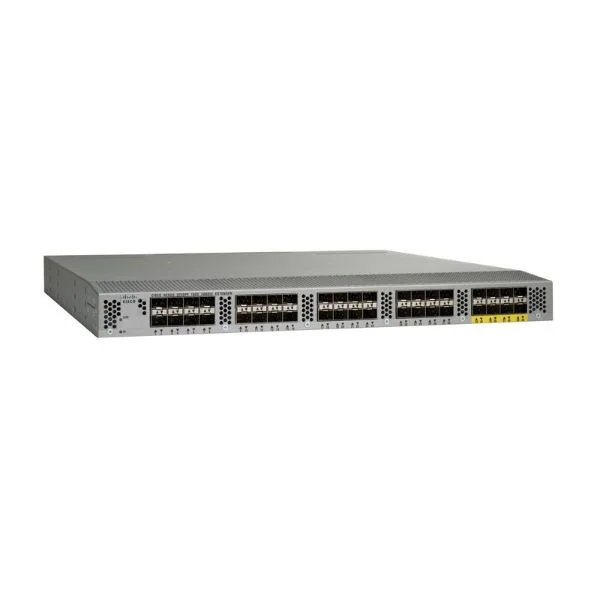
N2K-C2232PP (N2K-C2232PP-10GE (32x1/10GE+8x10GE), airflow/power option)
4.4 (5)- Switch
- Cisco
- AC Power Supply
- Layer 2 / Layer 3
- Rack-mount
- 120 W
- 24–48 Ports
Est Value $11,851.00$4,239.00
64.2% offIn stockNewFirst-Time Buyer Discount – Get up to 2% additional off on your first order
ORM Rewards Earn $50 in Rewards + Free Expedited Delivery – Join Now!
Use eCoupon ORMSAVE10
eCoupon limited to 5 units
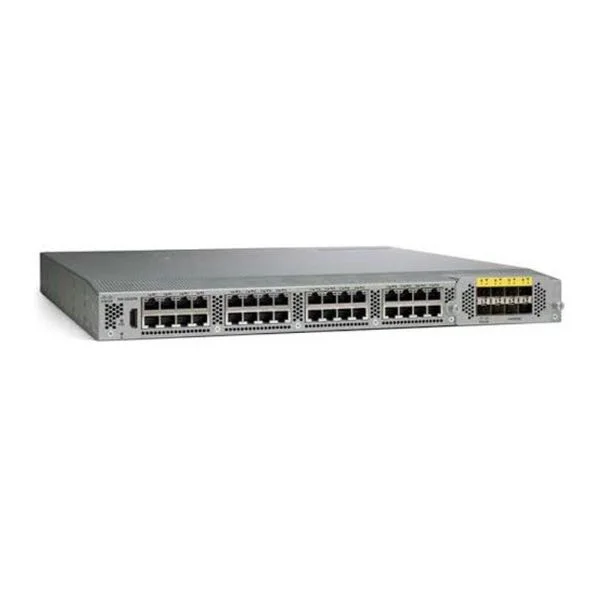
N2K-C2232TF-E (Nexus 2232TM-E with 16 FET, choice of airflow/power)
4.6 (5)- Switch
- Cisco
- AC Power Supply
- Layer 2
- Rack-mount
- 24–48 Ports
Est Value $15,087.00$5,398.00
64.2% offIn stockNewFirst-Time Buyer Discount – Get up to 2% additional off on your first order
ORM Rewards Earn $50 in Rewards + Free Expedited Delivery – Join Now!
Use eCoupon ORMSAVE10
eCoupon limited to 5 units
N2K-C2348TQ (Nexus 2348TQ with 4 Bidi or 2FET-40G and 8FET-10G)
4.2 (5)- Switch
- Cisco
- Redundant Power Supply
- Layer 3
- Rack-mount
- 175W
- 24–48 Ports
Est Value $14,168.00$5,702.00
59.8% offIn stockNewFirst-Time Buyer Discount – Get up to 2% additional off on your first order
ORM Rewards Earn $50 in Rewards + Free Expedited Delivery – Join Now!
Use eCoupon ORMSAVE10
eCoupon limited to 5 units
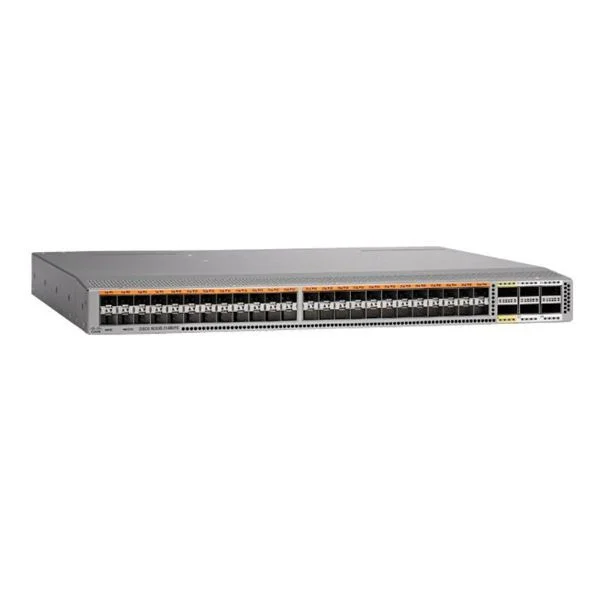
N2K-C2348UPQ (Nexus 2000, 10GE UP FEX; 48x1/10GE SFP+ ; 6x40G QSFP)
4.4 (5)- Switch
- Cisco
- Redundant Power Supply / AC Power Supply
- Layer 2 / Layer 3
- Rack-mount
- 150 W
- 24–48 Ports
Est Value $16,668.00$6,710.00
59.7% offIn stockNewFirst-Time Buyer Discount – Get up to 2% additional off on your first order
ORM Rewards Earn $50 in Rewards + Free Expedited Delivery – Join Now!
Use eCoupon ORMSAVE10
eCoupon limited to 5 units

ORM Sales Advisors
Buying for your business? Get a personalised quote in under 2 hours. Talk to an expert
LEARNFilters (8) 
Questions & Answers
What is the Cisco Nexus 2000 Series Fabric Extender?
The Cisco Nexus 2000 Series Fabric Extender is a remote line card that attaches to parent Nexus chassis switches, extending port density and simplifying management by proxy-configuring through the parent device.
How does a Nexus 2000 integrate with parent Nexus switches?
A Nexus 2000 fabric extender operates in tandem with a parent Nexus 5K/6K/7K switch over dedicated fabric links, presenting all ports on the parent’s control plane and inheriting its software and management domain.
What are the key hardware features of Nexus 2000 Switches?
Key hardware features include 24–48 fixed 1/10 GbE downlink ports, up to 4× 10/40 GbE uplinks, a compact 1RU form factor, front-to-back airflow, and redundant power supply options for high availability.
Which uplink and downlink port options are supported?
Nexus 2000 models support 24 or 48 fixed 1/10 GbE downlinks and four 10 GbE or 40 GbE QSFP+ uplinks, enabling flexible host connectivity and aggregation to the parent switch.
How can I scale my Nexus 2000 deployment?
Scale by stacking up to 64 fabric extenders per parent switch, aggregating up to 3,072 10 GbE host ports or 6,144 1 GbE ports under a single management plane.
What software and licensing do Nexus 2000 switches require?
Nexus 2000 units inherit NX-OS software and licensing from their parent switch; no separate licenses are needed, though the parent must run a supported NX-OS release and have Fabric Extender licenses.
How do I manage and configure Nexus 2000 devices?
Management is centralized via the parent Nexus switch CLI or NX-OS GUI, using the ‘feature fex’ command to discover, allocate FEX IDs and configure ports as though they’re local interfaces.
How are VLANs configured on Nexus 2000 Fabric Extenders?
VLANs are created and applied on the parent switch; the Nexus 2000 inherits VLAN assignments and trunk configurations automatically over the fabric links without local VLAN database.
What redundancy and high-availability options are available?
Nexus 2000 supports dual active parent connections, redundant power supplies, front-to-back and back-to-front airflow choices, and FabricPath for loop-free multipathing and fast convergence.
How is power delivered to Nexus 2000 switches?
Power is supplied via internal or optional redundant AC/DC power supplies; hot-swappable modules ensure uninterrupted uptime and maintenance without service impact.
What environmental specifications apply to Nexus 2000 devices?
Operating temperature: 0–40 °C; storage temperature: –40–70 °C; relative humidity: 5–85% non-condensing; compliance with NEBS Level 3 and ETSI standards for data center deployments.
How do I upgrade firmware on a Nexus 2000 Fabric Extender?
Firmware upgrades are performed centrally on the parent Nexus switch using the ‘install all’ or ‘install fex’ NX-OS commands, which propagate images to all attached fabric extenders automatically.
How can I troubleshoot link and connectivity issues?
Use parent switch show commands (e.g., ‘show fex’, ‘show interface fex-port’) to verify fabric link status, port errors, and VLAN mappings; check LEDs on both the parent and FEX units for hardware faults.
What are the typical use cases for Nexus 2000 Series Fabric Extenders?
Use cases include high-density server connectivity in rack environments, remote I/O consolidation in blade chassis, and centralized management in distributed data center topologies.
How does the Nexus 2000 improve data center architecture?
By offloading port management to a parent switch, Nexus 2000 reduces configuration complexity, lowers CapEx/OpEx, streamlines cabling, and scales port density without sacrificing performance.
What is the difference between Nexus 2000 and Nexus 5000 Series switches?
Nexus 2000 are fabric extenders without independent control planes, relying on parent switches. Nexus 5000 are standalone modular switches with full NX-OS features, dedicated CPU, and local management.
How do I secure a Nexus 2000 deployment?
Enable AAA authentication on the parent switch, use role-based access control, apply port security and storm control policies on downlinks, and enforce Link Integrity Checks on fabric links.