 United States
Switches HPE Aruba 2915 Performance
Harness advanced network infrastructure with HPE Aruba 2915 Switches. Designed for resilient performance and robust security, these switches optimize connectivity, streamline operations, and empower scalable enterprise networks.
Talk to an expert
1 Matching results
- BEST SELLING
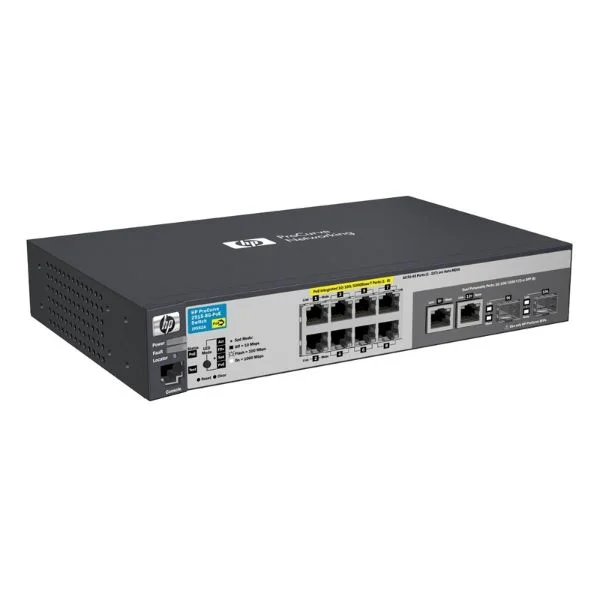
J9562A (Aruba 2915-8G-PoE Switch)
4.6 (5)- Switch
- Hpe
- AC Power Supply
- Layer 2 / Layer 3
- Rack-mount
- 60 W
- 24–48 Ports
Est Value $1,212.97
$891.45
26.5% offIn stockNewRefurbishedFirst-Time Buyer Discount – Get up to 2% additional off on your first order
ORM Rewards Earn $50 in Rewards + Free Expedited Delivery – Join Now!
Use eCoupon ORMSAVE10
eCoupon limited to 5 units

ORM Sales Advisors
Buying for your business? Get a personalised quote in under 2 hours. Talk to an expert
LEARNFilters (1) 
Questions & Answers
What is the HPE Aruba 2915 Switch?
The HPE Aruba 2915 Switch is a fixed-port, Layer 2/3 network switch designed for small to medium enterprises, offering Gigabit Ethernet and advanced management features in a compact form factor.
What are the key features of the Aruba 2915 Series?
Key features include 24/48 Gigabit ports, optional PoE/PoE+, SFP/SFP+ uplinks, Layer 3 routing, static and dynamic VLANs, ACL-based security, QoS, and centralized management via Aruba AirWave or CLI.
Does the Aruba 2915 Switch support Power over Ethernet (PoE)?
Yes, select Aruba 2915 models deliver PoE/PoE+ on all copper ports with up to 370 W of power budget, ideal for IP phones, wireless APs, and security cameras.
How many ports and uplink options are available?
Aruba 2915 Switches come in 24- or 48-port Gigabit Ethernet variants with two integrated SFP or four SFP+ (1/10 GbE) uplink slots for flexible network expansion.
Can I stack multiple Aruba 2915 Switches?
No, the Aruba 2915 does not support physical stacking. Instead, deploy Aruba Virtual Switching Framework (VSF) on higher-end models or use Aruba AirWave for unified management.
What management interfaces does the Aruba 2915 offer?
Management options include a web-based GUI, SSH/CLI, SNMP v1/2/3, RMON, and integration with Aruba AirWave and HPE Intelligent Management Center (IMC).
Does the Aruba 2915 provide Layer 3 routing?
Yes, it supports static routing and RIP, enabling inter-VLAN communication and simple routing scenarios without an external router.
Which security features are built into the Aruba 2915?
Built-in security includes 802.1X port authentication, ACLs, DHCP snooping, Dynamic ARP Inspection, IP Source Guard, and storm control to protect against network threats.
What QoS capabilities does the Aruba 2915 Switch support?
It offers eight hardware queues per port, 802.1p prioritization, DiffServ (DSCP) marking, and queue scheduling (WRR and Strict Priority) for voice and video traffic.
How do I update the firmware on an Aruba 2915 Switch?
Download the latest Aruba OS image from HPE Support, then use the web GUI, CLI (TFTP/FTP/SCP), or Aruba AirWave to upload and install the firmware.
How can I reset the Aruba 2915 to factory defaults?
Press and hold the console-panel RESET button for 10 seconds until the LEDs blink, or enter the 'erase startup-config' command in CLI and reboot the switch.
Is the Aruba 2915 compatible with Aruba ClearPass?
Yes, the Aruba 2915 integrates with ClearPass Policy Manager for centralized authentication, role-based access control, and device profiling.
What is the power consumption and environmental rating?
Typical power draw is 15–50 W for non-PoE models and up to 450 W for PoE+, with an operating temperature of 0–45 °C and compliance to IEEE, RoHS, and WEEE standards.
What warranty and support options are available?
HPE provides a limited lifetime warranty for the Aruba 2915 hardware, with optional HPE Care Pack services for 24×7 support, next-business-day exchange, and software updates.
How do I troubleshoot connectivity issues on the Aruba 2915?
Use built-in diagnostics like cable test, port statistics, syslog, and debug commands via CLI or check event logs in Aruba AirWave to isolate and resolve faults.