 United States
Switches HPE 3500 & 3500 YL
Experience enterprise-level performance with HPE 3500 and 3500 YL switches. Designed for mission-critical networks, these robust, scalable devices deliver reliable connectivity and exceptional security for modern data centers.
Talk to an expert
2 Matching results
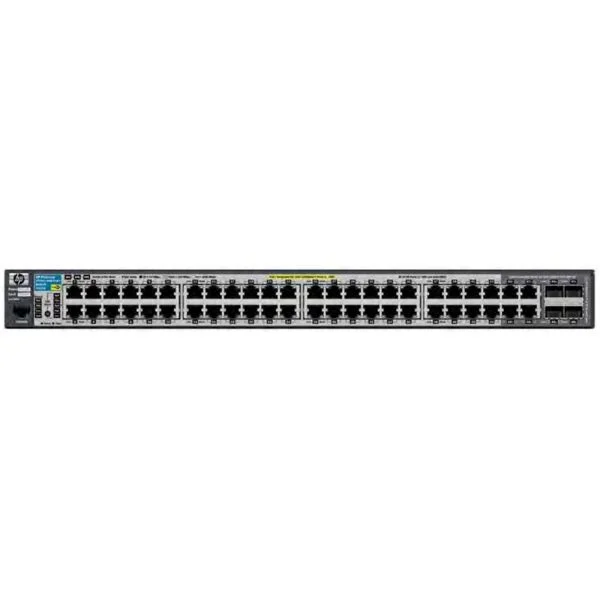
J9311A (HP 3500-48G-PoE+ yl Switch)
4.4 (5)- Switch
- Hpe
- Redundant Power Supply / AC Power Supply
- Layer 2
- Rack-mount
- 50 W
- 24–48 Ports
Est Value $323.84
$229.16
29.2% offIn stockRefurbishedFirst-Time Buyer Discount – Get up to 2% additional off on your first order
ORM Rewards Earn $50 in Rewards + Free Expedited Delivery – Join Now!
Use eCoupon ORMSAVE10
eCoupon limited to 5 units
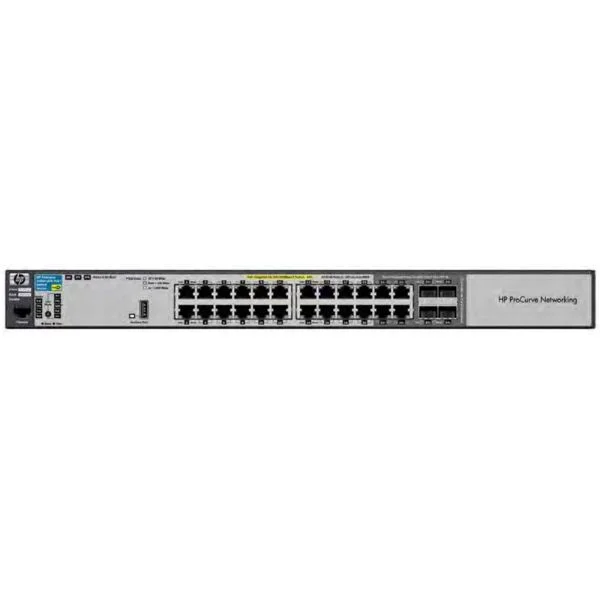
J9310A (HP 3500-24G-PoE+ yl Switch)
4.4 (5)- Switch
- Hpe
- AC Power Supply
- Layer 2 / Layer 3
- Rack-mount
- 55 W
- 24–48 Ports
Est Value $473.55$330.75
30.2% offIn stockRefurbishedFirst-Time Buyer Discount – Get up to 2% additional off on your first order
ORM Rewards Earn $50 in Rewards + Free Expedited Delivery – Join Now!
Use eCoupon ORMSAVE10
eCoupon limited to 5 units

ORM Sales Advisors
Buying for your business? Get a personalised quote in under 2 hours. Talk to an expert
LEARNFilters (2) 
Questions & Answers
What is the difference between the HPE 3500 and HPE 3500 YL switches?
The HPE 3500 YL adds PoE/PoE+ support and dual 10 Gb SFP+ uplink ports to the standard HPE 3500, enabling powered devices and higher uplink bandwidth.
How many ports do HPE 3500 and 3500 YL switches offer?
Both models provide 48 Gigabit Ethernet ports; the YL model also includes four PoE/PoE+ ports and two 10 Gb SFP+ uplinks for enhanced flexibility.
Does the HPE 3500 YL support PoE and what is its power budget?
Yes. The HPE 3500 YL delivers up to 370 W total PoE/PoE+ power budget, supporting up to 30 W per port for VoIP phones, wireless access points, and cameras.
Can I stack multiple HPE 3500 or 3500 YL switches?
Yes. Up to six switches can be stacked via dedicated stacking ports to form a single logical unit with unified management and up to 5 Tbps backplane bandwidth.
What security features are included on HPE 3500 and 3500 YL switches?
They support 802.1X port authentication, ACLs, DHCP snooping, IP source guard, and dynamic ARP inspection to protect against unauthorized access and spoofing.
Which management interfaces are available on the HPE 3500 series?
Management options include a web-based GUI, CLI via SSH/Telnet, SNMP v1/v2c/v3, RMON, and out-of-band console port for flexible administration.
How do I update the firmware on an HPE 3500 or 3500 YL switch?
Firmware can be updated via the web GUI, CLI (using TFTP/SFTP), or Intelligent Management Center (IMC), with uploads of the new .bin image and a staged reboot.
How many VLANs do HPE 3500 and 3500 YL switches support?
They support up to 512 VLANs (static and dynamic), with advanced VLAN trunking (802.1Q) for network segmentation and traffic isolation.
Do HPE 3500 and 3500 YL switches support Quality of Service (QoS)?
Yes. They offer eight hardware queues per port, 802.1p priority marking, DSCP classification, and traffic shaping to ensure reliable delivery for voice and video.
What is the switching capacity and forwarding rate of the HPE 3500 series?
They deliver up to 176 Gbps switching capacity and 130 million packets per second forwarding rate for wire-speed performance on all ports.
What are the dimensions and power specifications of these switches?
Both are 1U, 44.5 cm wide, 25 cm deep, consuming 60 W (non-PoE) or up to 430 W (YL with full PoE load), with internal redundant power options.
Does the HPE 3500 series support SNMP and LLDP?
Yes. It supports SNMP v1/v2c/v3, LLDP, LLDP-MED, and RMON for robust network monitoring and automated neighbor discovery.
Is a CLI available on HPE 3500 and 3500 YL switches?
Yes. A full-featured command-line interface is accessible via SSH or console port, complementing the web GUI for scripting and automation.
What warranty and support options are available?
Both switches come with a lifetime warranty and access to HPE’s standardized support, with options for next-business-day replacement and software updates.
What are the ideal use cases for HPE 3500 and 3500 YL switches?
They are ideal for midsize enterprise access layers, campus wiring closets, VoIP deployments, wireless backhaul, and PoE-powered edge devices.
How do I configure link aggregation on HPE 3500 series switches?
Link aggregation (LACP) is configured via the GUI or CLI by defining a trunk group, assigning member ports, and enabling LACP for increased throughput and redundancy.