United States




Trusted by the Highest-Stakes Buyers
Federal agencies and Fortune 500 operations source through ORM Systems.
US Government & Defense
Enterprise Clients

Featured Deal
Hand-picked by our procurement team for standout value. This unit is offered at our sharpest price on current stock, verified against live market rates.
Name:

Added to cart times recently
Ready to Ship
Certified Refurbished
Professionally inspected, bench-tested, and firmware-verified, with configurations wiped. Restored to full working order and backed by our warranty.

$392.99
$335.4814.6% off
Quantity:

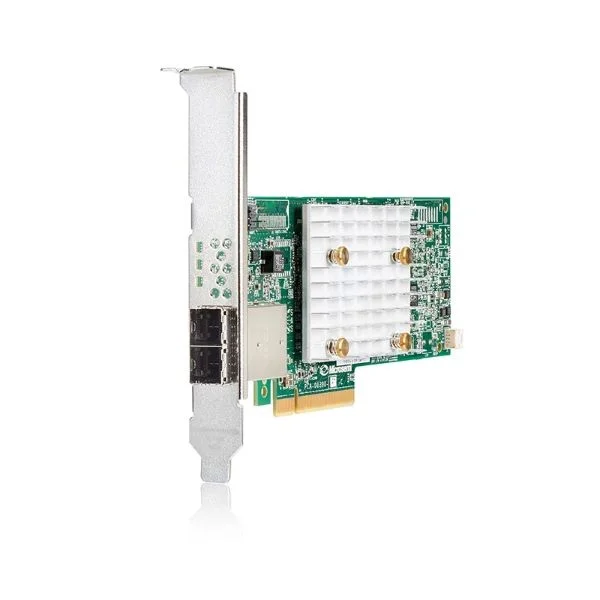
873373-B21
HPE Gen10 Purley NVMe FIO Setting
Trusted by the Highest-Stakes Buyers
Federal agencies and Fortune 500 operations source through ORM Systems.
US Government & Defense




Enterprise Clients



Built Global. Stocked Local.
Regional teams and 25+ distribution partners keep stock near you and accountability in your time zone.
Buyer Protection on Every Order
Pay by PayPal or Revolut with full chargeback rights. Order on PO terms, Net-30 for government.
Verified By Federal Bodies
Every registration we claim is public record — check our federal contractor status yourself before you spend a dollar.



Since 2016, Enterprise-Trusted
Ten years serving buyers who audit their vendors. From federal agencies to 20,000+ enterprise clients worldwide.
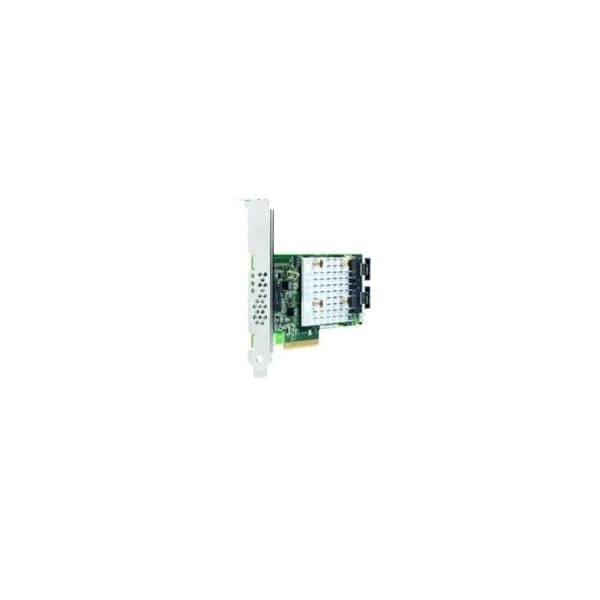
873373-B21-HPE Gen10 Purley NVMe FIO Setting is a high-performance storage controller designed specifically for HPE’s Gen10 Purley platform, offering reliable NVMe drive connectivity via a PCIe x4 interface. Developed to maximize low-latency, high-throughput data access, this card features a dedicated HPE NVMe controller that ensures seamless integration and optimal performance in demanding server environments.
Engineered to support PCIe 3.0 technology, the 873373-B21-HPE Gen10 Purley NVMe FIO Setting delivers robust storage expansion for mission-critical applications while maintaining compatibility with major operating systems including Windows, Linux, and VMware ESXi. Its full height design, passive cooling, and targeted use case in server enhancement make it an ideal solution for high-performance data centers requiring efficient NVMe connectivity.
873373-B21 price for new stock is is available on request. Get immediate quote. 873373-B21 refurb price is $335.48.
Request bulk order quote for 873373-B21 for additional pricing. Browse the full Hpe Server Accessories series or explore all Hpe products.
Scenario: Database administrators use 873373-B21 HPE Gen10 Purley NVMe FIO settings to simulate an 80/20 read/write OLTP workload with 4 KB block size and queue depth 32 across dual CPU sockets. Outcome: Validated sub-500 µs latency at 200 K+ IOPS, ensuring SLA compliance, reduced transaction delay and predictable peak-load performance.
Scenario: AI engineers leverage the 873373-B21 HPE Gen10 Purley NVMe FIO configuration to measure sustained sequential throughput (128 KB blocks, queue depth 64) on multiple NVMe devices during large-scale TensorFlow training. Outcome: Achieved 6 GB/s ingest per server, cutting model-training epoch time by 30% and accelerating development cycles.
Scenario: IT teams simulate a 500-session VDI boot storm using FIO random reads (16 KB blocks, queue depth 256) on 873373-B21 HPE Gen10 Purley NVMe drives to validate end-user login performance. Outcome: Confirmed boot times under 30 seconds, delivered consistent user experience and enabled proactive capacity planning.
Mon–Fri: [09:00-16:00]
Avg. response under 30 mins


Every unit is authentic, sourced through trusted and authorised channels, and serial-verified on request. Genuine networking and IT hardware, guaranteed, or your money back.

New products are backed by up to 3 years of extended warranty, and certified refurbished units by up to 90 days, for dependable protection on every order. The exact term is confirmed on your quote, order confirmation and invoice.

If a unit ever falls short, our streamlined RMA process gets a replacement to you fast, with advance replacement available to keep your network running. No jargon, no runaround.

Every device is inspected, bench-tested, and firmware-verified, with configurations wiped before dispatch. Additional testing can be arranged to confirm full working condition on request.

Our specialists assist with compatibility, configuration, licensing, and installation, before and after you buy. Real hardware expertise, whenever you need it.

Same-day dispatch from regional hubs, free next-day delivery*, fully tracked and insured.
Reviewed on the 25 October 2020

OEM configuration ensured smooth Gen10 NVMe deployment.
Reviewed on the 27 October 2019
Straightforward enablement with predictable results.
Reviewed on the 29 December 2023
Helped unlock full NVMe capability.
Reviewed on the 25 December 2019
NVMe FIO settings applied cleanly and improved storage responsiveness.
Reviewed on the 29 October 2021
Reliable firmware level configuration.
HPE 873373-B21 is a reference configuration package that optimizes fio parameters for NVMe SSD benchmarking on HPE ProLiant Gen10 Purley servers.
It supports HPE ProLiant Gen10 Purley platforms, including DL360 Gen10, DL380 Gen10, ML350 Gen10 and other NVMe-capable models.
Download the package from HPE Support Center, extract the archive on your Linux host, and run the provided install.sh with root privileges.
Edit the fio.conf template included in the package to specify block size, iodepth, read/write mix and target device paths.
Use 4K–64K blocks for latency-sensitive tests and 128K–1M blocks for throughput benchmarks as defined in the fio.conf template.
Set the iodepth parameter between 32 and 128 per NVMe namespace in fio.conf to balance IOPS and latency.
Supported OSes include RHEL, CentOS, SUSE Linux Enterprise, Ubuntu LTS and VMware ESXi with nvme-cli installed.
Execute fio with the customized fio.conf, for example: fio fio.conf --filename=/dev/nvme0n1 --output=nvme_fio_output.txt.
You can achieve up to 5× higher IOPS and sub-millisecond latencies compared to default fio settings on Gen10 NVMe SSDs.
Use HPE Service Pack for ProLiant or Smart Component Manager to install the latest NVMe drive firmware from HPE Support Center.
Run nvme-cli’s smart-log command (nvme smart-log /dev/nvmeX) or use HPE SSMC to view SMART attributes and endurance metrics.
Review the fio log, verify device accessibility, ensure the kernel NVMe driver is up to date, and consult HPE support articles for known issues.
Yes. Define separate job sections for each NVMe device in fio.conf and run them in parallel within the same fio invocation.
Use the cpu_affinity parameter in fio.conf to bind jobs to specific cores, minimizing context switches and improving consistency.
HPE Foundation Care and Proactive Care provide software support, performance tuning guidance and firmware update assistance.
Visit the HPE Support Center page for SKU 873373-B21 to download the current fio.conf template and installation scripts.