United States
Mesh Wi-Fi vs Router: Which Setup Is Worth Your Money?

Prefer listening?
Hear the full blog in audio format
If you’ve ever walked into another room and watched your Wi-Fi bars disappear, you’ve already felt the frustration behind this debate. From buffering Netflix to laggy Zoom calls and unstable gaming sessions, poor Wi-Fi isn’t just annoying; it affects how you live and work.
That’s why more people are asking: mesh Wi-Fi vs router, which setup is actually worth the money? Is a traditional router enough, or is upgrading to a mesh network the better long-term move?
In this guide, we’ll break it all down in simple terms. No jargon. No sales fluff. Just real answers to help you decide what works best for your home, your usage, and your budget.
What Is a Traditional Wi-Fi Router?
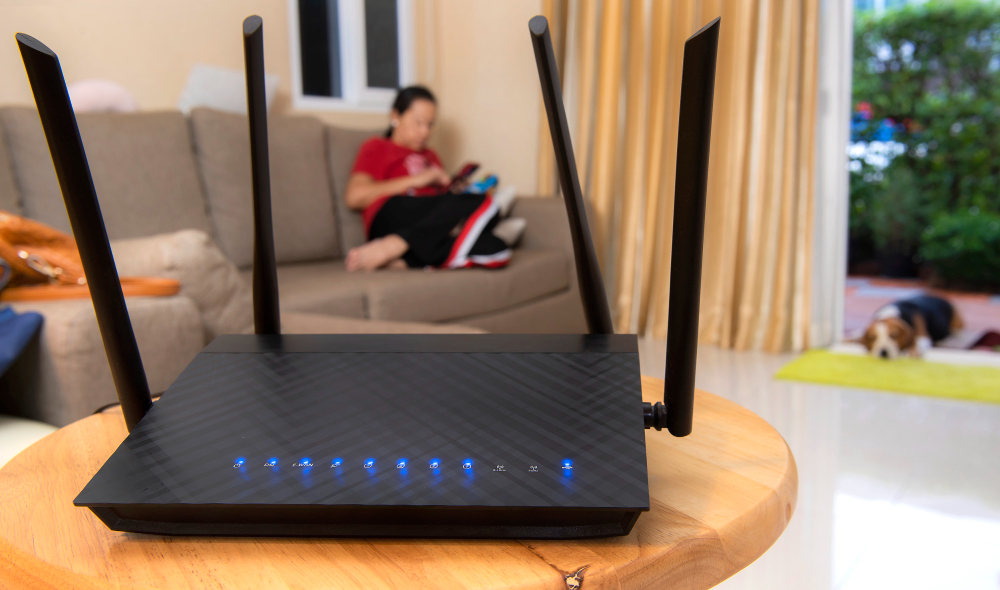
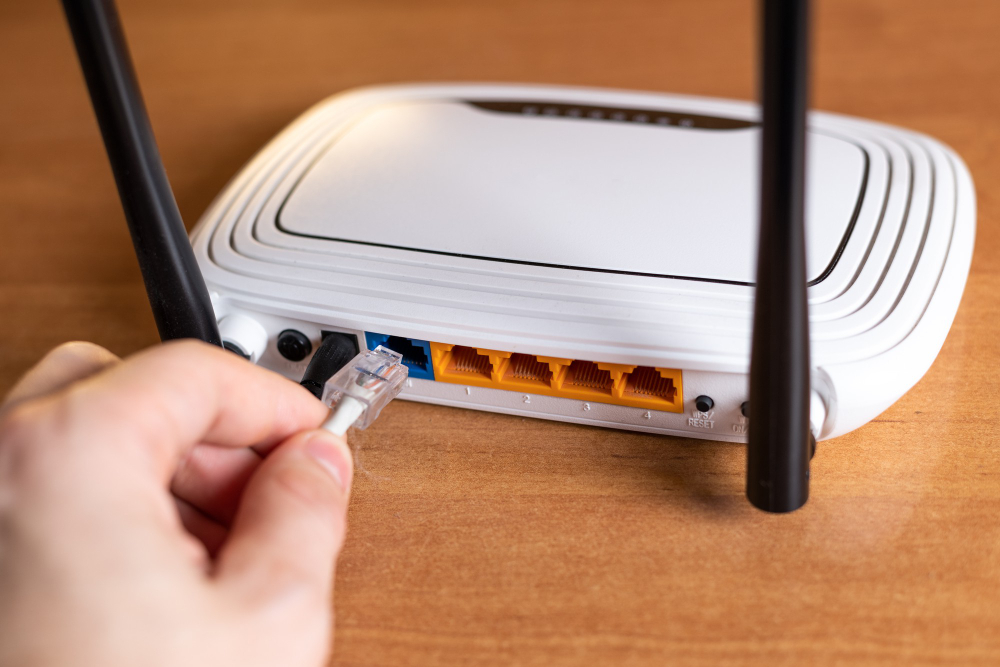
A traditional Wi-Fi router is a single device that broadcasts internet signals from one location. Most homes already have one, usually placed near the modem.
It works well when:
- Your home is small
- The router sits in a central location
- Walls and floors don’t block signals heavily.
But the further you move away from the router, the weaker the signal becomes.
Router Pros and Cons
Pros of a Traditional Router
- Lower upfront cost
- Strong speeds when you’re close to the router
- Simple setup
- Ideal for flats or small homes
Many people still prefer routers because they’re affordable and can deliver excellent speed, as long as coverage isn’t stretched too far.
Cons of a Traditional Router
- Creates Wi-Fi dead zones in distant rooms
- Struggles in large or multi-storey homes
- Signal weakens through walls and floors
- Often leads to a weak Wi-Fi signal at home in bedrooms or offices
If you constantly lose signal in certain rooms, the router isn’t broken; it’s just limited by distance.
What Is a Mesh Wi-Fi System?
A mesh Wi-Fi system uses multiple nodes placed around your home. Instead of relying on one router, each node works together to create one seamless network.
You don’t switch networks as you move your device automatically connects to the strongest node.
This setup is explicitly designed to solve:
- Wi-Fi dead zones
- Inconsistent speeds
- Signal drops in large spaces.
That’s why mesh systems are becoming popular in modern homes.
Mesh Wi-Fi Pros and Cons
Pros of Mesh Wi-Fi
- Eliminates Wi-Fi dead zones
- Consistent coverage across rooms and floors
- Seamless roaming (same network name everywhere)
- Ideal for smart homes and multiple devices
The best mesh Wi-Fi system doesn’t just boost range, it stabilises your entire network.
Cons of Mesh Wi-Fi
- Higher upfront cost than routers
- Slightly lower peak speeds compared to a high-end router (in some cases)
- Overkill for tiny homes
That’s why budget matters, but affordable mesh Wi-Fi options now exist, making this upgrade more accessible.
Mesh Wi-Fi vs Router: Coverage, Speed, and Cost Compared
At a glance, both setups aim to do the same thing: deliver internet to your devices. The difference lies in how well they do it across your entire home.
Coverage
This is where mesh Wi-Fi clearly shines.
- A traditional router sends signals from one point. The further you go, the weaker it gets.
- A mesh Wi-Fi system spreads coverage using multiple nodes, meaning every room gets a strong signal.
If you’re constantly battling Wi-Fi dead zones, mesh is built to solve that exact problem.
Speed
Speed is where the debate gets interesting.
- Routers often deliver higher peak speeds when you’re close to them.
- Mesh systems prioritise consistent speed everywhere, even if peak speed is slightly lower in some cases.
In real-world use, stable speed usually beats raw speed, especially for video calls, streaming, and gaming across multiple rooms.
Some mesh systems use a dedicated backhaul connection between nodes, which helps maintain speed and reduce congestion.
This is why node placement and system quality matter more than raw internet speed in larger homes.
Cost
- Routers are generally cheaper upfront.
- Mesh systems cost more initially, but reduce the need for extenders or upgrades later.
This makes mesh a more substantial long-term value for larger homes.
Which Wi-Fi Setup Works Best for Overall Homes?
- Small flats or apartments: A traditional router is usually enough if placed centrally.
- 2–3 bedroom homes: Mesh Wi-Fi offers better consistency, especially with thick walls.
- Multi-storey homes: Mesh systems outperform routers by maintaining signal across floors.
- Home offices: Mesh reduces dropouts during calls and improves stability.
- Gaming rooms far from the router: Mesh nodes placed nearby deliver lower latency.
- Mesh systems often deliver 20–40% more consistent speeds across larger homes.
Comparison Table: Mesh Wi-Fi vs Router
To make the decision easier, here’s a side-by-side comparison showing how mesh Wi-Fi and traditional routers perform in real-world home setups.
This highlights the differences that matter most for everyday use.
Feature | Mesh Wi-Fi | Traditional Router |
Coverage | Excellent (whole home) | Limited |
Speed | Stable across rooms | Fast near the router |
Wi-Fi Dead Zones | Eliminated | Common |
Setup | App-based, easy | Simple |
Cost | Higher upfront | Budget-friendly |
Best For | Large homes | Small homes |
Ideal Home Sizes | Medium to large homes | Small flats and apartments |
Use this comparison to match your home size, budget, and coverage needs. The right choice isn’t about features alone; it’s about which setup fits your space and usage best.
Beyond the Basics: How Mesh Wi-Fi Compares to Extenders, Routers, and Pro Setups
Choosing a Wi-Fi setup isn’t just about router vs mesh anymore. Coverage gaps, speed drops, and connection stability all matter in real homes.
That’s why comparisons like mesh vs extender, mesh router vs access point, and mesh vs router for gaming are essential.
Below, we break down how mesh Wi-Fi really performs against these options and where it makes the most significant difference.
Mesh vs Extender: Why Mesh Wins
A common mistake people make is adding a Wi-Fi extender instead of upgrading their setup.
Here’s the issue:
- Rebroadcast weakened signals, reducing overall connection quality
- Often create separate networks, disrupting seamless device roaming
- Cause lag, dropouts, and inconsistent internet performance
This leads to frustration, especially when moving between rooms.
Mesh systems, on the other hand:
- Uses intelligent routing to optimise data paths
- Keeps one network name across your home
- Maintains stronger, more reliable Wi-Fi connections
If you’ve tried extenders and still have a weak Wi-Fi signal at home, mesh is the cleaner fix.
Mesh Router vs Access Point: What’s the Difference?
This comparison matters if you’ve looked into “pro” solutions.
Mesh routers are designed for home users
- Easy setup with minimal technical knowledge required
- Fully app-controlled for simple network management
- Requires minimal maintenance after initial setup
Access pointsare typically used in offices
- Require wired connections for proper installation.
- Need manual configuration and technical setup.
- Involves higher technical complexity for users.
Unless you’re running a business-grade network, a mesh router vs access point comparison usually ends with mesh being the smarter home choice.
Tri-Band Router vs Mesh: Which One Performs Better?
Tri-band routers add an extra wireless band to reduce congestion. Sounds great, and it is, in the correct setup.
Choose a Tri-Band Router if:
- Your home is small to medium
- You want maximum speed near the router
- You don’t struggle with coverage.
Choose Mesh Wi-Fi if:
- Your home has multiple floors
- Coverage is inconsistent
- Devices are spread out
A tri-band router vs mesh debate really comes down to coverage vs peak performance.
Mesh Wi-Fi vs Router for Gaming
When it comes to gaming, performance matters more than anything else. Most gamers care about three key factors: low latency, stable connections, and no packet loss. Even small drops in performance can lead to lag, rubber-banding, or disconnects during competitive play.
A traditional router gaming setup works best when your console or PC is close to the router or connected via Ethernet. In this scenario, routers can deliver excellent speeds and very low latency.
A mesh gaming setup, however, performs better when your gaming room is far from the main router or located on another floor with a nearby mesh node, or wired backhaul mesh systems can maintain strong, consistent connections and often outperform routers in real-world gaming conditions where distance is a factor.
So, for mesh Wi-Fi vs router for gaming, distance matters more than hype.
Which Setup Is Actually Worth Your Money?
The right Wi-Fi setup isn’t about buying the most expensive option; it’s about choosing what fits your space, usage, and budget. Both routers and mesh systems have their place, and understanding your real needs will help you spend wisely instead of overpaying.
Choose a Traditional Router if:
- You live in a flat or small home
- Your router is placed centrally.
- You want the best Wi-Fi router on a budget
- You don’t experience Wi-Fi dead zones.
Choose Mesh Wi-Fi if:
- Your home is medium to large
- You have multiple floors or thick walls
- You’re tired of a weak Wi-Fi signal at home.
- You want consistent performance in every room.
Mesh isn’t always the better choice, but when coverage is the issue, it’s often worth every penny.
Final Verdict
Choosing between a mesh Wi-Fi system and a traditional router comes down to how you use your space, not which option sounds more advanced. Routers are cost-effective and fast at close range, while mesh systems are built for consistent coverage and fewer dropouts across the home.
If slow speeds and dead zones are part of your routine, it’s time for a smarter setup. ORM Systems works with real homes and businesses, assessing layouts, building materials, and usage patterns to design Wi-Fi networks that perform reliably in everyday conditions
This guide is informed by real-world networking experience from ORM Systems, a provider of professional Wi-Fi and networking solutions for homes and businesses. From eliminating Wi-Fi dead zones to designing stable multi-room networks, ORM Systems works with real environments, not lab tests, to deliver reliable connectivity.
Get in touch with ORM Systems and upgrade to reliable connectivity that fits your lifestyle.
Frequently Asked Questions
Is Mesh Wi-Fi Faster Than a Traditional Router?
Not always. Routers can be faster at close range, but mesh Wi-Fi delivers more consistent speeds across larger homes.
Do Mesh Systems Really Eliminate Wi-Fi Dead Zones?
Yes. Eliminating Wi-Fi dead zones is the primary purpose of a mesh system. Multiple nodes work together to ensure strong coverage in every room.
Is Mesh Wi-Fi Worth The Money?
Yes, for medium to large homes or multi-storey properties, mesh Wi-Fi is worth the investment due to improved coverage, stability, and fewer connection issues.
Can Gamers Use Mesh Wi-Fi Effectively?
Absolutely. Mesh Wi-Fi works well for gaming, especially when the gaming setup is far from the main router or placed on another floor.