United States
HDD vs SSD: Speed, Price, and Lifespan Compared: Which Should You Buy?

Prefer listening?
Hear the full blog in audio format
SSDs (solid-state drives) use flash memory to read and write data up to 5× faster than HDDs (hard disk drives), with no moving parts that can fail from drops or vibration.
HDDs remain cheaper per terabyte, typically $25–$31/TB vs $75–$100/TB for SATA SSDs, making them the better option when you need large capacity on a budget.
Which Should You Actually Buy? A Quick Decision Guide
- Buying a new laptop for everyday use, browsing, or office work? Get an SSD; even a budget SATA SSD will feel dramatically faster than any HDD for daily tasks.
- Building a gaming PC? Use an NVMe SSD for your OS and current games, and add an HDD only if you have a large existing game library you don't want to re-download.
- Setting up a home server, NAS, or backup drive? HDD every time; you're paying for capacity, not speed, and reliability at rest matters more than access time.
- Editing video or working with large media files professionally? NVMe SSD is close to mandatory; HDDs will bottleneck your workflow during export and scrubbing.
- On a tight budget and need both speed and space? Pair a smaller SSD (256GB–500GB) for your OS and active programs with a larger HDD (2TB+) for storage; this is what most pre-built PCs do by default.
HDD vs SSD: Best Choice by Use Case
Use Case | Best Choice | Why |
Everyday laptop | SSD | Faster boot, app loading, and responsiveness |
Gaming PC | NVMe SSD | Faster loading, updates, and asset streaming |
Budget desktop | SSD + HDD combo | Speed for system files, space for bulk storage |
Video editing | NVMe SSD | Better performance with large files and timelines |
NAS or backup storage | HDD | Lower cost per terabyte for large capacity |
External portable drive | SSD | Better shock resistance and faster transfers |
Long-term archive | HDD + cloud backup | Lower cost, but backup redundancy is still needed |
What is The Difference Between HDD Vs SSD?
An HDD stores data on spinning magnetic platters using a moving read/write head, while an SSD stores data electronically on flash memory chips with no moving parts making SSDs faster, more durable, and more expensive per gigabyte.
What Is an HDD (Hard Disk Drive)
A hard disk drive is a storage device that uses magnetic storage technology to store data. Inside the drive are spinning platters coated with magnetic material, and a read/write head moves across the disk to access data.
This design has been used for decades and remains popular because HDDs offer large storage capacity at relatively low cost.
Key Characteristics of HDD Storage
- Uses spinning disks and mechanical parts
- Typically provides higher HDD storage capacity than SSDs
- Lower cost per gigabyte
- Slower HDD read write speed compared to SSDs
- More vulnerable to HDD mechanical failure
Modern HDDs are widely used for long-term storage, backups, and external storage drives, especially when large amounts of data need to be stored economically.
What Is an SSD (Solid State Drive)
A solid state drive (SSD) is a modern storage device that uses flash memory storage instead of spinning disks. Because there are no moving parts, SSDs can access data significantly faster and operate more reliably.
Unlike HDDs, SSDs rely on solid state storage architecture, which allows data to be stored and retrieved electronically.
Key Characteristics of SSD Storage
- Uses flash memory chips instead of magnetic platters
- Extremely fast SSD read write speed
- No moving parts, improving durability
- Lower power consumption
- Ideal for laptops, gaming PCs, and professional workloads
Today, SSDs dominate modern laptops and desktops because they make systems feel faster in everyday use, especially during boot-up, app launches, and file access, reflecting the shift toward faster and more reliable storage technology.
HDD vs SSD Speed Comparison
One of the most noticeable differences in the HDD vs SSD speed comparison is how quickly data can be accessed.
Traditional hard drives rely on physical movement to read data, which slows down performance. SSDs, on the other hand, access data electronically.
HDD vs SSD speed
Storage Type | Average Read Speed | Average Write Speed | Boot Time |
HDD | 80–160 MB/s | 80–150 MB/s | 30–60 seconds |
SATA SSD | 450–550 MB/s | 400–520 MB/s | 10–20 seconds |
NVMe SSD | 2000–7000 MB/s | 1500–6500 MB/s | 5–10 seconds |
This massive difference explains why SSD is faster than HDD. NVMe drives, in particular, can be 40 times faster than traditional hard drives, making them ideal for high-performance computing environments.
How Much Faster Is an SSD Compared to an HDD?
A typical HDD operates at around 80–160 MB/s, while a SATA SSD can reach 500 MB/s. Modern NVMe SSDs can exceed 7000 MB/s, making them dramatically faster for tasks such as booting systems, loading applications, and transferring large files.
SATA SSD vs NVMe SSD: Do You Need the Faster One?
Not every SSD performs the same. A SATA SSD is already much faster than an HDD and is usually enough for basic laptop upgrades, office work, browsing, and older desktops.
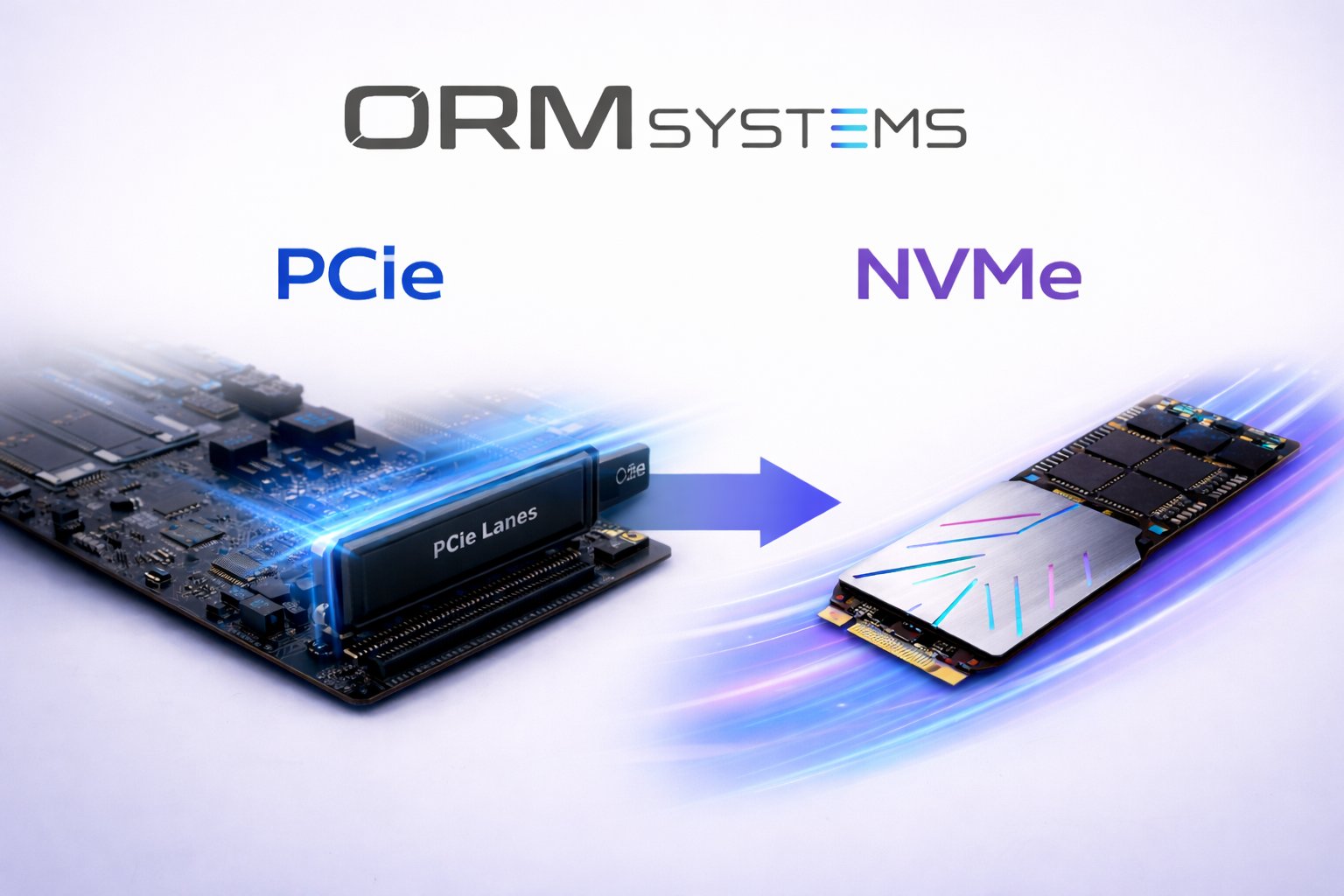
NVMe SSDs use a faster PCIe connection and are better for gaming PCs, video editing, large file transfers, and professional workloads. Kingston notes that SATA III has a maximum throughput of about 600MB/s, while NVMe drives can reach much higher speeds depending on the generation and model.
Drive Type | Best For |
SATA SSD | Budget upgrades, office PCs, older laptops |
NVMe SSD | Gaming, creative work, new desktops, high-speed laptops |
HDD | Backups, archives, bulk storage |
SSD + HDD | Best balance of speed and capacity |
HDD vs SSD Performance in Real Workloads
The difference between HDD vs SSD performance becomes clear in real-world usage.
Tasks where SSDs perform better
- Operating system boot time
- Game loading times
- Video editing and rendering
- Software installation
- File transfers
For example, professionals who work with large media files often choose SSD for video editing because of the fast SSD data transfer speed.
HDDs still perform well for tasks such as:
- Archiving data
- Backup storage
- Long-term file storage
- Large databases
This is why many systems combine both computer storage types, using SSDs for speed and HDDs for bulk storage.
SSD vs HDD Lifespan and Reliability
Another common question is which lasts longer, SSD or HDD.
Both storage types have different durability characteristics.
SSD vs HDD Reliability Comparison
HDD Reliability
- Mechanical components wear out over time
- Sensitive to shock and vibration
- Risk of HDD mechanical failure
SSD Reliability
- No moving parts
- More resistant to physical damage
- Controlled wear through memory management
However, SSDs have a limited number of write cycles. Modern controllers manage this efficiently, so most SSDs last many years under normal workloads.
Reliability depends on workload, drive model, age, temperature, and handling. SSDs avoid mechanical shock failures because they have no moving parts, while HDDs can still be highly reliable when used in stable backup, NAS, or desktop environments.
For large-scale reliability data, Backblaze publishes annual HDD and SSD failure statistics from its own data-center fleet.
SSD vs HDD Storage Capacity
Storage capacity is one area where HDDs still dominate.
HDD Storage Capacity
Many enterprise and consumer HDDs now exceed 20TB per drive, making them ideal for large-scale storage and backup environments.
SSD Storage Capacity
SSDs continue to grow in capacity, but most consumer drives typically range from 500GB to 4TB, while enterprise models can go much higher.
Because of this difference, HDDs remain popular for large-capacity hard drives used in servers and storage arrays.
How Many Years Will an SSD or HDD Actually Last?
SSD lifespan is measured in TBW (terabytes written). A typical consumer SSD is rated for 150–600 TBW, meaning you'd need to write that much data before wear becomes a concern, which for most users takes 5–10+ years of normal use.
HDDs don't have a write-cycle limit but instead fail mechanically, with an average real-world lifespan of 3–5 years of continuous use, shorter if the drive experiences physical shock or heavy daily read/write cycles.
Which Drive Is Easier to Recover Data From If It Fails?
This is one area where HDDs still have a practical edge: when a hard drive fails mechanically, data recovery specialists can often retrieve most of the data by physically repairing or replacing damaged components.
SSD failure is frequently more abrupt and total once the flash controller fails; recovery is significantly harder and more expensive, which matters for anyone storing irreplaceable files without a backup.
HDD vs SSD for Gaming
One of the most common questions gamers ask is HDD vs SSD for gaming, which storage option delivers the best experience? While both drives can run modern games, the difference in loading speed and performance can be dramatic.
Many modern titles rely heavily on fast storage to stream game assets such as textures, maps, and audio files. Because of this, SSDs have become the preferred choice for gaming systems.
Gaming Performance: HDD vs SSD
Feature | HDD | SSD |
Game loading time | Slower | Much faster |
Level transitions | Longer | Minimal delay |
Open world streaming | Possible stutter | Smooth performance |
Installation time | Longer | Faster |
Overall gaming experience | Acceptable | Significantly better |
Gaming Experience on an HDD
When using a traditional hard disk drive, games can still run smoothly once loaded. However, players often notice delays during certain actions.
Common issues include:
- Slower game loading times
- Longer level transitions
- Occasional stuttering when large assets load
- Longer installation and update times
Because HDDs rely on mechanical disks, their data access speed is significantly slower, which affects game loading performance.
Gaming Experience on an SSD
A solid-state drive dramatically improves the gaming experience by reducing the time required to read game data.
Benefits include:
- Faster game launches
- Significantly reduced loading screens
- Smoother gameplay in open-world environments
- Faster updates and installations
This is why many gamers now choose SSD vs HDD for gaming, especially for modern titles that rely on large asset streaming.
Does SSD Improve Game Performance or Just Loading Times?
An SSD primarily improves game loading times and asset streaming, which reduces delays when loading maps, textures, and environments. Frame rates are usually controlled by the CPU and GPU, but faster storage helps eliminate stutter in large open-world games.
HDD vs SSD for Laptop and PC Upgrades
One of the most common reasons people compare HDDs and SSDs is when upgrading a laptop or desktop computer. Storage upgrades can dramatically improve overall system performance, especially on older machines that still rely on traditional hard drives.
SSD Upgrade for PC
Upgrading from an HDD to an SSD is one of the most effective ways to speed up a computer. Because SSDs use flash memory instead of mechanical disks, they can access data much faster and reduce system-wide delays.
Many users report that their computers feel almost like new after switching to solid-state storage.
Benefits of Upgrading to an SSD Include:
- Faster boot times
- Quicker application launches
- Improved overall system responsiveness
- Faster file transfers and installations
Because of these improvements, SSDs are now widely recommended for both HDD vs SSD laptop upgrades and desktop system upgrades.
HDD vs SSD for Long-Term Storage
While SSDs dominate in performance and speed, HDDs continue to play an important role in long-term storage solutions.
Traditional hard drives provide much larger storage capacity at a lower cost per gigabyte, making them ideal for archiving large datasets, backups, and media libraries.
Advantages of HDD for Archival Storage
Hard drives remain a practical option for long-term data storage because they offer:
- Lower cost per gigabyte
- Extremely high storage capacities
- Reliable solutions for backups and archives
This is why many organizations combine both storage technologies, using SSDs for speed and performance while relying on HDDs for bulk storage and long-term data retention.
Why SSD Is Faster Than HDD
There are several technical reasons why SSDs outperform traditional hard drives in most computing tasks. Unlike HDDs, which rely on spinning disks and moving read heads, SSDs store data using solid state storage chips that allow nearly instant data access.
According to industry research, SSD adoption in data centers has increased by more than 30 percent over the past five years due to performance advantages over HDDs.
Key Benefits of SSD Over HDD
- Significantly faster SSD read write speed
- Improved system responsiveness
- Lower power consumption, especially for laptops
- Higher durability due to the absence of moving parts
- Silent operation compared to mechanical drives
These advantages explain why modern computers increasingly rely on solid state drives as their primary storage device.
Pros and Cons of HDD vs SSD
Neither drive type is objectively "better"; they're built for different jobs. An HDD is a warehouse: cheap, spacious, slower to search through.
An SSD is a filing cabinet on your desk: smaller, pricier per square foot, but instant to access. The right choice depends on which job you're actually hiring the drive to do.
Advantages of HDD
- Lower cost per gigabyte compared to SSDs
- Very large storage capacities available, often exceeding 20TB
- Ideal for backups, archives, and bulk storage
- Widely used for long-term data storage
Disadvantages of HDD
- Slower read and write speeds due to mechanical components
- Higher risk of failure from moving parts
- Consumes more power compared to SSDs
- More sensitive to physical shock and vibration
Advantages of SSD
- Much faster SSD read write speed than HDDs
- No moving parts, making them more durable and reliable
- Lower power consumption is especially beneficial for laptops
- Faster system boot times and application loading
Disadvantages of SSD
- Higher cost per gigabyte compared to HDDs
- Generally, lower storage capacity at the consumer level
- Performance can degrade slightly as the drive fills up
Understanding the advantages and disadvantages of HDDs vs. SSDs makes it easier to decide which storage technology best fits your needs, whether you prioritize speed, storage capacity, or cost efficiency.
HDD vs SSD Comparison Summary
The table below summarizes the major differences in the HDD vs SSD comparison, highlighting how each storage type performs in key areas.
Feature | HDD | SSD |
Technology | Magnetic storage | Flash memory storage |
Speed | Slower data access | Very fast data access |
Reliability | Mechanical components | No moving parts |
Storage Capacity | Very large capacity available | Moderate capacity |
Price | Lower cost per GB | Higher cost per GB |
Best Use | Backup and bulk storage | System performance and applications |
Most serious PC builders don't pick one; they run both. A 500GB NVMe SSD handles your operating system and the 2-3 games or programs you use daily, while a 2-4TB HDD sits alongside it holding your media library, older game installs, and backups.
You get near-instant boot and load times without paying SSD prices for space you're not actively using.
HDD vs SSD for Business and IT Procurement
For business buyers, the decision is not only speed versus price. It is workload fit.
SSDs make sense for boot drives, employee laptops, office workstations, virtual machines, database workloads, and teams that need fast access to applications and files. HDDs are still practical for backup servers, CCTV storage, file archives, NAS systems, cold storage, and large media libraries where capacity matters more than speed.
Business Need | Better Choice |
Employee laptop upgrade | SSD |
Office workstation speed | SSD |
Backup server | HDD |
CCTV storage | HDD |
Video editing workstation | NVMe SSD |
NAS storage | HDD or hybrid |
Database workload | Enterprise SSD |
Bulk archive | HDD |
Conclusion
The right drive depends on what you value more: speed, capacity, price, portability, or long-term storage.
HDDs remain ideal for large-capacity, cost-effective storage, while SSDs deliver faster performance, greater reliability, and a better overall computing experience. For many users, combining both drives offers the best balance of speed and storage space.
Need the Right Drive for Your Setup?
Browse ORMSystems’ SSD and HDD range by use case, including gaming, everyday computing, laptop upgrades, backup storage, and bulk capacity. Compare capacity, interface, speed, and price so you can choose the right drive without overpaying for storage you do not need.
Shop SSDs and HDDs at ORMSystems and build the storage setup that fits your workload.
Frequently Asked Questions
Can I Use Both HDD and SSD in The Same Computer?
Yes. Many computers support using both drives together. Typically, an SSD is used for the operating system and applications for speed, while an HDD is used to store large files, backups, and media because of its higher capacity and lower cost.
Should I Upgrade My Laptop From HDD to SSD?
Yes. Upgrading from an HDD to an SSD can significantly improve your laptop’s performance. You will notice faster boot times, quicker app launches, and smoother overall system responsiveness.
How Much Faster is an SSD Compared to an HDD?
A typical HDD operates at around 80–160 MB/s, while a SATA SSD can reach 500 MB/s. High-performance NVMe SSDs can exceed 7000 MB/s, making them dramatically faster for loading applications and transferring files.