 United States
Networking Cisco Catalyst Cables
Elevate your network performance with Cisco Catalyst Cables engineered for reliability, security, and speed. Benefit from industry-leading connectivity solutions to power your enterprise's digital transformation.
Talk to an expert
3 Matching results
- BEST SELLING
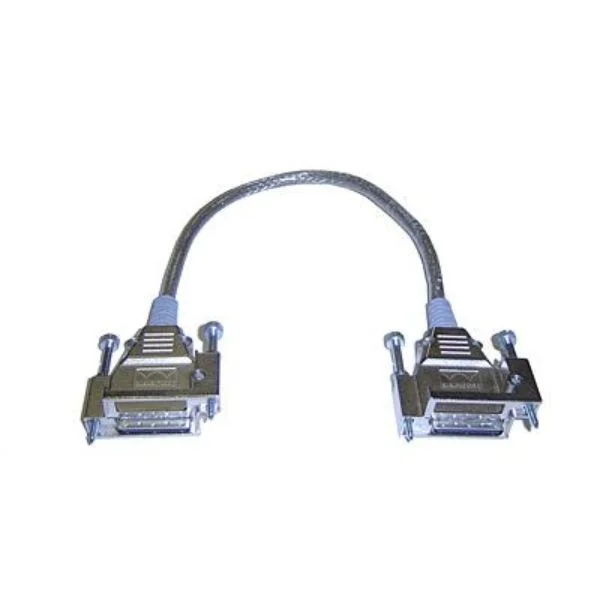
CAB-SPWR-150CM (CATALYST 3750X STACK POWER CABLE 150 CM SPARE)
4.6 (5)Est Value $270.73
$80.85
70.1% offIn stockNewRefurbishedFirst-Time Buyer Discount – Get up to 2% additional off on your first order
ORM Rewards Earn $50 in Rewards + Free Expedited Delivery – Join Now!
Use eCoupon ORMSAVE10
eCoupon limited to 5 units
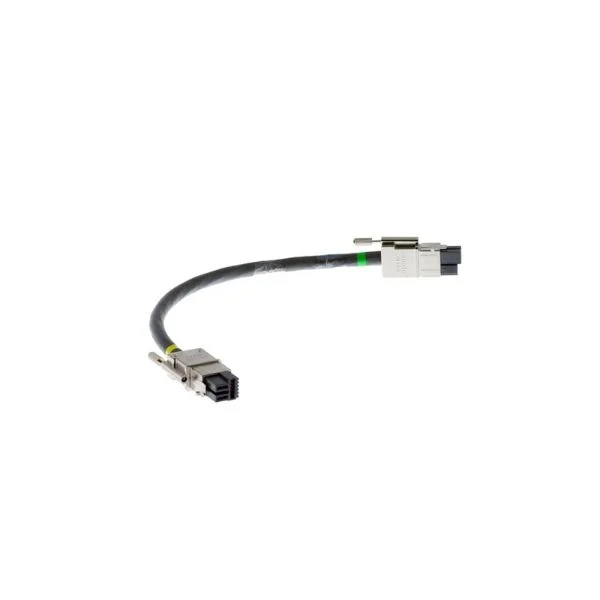
CAB-SPWR-30CM (CATALYST 3750X STACK POWER CABLE 30 CM SPARE)
4.4 (5)Est Value $304.50$152.25
50% offIn stockNewRefurbishedFirst-Time Buyer Discount – Get up to 2% additional off on your first order
ORM Rewards Earn $50 in Rewards + Free Expedited Delivery – Join Now!
Use eCoupon ORMSAVE10
eCoupon limited to 5 units
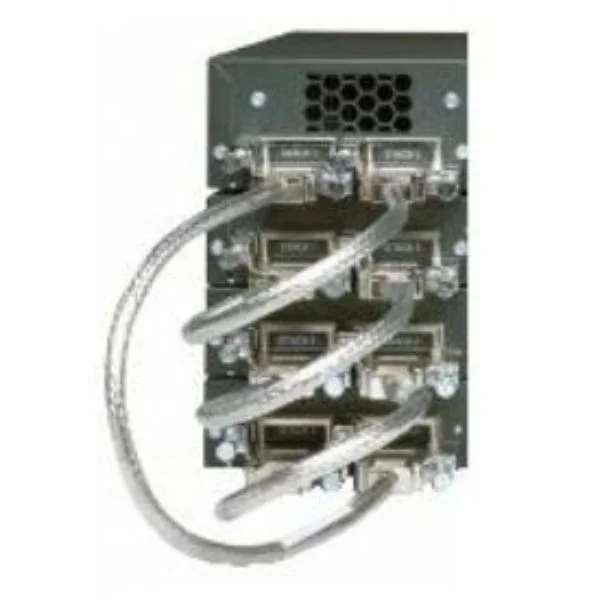
CAB-STACK-50CM (Cisco StackWise 50CM Stacking Cable )
4.8 (5)Est Value $101.17$31.50
68.9% offIn stockNewRefurbishedFirst-Time Buyer Discount – Get up to 2% additional off on your first order
ORM Rewards Earn $50 in Rewards + Free Expedited Delivery – Join Now!
Use eCoupon ORMSAVE10
eCoupon limited to 5 units

ORM Sales Advisors
Buying for your business? Get a personalised quote in under 2 hours. Talk to an expert
LEARNFilters (3) 
Questions & Answers
What types of Cisco Catalyst cables are available?
Cisco Catalyst cables include Direct Attach Copper (DAC) cables for short-reach, Active Optical Cables (AOC) for medium-reach, and fiber optic patch cables (multimode and singlemode) for long-reach applications.
How do I choose the right Cisco Catalyst cable for my switch?
Select a cable based on required data rate, distance, interface type and budget: use DAC for high-speed links under 7 m, AOC for distances up to 100 m (multimode) or 10 km (singlemode), and fiber patch cables for extended reach.
Are Cisco Catalyst cables compatible with third-party devices?
Cisco Catalyst cables are qualified and tested on Cisco platforms. Third-party compatibility is not guaranteed and may impact performance or support; Cisco-certified cables ensure optimal interoperability.
What is the maximum length supported by Cisco Catalyst copper cables?
Cisco Direct Attach Copper (DAC) cables support up to 7 meters. For longer distances, use Active Optical Cables (AOC) or fiber optic patch cables.
What transmission speeds do Cisco Catalyst cables support?
Cisco Catalyst cables support speeds from 1 Gbps to 100 Gbps, including 10G, 25G, 40G and 100G links, depending on cable type and transceiver compatibility.
What is the difference between Cisco Catalyst copper and fiber optic cables?
Copper cables (DAC) provide low-latency, short-reach connectivity under 7 m. Fiber cables (AOC or patch) support longer distances (100 m multimode, up to 10 km singlemode) and higher EMI immunity.
Can I use Cisco Catalyst cables for Power over Ethernet (PoE) applications?
Only Cisco Catalyst Cat6a or higher copper patch cables are rated for PoE up to 90 W. DAC and AOC cables are not designed or certified for PoE power delivery.
How do I install Cisco Catalyst cables properly?
Maintain recommended bend radius, avoid kinks, secure cables with proper clips, route separately from power lines, and fully insert connectors until they click to ensure reliable links.
How do I troubleshoot connectivity issues with Cisco Catalyst cables?
Verify link lights, run the switch’s built-in cable diagnostic, inspect connectors for damage, test with a known-good cable, and confirm interface speed and duplex settings.
Do Cisco Catalyst cables come with a warranty?
Yes. Cisco Catalyst cables carry Cisco’s limited lifetime warranty, covering defects in materials and workmanship when used with supported Cisco equipment.
How can I order replacement Cisco Catalyst cables?
Order using the Cisco part number through Cisco’s online store or an authorized Cisco partner. Verify compatibility via Cisco’s website or product datasheets.
What industry standards do Cisco Catalyst cables comply with?
Cisco Catalyst cables meet IEEE 802.3 Ethernet, TIA/EIA-568 structured cabling and SFF multi-source form-factor standards for guaranteed performance and interoperability.
How do I maintain and clean Cisco Catalyst cables?
Keep dust caps on unused ports, clean optical endfaces with approved swabs or cleaners, avoid excessive flexing, and store cables in a clean, dry environment.
Are Cisco Catalyst cables pre-terminated for rack deployment?
Yes. Cisco Catalyst patch cables and DAC/AOC assemblies are factory-terminated, labeled and tested for plug-and-play installation in racks and data centers.
What environmental conditions can Cisco Catalyst cables withstand?
Cisco Catalyst cables operate from 0 °C to 70 °C with non-condensing humidity. Specific ratings (CM, LSZH, plenum) vary by cable model, as detailed in product specs.
Where can I find detailed Cisco Catalyst cable specifications?
Detailed specifications are available in the Cisco Catalyst Cable Release Notes and Data Sheets on Cisco’s official website under the Documentation section.