 United States
Cooling Solutions Optimized Firewall Cooling
Ensure reliable thermal management for high-performance firewalls by leveraging state-of-the-art cooling solutions. Optimize system uptime, enhance network security, and achieve precise temperature control with proven efficiency.
Talk to an expert
1 Matching results
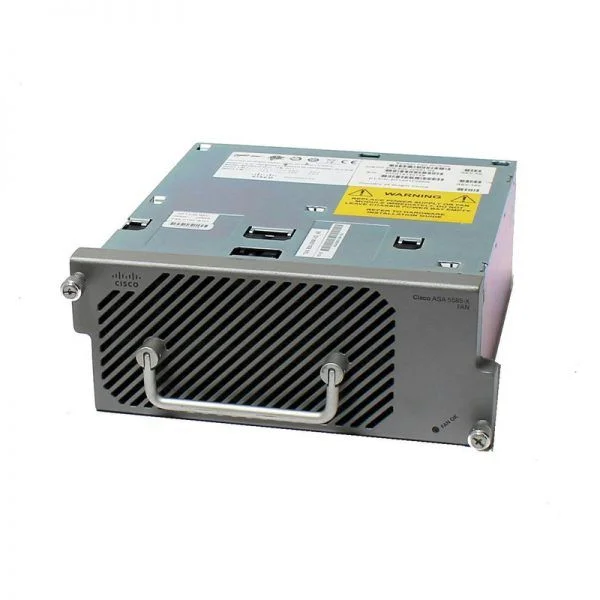
ASA5585-FAN (SPARE FAN MODULE FOR ASA5585-X)
4.6 (5)- Cooling Solution
- Cisco
- Air
- LGA 1200 / AM4
- Ball
- Gaming / Overclocking / Server Cooling
- 1
Est Value $317.25
$228.38
28% offIn stockRefurbishedFirst-Time Buyer Discount – Get up to 2% additional off on your first order
ORM Rewards Earn $50 in Rewards + Free Expedited Delivery – Join Now!
Use eCoupon ORMSAVE10
eCoupon limited to 5 units

ORM Sales Advisors
Buying for your business? Get a personalised quote in under 2 hours. Talk to an expert
LEARNFilters (1) 
Questions & Answers
Why are cooling solutions important for firewalls?
Proper cooling prevents thermal throttling, ensures consistent throughput and extends the lifespan of firewall hardware.
What are the common types of cooling solutions for firewall appliances?
Air cooling (rack fans, ventilation) and liquid cooling (direct-to-chip, immersion) are the two primary methods used for firewall thermal management.
How do I choose the right cooling solution for my firewall?
Assess your firewall’s thermal rating, rack density and ambient temperature to select between air or liquid cooling that meets your capacity and reliability needs.
What is the ideal operating temperature range for firewall devices?
Most enterprise firewalls operate reliably between 10 °C and 35 °C (50 °F–95 °F) with humidity under 80% non-condensing.
Can passive cooling be sufficient for network firewalls?
Passive cooling works only for low-power, fanless firewall models; most multi-core or UTM firewalls require active airflow to maintain safe temperatures.
How often should I maintain or clean firewall cooling fans?
Inspect and clean firewall fans and vents every three to six months or more frequently in dusty environments to prevent airflow obstruction.
What are the benefits of liquid cooling for high-density firewall racks?
Liquid cooling delivers superior heat removal, lower noise levels and higher rack density compared to traditional air-cooled systems.
How can I monitor firewall temperature remotely?
Use SNMP or API-enabled management tools to track thermal sensors and configure alerts for threshold breaches in your network monitoring platform.
How do I improve airflow in my network rack to cool firewalls?
Implement front-to-rear airflow, install blanking panels, manage cabling and maintain proper hot-aisle/cold-aisle separation.
Are there noise considerations with firewall cooling systems?
Yes; high-speed fans and liquid pumps can increase noise—select low-rpm fans or liquid-cooling units if acoustic impact is a concern.
What energy efficiency considerations apply to firewall cooling?
Choose high-efficiency fans or pumps, leverage variable-speed controls and optimize data center cooling layouts to reduce power usage.
Can overheating affect firewall performance and security?
Overheating triggers thermal throttling, drops throughput and may cause hardware shutdowns, compromising both performance and network protection.
How do I integrate hot-aisle/cold-aisle containment for firewalls?
Align firewall intake with the cold aisle, exhaust into the hot aisle, and deploy containment barriers to prevent air mixing and improve cooling efficiency.
What fan speed settings are recommended for firewalls?
Use default OEM profiles optimized for thermal performance or configure custom RPM curves to balance noise and heat dissipation based on workload.
How much does a quality cooling solution for a firewall cost?
Costs vary by technology: basic rack fans start at $50, while closed-loop liquid kits range from $500 to $2,000 depending on capacity.
Are there specific environmental standards for firewall cooling?
Yes; follow ASHRAE TC 9.9 guidelines or your firewall vendor’s specifications for temperature, humidity and air quality.
How do I troubleshoot overheating issues in firewall hardware?
Check airflow obstructions, verify fan/pump operation, review temperature logs and ensure firmware is up to date to address thermal faults.