 United States
Data Tape Dds-1 High Performance
Engineered for reliability and speed, the Dds-1 Data Tape delivers unparalleled data security and performance. Optimize storage operations with advanced reliability and streamlined management capabilities.
Talk to an expert
2 Matching results
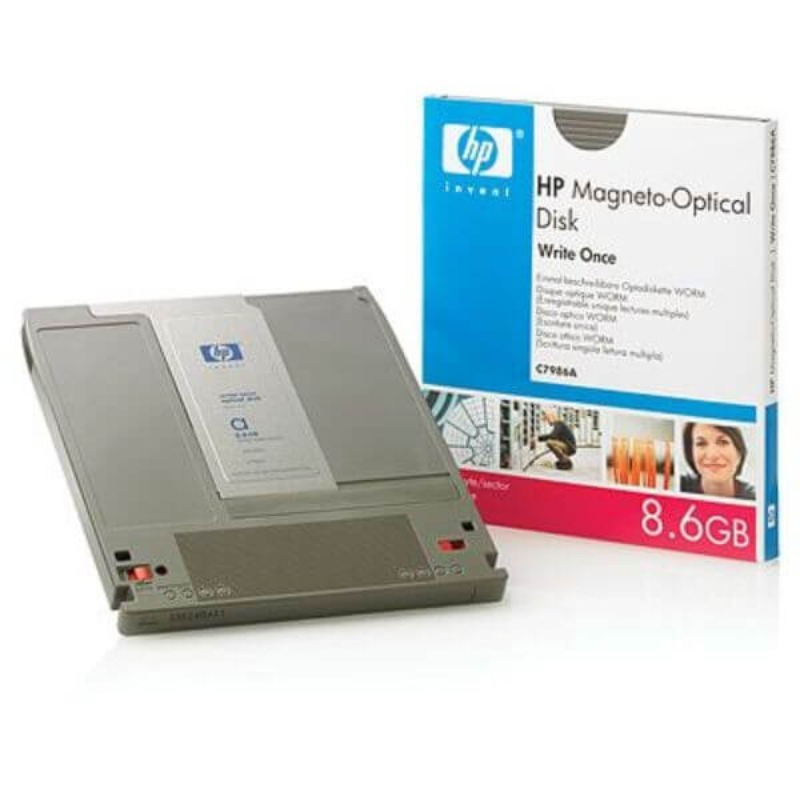
C7986A.. (HP 8.6 GB WORM Optical Disc)
4.6 (5)- Data Optical Disc
- Data Tape Media
- Other
- WORM
- Compliance Storage / Long-Term Archiving / Tape Libraries
- 8 GB
Est Value In stock
First-Time Buyer Discount – Get up to 2% additional off on your first order
ORM Rewards Earn $50 in Rewards + Free Expedited Delivery – Join Now!
Use eCoupon ORMSAVE10
eCoupon limited to 5 units

CWO-9100B (Sony 5.25″ 9.1 GB Optical Tapes)
4.8 (5)- Data Tape
- Data Tape Media
- Other
- Standard
- Backup / Long-Term Archiving / Compliance Storage / Tape Libraries
- 9.1 GB
Est Value In stockFirst-Time Buyer Discount – Get up to 2% additional off on your first order
ORM Rewards Earn $50 in Rewards + Free Expedited Delivery – Join Now!
Use eCoupon ORMSAVE10
eCoupon limited to 5 units

ORM Sales Advisors
Buying for your business? Get a personalised quote in under 2 hours. Talk to an expert
LEARNFilters (2) 
Questions & Answers
What is DDS-1 Data Tape?
DDS-1 Data Tape is the first generation of Digital Data Storage magnetic tape format, offering reliable sequential backup with 1.3 GB native and up to 2.6 GB compressed capacity.
What is the native and compressed capacity of DDS-1 tapes?
DDS-1 tapes provide 1.3 GB native storage and up to 2.6 GB with 2:1 hardware compression for efficient data archiving.
Which tape drives are compatible with DDS-1 Data Tape?
DDS-1 tapes are compatible with all DDS drive generations (DDS-1 through DDS-4) and many DAT drives that support backward reading of DDS-1 media.
What data transfer speed can I expect with DDS-1?
DDS-1 delivers up to 120 KB/s compressed and approximately 60 KB/s native transfer rates, depending on drive model and data patterns.
How long do DDS-1 Data Tapes last under proper storage?
When stored at 15–25 °C and 20–50 % relative humidity, DDS-1 tapes maintain integrity for 10–15 years of archival retention.
How should I store DDS-1 tapes to maximize lifespan?
Store DDS-1 cartridges vertically in their protective cases, away from direct sunlight, magnetic fields, dust, and temperatures above 25 °C.
How often should I clean my DDS-1 tape drive?
Use a DDS-1 cleaning cartridge every 20 to 30 hours of operation or whenever drive indicators suggest cleaning to ensure optimal read/write performance.
Can DDS-1 tapes be reused and how many cycles are supported?
Yes, DDS-1 tapes support up to 1,000 read/write cycles when handled and stored according to manufacturer guidelines.
Are DDS-1 Data Tapes still available for purchase?
Yes, new and refurbished DDS-1 cartridges are available through specialized data storage resellers and online marketplaces.
What are the main advantages of using DDS-1 Data Tape?
DDS-1 offers cost-effective, long-term backup, high durability, backward compatibility with later DDS drives, and simple cartridge handling.
What limitations should I consider with DDS-1 compared to modern formats?
DDS-1 has lower capacity and slower data rates than current tape solutions, making it less ideal for large-scale or high-speed backup needs.
How do I check DDS-1 tape health and status?
Run your tape drive’s diagnostic utility or tape management software to view error logs, read/write statistics, and tape integrity reports.
Can I recover data from a damaged DDS-1 tape?
Minor read errors may be corrected by multiple drive retries; for severe damage, professional tape recovery services are recommended.
How do I label and catalog DDS-1 Data Tapes effectively?
Use standardized adhesive labels with tape ID, date, and contents; maintain a digital catalog or tape management system for quick retrieval.
How do I choose between DDS-1 and newer DDS formats?
Select DDS-1 for legacy system compatibility and small data sets; opt for DDS-3 or DDS-4 when higher capacity, faster speeds, and advanced features are required.