 United States
HPE Other Accessories Premium Solutions
Explore our curated portfolio of HPE other accessories designed to elevate IT infrastructure performance and reliability. Benefit from cutting-edge, certified components integrated seamlessly with modern HPE systems.
Talk to an expert
1 Matching results
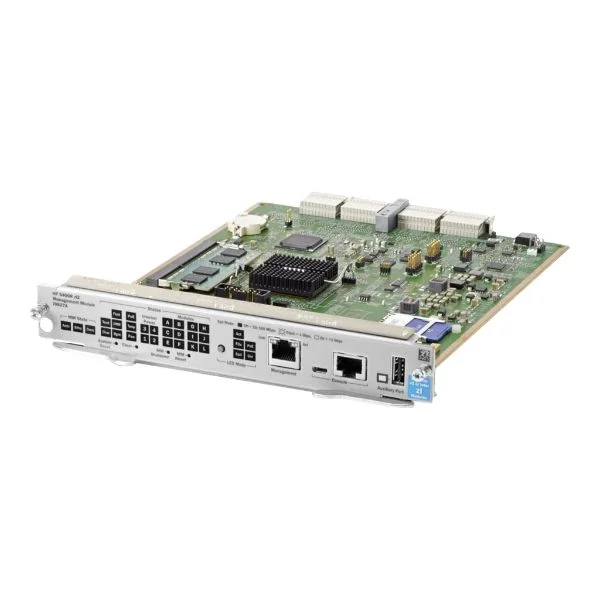
J9827A (5400R ZL2 MANAGEMENT MODULE PL=35)
4.2 (5)Est Value $3,778.00
$59.85
98.4% offIn stockNewRefurbishedFirst-Time Buyer Discount – Get up to 2% additional off on your first order
ORM Rewards Earn $50 in Rewards + Free Expedited Delivery – Join Now!
Use eCoupon ORMSAVE10
eCoupon limited to 5 units

ORM Sales Advisors
Buying for your business? Get a personalised quote in under 2 hours. Talk to an expert
LEARNFilters (1) 
Questions & Answers
What types of HPE Other Accessories are available for enterprise environments?
HPE offers a wide range of accessories including network transceivers, copper and fiber cables, rack and rail kits, power supplies, KVM switches, secure erase kits and management modules designed for seamless integration in enterprise data centers.
How do I choose the right HPE transceiver for my network switch?
Select an HPE transceiver based on the switch port type (SFP, SFP+, QSFP), required data rate (1Gb, 10Gb, 40Gb), fiber or copper medium and reach specifications to ensure full compatibility and optimal performance.
Are HPE fiber transceivers compatible with non-HPE network equipment?
Many HPE fiber transceivers adhere to industry MSA standards and work with third-party switches, but for guaranteed interoperability and support, HPE recommends using HPE-validated optics with HPE hardware.
What is the difference between HPE Smart and Standard transceivers?
HPE Smart transceivers include embedded diagnostics and remote monitoring capabilities for proactive fault detection, while Standard transceivers provide baseline connectivity without advanced monitoring.
How do I install an HPE power supply accessory in my server?
Power down the server, unlock and slide out the empty power supply bay, insert the HPE power supply until it clicks, then reconnect power and verify status LEDs indicate normal operation.
Can I use third-party network cables with my HPE servers and switches?
You can use industry-standard CAT6/CAT6A copper and OM3/OM4 fiber cables, but for guaranteed performance and support, HPE recommends certified HPE network cables.
How do I troubleshoot an HPE SFP module that is not recognized?
Verify firmware compatibility, reseat the module, check switch port configuration and inspect the fiber/copper media for damage; if issues persist, update the switch firmware or replace the module.
What rack mounting kits does HPE offer for ProLiant servers?
HPE provides sliding rail kits, static rail kits and tool-less mounting kits tailored to specific ProLiant models for quick installation and optimal airflow management in standard 19-inch racks.
Do HPE Other Accessories come with a warranty?
Yes, HPE accessories carry a limited warranty—typically one to three years depending on the product category—with options to extend or upgrade coverage through HPE Care Pack services.
How can I order replacement HPE accessory parts?
Log in to the HPE Support Center, enter your product serial number, navigate to the Spare Parts section, or contact an authorized HPE reseller with the part number for direct ordering.
What are the benefits of HPE braided cable assemblies?
HPE braided cable assemblies deliver enhanced durability, improved EMI/RFI shielding and optimized airflow management, reducing signal interference and extending cable life in high-density environments.
How do HPE KVM switches improve server management?
HPE KVM switches consolidate keyboard, video and mouse connections to up to 16 servers, enabling centralized access, simplified cabling and secure remote administration through IP-based management.
What is an HPE Secure Erase kit and how does it work?
The HPE Secure Erase kit uses hardware-based commands to overwrite or cryptographically erase data on drives, ensuring data sanitization meets government and industry standards before disposal or redeployment.
How do I upgrade HPE Ethernet adapter accessories for better performance?
Select a higher-speed HPE Ethernet adapter compatible with your server, install it into an available PCIe slot, update drivers and firmware, then configure the network settings in the OS or hypervisor.
What environmental certifications do HPE Other Accessories hold?
HPE accessories often meet RoHS, WEEE, CE, FCC and ENERGY STAR requirements, demonstrating compliance with environmental regulations and energy-efficiency standards.
How can I verify firmware compatibility for my HPE accessory?
Check the HPE Support Matrix online, enter your server or switch model, review the certified firmware versions list for your accessory and download updates directly from the HPE Support Center.