 United States
D-Link Modules And Cards Solutions
Experience state-of-the-art D-Link modules and cards engineered for superior performance and seamless network integration. Enhance your connectivity solutions with reliable, innovative technology driving efficient, secure communications.
Talk to an expert
D-Link Wired Network Cards
(3)D-Link wired network cards add PCIe or USB Ethernet ports for office desktop endpoints and workstation LAN access
3 Matching results
- BEST SELLING
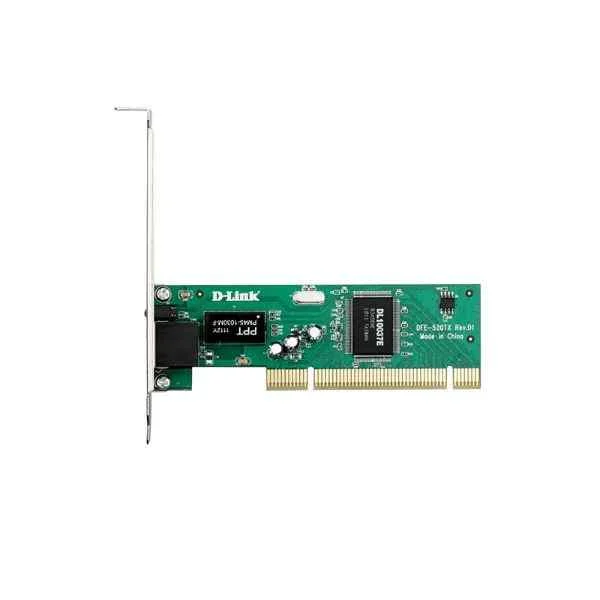
DFE-520TX (D-Link 1 100M electrical port, PCI v2.3, support remote wake-up function, with small baffle)
4.6 (5)- Network Module / Network Card
- D-Link
- Ethernet
- 10G
- SFP+
- TCP/IP
- PCIe
Est Value $378.00
$189.00
50% offIn stockRefurbishedFirst-Time Buyer Discount – Get up to 2% additional off on your first order
ORM Rewards Earn $50 in Rewards + Free Expedited Delivery – Join Now!
Use eCoupon ORMSAVE10
eCoupon limited to 5 units
- BEST SELLING
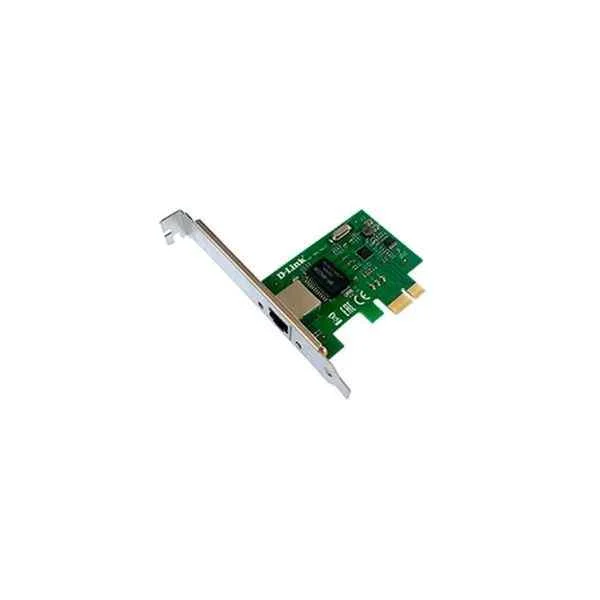
DGE-560T (D-Link PCI-E Gigabit wired network card)
4.6 (5)- Network Card
- D-Link
- Ethernet
- 1Gbps
- RJ-45
- TCP/IP / UDP
- PCIe
Est Value $150.12$75.06
50% offIn stockRefurbishedFirst-Time Buyer Discount – Get up to 2% additional off on your first order
ORM Rewards Earn $50 in Rewards + Free Expedited Delivery – Join Now!
Use eCoupon ORMSAVE10
eCoupon limited to 5 units
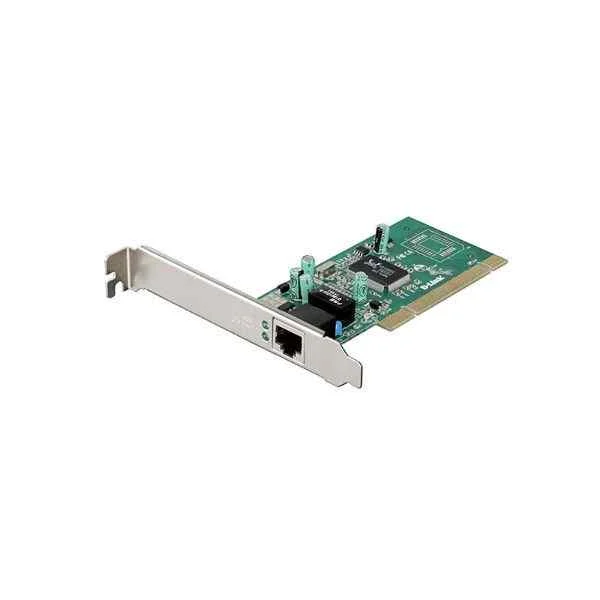
DGE-528T (D-Link 1 Gigabit electrical port, PCI v2.3, supports remote wake-up function, with a small baffle)
5 (5)- Network Module / Network Card
- D-Link
- Ethernet
- 1Gbps
- RJ-45
- TCP/IP
- PCIe
Est Value $161.28$80.64
50% offIn stockRefurbishedFirst-Time Buyer Discount – Get up to 2% additional off on your first order
ORM Rewards Earn $50 in Rewards + Free Expedited Delivery – Join Now!
Use eCoupon ORMSAVE10
eCoupon limited to 5 units

ORM Sales Advisors
Buying for your business? Get a personalised quote in under 2 hours. Talk to an expert
LEARNFilters (3) 
Questions & Answers
What are D-Link Modules and Cards?
D-Link Modules and Cards are hot-swappable transceiver units and interface adapters that expand network port types and speeds on D-Link switches and routers. They enable flexible deployment of fiber or copper links to meet diverse connectivity requirements.
Which D-Link Modules and Cards are compatible with my switch or router?
Refer to the hardware compatibility list in your device’s user manual or on the D-Link support website. Compatibility is determined by model series and firmware version to ensure seamless operation.
How do I install a D-Link Module or Card in my network device?
Power down the device (unless it supports hot-swapping), insert the module or card into the appropriate slot, then secure it with the retaining latch. After restarting, verify the link status via the management interface.
What types of D-Link Modules and Cards are available?
D-Link offers SFP, SFP+, QSFP+, RJ45 copper, PoE injector, and specialized interface cards for SAN and WAN applications. Each type supports specific data rates and connector standards for varied deployments.
What is the difference between D-Link SFP and SFP+ modules?
SFP modules support data rates up to 1 Gbps, while SFP+ modules handle up to 10 Gbps. Both share form factor compatibility but differ in transceiver electronics and optical tolerances.
What network speeds do D-Link Modules and Cards support?
Speeds range from 100 Mbps to 400 Gbps depending on module type: SFP (1 Gbps), SFP+ (10 Gbps), QSFP+ (40 Gbps), and QSFP28 (100 Gbps or 400 Gbps). Choose based on bandwidth requirements.
Can I hot-swap D-Link Modules in a live network?
Yes, most D-Link switches and routers support hot-swapping for compatible modules. Confirm the feature in your device’s datasheet, and follow proper ESD and insertion procedures to avoid link disruption.
Are D-Link Modules and Cards industry-standard certified?
All D-Link transceivers meet IEEE, MSA, and RoHS certifications, ensuring interoperability and environmental compliance. Check the datasheet for specific protocol and safety standards.
How do I troubleshoot detection issues with a D-Link Module?
Ensure firmware is up to date, reseat the module, verify fiber/copper cabling, and check the device log for errors. If the issue persists, test the module on another port or device.
Do D-Link Modules require firmware updates?
Modules typically operate as plug-and-play optics without independent firmware. Device firmware updates may add module support or improve performance, so keep your switch/router software current.
What is the warranty on D-Link Modules and Cards?
D-Link offers a limited lifetime warranty on most modules and interface cards against defects in materials and workmanship. Refer to the warranty terms on D-Link’s official website for full coverage details.
How do I choose the right D-Link Module for long-distance links?
Select single-mode fiber SFP or SFP+ modules rated for the required link budget and distance (e.g., 10 km, 40 km). Check optical power specifications and fiber type to ensure reliable transmission.
Can I use third-party transceivers on D-Link devices?
D-Link recommends using genuine modules for guaranteed compatibility and support. While some third-party optics may work, they can trigger firmware lockouts and void warranty coverage.
What security features do D-Link Interface Cards offer?
D-Link cards support IEEE 802.1X port authentication, ACL filtering, DHCP snooping, and ARP inspection. These features enforce access control and protect against unauthorized devices.
Where can I buy genuine D-Link Modules and Cards?
Purchase from D-Link authorized resellers, distributors, or the official D-Link online store. Buying through authorized channels ensures product authenticity and full warranty support.
Do D-Link Modules support digital diagnostic monitoring (DDM)?
Yes, D-Link SFP, SFP+, and QSFP+ modules feature DDM (also known as DDMI) for real-time monitoring of voltage, temperature, laser bias current, and optical power. Access diagnostics via the switch CLI or GUI.