 United States
TP-Link Modules And Cards
Explore our refined range of TP-Link modules and cards, designed for optimum network performance and robust connectivity. Engineered for reliability and advanced communication solutions in all environments.
Talk to an expert
Tp-Link Network Cards
(3)TP-Link network cards add PCIe, USB, Wi-Fi 6, or Gigabit Ethernet connectivity for home-office desktops and small workstations
3 Matching results
- BEST SELLING
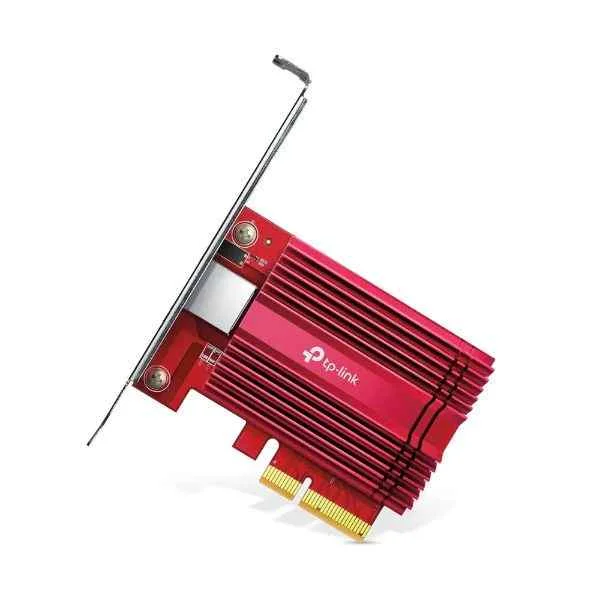
TX401 (TP-LINK TX401 network card Internal Ethernet 10000 Mbit/s (TX401))
4.8 (5)- Network Card
- Tp-Link
- Ethernet
- 10G
- SFP+
- TCP/IP / iSCSI
- PCIe
Est Value $298.89
$255.15
14.6% offIn stockNewRefurbishedFirst-Time Buyer Discount – Get up to 2% additional off on your first order
ORM Rewards Earn $50 in Rewards + Free Expedited Delivery – Join Now!
Use eCoupon ORMSAVE10
eCoupon limited to 5 units
- BEST SELLING
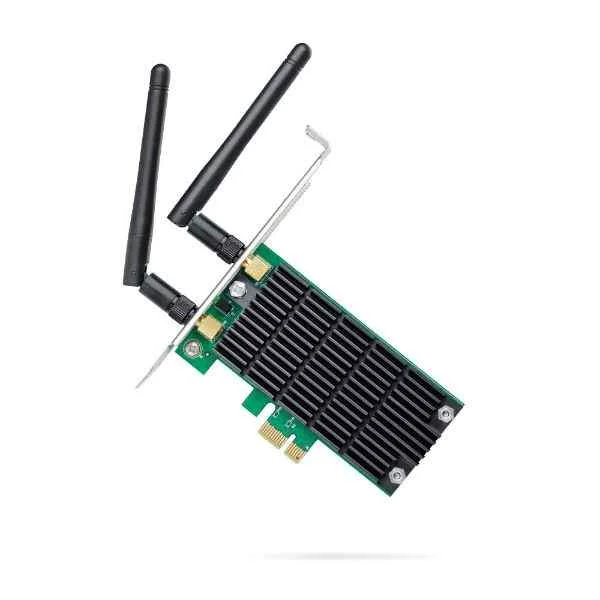
ARCHER T4E (Archer T4E - Internal - Wireless - PCI Express - WLAN - 867 Mbit/s - Black,Green)
4.6 (5)- Network Card
- Tp-Link
- Wi-Fi
- 802.11ac (Up to 1300Mbps)
- PCIe
- 802.11ac/802.11n/802.11g/TCP/IP
- PCIe
Est Value $60.90$30.45
50% offIn stockRefurbishedFirst-Time Buyer Discount – Get up to 2% additional off on your first order
ORM Rewards Earn $50 in Rewards + Free Expedited Delivery – Join Now!
Use eCoupon ORMSAVE10
eCoupon limited to 5 units
- BEST SELLING
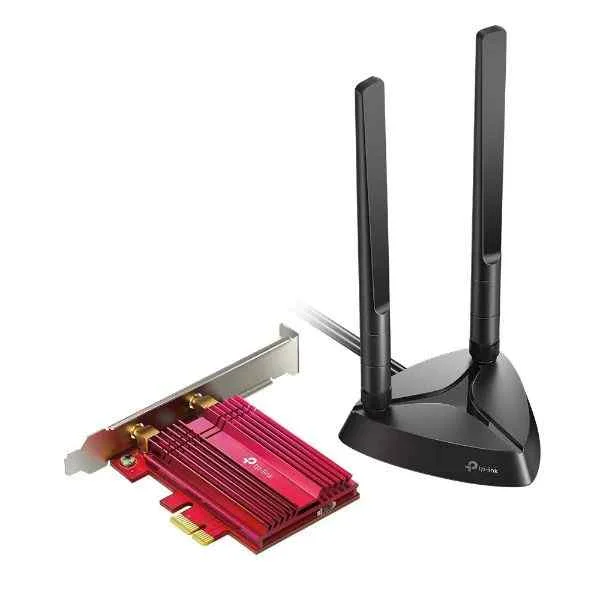
ARCHER TX3000E (Archer TX3000E - Internal - Wireless - PCI Express - WLAN / Bluetooth - 2402 Mbit/s - Black,Red)
4.4 (5)- Network Module / Network Card
- Tp-Link
- Ethernet
- 10Gbps
- RJ-45
- TCP/IP
- PCIe
Est Value $101.48$86.63
14.6% offIn stockRefurbishedFirst-Time Buyer Discount – Get up to 2% additional off on your first order
ORM Rewards Earn $50 in Rewards + Free Expedited Delivery – Join Now!
Use eCoupon ORMSAVE10
eCoupon limited to 5 units

ORM Sales Advisors
Buying for your business? Get a personalised quote in under 2 hours. Talk to an expert
LEARNFilters (3) 
Questions & Answers
What are TP-Link modules and network cards?
TP-Link modules are transceiver units (SFP, SFP+, etc.) that enable fiber or copper connectivity, while network cards (PCIe, USB adapters) add or upgrade Ethernet ports on desktops and servers.
How do I choose the right TP-Link SFP/SFP+ module for my network?
Identify your switch or router’s supported interface (SFP vs. SFP+), required data rate (1 Gbps vs. 10 Gbps) and fiber type (single-mode or multi-mode) before selecting a matching TP-Link module.
What is the difference between TP-Link SFP and SFP+ modules?
SFP modules support up to 1 Gbps data rates, while SFP+ modules handle up to 10 Gbps and often use enhanced optics for longer reach and lower latency.
Are TP-Link modules hot-swappable?
Yes. Most TP-Link SFP and SFP+ modules support hot-plug functionality, allowing insertion or removal without powering down the host device.
Can TP-Link modules work with non-TP-Link switches or routers?
Yes. TP-Link modules adhere to industry standards (MSA-compliant), ensuring interoperability with third-party devices that accept the same form factor and specifications.
How do I install a TP-Link fiber optic SFP module?
Power off the device, align the module’s guide rails with the port, gently slide it in until it clicks, then power on and verify link status via the management interface.
How do I configure a TP-Link PCIe network card in Windows?
Install the card into an available PCIe slot, boot Windows, run the TP-Link driver installer, then configure IP settings in Network & Internet > Adapter Options.
How do I update the firmware on my TP-Link network card?
Download the latest driver/firmware package from TP-Link’s support site, run the updater tool according to the release notes, and reboot your system to apply changes.
What data rates do TP-Link modules support?
TP-Link modules cover 1 Gbps (SFP), 10 Gbps (SFP+), and up to 25 Gbps (QSFP+) depending on the model, with backward-compatible options for mixed networks.
What is the maximum reach of TP-Link fiber modules?
Reach varies by module: multi-mode SFPs cover up to 550 m, single-mode SFPs up to 10 km, and SFP+ optics extend to 40 km or more with DWDM variants.
How do I troubleshoot connectivity issues with TP-Link modules and cards?
Verify correct module type, check fiber/copper cabling, inspect port LEDs, update firmware/drivers, and test link on a known-good port or device.
What warranty covers TP-Link modules and network cards?
TP-Link typically offers a limited lifetime warranty on modules and a 2- to 5-year warranty on network cards; terms vary by region and product series.
Where can I buy genuine TP-Link modules and network cards?
Purchase from TP-Link’s official website, authorized distributors, or reputable e-commerce partners to ensure product authenticity and warranty support.
How do I identify the model number on a TP-Link module?
The model number is printed on the metal housing label and on the original packaging; it follows the format “TL-SFP+” or “TL-XFP” plus a numeric code.
What environmental conditions are TP-Link modules rated for?
Standard TP-Link modules operate between 0 °C and 70 °C with 5–95% non-condensing humidity; industrial-grade variants support −40 °C to 85 °C.