 United States
Ubiquiti Power Modules Enhanced Efficiency
Deliver unstoppable performance with optimized energy solutions for Ubiquiti power modules. Engineered for superior reliability, these modules ensure optimal connectivity and robust network performance in every deployment.
Talk to an expert
1 Matching results
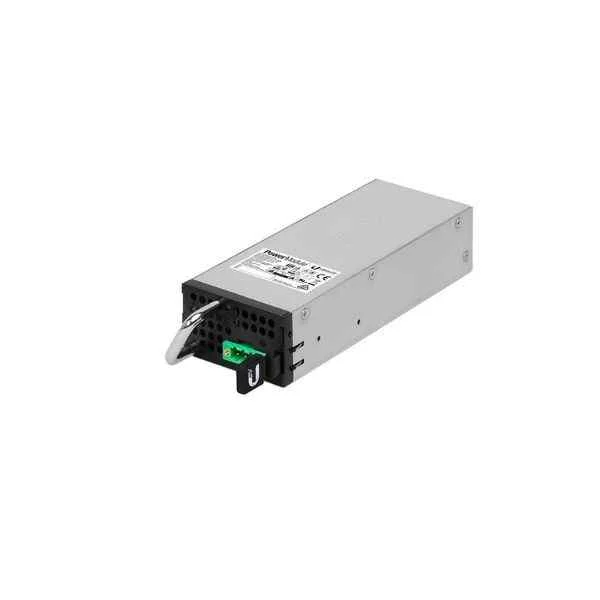
RPS-DC-100W (UBNT Networks PowerBeam Gen2 High Performance airMAX ac Bridge )
4.4 (5)- PoE Injector
- Ubiquiti
- IEEE 802.3af / IEEE 802.3at / IEEE 802.3bt
- 2 Ports
- Industrial PoE
- IP Cameras / Wireless Access Points / IP Phones
- 10/100/1000 Mbps
Est Value In stock
First-Time Buyer Discount – Get up to 2% additional off on your first order
ORM Rewards Earn $50 in Rewards + Free Expedited Delivery – Join Now!
Use eCoupon ORMSAVE10
eCoupon limited to 5 units

ORM Sales Advisors
Buying for your business? Get a personalised quote in under 2 hours. Talk to an expert
LEARNFilters (1) 
Questions & Answers
What is a Ubiquiti Power Module?
A Ubiquiti Power Module is a PoE injector designed to deliver 48 V DC power and Ethernet connectivity to UniFi devices, supporting 802.3af/at standards for reliable network power distribution.
How do I install a Ubiquiti Power Module?
Mount the module in an approved location, connect the AC power cord, and attach the Ethernet cable from the module’s PoE output to your UniFi device. Verify the power indicator LED is solid green.
Which Ubiquiti Power Modules are compatible with UniFi switches?
U-POE-48-24W and U-POE-48-60W modules are officially compatible with UniFi switches, providing up to 24 W and 60 W per port respectively for PoE and PoE+ devices.
What is the maximum power output of a Ubiquiti Power Module?
Depending on the model, modules deliver up to 24 W (802.3af) or 60 W (802.3bt Type 3) per port, ensuring sufficient power for cameras, access points, and VoIP phones.
Can I hot-swap Ubiquiti Power Modules?
Yes. Ubiquiti Power Modules support hot-swapping, allowing you to replace or upgrade a module without shutting down connected devices.
How can I monitor power usage of a Ubiquiti Power Module?
Use the UniFi Network Controller or UISP to view real-time power draw, port status, and historical consumption metrics for each connected device.
What do the LED indicators on a Ubiquiti Power Module mean?
A solid green LED indicates normal operation, blinking amber signals startup or firmware activity, and red denotes a fault or overload condition requiring attention.
How many devices can a single Ubiquiti Power Module support?
Each standalone Power Module supplies one PoE port; multi-port units support multiple devices up to their total power budget, based on individual device requirements.
Do Ubiquiti Power Modules include surge protection?
Yes. Integrated surge protection, over-voltage (OVP), over-current (OCP), and short-circuit (SCP) safeguards protect both the module and connected devices.
Can I update the firmware on a Ubiquiti Power Module?
Firmware for PoE switches and multi-port injectors is managed via the UniFi Network Controller. Standalone Power Modules inherit updates when connected to a compatible controller.
Are Ubiquiti Power Modules rack-mountable?
Standalone injectors are not rack-mountable, but Ubiquiti offers rack-mount chassis and accessories for multi-port Power Modules to fit standard 19″ racks.
What safety certifications do Ubiquiti Power Modules have?
Ubiquiti Power Modules carry UL, CE, FCC, and RoHS certifications, ensuring compliance with international safety and environmental standards.
What warranty covers Ubiquiti Power Modules?
All official Ubiquiti Power Modules are backed by a limited five-year warranty covering manufacturing defects and ensuring ongoing product support.
Can I use third-party PoE injectors with Ubiquiti devices?
While IEEE-compliant third-party injectors may work, Ubiquiti Power Modules are recommended to guarantee full compatibility, optimal performance, and warranty protection.
How do I reset a Ubiquiti Power Module?
To reset, disconnect the AC power for 10 seconds, then reconnect. This power cycle restores factory PoE settings without affecting your network configuration.
How do I troubleshoot a Ubiquiti Power Module power failure?
Verify AC input voltage, inspect the power cable and connectors, check the module’s LEDs for fault codes, and consult the UniFi Network Controller logs for error details.
Where can I purchase genuine Ubiquiti Power Modules?
Purchase directly from the official Ubiquiti Store, authorized distributors, or certified Ubiquiti resellers to ensure authenticity, warranty coverage, and technical support.