 United States
Catalyst 4500 Power Supplies
Explore advanced Catalyst 4500 power supplies delivering unmatched reliability and performance for complex enterprise networks. Engineered for robust efficiency, these units secure optimal uptime and seamless integration across systems.
Talk to an expert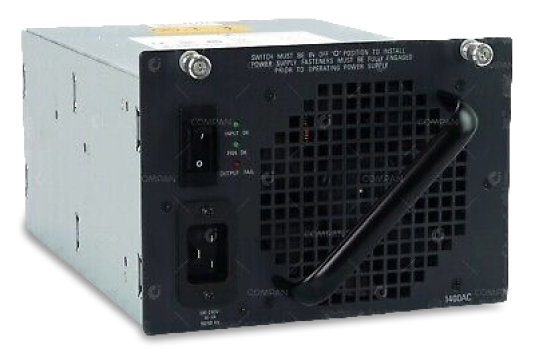
3 Matching results
- BEST SELLING
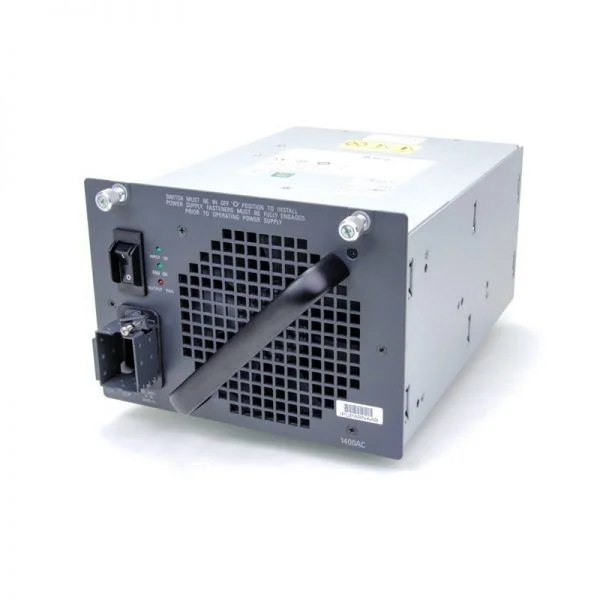
PWR-C45-1400AC (CATALYST 4500 1400W AC POWER SUPPLY DATA ONLY)
4.4 (5)- Power Supply
- Cisco
- 1400W
- Gaming / Workstation / Server
- ATX
- Modular
- Platinum
Est Value $4,393.02
$1,542.32
64.9% offIn stockNewRefurbishedFirst-Time Buyer Discount – Get up to 2% additional off on your first order
ORM Rewards Earn $50 in Rewards + Free Expedited Delivery – Join Now!
Use eCoupon ORMSAVE10
eCoupon limited to 5 units
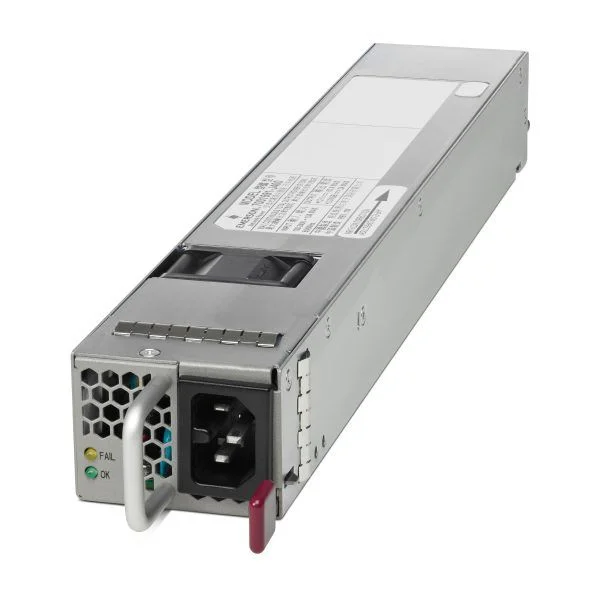
C4KX-PWR-750AC-R (Catalyst 4500X 750W AC front to back cooling 2nd power supply)
4.2 (5)- Power Supply
- Cisco
- 750W
- Gaming
- ATX
- Semi-Modular
- Gold
Est Value $335.00$50.39
85% offIn stockNewRefurbishedFirst-Time Buyer Discount – Get up to 2% additional off on your first order
ORM Rewards Earn $50 in Rewards + Free Expedited Delivery – Join Now!
Use eCoupon ORMSAVE10
eCoupon limited to 5 units
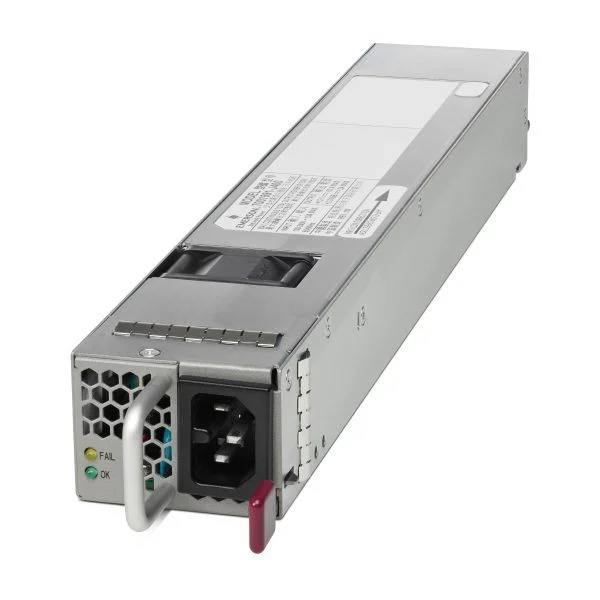
C4KX-PWR-750AC-F (750W AC BACK TO FRONT COOLING PWR SUPPLY FOR CAT4500X)
5 (5)- Power Supply
- Cisco
- 750W
- Workstation / Gaming / Enterprise Server
- ATX
- Modular
- Gold
Est Value $2,124.47$399.00
81.2% offIn stockNewRefurbishedFirst-Time Buyer Discount – Get up to 2% additional off on your first order
ORM Rewards Earn $50 in Rewards + Free Expedited Delivery – Join Now!
Use eCoupon ORMSAVE10
eCoupon limited to 5 units

ORM Sales Advisors
Buying for your business? Get a personalised quote in under 2 hours. Talk to an expert
LEARNFilters (3) 
Questions & Answers
What power supply modules are available for Cisco Catalyst 4500 series switches?
Cisco offers two AC modules for Catalyst 4500: the 600W PWR-C45-600AC and the 1300W PWR-C45-1300AC. Both deliver reliable, hot-swappable power and support full chassis population.
How do I choose the right power supply for my Catalyst 4500 chassis?
Select based on chassis size and module density: use the 600W unit for up to six line cards or the 1300W unit for full-capacity installations. Calculate total card wattage plus overhead to ensure adequate margin.
Are Catalyst 4500 power supplies hot-swappable?
Yes. Both 600W and 1300W Catalyst 4500 power supplies support hot-swap insertion and removal, enabling zero-downtime maintenance without interrupting switch operations.
Can I mix 600W and 1300W power supplies in the same chassis?
Yes. Catalyst 4500 supports mixed configurations. The chassis will draw from both modules and balance load automatically, but total capacity cannot exceed the combined output rating.
What is the maximum total power capacity of a Catalyst 4500 chassis?
With two 1300W modules installed, the Catalyst 4500 chassis delivers up to 2,600W of AC power, supporting full line-card population and redundant operation.
How do I install a Catalyst 4500 power supply module?
1. Power off the chassis PDU. 2. Slide the module into an empty power bay. 3. Tighten captive screws. 4. Connect the AC cord. 5. Power on the PDU. LEDs will confirm status.
How can I verify if a Catalyst 4500 power supply is functioning correctly?
Check the STATUS LED: green indicates normal operation. Use the CLI command 'show power detail' to view real-time output, input status, and any fault conditions.
How does redundant power supply configuration work on Catalyst 4500?
Install two identical power modules. In normal operation both share the load; if one fails, the other instantaneously supplies 100% of the required power, ensuring uninterrupted performance.
Can I use third-party power supplies in a Cisco Catalyst 4500?
Cisco recommends using only genuine Cisco power supplies. Third-party units may lack proper compatibility, Cisco IOS support, and warranty coverage, potentially risking hardware damage.
What safety precautions should I follow when handling Catalyst 4500 power supplies?
Always disconnect AC input, ground yourself to prevent ESD, handle modules by the bezel, and use proper torque on screws. Refer to Cisco safety warnings in the hardware installation guide.
How do I troubleshoot a power supply fan failure on the Catalyst 4500?
Monitor fan status via 'show environment'. If a fan fails, replace the module or fan assembly. Ensure firmware is up to date and air filters are clean to prevent overheating.
What are the physical dimensions and weight of the Catalyst 4500 power supply?
Each AC module measures 5.5 x 4.4 x 23.3 cm (H x W x D) and weighs approximately 2.3 kg. Check the datasheet for exact dimensions before rack planning.
Does the Catalyst 4500 require an external power distribution unit (PDU)?
Yes. The switch’s internal power modules connect to a standard 100–240VAC PDU. Ensure the PDU provides appropriate receptacles and capacity for each power module.
What is the warranty and RMA process for Catalyst 4500 power supplies?
Cisco offers a limited lifetime warranty on genuine power modules. Initiate an RMA via Cisco’s online portal or support hotline. Replacement units ship typically within one business day.
Where can I purchase genuine Catalyst 4500 power supplies?
Buy directly from Cisco or authorized resellers. Verify Cisco’s official website or partner locator to ensure genuine hardware, warranty protection, and support eligibility.