 United States
Networking Catalyst 6500 Power Supplies
Optimize your network infrastructure with our Catalyst 6500 Power Supplies engineered for high performance reliability, robust safety compliance, and seamless integration, ensuring uninterrupted mission-critical operations.
Talk to an expert
1 Matching results
- BEST SELLING
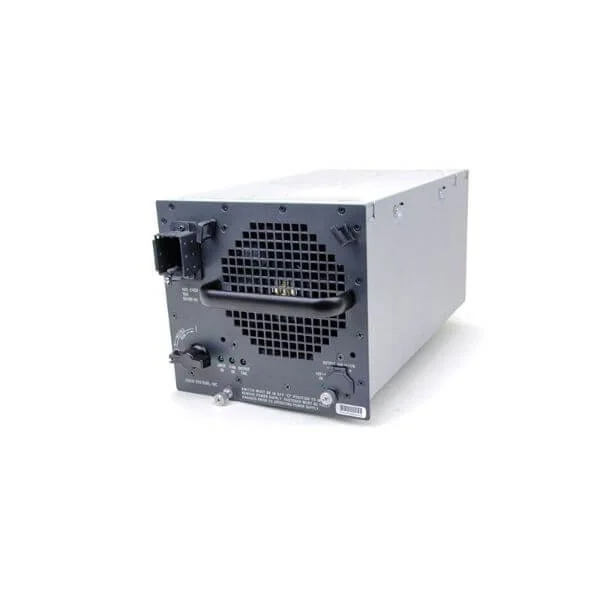
WS-CAC-3000W (CATALYST 6500 3000W AC PWR SUPP)
4.8 (5)- Power Supply
- Cisco
- 1600W
- Workstation
- ATX
- Modular
- Platinum
Est Value $7,281.22
$2,556.34
64.9% offIn stockNewRefurbishedFirst-Time Buyer Discount – Get up to 2% additional off on your first order
ORM Rewards Earn $50 in Rewards + Free Expedited Delivery – Join Now!
Use eCoupon ORMSAVE10
eCoupon limited to 5 units

ORM Sales Advisors
Buying for your business? Get a personalised quote in under 2 hours. Talk to an expert
LEARNFilters (1) 
Questions & Answers
What power supply models are available for Cisco Catalyst 6500?
Cisco offers AC, DC and redundant power supplies for Catalyst 6500, including PWR-C6-700WAC, PWR-C6-1500WAC, PWR-C6-3000WAC, PWR-C6-1100WDC and PWR-C6-1500WDC. Each model supports specific chassis densities and redundancy requirements.
How do I choose the correct power supply for my Catalyst 6500 chassis?
Select a power supply that meets or exceeds the total wattage requirements of your line cards and supervisor engines. Use the Cisco Power Calculator, verify chassis compatibility, and factor in N+1 redundancy.
Can I mix different power supply models in a Catalyst 6500 for redundancy?
Yes. You can install up to four identical-wattage AC or DC supplies for N+1 redundancy. Do not mix AC with DC modules. All supplies must share the same voltage rating and form factor.
Are Catalyst 6500 power supplies hot-swappable?
Yes. Catalyst 6500 power supplies are hot-swappable. You can replace or add a redundant unit without shutting down the chassis, provided the remaining supplies meet the power load.
What is the power capacity of the PWR-C6-3000WAC power supply?
The PWR-C6-3000WAC delivers 3000 watts of output power. It supports high-density configurations and full redundancy in 6500 chassis designed for 3000 W modules.
How do I install a power supply in a Catalyst 6500 chassis?
Slide the power supply into an empty PSU bay, secure the captive screws, then connect the AC or DC input cable to your power source. Verify LED status and chassis IOS messages to confirm proper installation.
How can I monitor the power supply status on my Catalyst 6500?
Use the IOS command “show environment power” or SNMP OIDs in the CISCO-ENTITY-EXT-MIB. You can also monitor power health in Cisco Prime Infrastructure or Cisco DNA Center dashboards.
What are the environmental requirements for Catalyst 6500 power supplies?
Operating temperature: 0 °C to 40 °C; storage: –40 °C to 70 °C; humidity: 10–90% non-condensing; altitude: up to 5,000 meters. Ensure adequate airflow and compliance with Cisco’s environmental guidelines.
What should I do if a Catalyst 6500 power supply fails?
First, check the chassis logs with “show logging” and verify LED indicators. Reseat or replace the faulty PSU with a hot-swappable unit. If under warranty, contact Cisco TAC for RMA support.
Are third‐party power supplies compatible with Catalyst 6500?
No. Only Cisco-certified power supplies are supported. Third-party units may infringe warranties, fail Cisco validation tests, and risk chassis stability or safety compliance.
How do I order a replacement power supply for my Catalyst 6500?
Identify the correct Cisco part number (e.g., PWR-C6-1500WAC), then contact your Cisco reseller or log into Cisco Commerce Workspace. Provide chassis model, serial number, and power requirements.
What are the dimensions and weight of a Catalyst 6500 power supply?
Typical dimensions: 58 mm (W) × 252 mm (D) × 52 mm (H); weight: 1.5–2.5 kg depending on model. Refer to the specific data sheet for exact measurements.
Does the Catalyst 6500 support both DC and AC power supplies?
Yes. Catalyst 6500 chassis support AC models (PWR-C6-700WAC, PWR-C6-1500WAC, PWR-C6-3000WAC) and DC models (PWR-C6-1100WDC, PWR-C6-1500WDC). Ensure your chassis is configured for the intended input type.
How do I upgrade power supply firmware on a Catalyst 6500?
Power supply firmware is managed by the supervisor engine and updated automatically when you upgrade the chassis IOS image to a Cisco-recommended release. No separate PSU firmware upload is required.
What is the MTBF of Catalyst 6500 power supplies?
Cisco Catalyst 6500 power supplies have a mean time between failures (MTBF) exceeding 100,000 hours under standard operating conditions. Consult the product warranty and data sheets for precise figures.
Can I install a higher-wattage power supply than the chassis originally shipped with?
Yes. You can upgrade to a higher-wattage Cisco PSU if the chassis power shelf and mounting support the increased size and airflow. Verify chassis backplane and IOS compatibility before upgrading.