 United States
Server Dell PowerEdge T340
Experience unparalleled reliability and performance. Perfect for data centers and enterprise IT, the Dell PowerEdge T340 Server delivers robust computing, advanced security, and scalable architecture for optimized operations.
Talk to an expert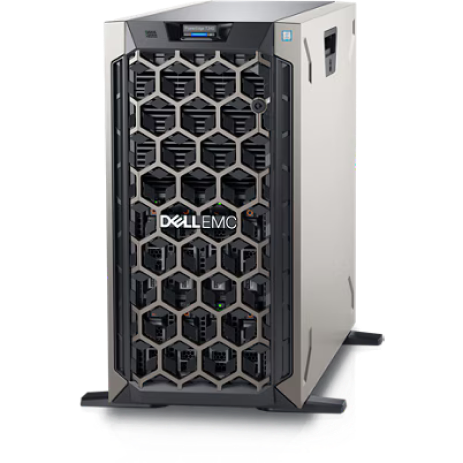
2 Matching results
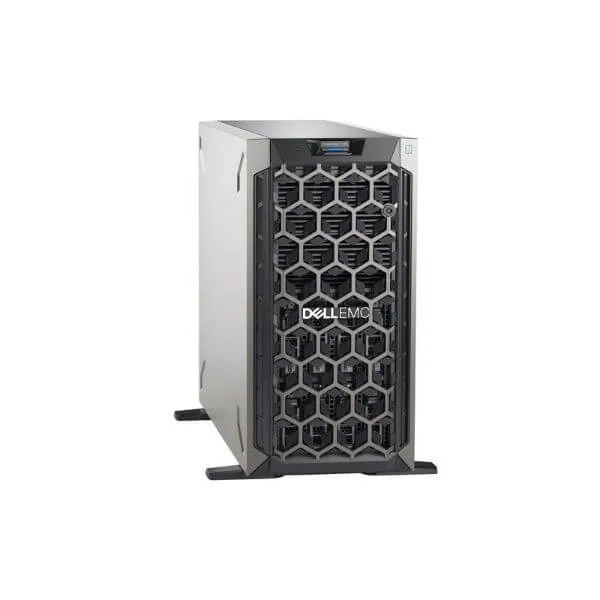
DELL T340 E-2224G/8G*1/1TB 7.2K SATA 3.5*1/DVDRW/495W*1/3.5-4 (Dell T340 E-2224G/8G*1/1TB 7.2K SATA 3.5*1/DVDRW/495W*1/3.5-4)
4.8 (5)- Server
- Dell
- Tower
- Intel
- Intel Xeon E
Est Value In stock
First-Time Buyer Discount – Get up to 2% additional off on your first order
ORM Rewards Earn $50 in Rewards + Free Expedited Delivery – Join Now!
Use eCoupon ORMSAVE10
eCoupon limited to 5 units
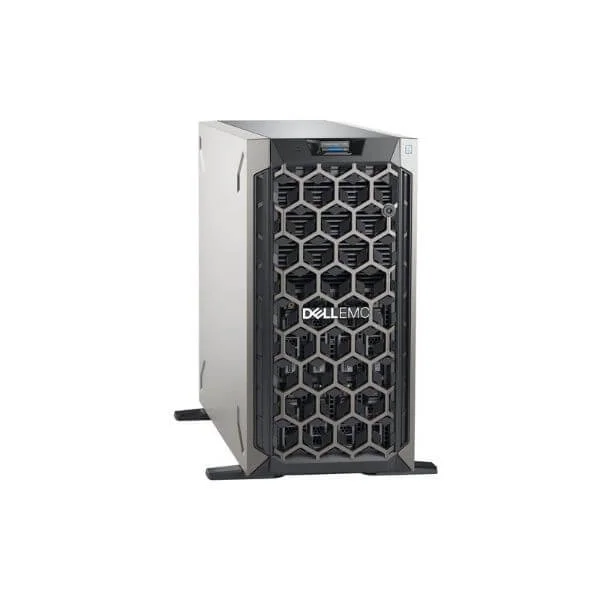
DELL POWEREDGE T340 E-2124/8GB/1TB 7.2K SATA/DVDRW/495W/3.5-4 SERVER (T340 E-2124/8G*1/1TB 7.2K SATA 3.5*1/DVDRW/495W*1/3.5-4)
4.6 (5)- Server
- Dell
- Tower
- Intel
- Intel Xeon E
Est Value In stockFirst-Time Buyer Discount – Get up to 2% additional off on your first order
ORM Rewards Earn $50 in Rewards + Free Expedited Delivery – Join Now!
Use eCoupon ORMSAVE10
eCoupon limited to 5 units

ORM Sales Advisors
Buying for your business? Get a personalised quote in under 2 hours. Talk to an expert
LEARNFilters (2) 
Questions & Answers
What are the key specifications of the Dell PowerEdge T340 Server?
The Dell PowerEdge T340 features Intel® Xeon® E-2200 processors, up to 64 GB DDR4 ECC memory, four 3.5\
Which workloads is the Dell PowerEdge T340 best suited for?
The PowerEdge T340 excels in small business applications, general-purpose file and print services, light virtualization, and departmental workloads requiring reliability and ease of management.
How much memory can I install in the PowerEdge T340?
You can install up to 64 GB of DDR4 ECC memory across four DIMM slots, enabling smooth performance for multitasking and virtualization.
What storage options does the Dell PowerEdge T340 offer?
The T340 supports up to four 3.5\
Can I expand the PowerEdge T340’s storage capacity later?
Yes. The T340 includes four drive bays (3.5\
What remote management features are available on the T340?
The PowerEdge T340 includes the integrated Dell Remote Access Controller (iDRAC9) Basic for remote monitoring, configuration, and firmware updates.
Which operating systems are compatible with the Dell PowerEdge T340?
The T340 supports Windows Server, Red Hat Enterprise Linux, SUSE Linux Enterprise Server, and VMware ESXi, ensuring broad OS compatibility.
Is the Dell PowerEdge T340 suitable for virtualization?
Yes. With Intel® Hyper-Threading, up to 64 GB ECC RAM, and optional RAID controllers, the T340 can run light virtualization workloads effectively.
What security features does the PowerEdge T340 include?
The T340 offers TPM 2.0, secure boot, chassis intrusion detection, and optional RAID with data encryption to protect hardware and data.
How energy efficient is the Dell PowerEdge T340?
The T340’s 80 PLUS Bronze power supply, intelligent thermal management and low-power components deliver efficient power usage in small-office environments.
What warranty and support options are available for the T340?
Dell offers a standard one-year hardware warranty with Next Business Day on-site service, with optional ProSupport and ProSupport Plus for 24/7 support and rapid response.
How do I configure RAID on the PowerEdge T340?
During system boot, enter the PERC RAID controller BIOS utility to create RAID 0, 1, 5, or 10 arrays, ensuring data protection and performance tuning.
Can I install GPUs in the Dell PowerEdge T340?
Yes. The T340 supports single-width, low-profile GPUs in its PCIe slots, enabling modest GPU-accelerated workloads.
What networking options are available for the T340?
The T340 comes with dual embedded 1 GbE ports and offers optional add-in Intel® X540 10 GbE and fiber channel adapters for enhanced throughput.
How easy is it to upgrade components in the PowerEdge T340?
The T340 tool-less chassis design allows simple access to drives, memory, and expansion cards, minimizing downtime during upgrades.
What monitoring tools does Dell provide for the T340?
Dell OpenManage portfolio provides hardware health monitoring, automated alerts, firmware updates, and integration with leading management consoles.