 United States
Ruckus Licenses Enterprise Solutions
Empower your enterprise with officially licensed Ruckus network solutions that guarantee secure, scalable connectivity, optimized performance, and unmatched reliability for advanced wireless infrastructure integration.
Talk to an expert
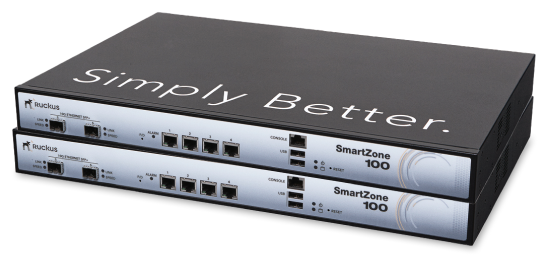
Ruckus Wireless Controllers Licenses
(1)Ruckus wireless controller licenses expand SmartZone and ZoneDirector capacity for multi-building schools with AP tunnels and 802.11ax access
1 Matching results
- BEST SELLING
909-0001-ZD12 (ZoneDirector 1200 AP management upgrade license.)
4.2 (5)- Software License
- Ruckus
- Network Management
- Perpetual
- Lifetime
- IT Admin
Est Value
$116.31
In stockNewFirst-Time Buyer Discount – Get up to 2% additional off on your first order
ORM Rewards Earn $50 in Rewards + Free Expedited Delivery – Join Now!
Use eCoupon ORMSAVE10
eCoupon limited to 5 units

ORM Sales Advisors
Buying for your business? Get a personalised quote in under 2 hours. Talk to an expert
LEARNFilters (1) 
Questions & Answers
What is a Ruckus License?
A Ruckus License is a software entitlement that unlocks advanced features and services on Ruckus access points, switches, and controllers.
What are the main types of Ruckus Licenses?
Ruckus offers perpetual, subscription, IoT, Cloudpath, SPoT and cellular licenses for SmartZone controllers, Unleashed access points and ICX switches.
How do I purchase a Ruckus License?
Purchase Ruckus Licenses through an authorized Ruckus reseller or the Ruckus online store by selecting your device model, license type and quantity.
How do I activate my Ruckus License on a SmartZone controller?
Log in to the SmartZone web interface, navigate to Administration > Licensing > Activate License, enter your activation key and click Apply to enable features.
How can I renew my Ruckus License?
To renew, contact your Ruckus reseller or use the License Management Portal to purchase a renewal key, then enter it under Administration > Licensing before expiration.
How do I upgrade my Ruckus License?
Order the higher-tier license key, then apply it via the SmartZone or Unleashed licensing menu to unlock additional features immediately.
How do I transfer a Ruckus License to another device?
In the Ruckus License Management Portal, decommission the license from the original serial, then assign the activation key to the new device’s serial number.
How can I check the expiration date of my Ruckus License?
In SmartZone or Unleashed, go to Administration > Licensing to view each license’s status, activation date and expiration date in the summary pane.
What is the difference between perpetual and subscription Ruckus Licenses?
Perpetual licenses grant lifetime feature access with optional support renewals; subscription licenses provide time-limited access including support and updates.
Can I use one Ruckus License across multiple devices?
No. Ruckus Licenses are bound to individual device serial numbers; for multiple devices, purchase dedicated licenses or use a pooled licensing option if available.
How do I troubleshoot Ruckus License activation failures?
Verify internet connectivity, confirm correct serial number and activation key, check system time, review logs for errors and contact Ruckus Support if needed.
What is the process to convert a trial Ruckus License to a full license?
Obtain a full-license activation key from an authorized reseller, then enter it in Administration > Licensing to replace the trial key immediately.
How do I configure a Ruckus IoT License?
In SmartZone, navigate to Administration > Licensing, select the IoT license option, enter the key and enable IoT services under Configuration > IoT Settings.
What are the costs associated with Ruckus Licenses?
License costs vary by type, device model, feature set and support level; contact an authorized Ruckus partner or check the official price list for exact pricing.
How do I obtain Ruckus License keys?
After purchase, activation keys are emailed to you and stored in the Ruckus License Management Portal for retrieval, download or reissue.
Where can I download Ruckus License files?
Log in to the Ruckus License Management Portal, select your license entry and click the download link to retrieve the .lic file.