 United States
Synology Licenses Optimize Your Network
Enhance your network operations with genuine Synology Licenses engineered for superior performance and security. Our optimized solutions provide robust enterprise management tools for scalable and reliable storage environments.
Talk to an expert
4 Matching results
VMMPRO-7NODE-S1Y (1YR SUB VIRTUAL MACHINE MANAGER PRO 7NODES ESD)
4.9 (7)- Software License
- Synology
- Virtualization
- Subscription
- 1 Year
- IT Admin
Est Value In stock
First-Time Buyer Discount – Get up to 2% additional off on your first order
ORM Rewards Earn $50 in Rewards + Free Expedited Delivery – Join Now!
Use eCoupon ORMSAVE10
eCoupon limited to 5 units
EW201 (EW201 - 2 year(s) - Storage Service & Support 2 years)
4.9 (7)- Software License
- Synology
- Other
- Subscription
- 2 Years
- Business
Est Value In stockFirst-Time Buyer Discount – Get up to 2% additional off on your first order
ORM Rewards Earn $50 in Rewards + Free Expedited Delivery – Join Now!
Use eCoupon ORMSAVE10
eCoupon limited to 5 units
LICENCE1 (Synology Surveillance Device License Pack 1 pack)
4.6 (7)- Software License
- Synology
- Security
- Perpetual
- Lifetime
- Business / Enterprise / Education / IT Admin
Est Value In stockFirst-Time Buyer Discount – Get up to 2% additional off on your first order
ORM Rewards Earn $50 in Rewards + Free Expedited Delivery – Join Now!
Use eCoupon ORMSAVE10
eCoupon limited to 5 units
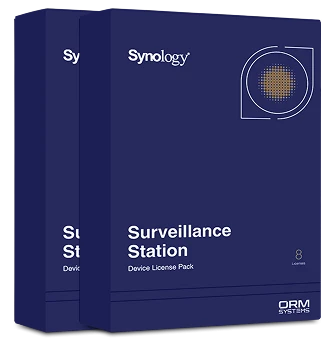
LICENCE8 (Synology Surveillance Device License Pack 8 pack)
4.7 (7)- Software License
- Synology
- Security
- Perpetual
- Lifetime
- Business
Est Value In stockFirst-Time Buyer Discount – Get up to 2% additional off on your first order
ORM Rewards Earn $50 in Rewards + Free Expedited Delivery – Join Now!
Use eCoupon ORMSAVE10
eCoupon limited to 5 units

ORM Sales Advisors
Buying for your business? Get a personalised quote in under 2 hours. Talk to an expert
LEARNFilters (4) 
Questions & Answers
What is a Synology License and why is it needed?
A Synology License is a digital entitlement that activates premium features and services on your NAS, ensuring compliance, official updates and full functionality.
How do I purchase a Synology License?
You can purchase a Synology License through the Synology Online Store, an authorized reseller or directly from DSM’s Package Center by selecting the feature and completing your payment.
How many Synology Licenses do I need for my NAS?
The number of licenses depends on the services you use—for example, each additional IP camera in Surveillance Station or each extra Virtual DSM instance requires its own license.
Can I transfer a Synology License to another Synology device?
Yes. Remove the license from the original device via Control Panel > License Manager, then add it to the new Synology NAS using the same menu.
How do I install a Synology License on my NAS?
Download the .license file from your Synology Account or reseller, open Control Panel > License Manager, click Add, upload the file and confirm installation.
How do I renew or extend my Synology License?
Renew your license by purchasing an extension from the Synology Online Store or reseller, then update it in Control Panel > License Manager > Add.
What happens if my Synology License expires?
When a license expires, the associated service loses full functionality—Surveillance Station channels stop receiving new streams and Virtual DSM instances may shut down.
Are Synology Licenses refundable or transferable between accounts?
Synology Licenses are non-refundable but can be transferred between devices under the same Synology Account. Refund policies may vary by reseller.
How can I check my Synology License status?
Open Control Panel > License Manager to view active licenses, expiration dates and usage counts in a single dashboard.
What types of Synology Licenses are available?
Synology offers licenses for Surveillance Station camera channels, Virtual DSM instances, MailPlus Mail Gateway, Hybrid Share sync and certain advanced DSM packages.
Do I need a license for Synology Surveillance Station?
Yes. Surveillance Station includes two free camera licenses by default; additional camera channels require individual licenses.
Can I add more camera licenses to my Synology Surveillance Station?
Yes. Purchase extra camera licenses, then install them under Control Panel > License Manager > Add to increase your channel count.
Are Synology Virtual DSM and Hyper Backup subject to licensing?
Virtual DSM requires one license per instance to run multiple virtual machines; Hyper Backup is included with DSM and does not require a separate license.
How do I troubleshoot Synology License activation errors?
Verify DSM version and system time, ensure Internet connectivity, re-upload the license file in Control Panel > License Manager, and contact Synology Support if needed.
Where can I find my Synology License key?
Log in to your Synology Account at account.synology.com or check the confirmation email from your authorized reseller to retrieve your license key.
Is there a volume or multi-site discount for Synology Licenses?
Yes. For bulk or multi-site licensing, contact Synology Sales or your authorized reseller to discuss custom pricing and volume discounts.