 United States
Dell Me4 Storage Solutions
Discover unrivaled performance and reliability with Dell’s ME4 storage systems, meticulously engineered to optimize enterprise data workflows, streamline scalability, and safeguard mission-critical information with advanced security.
Talk to an expert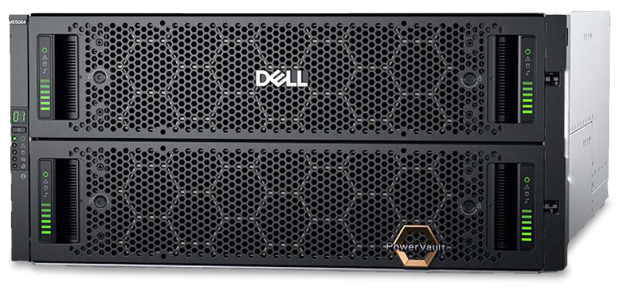
1 Matching results
- BEST SELLING
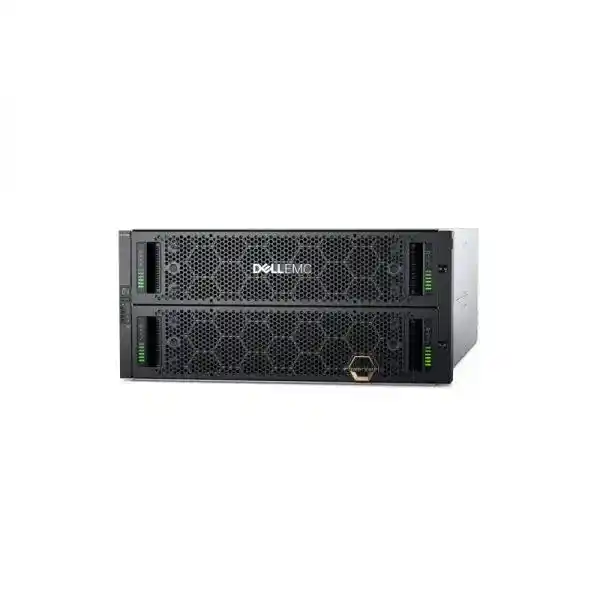
Dell ME4084 (Dell PowerVault ME4 Storages 16GB FC 4 ports/10GB iSCSI SFP+ 4 ports/8GB dual control/2*580W)
4.6 (8)- Storage System
- Dell
- SAN
- Rackmount
- 48-bay
- Mixed
- Yes
Est Value $35,407.71
$21,130.37
40.3% offIn stockNewFirst-Time Buyer Discount – Get up to 2% additional off on your first order
ORM Rewards Earn $50 in Rewards + Free Expedited Delivery – Join Now!
Use eCoupon ORMSAVE10
eCoupon limited to 5 units

ORM Sales Advisors
Buying for your business? Get a personalised quote in under 2 hours. Talk to an expert
LEARNFilters (1) 
Questions & Answers
What is Dell EMC PowerVault ME4 Storage and who should use it?
Dell EMC PowerVault ME4 is an entry-level, high-performance SAN storage array designed for SMBs and remote offices that need reliable block storage for file shares, databases, virtualization and backup workloads.
Which Dell ME4 models are available and how do they differ?
The ME4012, ME4024 and ME4084 vary by drive count and connectivity: ME4012 supports up to 12 drives, ME4024 up to 24 drives and ME4084 up to 84 drives, with options for SAS, SATA and NVMe SSDs plus 12 Gb/s SAS host ports or Fibre Channel.
How do I scale capacity on a Dell ME4 array?
You scale capacity by adding ME4 expansion enclosures—up to three on ME4012/4024 and up to 12 on ME4084—and integrating additional SAS or NVMe drives without downtime.
What performance can I expect from a ME4 Storage system?
ME4 delivers up to 300k IOPS and sub-millisecond latency with all-flash or hybrid configurations, supporting mixed random and sequential workloads for virtualization, databases and VDI.
Does ME4 Storage support VMware and Hyper-V environments?
Yes. ME4 offers certified integration with VMware vSphere (including VAAI and VVols) and Microsoft Hyper-V (including ODX), enabling efficient VM provisioning and offloaded storage operations.
Which data services are included with Dell ME4?
Built-in services include thin provisioning, snapshots, remote replication, automated tiering (for hybrid), SMART caching and controller-based RAID 0/1/5/6 for data protection and efficient utilization.
How do I manage and monitor a ME4 array?
ME4 uses a web-based GUI, Unisphere management software and REST APIs for automated provisioning, health monitoring, analytics and firmware updates from any browser or via Dell EMC OpenManage.
What options exist for data protection and replication?
ME4 offers synchronous and asynchronous replication between arrays, non-disruptive snapshots, local RAID protection and integration with Dell EMC RecoverPoint for continuous replication.
Can I mix drive types in a Dell ME4 chassis?
Yes. ME4 supports mixed-drive tiers (SAS HDD, SATA SSD, NVMe) for hybrid configurations, automatically tiering hot data to fastest media while retaining cold data on high-capacity disks.
How energy-efficient is the ME4 Storage series?
ME4 arrays optimize power with variable speed fans, power supplies up to 94% efficient, aggressive drive spin-down policies and intelligent cooling, reducing OPEX in small IT environments.
What is the deployment time for a ME4 Storage system?
Most ME4 arrays can be racked, cabled and configured in under two hours using the Quick Start guide and Unisphere wizards for rapid provisioning of volumes and replication.
How does Dell support ME4 after purchase?
Dell EMC ProSupport delivers 24/7 hardware and software support, next-business-day onsite service options, firmware updates, health checks and integration support to maximize uptime.
What warranty coverage comes with Dell ME4 Storage?
ME4 includes a three-year limited hardware warranty with next-business-day onsite exchange, plus three years of software and firmware updates, expandable up to five years.
How secure is data on Dell ME4 arrays?
ME4 provides encryption at rest via self-encrypting drives (SEDs), role-based access control, audit logging, secure firmware, and support for secure erase to protect sensitive information.
Can I automate provisioning and integration with my orchestration tools?
Yes. ME4 offers a RESTful API, PowerShell modules and VMware vRealize Plug-ins for seamless integration and automation with Ansible, Terraform and other orchestration frameworks.
How do I upgrade firmware or add new features on ME4?
Firmware upgrades are non-disruptive and managed via Unisphere or OpenManage, while new software features like replication or data services can be activated by purchasing license keys without downtime.