 United States
Cisco Industrial Ethernet 1000 Switches
Optimize your industrial network with Cisco Industrial Ethernet 1000 Switches, engineered for unparalleled security, seamless connectivity, and scalable performance within diverse, demanding modern manufacturing and smart grid environments.
Talk to an expert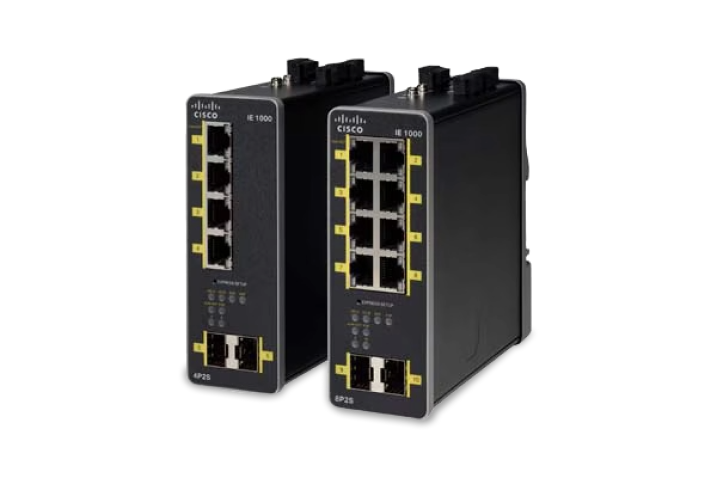
4 Matching results
- BEST SELLING
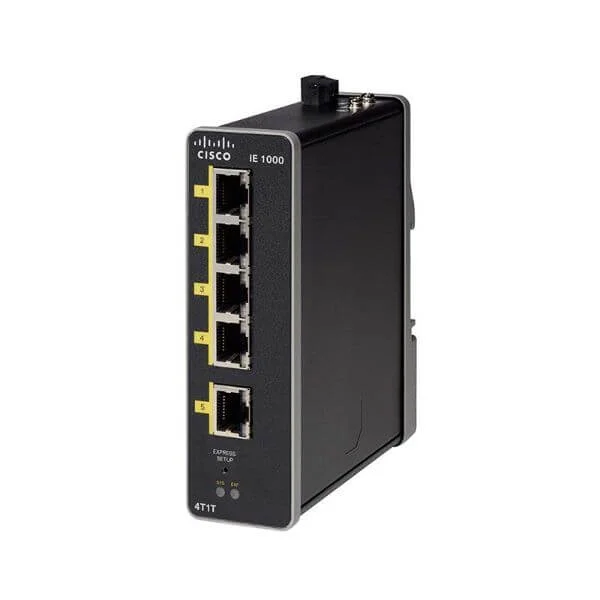
IE-1000-4T1T-LM (IE1000 with 4 FE Copper ports and 1 FE Copper uplinks)
4.8 (6)- Switch
- Cisco
- AC Power Supply
- Layer 2
- Rack-mount
- 15 W
- Under 12 Ports
Est Value $820.00
$690.00
15.9% offIn stockNewFirst-Time Buyer Discount – Get up to 2% additional off on your first order
ORM Rewards Earn $50 in Rewards + Free Expedited Delivery – Join Now!
Use eCoupon ORMSAVE10
eCoupon limited to 5 units
- BEST SELLING
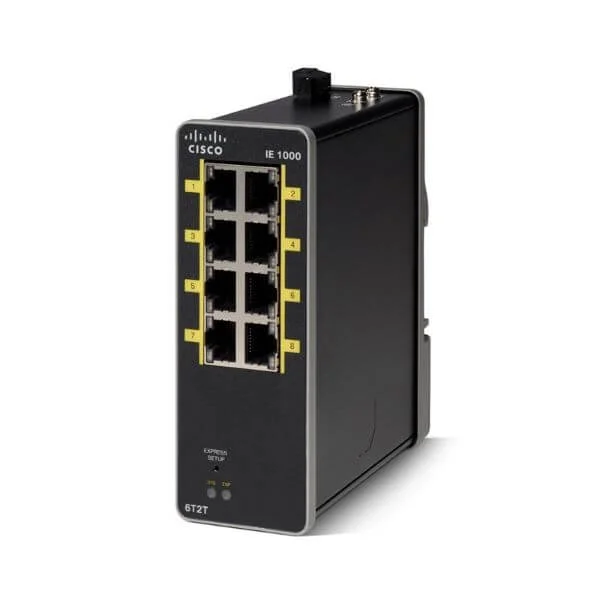
IE-1000-6T2T-LM (IE1000 with 6 FE Copper ports and 2 FE Copper uplinks)
4.7 (6)- Switch
- Cisco
- AC Power Supply
- Layer 2
- Rack-mount
- 30 W
- Under 12 Ports
Est Value $1,174.00$1,138.00
3.1% offIn stockNewFirst-Time Buyer Discount – Get up to 2% additional off on your first order
ORM Rewards Earn $50 in Rewards + Free Expedited Delivery – Join Now!
Use eCoupon ORMSAVE10
eCoupon limited to 5 units
- BEST SELLING
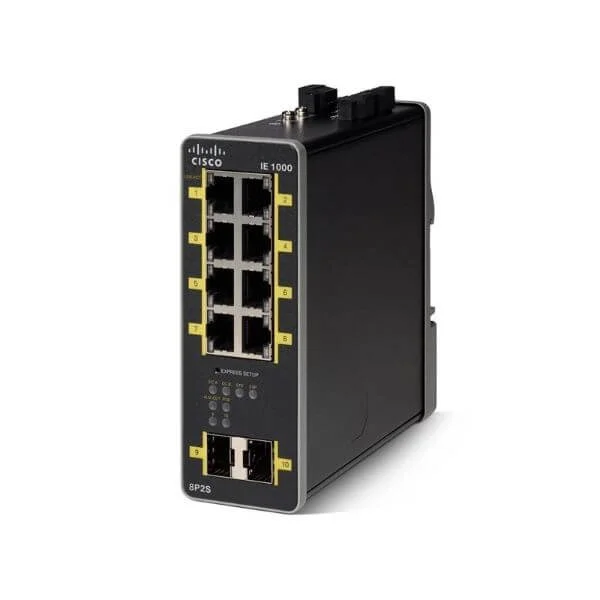
IE-1000-8P2S-LM (IE-1000 GUI BASED L2 POE SWITCH 2GE SFP 8FE COPPER PORTS)
4.5 (6)- Switch
- Cisco
- AC Power Supply
- Layer 2
- Rack-mount
- 15 W
- Under 12 Ports
Est Value $2,354.00$1,201.00
49% offIn stockNewFirst-Time Buyer Discount – Get up to 2% additional off on your first order
ORM Rewards Earn $50 in Rewards + Free Expedited Delivery – Join Now!
Use eCoupon ORMSAVE10
eCoupon limited to 5 units
- BEST SELLING
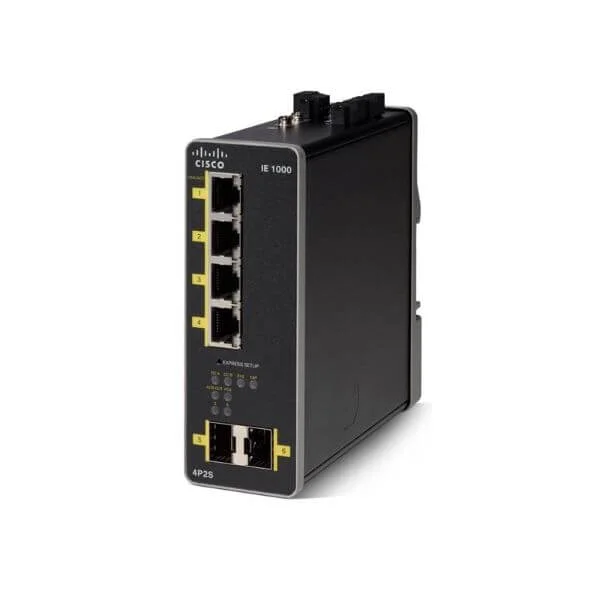
IE-1000-4P2S-LM (IE-1000 GUI BASED L2 POE SWITCH 2GE SFP W/ 4FE COPPER PORTS)
4.5 (6)- Switch
- Cisco
- AC Power Supply
- Layer 2
- Rack-mount
- 30 W
- Under 12 Ports
Est Value $1,764.00$1,292.00
26.8% offIn stockNewFirst-Time Buyer Discount – Get up to 2% additional off on your first order
ORM Rewards Earn $50 in Rewards + Free Expedited Delivery – Join Now!
Use eCoupon ORMSAVE10
eCoupon limited to 5 units

ORM Sales Advisors
Buying for your business? Get a personalised quote in under 2 hours. Talk to an expert
LEARNFilters (4) 
Questions & Answers
What is the Cisco Industrial Ethernet 1000 Switch series?
The Cisco Industrial Ethernet 1000 Switch series is a family of ruggedized, L2/L2+ industrial switches designed for harsh environments. They ensure reliable connectivity, low-latency performance, and simplified management for factory automation, utilities, and transportation networks.
What port configurations are available on the IE 1000 Switches?
Cisco IE 1000 Switches offer multiple port options, including Gigabit Ethernet RJ-45, fiber SFP, and combo ports. Models range from 4 to 8 ports, with PoE/PoE+ variants to power IP cameras, radios, and other edge devices directly.
Do IE 1000 Switches support Power over Ethernet (PoE)?
Yes. Select Cisco IE 1000 models provide 802.3af/at PoE and PoE+ with up to 30 W per port and up to 60 W per device. PoE simplifies deployments by delivering data and power over a single cable.
What environmental specifications do IE 1000 Switches meet?
Cisco IE 1000 Switches are rated for extended industrial temperatures (–40 °C to +75 °C), shock, vibration, and ingress protection per IP30 standards. They withstand challenging conditions in manufacturing, transportation, and outdoor settings.
How do I configure basic settings on a Cisco IE 1000 Switch?
Use the built-in CLI via console or SSH. Enter global configuration mode (configure terminal), assign IP addresses (interface vlan 1; ip address ), set port speeds, VLANs, and save changes with write memory.
What management options are supported by IE 1000 Switches?
Cisco IE 1000 Switches support on-box CLI/GUI, SNMP v2/v3, Cisco DNA Center, and REST APIs. This flexibility enables centralized configuration, monitoring, and software updates across distributed industrial sites.
Which industrial protocols are supported?
These switches support real-time protocols such as EtherNet/IP, PROFINET, Modbus TCP, and CIP. They also include features like QoS, IGMP snooping, and LLDP for deterministic communication in automation networks.
How does the IE 1000 series ensure network resilience?
Cisco IE 1000 Switches offer redundancy features including Rapid Spanning Tree Protocol (RSTP), MSTP, and VRRP. They also support Ethernet ring protection (ERPS) for sub-50 ms failover in ring topologies.
What security features protect IE 1000 Switches?
Security features include 802.1X port-based authentication, ACLs, DHCP snooping, IP Source Guard, and control-plane policing. These mechanisms safeguard against unauthorized access and network threats.
How do I perform a firmware upgrade?
Upload the new IOS image via TFTP, FTP, or USB. From the CLI, use the copy command to transfer the file to flash, set the boot variable (boot system flash:), and reload the switch.
Can IE 1000 Switches integrate with Cisco DNA Center?
Yes. Cisco Industrial Ethernet 1000 Switches are fully supported by Cisco DNA Center for automated provisioning, policy enforcement, and network assurance, enabling seamless integration into intent-based industrial networks.
What mounting options are available?
IE 1000 Switches support DIN rail and panel mounting. The included brackets simplify installation in control cabinets, on machine frames, or in wall-mount enclosures.
What warranty and support options are offered?
Cisco provides a limited lifetime hardware warranty for IE 1000 Switches, including next-business-day advance replacement. Optional Cisco SMARTnet® Service offers 24/7 technical support and hardware coverage.
What use cases suit the IE 1000 series?
Ideal use cases include factory automation, process control, utilities (water/wastewater), intelligent transportation systems, and outdoor PoE deployments, where ruggedness, low latency, and deterministic networking are critical.
How do IE 1000 Switches differ from Cisco IE 2000 series?
Compared to IE 2000, the IE 1000 series delivers higher port density, Gigabit speeds, enhanced PoE budgets, advanced Layer 2+ features, and broader environmental tolerance for more demanding industrial applications.
How can I troubleshoot connectivity issues?
Use built-in diagnostics like interface counters, ping/traceroute, and packet capture. Check LED status, verify configuration with show commands (show interfaces status, show mac address-table), and inspect logs (show logging).