 United States
Dahua Aggregation Switches Ultimate Network Efficiency
Optimize your network infrastructure with advanced Dahua aggregation switches. Experience unparalleled reliability, streamlined connectivity, and heightened performance designed for dynamic enterprise environments requiring secure, scalable solutions.
Talk to an expert
1 Matching results
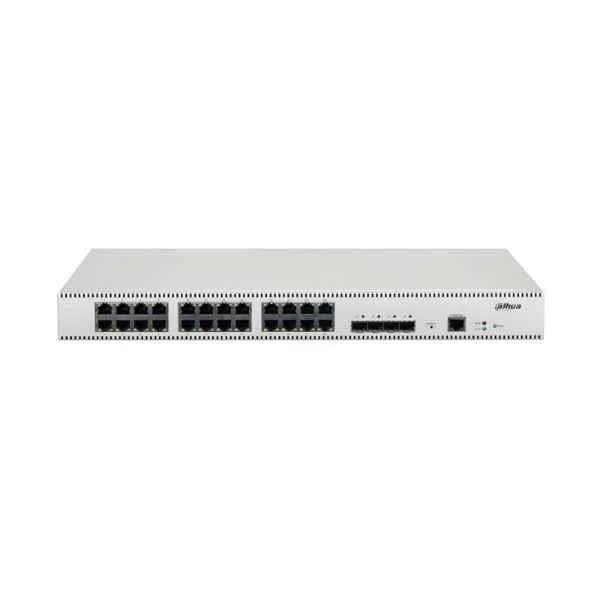
PFS5428-24GT (Dahua Aggregation Switches)
4.8 (6)- Switch
- Dahua
- AC Power Supply
- Layer 2
- Rack-mount
- 60W
- 12–24 Ports
Est Value In stock
First-Time Buyer Discount – Get up to 2% additional off on your first order
ORM Rewards Earn $50 in Rewards + Free Expedited Delivery – Join Now!
Use eCoupon ORMSAVE10
eCoupon limited to 5 units

ORM Sales Advisors
Buying for your business? Get a personalised quote in under 2 hours. Talk to an expert
LEARNFilters (1) 
Questions & Answers
What is a Dahua Aggregation Switch?
A Dahua Aggregation Switch is a high-performance network device that consolidates traffic from multiple access switches, offering Layer 2/3 switching, high port density, and robust management tailored for enterprise and surveillance systems.
How does a Dahua Aggregation Switch differ from a traditional switch?
Unlike a traditional access switch, a Dahua Aggregation Switch focuses on traffic convergence, higher throughput, advanced routing, and enhanced management to optimize backbone performance and simplify large-scale network topologies.
What are the main features of Dahua Aggregation Switches?
Key features include multi-gigabit uplinks (10/25/40/100GbE), PoE/PoE+ support, Layer 3 routing, VLAN, QoS, link aggregation, SNMP management, redundancy protocols, and a user-friendly web GUI and CLI.
Which Dahua Aggregation Switch model is right for my network?
Select a model based on port count, uplink speed, PoE budget, throughput requirements, and redundancy needs; consult Dahua’s product matrix or a certified partner for precise sizing guidance.
Can Dahua Aggregation Switches support PoE devices?
Yes, select models offer PoE/PoE+ on access ports with up to 30W per port and a cumulative power budget scalable to meet IP camera and access point demands securely.
How do I configure VLANs on a Dahua Aggregation Switch?
Use the web GUI or CLI to create VLAN IDs, assign member ports, and configure trunk/access modes; changes take effect immediately, optimizing traffic segmentation and security.
Do Dahua Aggregation Switches support stacking?
Certain Dahua models support physical stacking or virtual chassis, enabling multiple switches to operate as a single logical unit for simplified management and increased port density.
How can I manage a Dahua Aggregation Switch?
Management options include an intuitive web interface, CLI via SSH/console, SNMP v2/v3, and optional Dahua NMS for centralized monitoring, configuration backups, and performance analytics.
What security features are available on Dahua Aggregation Switches?
Built-in security includes 802.1X port authentication, DHCP snooping, IP source guard, ACLs, storm control, and DoS protection to safeguard network integrity and data privacy.
How do I update the firmware on a Dahua Aggregation Switch?
Download the latest firmware from Dahua’s support portal, then use the web GUI firmware upgrade utility or CLI TFTP/FTP commands to upload and apply the update without disrupting traffic.
What is the typical switching capacity of Dahua Aggregation Switches?
Dahua Aggregation Switches deliver non-blocking architectures with switching capacities ranging from 256 Gbps to 3.2 Tbps, ensuring line-rate performance for mixed 1/10/40/100 GbE environments.
How does power redundancy work on Dahua Aggregation Switches?
Select models feature dual hot-swappable power supplies and intelligent load sharing; if one supply fails, the other maintains full operational power to all PoE and switching functions.
Can Dahua Aggregation Switches integrate with third-party devices?
Yes, they adhere to industry standards (IEEE 802.3, 802.1Q, 802.1X, SNMP), enabling seamless interoperability with cameras, NVRs, access points, and switches from other manufacturers.
What QoS features do Dahua Aggregation Switches offer?
Advanced QoS supports traffic classification, hierarchical scheduling, bandwidth policing, and priority queuing to guarantee performance for voice, video surveillance, and mission-critical applications.
How scalable are Dahua Aggregation Switches for large deployments?
With modular uplink options, stacking capabilities, and high port density, Dahua Aggregation Switches scale from small campuses to multi-building data centers without performance bottlenecks.
What warranty and support options are available for Dahua Aggregation Switches?
Dahua provides a standard three-year warranty, optional extended coverage, and global technical support through authorized partners, ensuring rapid RMA processing and expert troubleshooting.