 United States
Networking Switches Dell N1000 Excellence
Engineered with cutting-edge performance and robust security, Dell Networking N1000 Switches deliver reliable connectivity that scales for enterprise networks, empowering seamless data-driven operations and maximizing operational efficiency.
Talk to an expert
2 Matching results
- BEST SELLING
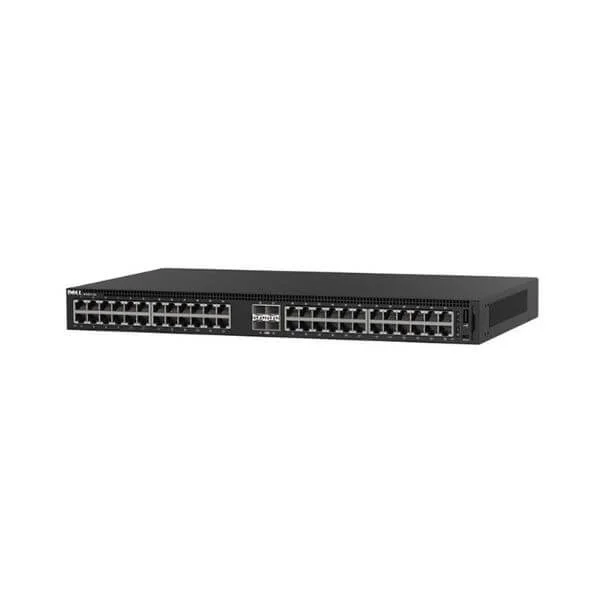
N1148T-ON (Dell Networking N1148T-ON, L2, 48 ports RJ45 1GbE, 4 ports SFP + 10GbE)
4.8 (5)- Switch
- Dell
- AC Power Supply
- Layer 3
- Rack-mount
- 24–48 Ports
Est Value $1,859.66
$1,584.00
14.8% offIn stockNewRefurbishedFirst-Time Buyer Discount – Get up to 2% additional off on your first order
ORM Rewards Earn $50 in Rewards + Free Expedited Delivery – Join Now!
Use eCoupon ORMSAVE10
eCoupon limited to 5 units
- BEST SELLING
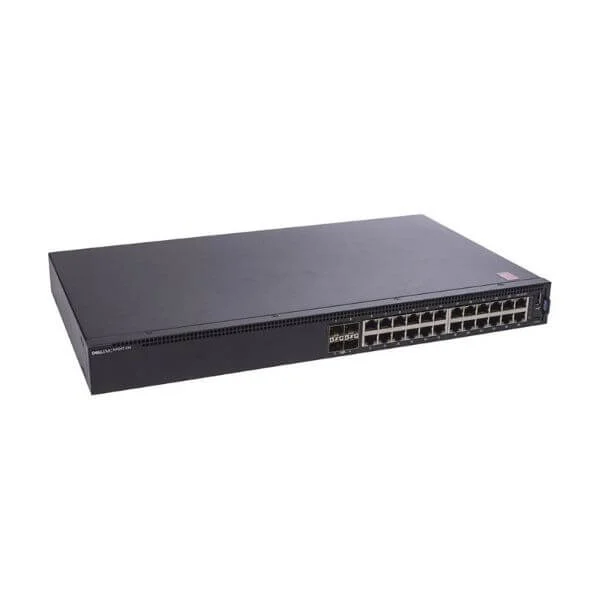
N1124T-ON (Dell Networking N1124T-ON, L2, 24-port RJ45 1GbE, 4-port SFP + 10GbE)
4.6 (5)- Switch
- Dell
- AC Power Supply
- Layer 2 / Layer 3
- Rack-mount
- 55 W
- 12–24 Ports
Est Value $513.00$327.58
36.1% offIn stockNewRefurbishedFirst-Time Buyer Discount – Get up to 2% additional off on your first order
ORM Rewards Earn $50 in Rewards + Free Expedited Delivery – Join Now!
Use eCoupon ORMSAVE10
eCoupon limited to 5 units

ORM Sales Advisors
Buying for your business? Get a personalised quote in under 2 hours. Talk to an expert
LEARNFilters (2) 
Questions & Answers
What are Dell Networking N1000 Switches?
Dell Networking N1000 Switches are cost-effective, Layer 2 managed switches offering up to 48 Gigabit Ethernet ports, PoE/PoE+ support, and advanced network management features for small to midsize deployments.
Which port configurations do N1000 Series switches support?
The N1000 lineup includes models with 16, 24, or 48 Gigabit Ethernet ports, optional PoE/PoE+ on all ports, and two Gigabit SFP uplink slots for fiber connectivity.
Do N1000 switches support Power over Ethernet (PoE)?
Yes. Models with PoE/PoE+ deliver up to 30 W per port and a total power budget up to 370 W, simplifying deployment of IP phones, cameras, and wireless access points.
What management interfaces are available on the N1000 Series?
N1000 switches offer an intuitive web-based GUI, industry-standard CLI (SSH/Telnet), SNMP v1/2/3, and RMON for centralized monitoring and configuration.
Can I stack Dell N1000 switches for scalability?
Yes. Up to six N1000 units can be stacked using standard Ethernet cables, providing a single logical management interface and aggregated throughput.
What VLAN features do N1000 switches provide?
The N1000 supports up to 4,094 VLANs, 802.1Q tagging, port-based VLANs, private VLANs, and GVRP for dynamic VLAN configuration.
What is the performance and throughput of N1000 switches?
N1000 switches deliver non-blocking wire-speed switching with up to 104 Gbps backplane capacity and forwarding rates exceeding 77 Mpps (million packets per second).
How energy-efficient are Dell N1000 switches?
N1000 models feature Energy Efficient Ethernet (IEEE 802.3az), intelligent fan control, and PoE power management to minimize operational costs and environmental impact.
What security features do N1000 switches include?
They provide 802.1X port authentication, ACLs, DHCP snooping, dynamic ARP inspection, and DoS prevention to safeguard your network.
Which network management platforms support the N1000 Series?
Dell OpenManage Network Manager, SNMP-based tools, and third-party platforms like SolarWinds and PRTG fully support N1000 for monitoring, alerting, and automated workflows.
What firmware and software do Dell N1000 switches run?
They run Dell Networking OS 6 (DNOS 6), delivering a stable, feature-rich environment with regular updates, bug fixes, and security patches.
How do I upgrade firmware on a Dell N1000 switch?
Use the web GUI, CLI (copy via TFTP/FTP/SCP), or Dell OpenManage Network Manager to upload and apply new DNOS 6 images with zero downtime stacking support.
What warranty and support options are available?
Dell offers a Lifetime Limited Warranty with next-business-day onsite hardware replacement and optional ProSupport or ProSupport Plus for 24x7 expert assistance.
Are N1000 switches compatible with other Dell Networking series?
Yes. The N1000 integrates seamlessly with Dell N2000 and S-Series switches, enabling unified policy enforcement, stacking, and end-to-end network visibility.
What are ideal use cases for Dell N1000 switches?
The N1000 Series is ideal for small/remote offices, retail branches, hospitality networks, and PoE-powered device deployments requiring reliable, managed Layer 2 switching.
Where can I purchase Dell Networking N1000 Switches and what are typical prices?
You can buy N1000 switches through Dell’s official website, authorized resellers, and online marketplaces. Pricing varies by model and PoE capacity, typically ranging from $300 to $1,200.