 United States
Networking Dell N4000 Switches
Experience unparalleled reliability and advanced performance with Dell Networking N4000 Switches, engineered for scalable enterprise connectivity. Optimize your network infrastructure with cutting-edge security protocols and streamlined management features.
Talk to an expert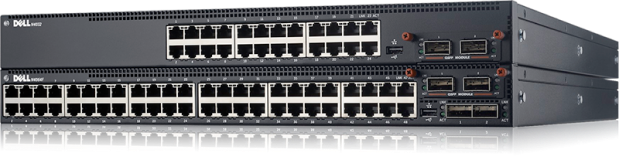
3 Matching results
- BEST SELLING
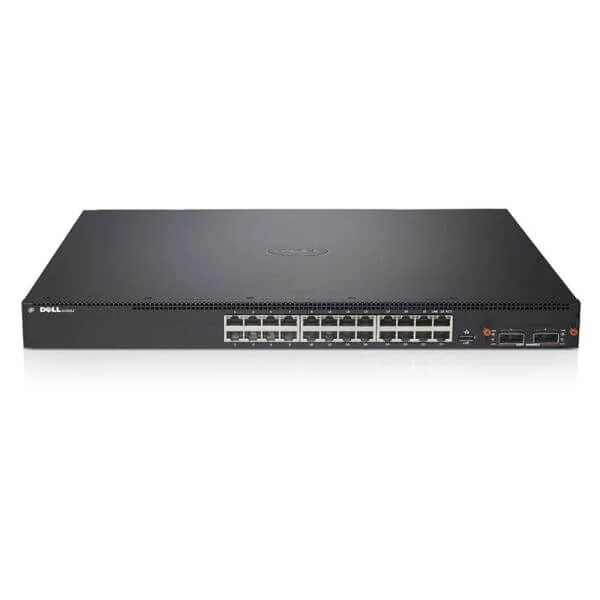
N4032 (Dell Networking N4032, 24x 10GBASE-T port, 1x Modular Bay, 2x AC PSU, airflow from IO to PSU)
4.4 (5)- Switch
- Dell
- Redundant Power Supply
- Layer 2 / Layer 3
- Rack-mount
- 24–48 Ports
Est Value $1,346.11
$671.99
50.1% offIn stockRefurbishedFirst-Time Buyer Discount – Get up to 2% additional off on your first order
ORM Rewards Earn $50 in Rewards + Free Expedited Delivery – Join Now!
Use eCoupon ORMSAVE10
eCoupon limited to 5 units
- BEST SELLING
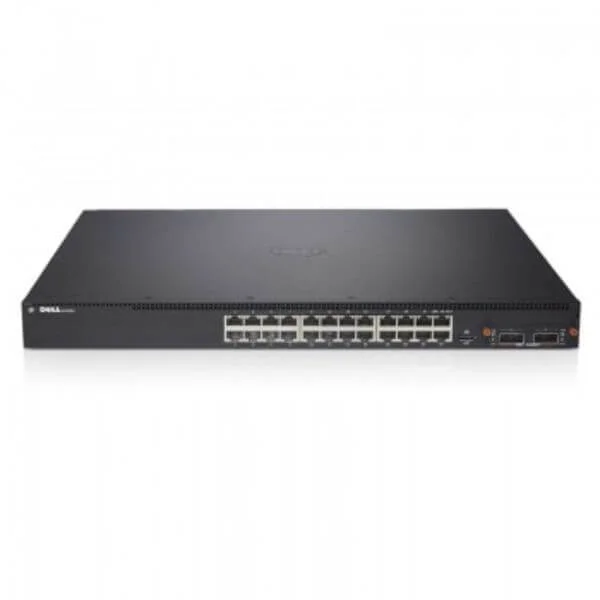
N4032F (Dell Networking N4032F, 24x 10GbE SFP+ Port, 1x Modular bay, 2x AC PSU,airflow from IO to PSU)
4.6 (5)- Switch
- Dell
- AC Power Supply
- Layer 2
- Rack-mount
- 150W
- 24–48 Ports
Est Value $2,496.88$429.45
82.8% offIn stockNewRefurbishedFirst-Time Buyer Discount – Get up to 2% additional off on your first order
ORM Rewards Earn $50 in Rewards + Free Expedited Delivery – Join Now!
Use eCoupon ORMSAVE10
eCoupon limited to 5 units
- BEST SELLING
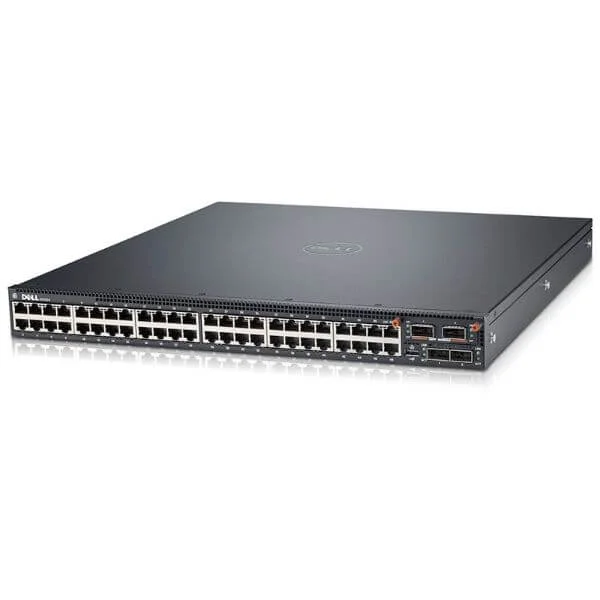
N4064 (Dell Networking N4064, 48x 10GBASE-T, 2x 40GbE QSFP+port, 1x Modular Bay, 2x AC PSU, airflow from IO to PSU)
4.4 (5)- Switch
- Dell
- AC Power Supply
- Layer 2 / Layer 3
- Rack-mount
- 85 W
- Over 48 Ports
Est Value $6,757.78$741.29
89% offIn stockNewRefurbishedFirst-Time Buyer Discount – Get up to 2% additional off on your first order
ORM Rewards Earn $50 in Rewards + Free Expedited Delivery – Join Now!
Use eCoupon ORMSAVE10
eCoupon limited to 5 units

ORM Sales Advisors
Buying for your business? Get a personalised quote in under 2 hours. Talk to an expert
LEARNFilters (3) 
Questions & Answers
What is the Dell Networking N4000 Switch Series?
The Dell Networking N4000 Series is a portfolio of fixed-configuration, high-density Gigabit Ethernet switches designed for enterprise access and distribution layers, offering up to 48 RJ45 ports and 4 SFP+ uplinks in a 1U form factor.
What key hardware features do N4000 switches offer?
N4000 switches provide 1/10GbE ports, hot-swappable power supplies and fans, front-to-back airflow, and optional redundant power, delivering up to 176 Gbps switching capacity per device.
How does Virtual Link Aggregation and stacking work on N4000?
Dell’s Virtual Link Aggregation (VLT) and stacking feature lets you combine up to four N4000 switches into a single logical chassis, enabling nondisruptive failover, simplified management, and linear performance scaling.
What performance and throughput can I expect from an N4000 switch?
Each N4000 model delivers wire-speed switching at up to 130 Mpps forwarding rate and up to 352 Gbps aggregate throughput, ensuring predictable low-latency performance under full load.
Does the N4000 Series support Power over Ethernet (PoE)?
No. The Dell Networking N4000 Series does not support PoE; consider the Dell Networking N1500 or N2500 PoE-capable series for power delivery to edge devices.
Which network operating system runs on N4000 switches?
N4000 switches run Dell Networking OS10 Enterprise Edition, a Linux-based OS that unifies computer and networking services with rich programmability, container support, and advanced feature sets.
What management and monitoring options are available?
You can manage N4000 switches via CLI, Dell EMC Network Manager GUI, SNMP v2/v3, RESTful APIs, or integrated OpenManage modules for automated provisioning and real-time telemetry.
What built-in security features do N4000 switches include?
N4000 switches support 802.1X authentication, Dynamic ARP Inspection, DHCP Snooping, ACLs, IP-MAC-Port binding, and RADIUS/TACACS+ integration for robust campus access security.
How does QoS work on the N4000 Series?
The N4000 Series offers wire-speed classification, marking, policing, and scheduling across four hardware queues per port, ensuring priority delivery of voice, video, and critical data traffic.
What are the power and cooling specifications?
Each N4000 switch consumes between 30–60W typical, supports 100–240 VAC input, and features front-to-back airflow with optional redundant 250W hot-swappable power supplies for 24/7 reliability.
Which optical modules and transceivers are supported?
N4000 switches are compatible with Dell’s SFP, SFP+, DAC, and AOC modules including 1GbE SX/LX and 10GbE SR/LR, enabling flexible uplink and stacking options.
Can the N4000 integrate with virtualization platforms?
Yes. The N4000 Series supports VMware vSphere vDS, Microsoft Hyper-V NVGRE, and cloud orchestration tools, enabling automated network provisioning and multi-tenant segmentation.
What automation and programmability frameworks are supported?
N4000 switches support RESTCONF, OpenConfig, Ansible, Chef, and Puppet, as well as Python scripts and containerized network services, facilitating end-to-end network automation.
What warranty and support options are available?
Dell offers a Limited Lifetime Warranty for N4000 hardware, plus optional ProSupport with next-business-day onsite service and ProSupport Plus with automated issue detection and repair.
What are the typical use cases for Dell Networking N4000?
N4000 switches are ideal for enterprise access/distribution, wiring closet aggregation, and small data center leaf deployments requiring scalable 10GbE uplinks and advanced feature sets.
How do I update the firmware on an N4000 switch?
Firmware updates are available via the Dell Support website and can be installed using CLI commands or the Dell EMC Network Manager GUI for seamless, in-place upgrades.