 United States
Switches HPE 1620 Series
Discover the HPE 1620 series switches engineered for reliable enterprise networking performance. Benefit from advanced management, enhanced security, and scalable connectivity designed to optimize your network infrastructure.
Talk to an expert
3 Matching results
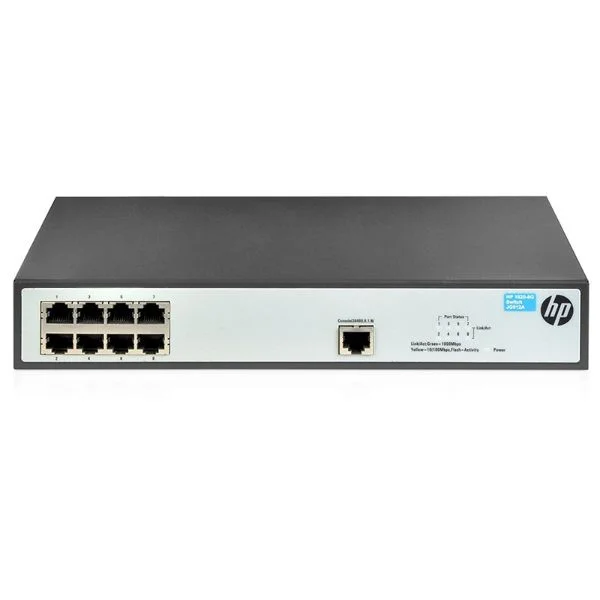
JG912A (HP 1620-8G Switch)
4.8 (5)- Switch
- Hpe
- AC Power Supply
- Layer 2 / Layer 3
- Rack-mount
- 75 W
- 24–48 Ports
Est Value $301.46
$150.73
50% offIn stockRefurbishedFirst-Time Buyer Discount – Get up to 2% additional off on your first order
ORM Rewards Earn $50 in Rewards + Free Expedited Delivery – Join Now!
Use eCoupon ORMSAVE10
eCoupon limited to 5 units
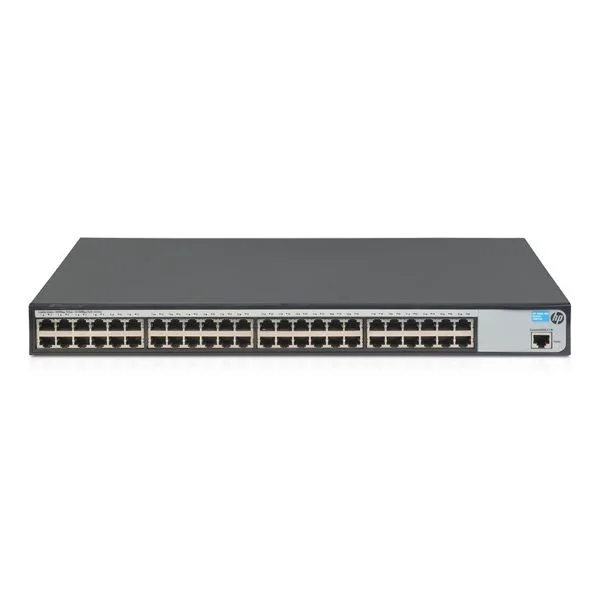
JG914A (HP 1620-48G Switch)
5 (5)- Network Switch
- Hpe
- Redundant Power Supply / AC Power Supply
- Layer 2 / Layer 3
- Rack-mount
- 150W
- 24–48 Ports
Est Value $532.88$266.44
50% offIn stockRefurbishedFirst-Time Buyer Discount – Get up to 2% additional off on your first order
ORM Rewards Earn $50 in Rewards + Free Expedited Delivery – Join Now!
Use eCoupon ORMSAVE10
eCoupon limited to 5 units
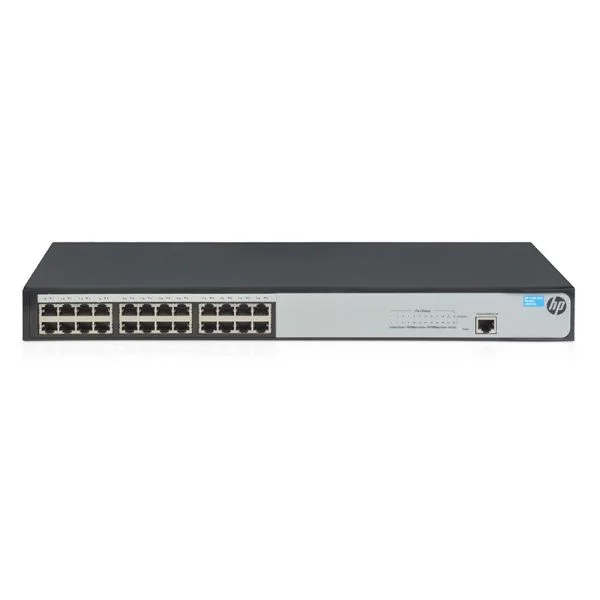
JG913A (HP 1620-24G Switch)
4.8 (5)- Switch
- Hpe
- Redundant Power Supply / AC Power Supply
- Layer 2 / Layer 3
- Rack-mount
- 120 W
- 24–48 Ports
Est Value $498.04$392.00
21.3% offIn stockRefurbishedFirst-Time Buyer Discount – Get up to 2% additional off on your first order
ORM Rewards Earn $50 in Rewards + Free Expedited Delivery – Join Now!
Use eCoupon ORMSAVE10
eCoupon limited to 5 units

ORM Sales Advisors
Buying for your business? Get a personalised quote in under 2 hours. Talk to an expert
LEARNFilters (3) 
Questions & Answers
What are the key features of the HPE 1620 Switch Series?
The HPE 1620 Series offers plug-and-play setup, Web GUI management, advanced QoS, IPv6 support, 10Gb uplinks, energy-efficient design and robust security features, making it ideal for small-to-medium business networks.
How do I configure VLANs on an HPE 1620 switch?
Access the integrated Web GUI, navigate to ‘VLAN Management’, click ‘Create VLAN’, assign VLAN ID and ports, then save the configuration to activate segmented network traffic immediately.
Does the HPE 1620 Series support PoE or PoE+ and what is the power budget?
Certain HPE 1620 models support PoE+ (802.3at) with a total power budget of up to 195W, enabling you to power IP phones, cameras and access points directly from the switch.
What is the switching capacity and throughput of HPE 1620 switches?
HPE 1620 switches deliver up to 128 Gbps switching capacity and non-blocking throughput of 95.2 Mpps, ensuring seamless data transfer and minimal latency for high-performance networks.
How can I update firmware on my HPE 1620 switch?
Download the latest firmware from HPE Support, access the Web GUI, go to ‘Administration’ > ‘Firmware Upgrade’, upload the file and follow prompts to complete the update without disrupting traffic.
Which management options are available for the HPE 1620 Series?
Management options include easy-to-use Web GUI, SNMP v1/v2c monitoring, IPv6-ready CLI, RMON support and optional HPE Intelligent Management Center (IMC) integration for centralized network control.
Can I stack multiple HPE 1620 switches?
No, the HPE 1620 Series does not support physical stacking, but you can link devices via LACP trunking on 10Gb uplinks for increased bandwidth and redundancy.
What warranty and support options are available for HPE 1620 switches?
HPE 1620 switches include a limited lifetime warranty with next-business-day advanced replacement and 90-day phone support; extended support and Care Pack services are also available.
How energy-efficient are HPE 1620 switches?
The HPE 1620 Series features Energy Efficient Ethernet (IEEE 802.3az), smart fan control and port power-down capabilities to reduce power consumption and lower operational costs.
What port configurations are offered in the HPE 1620 lineup?
The HPE 1620 Series includes 8- to 48-port models with optional PoE+, four 10Gb SFP+ uplinks, fixed GbE ports and a fan-less desktop variant for silent operation in office environments.
How does the HPE 1620 safeguard network security?
The HPE 1620 provides Access Control Lists (ACLs), DHCP snooping, IP Source Guard, 802.1X port authentication and SSL/SSH encryption to protect against unauthorized access and network attacks.
What are the main differences between HPE 1620 and HPE 1810 switches?
Compared to the HPE 1810, the 1620 Series adds advanced QoS, IPv6 CLI, PoE+ support, higher switching capacity and enhanced security features, targeting more demanding SMB network requirements.
How do I perform a factory reset on an HPE 1620 switch?
Press and hold the Reset button on the switch’s rear panel for 10 seconds until the LEDs blink. The device will reboot to factory default settings, erasing all custom configurations.
What troubleshooting steps resolve link issues on HPE 1620 switches?
Verify cable type and integrity, check port speed/duplex settings in the Web GUI, inspect LEDs for status, update firmware and review port statistics to pinpoint link or hardware faults.
Which network environments are best suited for HPE 1620 switches?
HPE 1620 switches excel in small-to-medium business LANs, retail stores, branch offices and education sites that require reliable Gigabit connectivity, PoE+ for edge devices and basic managed features.