 United States
Ubiquiti Compatibles High-Performance Solutions
Discover our comprehensive selection of Ubiquiti compatibles engineered for superior reliability, seamless integration, and optimized network performance across diverse infrastructures and demanding applications; drive network excellence and innovation.
Talk to an expert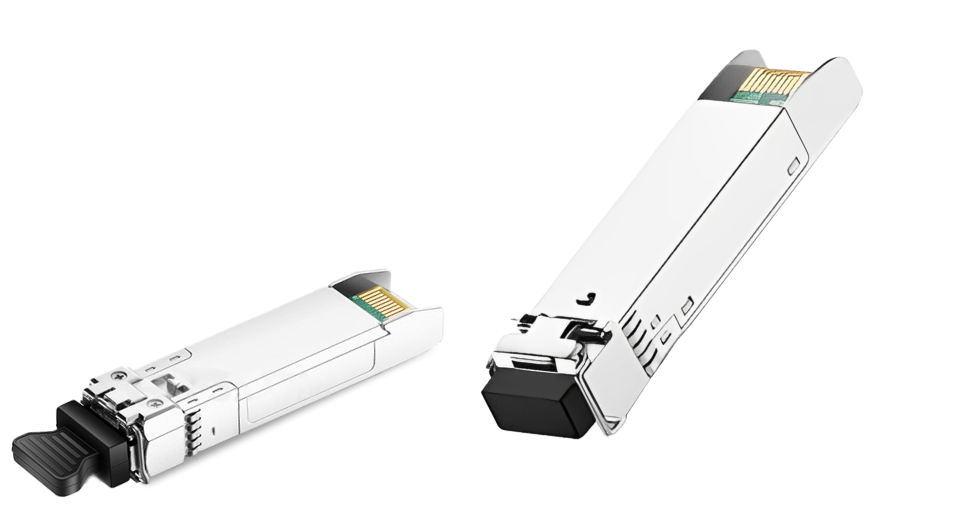
Ubiquiti Compatible Sfp
(6)Ubiquiti compatible SFP optics provide 1 Gigabit Ethernet fiber links for UniFi switches and sub-50 user remote sites
Ubiquiti Compatible Sfp+
(6)Ubiquiti compatible SFP+ optics support 10 Gigabit Ethernet uplinks for UniFi aggregation switches and wireless backhaul cabinet links
12 Matching results

UF-MM-1G-1P-C (Multi-Mode SFP 1G 1 Pack Ubiquiti U Fiber Compatible)
4.8 (6)- Transceiver
- Orm
- SFP
- 1G
- LC
- 850 nm
- Short-Range
Est Value In stock
First-Time Buyer Discount – Get up to 2% additional off on your first order
ORM Rewards Earn $50 in Rewards + Free Expedited Delivery – Join Now!
Use eCoupon ORMSAVE10
eCoupon limited to 5 units

UF-SM-1G-1P-C (SingleMode SFP 1G 1 Pack Ubiquiti U Fiber Compatible)
4.8 (6)- Transceiver
- Orm
- SFP
- 1G
- LC
- 1310nm
- Long-Range
Est Value In stockFirst-Time Buyer Discount – Get up to 2% additional off on your first order
ORM Rewards Earn $50 in Rewards + Free Expedited Delivery – Join Now!
Use eCoupon ORMSAVE10
eCoupon limited to 5 units

UF-RJ45-1G-C (Copper SFP 1G 1 Pack Ubiquiti U Fiber Compatible)
4.8 (6)- Transceiver
- Orm
- SFP
- 1G
- RJ45
- Short-Range
Est Value In stockFirst-Time Buyer Discount – Get up to 2% additional off on your first order
ORM Rewards Earn $50 in Rewards + Free Expedited Delivery – Join Now!
Use eCoupon ORMSAVE10
eCoupon limited to 5 units

UF-SM-1G-S-U-C (Single-Mode SFP 1G BX-U 1 Pack Ubiquiti U Fiber Compatible)
4.8 (6)- Transceiver
- Orm
- SFP
- 1G
- LC
- 1310 nm
- Short-Range
Est Value In stockFirst-Time Buyer Discount – Get up to 2% additional off on your first order
ORM Rewards Earn $50 in Rewards + Free Expedited Delivery – Join Now!
Use eCoupon ORMSAVE10
eCoupon limited to 5 units

UF-SM-1G-S-D-C (Single-Mode SFP 1G BX-D 1 Pack Ubiquiti U Fiber Compatible)
4.5 (6)- Transceiver
- Orm
- SFP
- 1G
- LC
- 1310nm
- Long-Range
Est Value In stockFirst-Time Buyer Discount – Get up to 2% additional off on your first order
ORM Rewards Earn $50 in Rewards + Free Expedited Delivery – Join Now!
Use eCoupon ORMSAVE10
eCoupon limited to 5 units

UF-GP-B+-1P-C (GPON OLT SFP Module 1 Pack Ubiquiti UFiber Compatible)
4.6 (5)- Transceiver
- Orm
- SFP+
- 10G
- LC
- 850 nm
- Short-Range
Est Value In stockFirst-Time Buyer Discount – Get up to 2% additional off on your first order
ORM Rewards Earn $50 in Rewards + Free Expedited Delivery – Join Now!
Use eCoupon ORMSAVE10
eCoupon limited to 5 units

UF-MM-10G-1P-C (Multi-Mode SFP 10G 1 Pack Ubiquiti U Fiber Compatible)
4.4 (5)- Transceiver
- Orm
- SFP+
- 10G
- LC
- 850nm
- Short-Range
Est Value In stockFirst-Time Buyer Discount – Get up to 2% additional off on your first order
ORM Rewards Earn $50 in Rewards + Free Expedited Delivery – Join Now!
Use eCoupon ORMSAVE10
eCoupon limited to 5 units

UF-SM-10G-1P-C (Single-Mode SFP 10G 1 Pack Ubiquiti U Fiber Compatible)
4.4 (5)- Transceiver
- Orm
- SFP+
- 10G
- LC
- 1310 nm
- Long-Range
Est Value In stockFirst-Time Buyer Discount – Get up to 2% additional off on your first order
ORM Rewards Earn $50 in Rewards + Free Expedited Delivery – Join Now!
Use eCoupon ORMSAVE10
eCoupon limited to 5 units

UF-RJ45-10G-C (Copper SFP 10G Ubiquiti Networks Compatible)
4.2 (5)- Transceiver
- Orm
- SFP+
- 10G
- RJ45
- Short-Range
Est Value In stockFirst-Time Buyer Discount – Get up to 2% additional off on your first order
ORM Rewards Earn $50 in Rewards + Free Expedited Delivery – Join Now!
Use eCoupon ORMSAVE10
eCoupon limited to 5 units

UF-SM-10G-S-D-C (Single-Mode SFP 10G BX-D 1 Pack Ubiquiti U Fiber Compatible)
4.4 (5)- Transceiver
- Orm
- SFP+
- 10G
- LC
- 1310 nm
- Long-Range
Est Value In stockFirst-Time Buyer Discount – Get up to 2% additional off on your first order
ORM Rewards Earn $50 in Rewards + Free Expedited Delivery – Join Now!
Use eCoupon ORMSAVE10
eCoupon limited to 5 units

UF-SM-10G-S-U-C (Single-Mode SFP 10G BX-U 1 Pack Ubiquiti U Fiber Compatible)
4.6 (5)- Transceiver
- Orm
- SFP+
- 10G
- LC
- 1310nm
- Long-Range
Est Value In stockFirst-Time Buyer Discount – Get up to 2% additional off on your first order
ORM Rewards Earn $50 in Rewards + Free Expedited Delivery – Join Now!
Use eCoupon ORMSAVE10
eCoupon limited to 5 units

UF-SM-10G-ER-1P-C (Single-Mode SFP 10G ER 1 Pack Ubiquiti U Fiber Compatible)
4.6 (5)- Transceiver
- Orm
- SFP+
- 10G
- LC
- 1310 nm
- Extended-Range
Est Value In stockFirst-Time Buyer Discount – Get up to 2% additional off on your first order
ORM Rewards Earn $50 in Rewards + Free Expedited Delivery – Join Now!
Use eCoupon ORMSAVE10
eCoupon limited to 5 units

ORM Sales Advisors
Buying for your business? Get a personalised quote in under 2 hours. Talk to an expert
LEARNFilters (12) 
Questions & Answers
What does “Ubiquiti Compatible” mean?
“Ubiquiti Compatible” refers to third-party accessories and modules engineered to interoperate seamlessly with Ubiquiti hardware by adhering to standard networking protocols and connector specifications.
Can I use third-party SFP/SFP+ transceivers with Ubiquiti switches?
Yes, as long as the transceivers comply with the SFP/SFP+ MSA standard and match your switch’s port speed and wavelength requirements; always verify compatibility on the Ubiquiti support site or with your vendor.
Are non-Ubiquiti PoE injectors safe to use with Ubiquiti devices?
Non-Ubiquiti PoE injectors are safe if they strictly follow IEEE 802.3af/at standards and deliver the correct voltage and power budget for your Ubiquiti device.
Which Ethernet cables work best with Ubiquiti equipment?
Use shielded Category 5e or Category 6 cables for optimal Gigabit performance and PoE delivery, ensuring compliance with TIA/EIA-568 wiring standards.
Can I mount third-party antennas on Ubiquiti radios?
Yes, provided the antenna’s connector type (e.g., N-female, RP-SMA) and polarization match the Ubiquiti radio’s specifications.
Are third-party power supplies compatible with Ubiquiti access points?
Third-party power supplies will work if they output the correct voltage (typically 48 VDC), amperage, and connector polarity specified in the Ubiquiti data sheet.
How do I verify compatibility of an SFP transceiver before installation?
Cross-check the transceiver’s MSA compliance, port speed (1G/10G), and vendor compatibility list on Ubiquiti’s support portal to ensure a plug-and-play experience.
Will using non-Ubiquiti accessories degrade network performance?
If accessories meet the published technical specifications, they should not degrade performance; substandard products, however, can cause link drops or reduced throughput.
How do I update firmware on Ubiquiti-compatible devices?
Use the UniFi Controller’s firmware management feature or SSH into the device and apply the official Ubiquiti image; ensure the device model and firmware version are supported.
Do third-party accessories affect my Ubiquiti warranty?
Using third-party accessories does not void your Ubiquiti hardware warranty, but any damage caused by incompatible products may not be covered.
Can I integrate non-Ubiquiti routers into the UniFi Controller?
Only devices running UniFi OS can be adopted; third-party routers must be configured manually outside the Controller via standard networking protocols.
Are Ubiquiti radios compatible with industry-standard outdoor antennas?
Yes, Ubiquiti radios use standard RF connectors and will work with industry-standard antennas that match the radio’s frequency range and connector type.
How do I choose a compatible PoE switch for Ubiquiti devices?
Select a switch that provides the required PoE type (802.3af/at), voltage (typically 48 V), and sufficient power budget per port as specified in your Ubiquiti device’s datasheet.
Are third-party mounting brackets and enclosures supported for Ubiquiti hardware?
Yes, third-party mounts are supported if they follow Ubiquiti’s mounting hole patterns, weight limits, and environmental ratings.
Can I use generic PoE splitters with Ubiquiti cameras and access points?
Generic PoE splitters work if they output the exact voltage and current required by your Ubiquiti device and maintain polarity and grounding standards.
How do I troubleshoot compatibility issues between Ubiquiti and third-party gear?
Verify firmware versions, confirm standard compliance (PoE, MSA, IEEE), inspect cable terminations, and review logs in the UniFi Controller or via SSH to isolate mismatches.