 United States
Desktop Access Points by D-Link
Empower enterprise connectivity with D-Link Desktop Access Points delivering reliable, secure, and high-performance Wi‑Fi solutions to optimize business operations, streamline scalability, and improve digital experiences.
Talk to an expert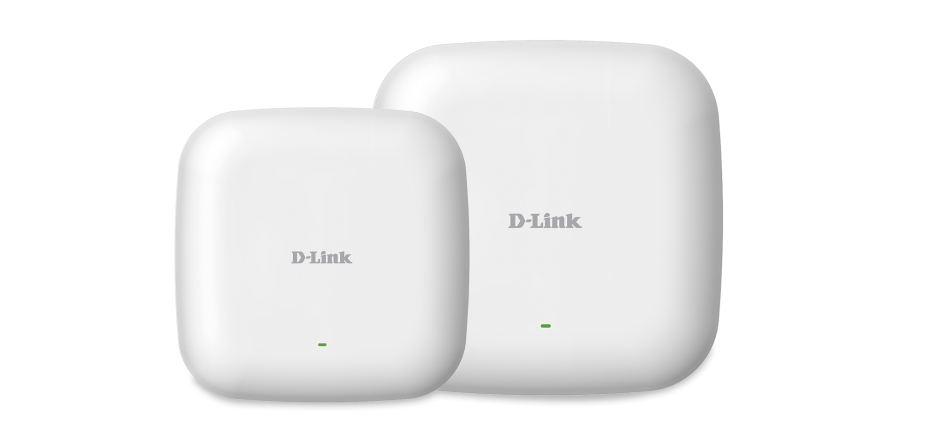

ORM Sales Advisors
Buying for your business? Get a personalised quote in under 2 hours. Talk to an expert
LEARNFilters (0) 
Questions & Answers
What is a D-Link Desktop Access Point?
A D-Link Desktop Access Point is a compact networking device that extends or creates Wi-Fi coverage for small offices and home networks.
How do I set up a D-Link Desktop Access Point?
Connect the AP to your router via Ethernet, power on, log in to the web-based setup wizard at the default IP address, and follow the onscreen instructions to configure SSID and security.
Which network modes does a D-Link Desktop Access Point support?
D-Link Desktop APs support Access Point, Station, WDS Bridge, WDS Multi-Point, and Repeater modes for versatile network deployment.
What security features are available on D-Link Desktop Access Points?
Built-in security includes WPA3/WPA2 encryption, MAC address filtering, 802.1X authentication, and guest network isolation for robust protection.
Can I manage a D-Link Desktop Access Point remotely?
Yes, you can remotely manage D-Link Desktop APs via the web interface, D-Link Central Wi-Fi Manager, or SNMP for centralized control.
How do I update firmware on my D-Link Desktop Access Point?
Download the latest firmware from D-Link’s support site, log in to the AP’s web UI, navigate to Maintenance > Firmware, upload the file, and click Update.
What is the maximum wireless speed of D-Link Desktop Access Points?
D-Link Desktop APs deliver up to 1.7 Gbps on dual-band AC models and up to 300 Mbps on single-band N models, depending on the specific model.
How many clients can a D-Link Desktop Access Point handle?
Each D-Link Desktop AP supports up to 64 simultaneous client connections, subject to network traffic and model capabilities.
Are D-Link Desktop Access Points PoE-powered?
Yes, most D-Link Desktop APs support 802.3af/at Power over Ethernet for flexible placement and simplified cabling.
How do I reset my D-Link Desktop Access Point to factory settings?
Press and hold the reset button for 10 seconds while powered on; the AP will reboot with default IP, login, and settings restored.
What antennas do D-Link Desktop Access Points use?
D-Link Desktop APs feature integrated or detachable high-gain antennas optimized for indoor coverage and signal consistency.
Can D-Link Desktop Access Points operate in simultaneous dual-band?
Yes, dual-band models broadcast on both 2.4 GHz and 5 GHz frequencies simultaneously for optimal performance.
How do I optimize Wi-Fi coverage with D-Link Desktop Access Points?
Position the AP centrally, adjust transmit power levels, enable band steering, and use channel planning to reduce interference and maximize coverage.
What indicators are on the LED status panel of D-Link Desktop Access Points?
LEDs display power, LAN, WLAN, and WPS status, providing at-a-glance insight into device operation and connectivity.
Do D-Link Desktop Access Points support VLAN tagging?
Yes, D-Link Desktop APs support 802.1Q VLAN tagging for network segmentation and secure traffic separation.
What warranty and support options are available for D-Link Desktop Access Points?
D-Link offers a limited lifetime warranty on select models, one-year hardware warranties, and 24/7 technical support through its online portal.