 United States
Wireless Devices Dahua Innovative Solutions
Enhance your surveillance security with Dahua Wireless Devices engineered for superior connectivity, robust performance, and seamless integration in diverse commercial and dynamic residential applications.
Talk to an expert
1 Matching results
- BEST SELLING
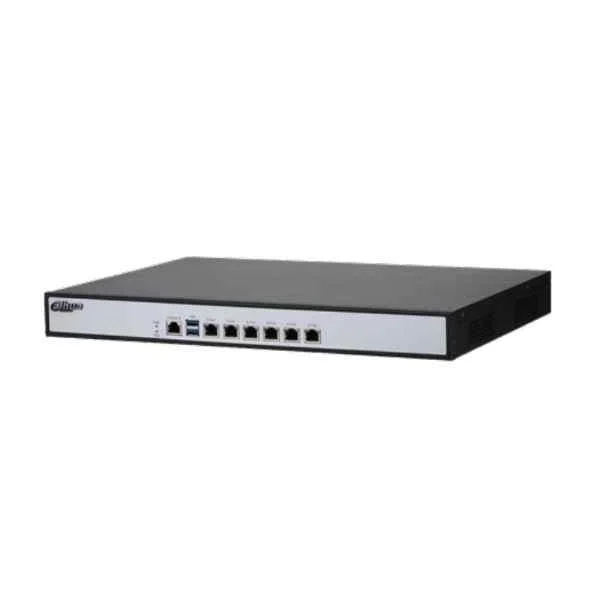
PFM888-AC (Dahua Wireless Devices)
4.8 (6)- Wireless Product
- Dahua
- Access Point
- Wi-Fi 6
- 2.4GHz / 5GHz
- 1Gbps
- 100 meters
Est Value In stock
First-Time Buyer Discount – Get up to 2% additional off on your first order
ORM Rewards Earn $50 in Rewards + Free Expedited Delivery – Join Now!
Use eCoupon ORMSAVE10
eCoupon limited to 5 units

ORM Sales Advisors
Buying for your business? Get a personalised quote in under 2 hours. Talk to an expert
LEARNFilters (1) 
Questions & Answers
What are Dahua Wireless Devices?
Dahua Wireless Devices are Wi-Fi-enabled surveillance cameras and network equipment offering cable-free installation, flexible deployment, and remote monitoring via Dahua’s secure platform.
How do I set up a Dahua wireless camera?
To set up a Dahua wireless camera, power on the device, connect to the Dahua DMSS app or web client, use the Wi-Fi configuration wizard to scan your SSID, enter credentials, and confirm connection status.
What Wi-Fi standards do Dahua wireless devices support?
Dahua wireless devices support IEEE 802.11a/b/g/n/ac, delivering dual-band performance on 2.4 GHz and 5 GHz frequencies for high-speed, interference-resistant connectivity.
How far is the wireless range of Dahua devices?
Typical Dahua wireless devices offer indoor coverage up to 100 meters and outdoor range up to 300 meters line-of-sight, depending on environmental factors and antenna configuration.
Are Dahua wireless devices secure?
Yes, Dahua wireless devices implement WPA2-PSK and WPA3 encryption, two-factor authentication, and secure RTSP/HTTPS streaming to protect video data against unauthorized access.
Can I integrate Dahua wireless devices with an NVR?
Yes, Dahua wireless devices seamlessly integrate with Dahua NVRs using ONVIF compliance, auto-discovery functions, and wireless AP modes for centralized video recording and management.
How do I troubleshoot connectivity issues with Dahua wireless devices?
For connectivity issues, verify SSID and password accuracy, ensure firmware is up-to-date, check signal strength via the web client, and reposition the device to reduce interference.
Which mobile app works best for Dahua wireless device remote access?
Dahua’s DMSS mobile app offers real-time monitoring, PTZ control, push notifications, and easy device management for Android and iOS smartphones.
How do I update firmware on Dahua wireless devices?
To update firmware, access the web interface, navigate to Maintenance > Upgrade, upload the latest firmware file from Dahua’s official site, and reboot the device after installation.
Can Dahua wireless devices operate on both 2.4 GHz and 5 GHz bands?
Yes, dual-band Dahua wireless devices automatically switch between 2.4 GHz for range and 5 GHz for high-speed performance, ensuring optimal connectivity.
Do Dahua wireless devices support Power over Ethernet (PoE)?
Certain Dahua wireless access points and bridges support PoE+, enabling power and data over a single cable for streamlined installation.
How many clients can connect to a Dahua wireless access point?
A standard Dahua wireless access point supports up to 200 simultaneous clients, depending on model specifications and network bandwidth.
What is the installation process for outdoor Dahua wireless devices?
For outdoor deployment, mount the weatherproof housing, align the antenna for line-of-sight, connect to PoE or power supply, configure network settings, and secure all connections.
How do I optimize Wi-Fi signal strength for Dahua wireless devices?
Optimize signal strength by positioning antennas vertically, avoiding obstacles, using the 5 GHz band for short distances, and performing site surveys to identify interference sources.
What warranty and support options are available for Dahua wireless devices?
Dahua wireless devices come with a two-year limited warranty, access to firmware updates, and global technical support through certified distributors and service centers.