 United States
Cisco Stacking Cables
Genuine StackWise cables for Catalyst 2960, 3850, 9200 and 9300 in every length, with bulk pricing and fast global shipping.
Talk to an expert
4 Matching results
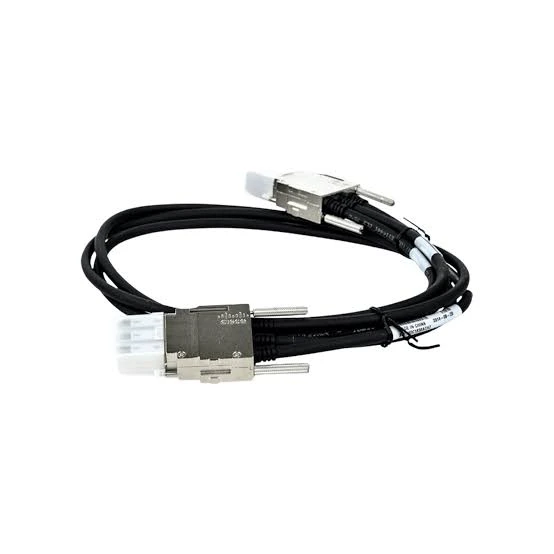
STACK-T1-1M (Cisco StackWise-480/1T Stacking Cable, 1 m, Type 1, Catalyst 9300/9300X)
4.7 (7)- Network Cable
- Stacking Cable
- STACK-T1-1M
- Cisco
- StackWise-480/1T
- Genuine Cisco
- Cisco Catalyst 9300 / 9300X
Est Value $194.00
$89.24
54% offIn stockNewRefurbishedFirst-Time Buyer Discount – Get up to 2% additional off on your first order
ORM Rewards Earn $50 in Rewards + Free Expedited Delivery – Join Now!
Use eCoupon ORMSAVE10
eCoupon limited to 5 units
STACK-T4-50CM (Cisco StackWise-160/80 Stacking Cable, 50 cm, Catalyst 9200/9200L)
4.7 (7)- Network Cable
- Stacking Cable
- STACK-T4-50CM
- Cisco
- StackWise-160/80
- Genuine Cisco
- Cisco Catalyst 9200 / 9200L
Est Value $295.00$145.05
50.8% offIn stockNewRefurbishedFirst-Time Buyer Discount – Get up to 2% additional off on your first order
ORM Rewards Earn $50 in Rewards + Free Expedited Delivery – Join Now!
Use eCoupon ORMSAVE10
eCoupon limited to 5 units
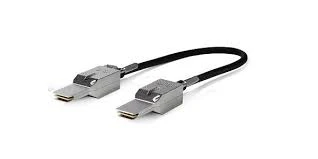
STACK-T4-1M (Cisco StackWise-160/80 Stacking Cable, 1 m, Catalyst 9200/9200L)
4.7 (7)- Network Cable
- Stacking Cable
- STACK-T4-1M
- Cisco
- StackWise-160/80
- Genuine Cisco
- Cisco Catalyst 9200 / 9200L
Est Value $267.94$228.73
14.6% offIn stockNewRefurbishedFirst-Time Buyer Discount – Get up to 2% additional off on your first order
ORM Rewards Earn $50 in Rewards + Free Expedited Delivery – Join Now!
Use eCoupon ORMSAVE10
eCoupon limited to 5 units
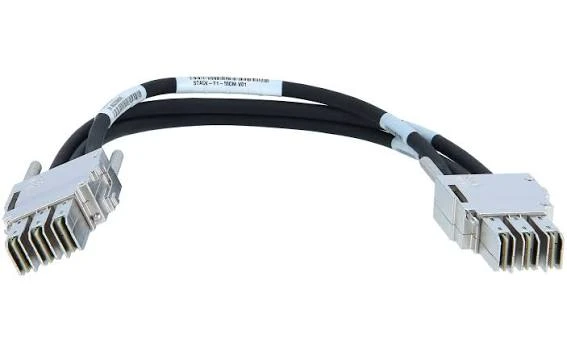
STACK-T1-50CM (Cisco StackWise-480/1T Stacking Cable, 0.5 m, Type 1, Catalyst 9300/9300X)
4.7 (7)- Network Cable
- Stacking Cable
- STACK-T1-50CM
- Cisco
- StackWise-480/1T
- Genuine Cisco
- Cisco Catalyst 9300 / 9300X
Est Value $215.73$52.50
75.7% offIn stockNewRefurbishedFirst-Time Buyer Discount – Get up to 2% additional off on your first order
ORM Rewards Earn $50 in Rewards + Free Expedited Delivery – Join Now!
Use eCoupon ORMSAVE10
eCoupon limited to 5 units

ORM Sales Advisors
Buying for your business? Get a personalised quote in under 2 hours. Talk to an expert
LEARNFilters (4) 
Questions & Answers
What is a Cisco stacking cable?
A stacking cable physically connects compatible Catalyst switches into a single logical stack, letting multiple units share one management plane, one IP address, and combined backplane bandwidth.
Which stacking cable do I need for a Catalyst 9300?
The Catalyst 9300 uses StackWise-480 cables (STACK-T1) and the 9300X uses StackWise-1T cables (STACK-T4), in 50cm, 1m, and 3m lengths. The two cable types differ, so match the SKU to your model.
What stacking cable does the Catalyst 9200 use?
The Catalyst 9200 uses StackWise-160/80 cables (STACK-T4 SKUs in A/B variants) available in 50cm, 1m, and 3m lengths, supporting stacks of up to 8 switches.
How many switches can I stack together?
Most Catalyst platforms support up to 8 switches per stack. All members should run the same software version and, ideally, the same license level.
Are stacking cables hot-swappable?
Yes. StackWise cables can be added or removed without powering down the stack, and a full ring topology provides redundancy if one cable fails.
What lengths do Cisco stacking cables come in?
Standard lengths are 50cm, 1m, and 3m. Use 50cm for adjacent switches and 3m to complete the ring between the top and bottom of the stack.
Can I mix switch models in one stack?
Only within the same family, for example 9300 with 9300. Mixed 9300 and 9300X stacks are supported with specific rules, but you cannot stack across families like 9200 with 9300.
Do stacking cables come with the switch?
Some bundles include a 50cm cable, but many switches ship without one. Confirm your SKU's contents and order the lengths your rack layout requires.