 United States
Trusted by the Highest-Stakes Buyers
Federal agencies and Fortune 500 operations source through ORM Systems.
US Government & Defense
Enterprise Clients

Featured Deal
Hand-picked by our procurement team for standout value. This unit is offered at our sharpest price on current stock, verified against live market rates.
Name:

Added to cart 28 times recently
Ready to Ship
Certified Refurbished
Professionally inspected, bench-tested, and firmware-verified, with configurations wiped. Restored to full working order and backed by our warranty.


3 Year Extended Warranty


Same-day Shipping

30-Day Money Back Guarantee
Shipping:
Payment:
3 Year Extended Warranty
Same-day Shipping
30-Day Money Back Guarantee
Need Additional Discount on Product?
Request a quote below - Get Exclusive Pricing and Support.
Shipping:
Payment:
CN2M01SSDD00
Huawei The 4th Generation ES3000 PCIE SSD Card CN2M01SSDD00...
Trusted by the Highest-Stakes Buyers
Federal agencies and Fortune 500 operations source through ORM Systems.
US Government & Defense




Enterprise Clients



Built Global. Stocked Local.
Regional teams and 25+ distribution partners keep stock near you and accountability in your time zone.
Buyer Protection on Every Order
Pay by PayPal or Revolut with full chargeback rights. Order on PO terms, Net-30 for government.
Verified By Federal Bodies
Every registration we claim is public record — check our federal contractor status yourself before you spend a dollar.



Since 2016, Enterprise-Trusted
Ten years serving buyers who audit their vendors. From federal agencies to 20,000+ enterprise clients worldwide.
CN2M01SSDD00 is a high-speed Ethernet network card engineered for data-intensive environments, offering a reliable 10Gbps data rate through its SFP+ connector. Designed for seamless integration with routers, switches, and servers, this PCIe module supports industry-standard protocols such as TCP/IP and iSCSI to meet the demanding needs of modern data centers and enterprise networks.
Optimized for performance, the CN2M01SSDD00 combines efficient power management with robust features like auto-negotiation, Wake-on-LAN, Jumbo Frames, and QoS. Its modular design and compact form factor simplify installation and upgrades, making it an ideal solution for expanding network capacity and enhancing high-speed connectivity in mission-critical applications.
CN2M01SSDD00 price is is available on request. Get immediate quote.
Request bulk order quote for CN2M01SSDD00 for additional pricing. Browse the full Huawei Pcie Ssd Cards series or explore all Huawei products.
Mon–Fri: [09:00-16:00]
Avg. response under 30 mins

| CN2M01SSDD00 | 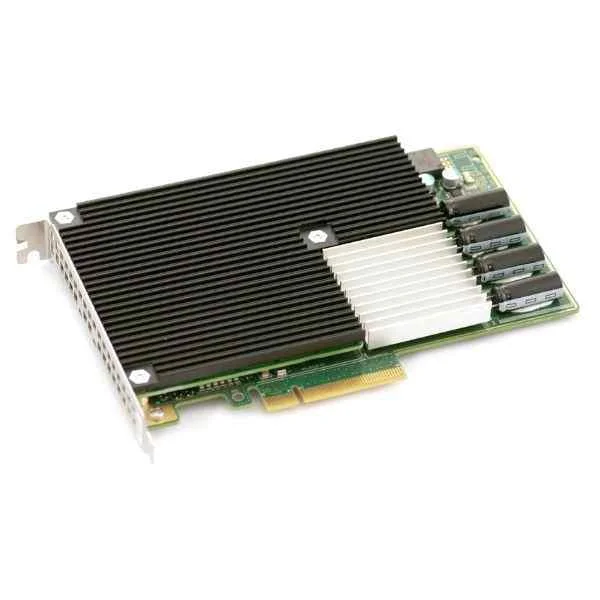 CH9M01SSDB CH9M01SSDB | 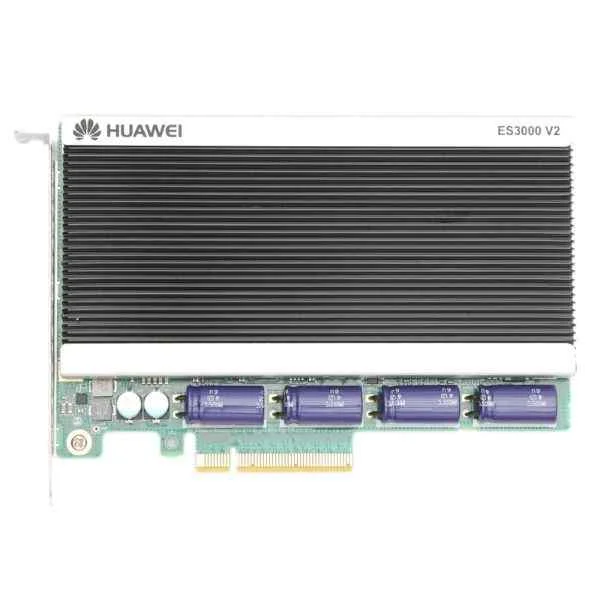 ES3000V2-1600 ES3000V2-1600 | 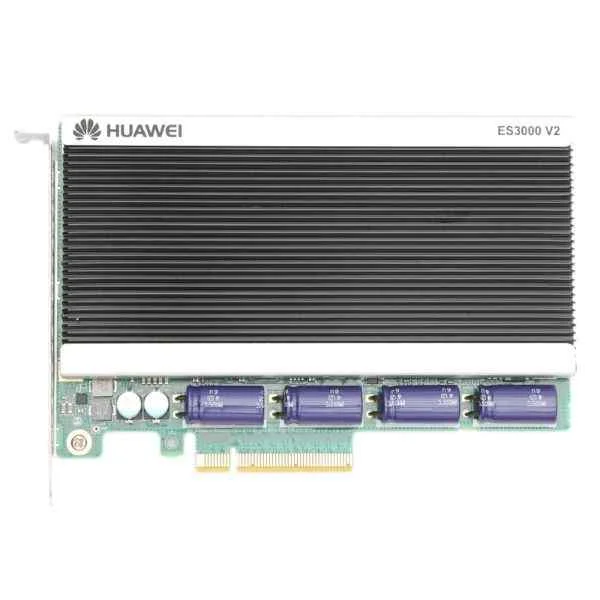 ES3000V2-800 ES3000V2-800 | 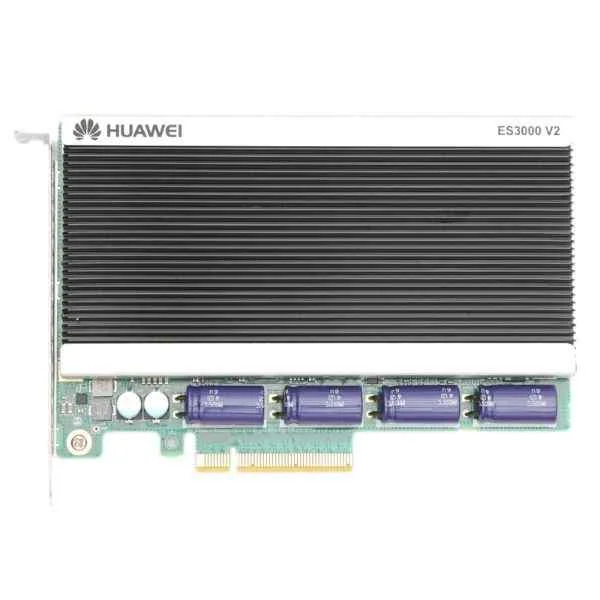 ES3000V2-1200 ES3000V2-1200 | |
|---|---|---|---|---|---|
| Compatibility | Cisco, Juniper, Arista, Dell, HP | Cisco / Dell / HP | Cisco / Juniper / Arista / Dell / HP | Cisco / Juniper / Dell / HP | Cisco, Juniper, Arista, Dell, HP |
| Connector Type | SFP+ | SFP+ | SFP+ | SFP+ | SFP+ |
| Data Rate | 10G | 10Gbps | 10Gbps | 10G | 10Gbps |
| Form Factor | PCIe | PCIe | PCIe | PCIe | PCIe |
| Input Voltage | 3.3V | 3.3V | 3.3V | 3.3V | 3.3V |
| Interface Ports | SFP+ | Ethernet | Ethernet / SFP+ | SFP+ | Ethernet |
| Max Speed | 10Gbps | 10Gbps | 10Gbps | 10Gbps | 10Gbps |
| Module Type | Ethernet | Ethernet | Ethernet | Ethernet | Ethernet |
| Operating Temperature | 0 to 70°C | 0 to 70°C | 0 to 70°C | 0 to 70°C | 0 to 70°C |
| Power Consumption | 12W | 15W | 15W | 10W | 12W |
| Product Name | CN2M01SSDD00 High-Speed 10Gbps Ethernet Network Card | CH9M01SSDB High-Performance 10Gbps Ethernet Module | ES3000V2-1600 | ES3000V2-800 | ES3000V2-1200 High Performance Ethernet Module |
| Product Type | Network Card | Network Card | Network Module / Network Card | Network Card | Network Module / Network Card |
| Storage Temperature | -40 to 85°C | -40 to 85°C | -40 to 85°C | -40 to 85°C | -40 to 85°C |
| Supported Features | Auto-negotiation, Wake-on-LAN, Jumbo Frames, QoS | Auto-negotiation, Wake-on-LAN, Jumbo Frames, QoS | Auto-negotiation / Wake-on-LAN / Jumbo Frames / QoS | Auto-negotiation, Wake-on-LAN, Jumbo Frames, QoS | Auto-negotiation, Wake-on-LAN, Jumbo Frames, QoS |
| Supported Protocols | TCP/IP, iSCSI | TCP/IP | TCP/IP | TCP/IP | TCP/IP, iSCSI |


Every unit is authentic, sourced through trusted and authorised channels, and serial-verified on request. Genuine networking and IT hardware, guaranteed, or your money back.

New products are backed by up to 3 years of extended warranty, and certified refurbished units by up to 3 months, for dependable protection on every order. Coverage is clear, honoured in full, and confirmed on each product page.

If a unit ever falls short, our streamlined RMA process gets a replacement to you fast, with advance replacement available to keep your network running. No jargon, no runaround.

Every device is inspected, bench-tested, and firmware-verified, with configurations wiped before dispatch. Additional testing can be arranged to confirm full working condition on request.

Our specialists assist with compatibility, configuration, licensing, and installation, before and after you buy. Real hardware expertise, whenever you need it.

dispatched quickly and shipped worldwide from regional hubs, fully tracked and insured.
Reviewed on the 8 July 2026

PCIe SSD card improves application responsiveness.
Reviewed on the 2 June 2022
Stable performance under heavy I O.
Reviewed on the 18 May 2023
Good for caching workloads.
Reviewed on the 1 November 2022
Runs cool and reliable.
Reviewed on the 21 February 2023
Enterprise grade behavior.
Reviewed on the 30 November 2021
Works as expected.
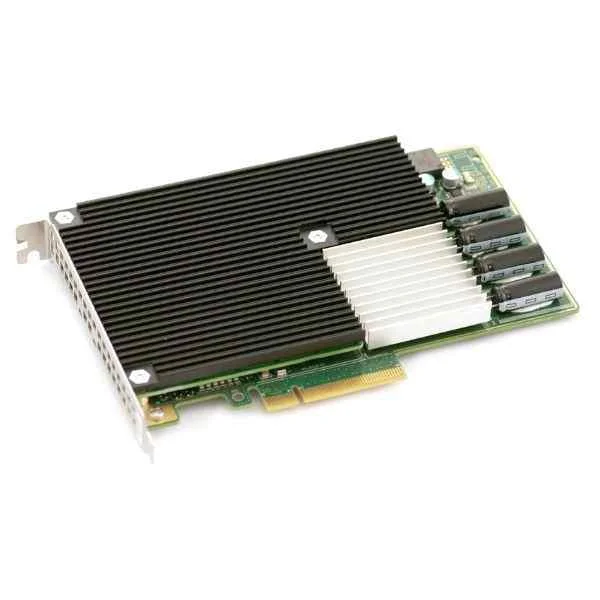
The Huawei 4th Generation ES3000 PCIe SSD Card CN2M01SSDD00 (800GB) is an enterprise-grade solid-state drive designed for high-performance storage workloads in data centers and cloud environments.
This PCIe SSD delivers up to 6,400 MB/s sequential read and 3,300 MB/s sequential write performance under optimal conditions.
The CN2M01SSDD00 uses a PCIe 4.0 x4 interface with NVMe 1.4 protocol for low-latency, high-throughput data transfer.
The ES3000 PCIe SSD is compatible with any server supporting standard PCIe 4.0 slots and NVMe drives; verify BIOS and motherboard NVMe support before installation.
Power off your system, insert the SSD into an available PCIe 4.0 x4 slot, secure it with a retaining screw, then power on and configure the drive in your operating system.
The drive features a 1.2 Drive Writes Per Day (DWPD) endurance over a five-year warranty period, suitable for sustained enterprise workloads.
Yes, the ES3000 SSD supports AES 256-bit hardware encryption and TCG Opal 2.0 for comprehensive data security.
Typical active power consumption is 12 W, with a maximum of 25 W under peak load, and less than 3 W in idle mode.
The card includes an industr-grade heat sink and dynamic thermal throttling to maintain optimal temperature under sustained I/O.
The CN2M01SSDD00 is supported on Linux kernel 4.15 or later, Windows Server 2016/2019/2022, and VMware ESXi 7.0 with NVMe driver support.
Ideal use cases include virtualization, database acceleration, high-performance computing, and cloud-scale storage systems.
The drive is available in a standard full-height, half-length PCIe expansion card form factor.
Huawei provides a five-year limited warranty covering manufacturing defects and guaranteed endurance performance.
Compared to the 3rd Gen, the 4th Generation ES3000 offers up to 20% higher throughput, improved endurance, and enhanced thermal design.
The package includes the ES3000 SSD card, a quick installation guide, mounting screw kit, and warranty documentation.
You can purchase through Huawei authorized resellers or the official Huawei enterprise store; technical support is available via Huawei’s global service network.







