 United States
Memory & RAM Intel Excellence
Experience cutting-edge Intel memory solutions engineered for superior performance and reliability. Enhance computer speed, optimize data processing, and elevate computing power with our industry-leading RAM innovations.
Talk to an expert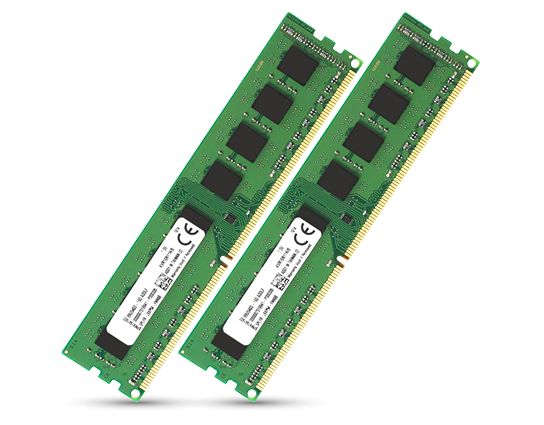
Intel Ram
(4)Intel RAM fits edge analytics gateways on factory floors using DDR4 SODIMM modules, low-voltage operation, and dual-channel memory configurations
4 Matching results
- BEST SELLING
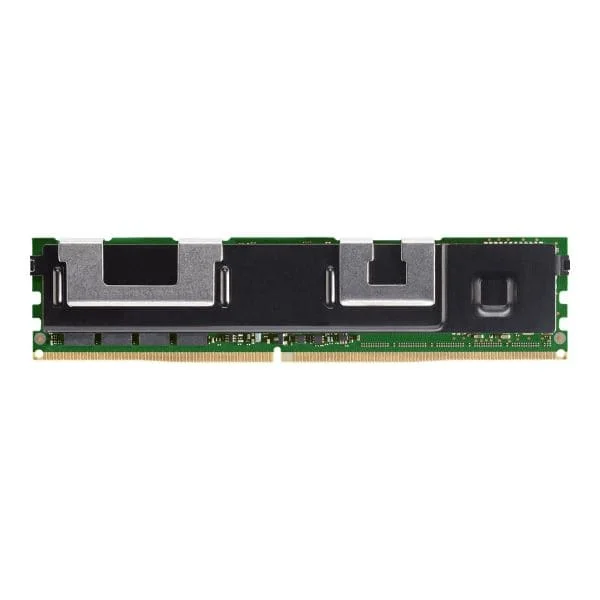
NMA1XXD128GPSU4 (Intel Optane DC Persistent - DDR-T - module - 128 GB - DIMM 288-pin - 2666 MHz / PC4-21300)
4.8 (5)- Computer Memory
- Intel
- DDR4
- 128 GB
- Desktop
- Workstation
- UDIMM
Est Value $1,700.22
$1,451.42
14.6% offIn stockNewRefurbishedFirst-Time Buyer Discount – Get up to 2% additional off on your first order
ORM Rewards Earn $50 in Rewards + Free Expedited Delivery – Join Now!
Use eCoupon ORMSAVE10
eCoupon limited to 5 units
- BEST SELLING
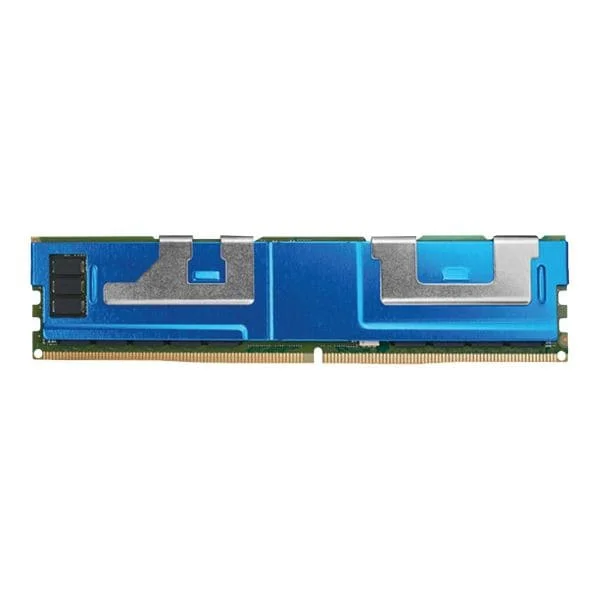
NMA1XXD256GPSU4 (Intel Optane DC Persistent - DDR-T - module - 256 GB - DIMM 288-pin - 2666 MHz / PC4-21300)
4.4 (5)- Computer Memory
- Intel
- DDR4
- 256 GB
- Desktop
- UDIMM
Est Value $5,181.60$4,423.31
14.6% offIn stockRefurbishedFirst-Time Buyer Discount – Get up to 2% additional off on your first order
ORM Rewards Earn $50 in Rewards + Free Expedited Delivery – Join Now!
Use eCoupon ORMSAVE10
eCoupon limited to 5 units
- BEST SELLING

NMA1XXD512GPSU4 (Intel Optane DC Persistent - DDR-T - module - 512 GB - DIMM 288-pin - 2666 MHz / PC4-21300)
5 (5)- Computer Memory
- Intel
- DDR4
- 16 GB
- Desktop
- Workstation
- UDIMM
Est Value $23,848.51$20,358.48
14.6% offIn stockRefurbishedFirst-Time Buyer Discount – Get up to 2% additional off on your first order
ORM Rewards Earn $50 in Rewards + Free Expedited Delivery – Join Now!
Use eCoupon ORMSAVE10
eCoupon limited to 5 units

NMB1XXD128GPSUF (Intel Optane Persistent Memory 200 Series - DDR-T - module - 128 GB - DIMM 288-pin - 2666 MHz / PC4-21300)
4.8 (5)- Computer Memory
- Intel
- DDR4
- 128 GB
- Desktop
- Workstation
- UDIMM
Est Value $3,267.13$2,789.02
14.6% offIn stockRefurbishedFirst-Time Buyer Discount – Get up to 2% additional off on your first order
ORM Rewards Earn $50 in Rewards + Free Expedited Delivery – Join Now!
Use eCoupon ORMSAVE10
eCoupon limited to 5 units

ORM Sales Advisors
Buying for your business? Get a personalised quote in under 2 hours. Talk to an expert
LEARNFilters (4) 
Questions & Answers
What is Intel Memory & RAM?
Intel Memory & RAM refers to high-performance DRAM modules and caching solutions designed to accelerate data access and system responsiveness in Intel-based desktops, laptops, and servers.
How does Intel Optane memory improve PC performance?
Intel Optane™ Memory uses 3D XPoint™ technology to cache frequently used data and applications, reducing load times by up to 30% and enhancing overall system responsiveness on compatible Intel platforms.
Are Intel RAM modules compatible with my motherboard?
Intel RAM modules are compatible with motherboards supporting the same DDR generation, form factor (UDIMM, SODIMM), voltage, and capacity. Always consult your motherboard’s QVL to verify Intel memory compatibility.
What are the benefits of Intel DDR4 RAM?
Intel DDR4 RAM offers data transfer rates up to 3200 MT/s, lower power consumption at 1.2 V, improved signal integrity, and enhanced stability for gaming, content creation, and enterprise workloads.
How do I choose the right Intel RAM speed and capacity?
Select Intel RAM based on CPU and motherboard support plus workload requirements: 8–16 GB at 2666–3200 MT/s for general use, 32–64 GB at 3200+ MT/s for heavy editing or virtualization.
Can I install Intel Optane memory on any Intel motherboard?
Intel Optane Memory requires a 7th gen or newer Intel Core processor, Intel 200-series or later chipset, M.2 slot, and UEFI BIOS with Optane support. Verify compatibility in your system documentation.
What is the difference between Intel Optane memory and DRAM?
Intel Optane Memory is a high-speed, non-volatile cache that accelerates storage devices, while DRAM is volatile system memory used for active data processing. Optane retains cached data at power-off; DRAM does not.
How does Intel Xeon RAM differ from desktop RAM?
Intel Xeon RAM supports ECC error correction, higher per-module capacities, and enhanced stability for servers and workstations, whereas desktop RAM typically lacks ECC and targets consumer performance.
How do I install Intel Memory modules?
Power off the system, ground yourself, open the DIMM slot latches, align the module notch, press firmly until latched on both ends, then power on and verify BIOS recognition.
What warranty does Intel offer for memory products?
Intel provides a limited warranty of up to five years on authorized Intel Memory & RAM products, covering defects in materials and workmanship under normal use conditions.
How can I troubleshoot Intel RAM installation issues?
Reseat memory modules, clear CMOS to reset BIOS settings, test modules individually, run Intel® Memory and Storage Tool diagnostics, and ensure your BIOS firmware is up to date.
How do I test the performance of Intel Memory?
Use Intel® Extreme Tuning Utility (Intel® XTU) or the Intel® Memory and Storage Tool to benchmark latency, bandwidth, and stability, then compare results against your system baseline.
Can Intel Optane memory be combined with SSD storage?
Yes. Intel Optane Memory can be configured in cache mode alongside SATA or NVMe SSDs to accelerate reads and writes, improving boot times and application load on supported Intel platforms.
What power and voltage specifications are required for Intel RAM?
Intel DDR4 memory typically operates at 1.2 V–1.35 V, while Intel DDR5 runs at 1.1 V–1.25 V. Always refer to the product datasheet and motherboard manual for precise voltage requirements.
Where can I download the Intel Memory & Storage Tool?
You can download the Intel® Memory and Storage Tool from Intel’s official Download Center (https://downloadcenter.intel.com) under the Storage Software section to manage and optimize Intel Memory & RAM.
Do Intel memory modules support ECC for server applications?
Intel offers ECC-capable DDR4 and DDR5 memory modules within its Intel® Server Memory portfolio, providing error detection and correction for critical server and data center workloads.