 United States
Cleaning Tape DLT Superior Quality
Engineered for precision, DLT Cleaning Tape delivers exceptional residue removal and reliable adhesion, ensuring pristine surfaces for industrial maintenance and superior cleaning performance that meets rigorous quality standards.
Talk to an expert
2 Matching results
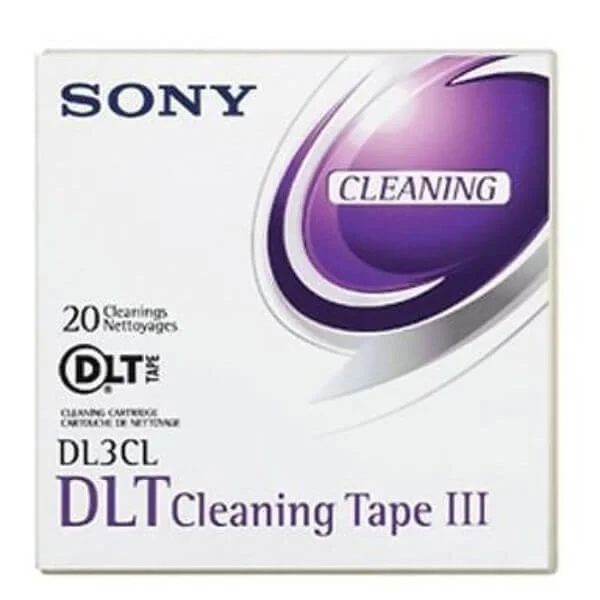
DL3CL (Sony DLT Cleaning Tapes)
4.6 (5)- Data Tape
- Data Tape Media
- DLT
- Cleaning
- Tape Libraries
Est Value $184.98
$157.91
14.6% offIn stockRefurbishedFirst-Time Buyer Discount – Get up to 2% additional off on your first order
ORM Rewards Earn $50 in Rewards + Free Expedited Delivery – Join Now!
Use eCoupon ORMSAVE10
eCoupon limited to 5 units
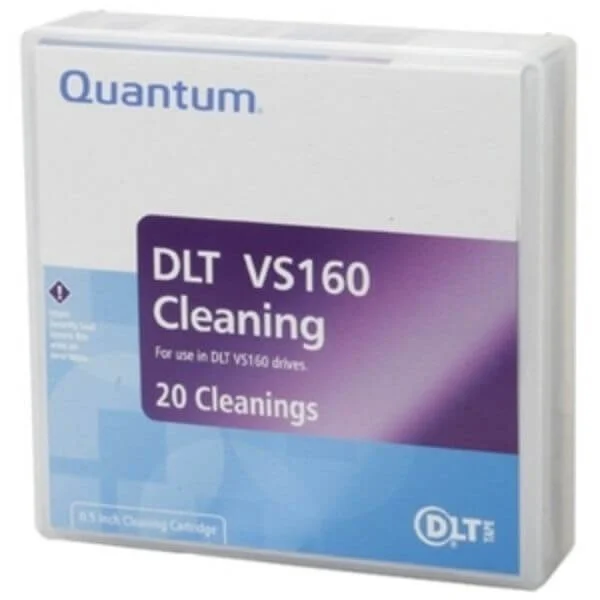
MR-V1MQN-0160 (Quantum DLT VS 160 Cleaning)
4.6 (5)- Data Tape
- Data Tape Media
- DLT
- Cleaning
- Tape Libraries
Est Value In stockFirst-Time Buyer Discount – Get up to 2% additional off on your first order
ORM Rewards Earn $50 in Rewards + Free Expedited Delivery – Join Now!
Use eCoupon ORMSAVE10
eCoupon limited to 5 units

ORM Sales Advisors
Buying for your business? Get a personalised quote in under 2 hours. Talk to an expert
LEARNFilters (2) 
Questions & Answers
What is DLT cleaning tape?
DLT cleaning tape is a specialized media cartridge designed to remove dust, debris, and residue from Digital Linear Tape (DLT) drive heads, ensuring optimal read/write performance and longevity.
How does DLT cleaning tape work?
DLT cleaning tape uses a mild abrasive coating that gently scrubs the drive’s read/write heads and tape path, lifting contaminants without damaging internal components.
How often should I use DLT cleaning tape?
Use DLT cleaning tape every 20–50 tape mounts or when the drive’s error rate increases, following your manufacturer’s maintenance schedule for consistent reliability.
Is DLT cleaning tape compatible with my DLT drive model?
Yes, DLT cleaning tape is universally compatible with all standard DLT, DLT IV, and Super DLT drive models—verify compatibility on the tape cartridge label before use.
How do I properly use DLT cleaning tape?
Insert the cleaning tape into the drive, initiate the cleaning cycle per your drive’s utility software, then allow the cycle to complete before ejecting the cartridge.
Can DLT cleaning tape damage my DLT drive?
No, when used according to manufacturer guidelines, DLT cleaning tape is safe and will not harm drive heads or internal mechanisms.
What are the benefits of using DLT cleaning tape?
Regular use reduces read/write errors, extends drive life, minimizes downtime, and maintains data integrity by keeping heads and tape paths clean.
How long does one DLT cleaning tape last?
A single DLT cleaning tape typically performs 30–50 cleaning cycles, depending on drive usage and contamination levels.
Where can I purchase authentic DLT cleaning tape?
Purchase genuine DLT cleaning tape from authorized resellers, OEM suppliers, or certified online distributors to ensure quality and compatibility.
How should I store DLT cleaning tape?
Store unopened cleaning tape at room temperature, away from direct sunlight and magnetic fields, in its protective case to preserve its cleaning efficacy.
Can I use DLT cleaning tape on non-DLT tape drives?
No. DLT cleaning tape is engineered specifically for DLT head geometries and should not be used on LTO, DDS, or other tape formats.
How do I know when my drive needs cleaning?
Monitor error logs for read/write failures, excessive retries, or head cleaning alerts; these indicators signal it’s time for a cleaning cycle.
What is the difference between standard and high-performance DLT cleaning tape?
High-performance cleaning tape contains a premium abrasive formulation for heavily contaminated drives, while standard tape suits routine maintenance.
Are there environmental or safety considerations when using DLT cleaning tape?
DLT cleaning tape poses minimal risk; handle cartridges per ESD guidelines, and dispose of used tape responsibly according to local electronic waste regulations.
Does DLT cleaning tape require calibration or special settings?
No calibration is needed. Simply follow your drive’s cleaning cycle instructions—special settings are not required for effective results.
What should I do if a cleaning cycle fails with DLT cleaning tape?
If a cycle fails, power down the drive, remove the tape, inspect for damage or debris, then retry. Contact technical support if errors persist.