 United States
Data Tape Sdlt2 Reliable Storage
Experience unmatched accuracy and long-term data preservation with Sdlt2 Data Tape, engineered for enterprise-grade performance and reliability in mission-critical data archival applications across multiple sectors.
Talk to an expert
2 Matching results
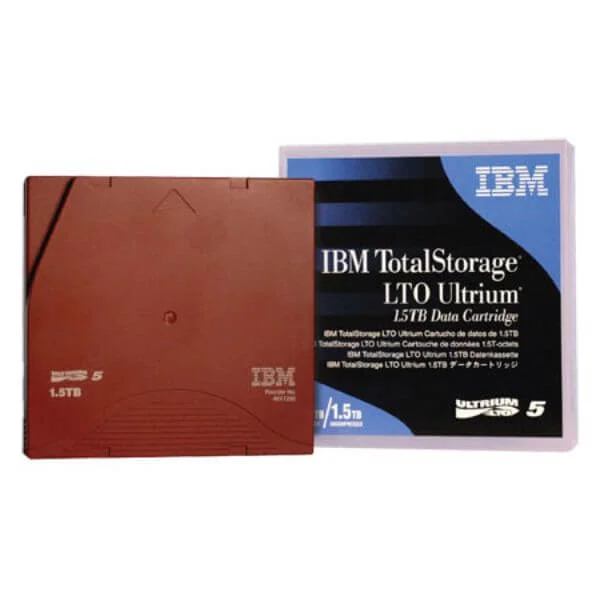
46X1290 (IBM LTO-5, 1.5TB/3.0TB Data Tape)
5 (5)- Data Tape
- Data Tape Media
- LTO
- LTO-5
- Standard
- Backup / Long-Term Archiving / Compliance Storage / Tape Libraries
- 1.5 TB
Est Value $87.38
$74.59
14.6% offIn stockRefurbishedFirst-Time Buyer Discount – Get up to 2% additional off on your first order
ORM Rewards Earn $50 in Rewards + Free Expedited Delivery – Join Now!
Use eCoupon ORMSAVE10
eCoupon limited to 5 units
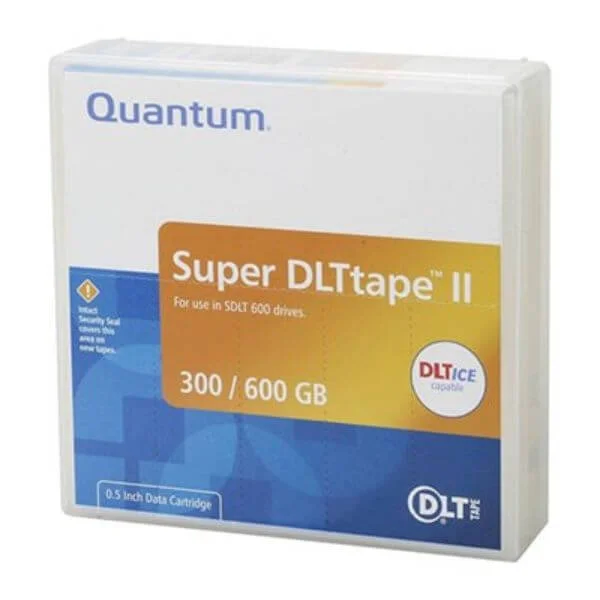
MR-S2MQN-01-C (Quantum Super DLTII, (SDLT2) 300/600GB The Quantum SDLT-2 Tape Cartridge provides the perfect blend of reliability, efficiency, and durability for today’s rapidly growing data storage environments.)
4.6 (5)- Data Tape
- Data Tape Media
- SDLT
- SDLT-2
- Standard
- Backup / Long-Term Archiving / Compliance Storage / Tape Libraries
- 300 GB
Est Value In stockFirst-Time Buyer Discount – Get up to 2% additional off on your first order
ORM Rewards Earn $50 in Rewards + Free Expedited Delivery – Join Now!
Use eCoupon ORMSAVE10
eCoupon limited to 5 units

ORM Sales Advisors
Buying for your business? Get a personalised quote in under 2 hours. Talk to an expert
LEARNFilters (2) 
Questions & Answers
What is SDLT2 Data Tape?
SDLT2 Data Tape is a high-capacity, magnetic backup medium delivering up to 110 GB native (440 GB compressed) per cartridge for enterprise data archiving and disaster recovery.
What is the native capacity of an SDLT2 cartridge?
Each SDLT2 cartridge provides 110 GB of native storage, supporting up to 4:1 compression for a maximum effective capacity of 440 GB.
What is the maximum data transfer rate for SDLT2?
SDLT2 offers sustained transfer rates up to 36 MB/s native (144 MB/s compressed) to ensure efficient backup and restore jobs.
Which tape drives are compatible with SDLT2 cartridges?
SDLT2 tapes are fully compatible with SDLT1, SDLT320, SDLT600, and Super DLT 8000 drives when firmware supports backward compatibility.
How durable are SDLT2 Data Tapes?
Engineered for reliability, SDLT2 cartridges withstand over 10,000 reel rotations, 2,500 load/unload cycles, and have a shelf life of up to 30 years.
Can SDLT2 tapes be reused and rewritten?
Yes, SDLT2 tapes support up to 2,500 read/write cycles under recommended operating conditions without compromising data integrity.
What are the key features of SDLT2 Data Tape?
SDLT2 features high capacity, robust error correction, adaptive data compression, Write Once Read Many (WORM) options, and backward compatibility with SDLT drives.
How do I install an SDLT2 cartridge in the drive?
Simply slide the SDLT2 cartridge into the drive slot until it locks, then let the drive auto-load and mount the tape for immediate use.
What environmental conditions are required for SDLT2 storage?
Store SDLT2 cartridges between 16°C and 35°C at 20–80% non-condensing humidity to maintain tape integrity and performance.
How do I maintain and clean SDLT2 tapes?
Use approved cleaning cartridges every 50 loads or when indicated by the drive’s cleaning alert, and store tapes in protective cases away from magnetic sources.
Is SDLT2 backward compatible with older SDLT drives?
Yes, SDLT2 is backward compatible with SDLT1 and SDLT320 drives that have updated firmware for SDLT2 support.
How do I recover data from an SDLT2 tape?
Insert the tape into a compatible drive, then use your backup software’s restore function to browse, select, and recover files directly from the cartridge.
What are the advantages of SDLT2 over LTO-2?
Compared to LTO-2, SDLT2 often offers better error correction, longer archival life, and seamless integration in existing SDLT drive environments.
Does SDLT2 support hardware encryption?
SDLT2 itself does not include native hardware encryption, but many SDLT-compatible drives offer built-in AES-256 encryption support.
How long can data remain intact on SDLT2 tapes?
Under proper storage conditions, SDLT2 cartridges preserve data integrity for up to 30 years, making them ideal for long-term archiving.
What is the expected mean time between failures (MTBF) for SDLT2 drives?
SDLT2 tape drives typically have an MTBF of over 250,000 hours, ensuring high availability for mission-critical backup operations.
Where can I purchase genuine SDLT2 Data Tapes?
Genuine SDLT2 cartridges are available from authorized resellers, major IT distributors, and certified online retailers to guarantee quality and warranty support.