 United States
Trusted by the Highest-Stakes Buyers
Federal agencies and Fortune 500 operations source through ORM Systems.
US Government & Defense
Enterprise Clients

Featured Deal
Hand-picked by our procurement team for standout value. This unit is offered at our sharpest price on current stock, verified against live market rates.
Name:

Added to cart 28 times recently
Ready to Ship
Certified Refurbished
Professionally inspected, bench-tested, and firmware-verified, with configurations wiped. Restored to full working order and backed by our warranty.

$12,010.29
$5,548.7653.8% off
Quantity:


3 Year Extended Warranty


Same-day Shipping

30-Day Money Back Guarantee
Shipping:
Payment:
3 Year Extended Warranty
Same-day Shipping
30-Day Money Back Guarantee
Need Additional Discount on Product?
Request a quote below - Get Exclusive Pricing and Support.
Shipping:
Payment:
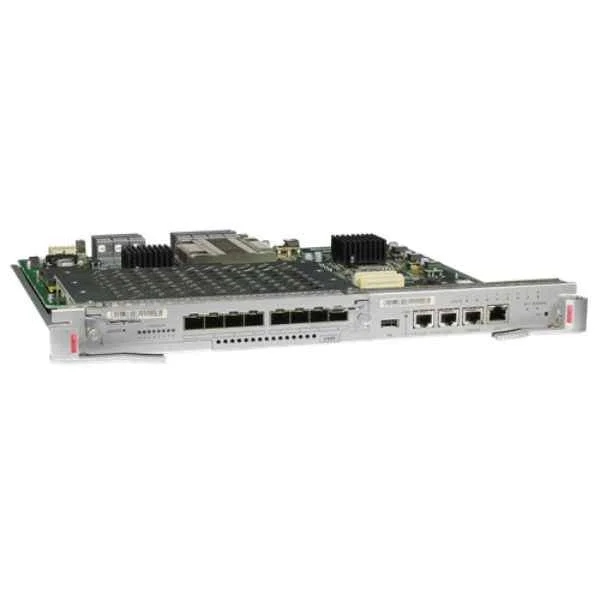
EH1D2SRUC000
S9706/S9712,Main Control Unit C(Optional Clock)
Trusted by the Highest-Stakes Buyers
Federal agencies and Fortune 500 operations source through ORM Systems.
US Government & Defense




Enterprise Clients



Built Global. Stocked Local.
Regional teams and 25+ distribution partners keep stock near you and accountability in your time zone.
Buyer Protection on Every Order
Pay by PayPal or Revolut with full chargeback rights. Order on PO terms, Net-30 for government.
Verified By Federal Bodies
Every registration we claim is public record — check our federal contractor status yourself before you spend a dollar.



Since 2016, Enterprise-Trusted
Ten years serving buyers who audit their vendors. From federal agencies to 20,000+ enterprise clients worldwide.
EH1D2SRUC000 is a high-performance Ethernet module engineered to deliver robust 10Gbps data rates via an SFP+ connector. It is designed to integrate seamlessly with routers, switches, and servers while supporting essential network protocols like TCP/IP and iSCSI.
EH1D2SRUC000 features a PCIe form factor that facilitates straightforward installation in modern data centers. It is ideal for upgrading server network interfaces, expanding data center capacity, and connecting to high-speed networks without compromise.
EH1D2SRUC000 price is $5,548.76, a 53.8% saving from the Huawei list price of $12,010.29. EH1D2SRUC000 is in stock and available for next-day dispatch. (terms applied)
Request bulk order quote for EH1D2SRUC000 for additional pricing. Browse the full S9700 Series Switch Line Cards series or explore all Huawei products.
Mon–Fri: [09:00-16:00]
Avg. response under 30 mins

| EH1D2SRUC000 | 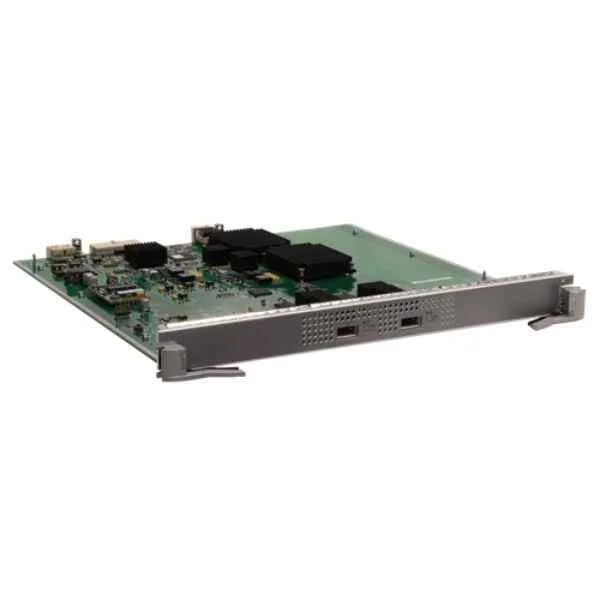 EH1D2X02XEC0 EH1D2X02XEC0 | 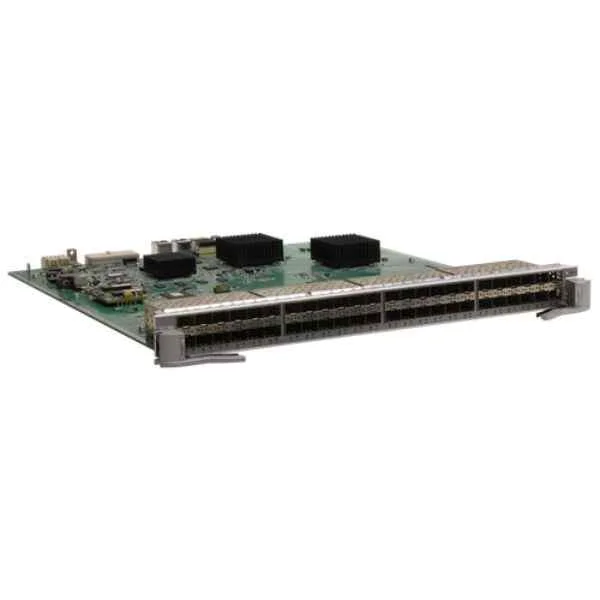 EH1D2G48SFA0 EH1D2G48SFA0 | 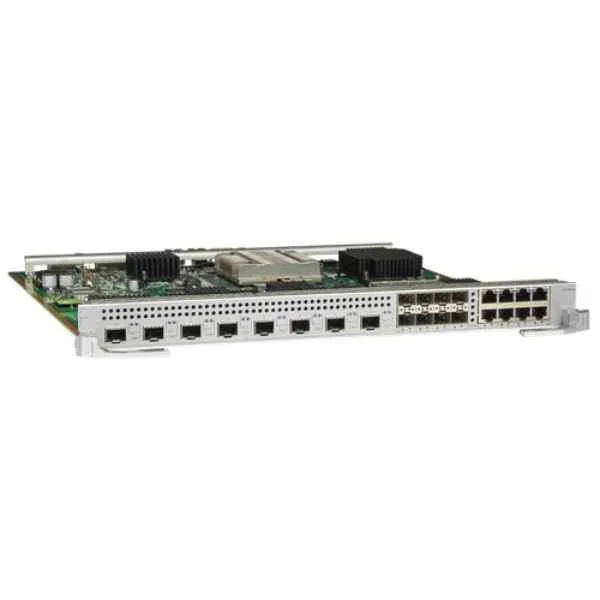 EH1D2S08SX1E EH1D2S08SX1E | 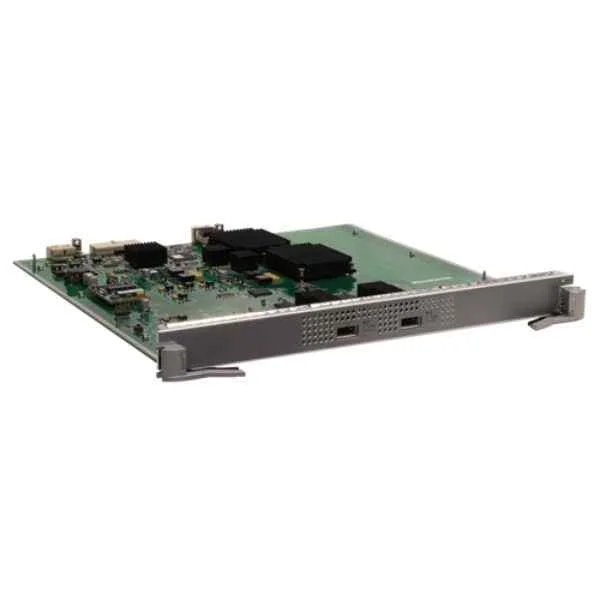 EH1D2X02XEC1 EH1D2X02XEC1 | |
|---|---|---|---|---|---|
| Compatibility | Dell, HP, Cisco, Juniper | Cisco, Juniper, Arista, Dell, HP | Routers, Switches, Servers | Cisco / Juniper / Arista / Dell / HP | Cisco / Juniper / Dell / HP |
| Connector Type | SFP+ | SFP+ | SFP+ | SFP+ | SFP+ |
| Data Rate | 10Gbps | 10Gbps | 10Gbps | 10Gbps | 10G |
| Form Factor | PCIe | PCIe | PCIe | PCIe | PCIe |
| Input Voltage | 3.3V | 3.3V | 3.3V | 3.3V | 3.3V |
| Interface Ports | SFP+ | Ethernet | Ethernet | SFP+ | Ethernet |
| Max Speed | 10Gbps | 10Gbps | 10Gbps | 10Gbps | 10Gbps |
| Module Type | Ethernet | Ethernet | Ethernet | Ethernet | Ethernet |
| Operating Temperature | 0 to 70°C | 0 to 70°C | 0 to 70°C | 0 to 70°C | 0 to 70°C |
| Product Name | EH1D2SRUC000 High-Performance Ethernet Module | EH1D2X02XEC0 High-Speed Ethernet Module | EH1D2G48SFA0 High-Performance Ethernet Module | EH1D2S08SX1E Ethernet Module | EH1D2X02XEC1 Ethernet Card |
| Product Type | Network Card | Network Module | Network Module / Network Card | Network Module / Network Card | Network Card |
| Storage Temperature | -40 to 85°C | -40 to 85°C | -40 to 85°C | -40 to 85°C | -40 to 85°C |
| Supported Features | Auto-negotiation, Wake-on-LAN, Jumbo Frames, QoS | Auto-negotiation, Wake-on-LAN, Jumbo Frames, QoS | Auto-negotiation, Jumbo Frames, QoS | Auto-negotiation / Wake-on-LAN / Jumbo Frames / QoS | Auto-negotiation / Jumbo Frames |
| Supported Protocols | TCP/IP, iSCSI | TCP/IP, iSCSI | TCP/IP | TCP/IP | TCP/IP / iSCSI |


Every unit is authentic, sourced through trusted and authorised channels, and serial-verified on request. Genuine networking and IT hardware, guaranteed, or your money back.

New products are backed by up to 3 years of extended warranty, and certified refurbished units by up to 3 months, for dependable protection on every order. Coverage is clear, honoured in full, and confirmed on each product page.

If a unit ever falls short, our streamlined RMA process gets a replacement to you fast, with advance replacement available to keep your network running. No jargon, no runaround.

Every device is inspected, bench-tested, and firmware-verified, with configurations wiped before dispatch. Additional testing can be arranged to confirm full working condition on request.

Our specialists assist with compatibility, configuration, licensing, and installation, before and after you buy. Real hardware expertise, whenever you need it.

dispatched quickly and shipped worldwide from regional hubs, fully tracked and insured.
Reviewed on the 8 March 2018

Stable main control unit for S9700 series.
Reviewed on the 26 June 2017
Optional clock worked accurately.
Reviewed on the 31 October 2025
Improved system reliability.
Reviewed on the 8 August 2023
Easy replacement process.
Reviewed on the 9 January 2022
Consistent uptime since installation.
Reviewed on the 7 April 2022
Good performance for core switches.
The EH1D2SRUC000 Main Control Unit C is a programmable control module for S9706 and S9712 systems, providing core processing, I/O management, and an optional real-time clock for scheduled operations.
This unit is fully compatible with S9706 and S9712 series devices, offering seamless integration and support for all standard functions and the optional clock feature.
To install, disconnect power, attach the clock module to the designated header on the control board, secure with the locking tab, then restore power to initialize timekeeping.
The unit operates on 24 VDC nominal power, with a tolerance of ±10%. Peak current draw is 150 mA without the clock, and 200 mA with the clock installed.
Use the front-panel menu to navigate to Settings > Clock. Enter hour, minute, date, and time-zone values, then confirm to save parameters immediately.
Yes. Ensure firmware v3.1 or later is installed on your legacy device, then swap the control unit and update firmware as directed in the installation guide.
Download the latest firmware from our support portal, copy it to a USB drive, insert into the unit’s USB port, then follow on-screen prompts to complete the update.
Yes. It supports Modbus TCP/IP and BACnet communication protocols for integration with SCADA or building management systems, enabling real-time data access and alerts.
The unit is rated for 0 °C to 50 °C ambient temperatures, 10%–90% non-condensing humidity, and meets IP20 enclosure standards for indoor use.
Verify power to the clock module, ensure firmware is current, and reset the unit via the front-panel Reset option. If issue persists, contact support for module replacement.
The unit is CE-marked, UL 60950-1 certified, RoHS-compliant, and meets FCC Part 15 EMI standards, ensuring safe and reliable operation in industrial environments.
We offer a two-year limited warranty covering defects in materials and workmanship. Warranty details and claim procedures are available in the included documentation.
Contact your authorized distributor or our sales department with the SKU EH1D2SRUC000. Provide purchase details for prompt processing and shipment.
Standard lead time is 3–5 business days for in-stock units. Custom or back-order items may require 2–3 weeks; expedited options are available.
Yes. Use our free Configuration Suite software, available for Windows, to program I/O, schedules, alarms, and network settings via USB or Ethernet.
All technical manuals, wiring diagrams, and software downloads are hosted on our website’s Support Center. Contact our 24/7 help desk for additional assistance.







