 United States
IP Cameras Dahua Epoe Excellence
Experience uncompromised security with Dahua Epoe IP Cameras. Precision-engineered surveillance with advanced imaging technology, robust connectivity, and seamless integration ensures optimal performance for both residential and commercial monitoring.
Talk to an expert
1 Matching results
- BEST SELLING
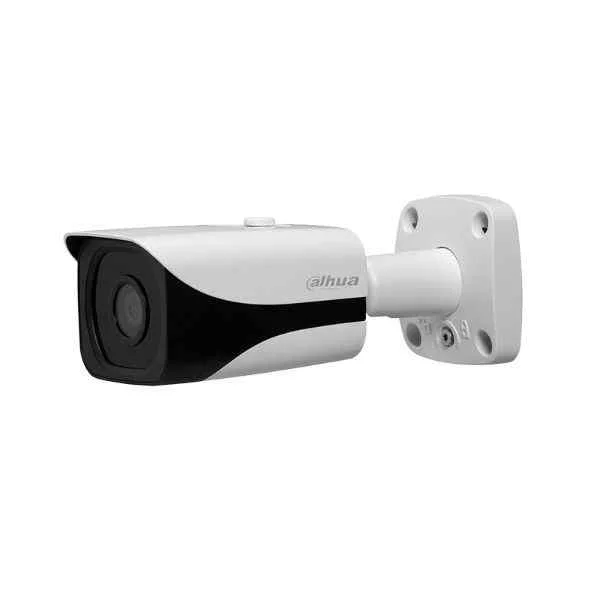
N24CB33 (Dahua ePoE IP Camera)
4.8 (6)- IP Camera
- Dahua
- Bullet
- Wall / Ceiling
- Black
- Indoor Surveillance / Outdoor Monitoring / Office / Retail / Industrial
- 4K
Est Value In stock
First-Time Buyer Discount – Get up to 2% additional off on your first order
ORM Rewards Earn $50 in Rewards + Free Expedited Delivery – Join Now!
Use eCoupon ORMSAVE10
eCoupon limited to 5 units

ORM Sales Advisors
Buying for your business? Get a personalised quote in under 2 hours. Talk to an expert
LEARNFilters (1) 
Questions & Answers
What is a Dahua EPoE IP camera?
A Dahua EPoE IP camera is a network video camera that delivers both power and data over a single Ethernet cable using Extended Power over Ethernet technology.
How does EPoE differ from standard PoE?
EPoE extends PoE transmission distance up to 800 meters over CAT5e/6 cables, compared to the 100-meter limit of standard PoE, while maintaining full data bandwidth.
What is the maximum cable length for Dahua EPoE IP cameras?
Dahua EPoE IP cameras support up to 800 meters (2,624 feet) of CAT5e/6 Ethernet cable run without signal boosters.
Which video resolutions do Dahua EPoE IP cameras support?
Models range from 2 MP to 8 MP (4K) resolutions, offering clear image quality for indoor and outdoor surveillance.
How do I install a Dahua EPoE IP camera?
Run a CAT5e/6 cable to the camera location, connect it to an EPoE switch or injector, mount the camera, then configure network settings via Dahua’s web interface or NVR.
Are Dahua EPoE IP cameras compatible with third-party NVRs?
Yes, Dahua EPoE IP cameras support ONVIF Profile S and Profile G for seamless integration with most third-party NVRs.
How do I configure network settings on a Dahua EPoE IP camera?
Use Dahua’s ConfigTool or web GUI to assign a static IP, configure subnet and gateway, and enable DHCP if required.
What are the night vision capabilities of Dahua EPoE IP cameras?
Most models feature built-in IR LEDs with ranges from 30 meters to 80 meters, plus smart IR to prevent overexposure in close-up views.
Can I view Dahua EPoE IP cameras remotely on my smartphone?
Yes, download the Dahua DMSS app for iOS or Android, add your camera via IP, UID, or QR code, and view live or recorded video from anywhere.
What smart analytics features are available?
Dahua EPoE IP cameras include perimeter protection, line crossing detection, intrusion alarms, and people counting for powerful video analytics.
How do I update the firmware on my Dahua EPoE IP camera?
Log in to the camera’s web interface, navigate to Maintenance > Upgrade, upload the official Dahua firmware file, and reboot when prompted.
What security measures protect Dahua EPoE IP cameras?
Dahua cameras offer HTTPS encryption, password policies, IP blacklisting, and secure boot to safeguard against unauthorized access and tampering.
What environmental ratings do Dahua EPoE IP cameras have?
Most outdoor models are IP67-rated for dust and water resistance and operate in temperatures from –30°C to 60°C (–22°F to 140°F).
What warranty does Dahua provide for EPoE IP cameras?
Dahua EPoE IP cameras come with a standard three-year limited warranty covering manufacturing defects and hardware malfunctions.
Can I power multiple devices through a single EPoE switch?
Yes, an EPoE switch can simultaneously power multiple Dahua cameras, provided the total power draw does not exceed the switch’s capacity.
How do I troubleshoot connectivity issues with Dahua EPoE IP cameras?
Check cable integrity, verify PoE port status, confirm correct IP settings, and use Dahua ConfigTool to detect and diagnose network faults.
What routine maintenance is required for Dahua EPoE IP cameras?
Periodically clean the lens and housing, update firmware, verify network health, and inspect cable terminations to ensure reliable performance.