 United States
Trusted by the Highest-Stakes Buyers
Federal agencies and Fortune 500 operations source through ORM Systems.
US Government & Defense
Enterprise Clients

Featured Deal
Hand-picked by our procurement team for standout value. This unit is offered at our sharpest price on current stock, verified against live market rates.
Name:

Added to cart 28 times recently
Ready to Ship
Certified Refurbished
Professionally inspected, bench-tested, and firmware-verified, with configurations wiped. Restored to full working order and backed by our warranty.

$2,251.62
$1,125.8150% off
Quantity:


3 Year Extended Warranty


Same-day Shipping

30-Day Money Back Guarantee
Shipping:
Payment:
3 Year Extended Warranty
Same-day Shipping
30-Day Money Back Guarantee
Need Additional Discount on Product?
Request a quote below - Get Exclusive Pricing and Support.
Shipping:
Payment:
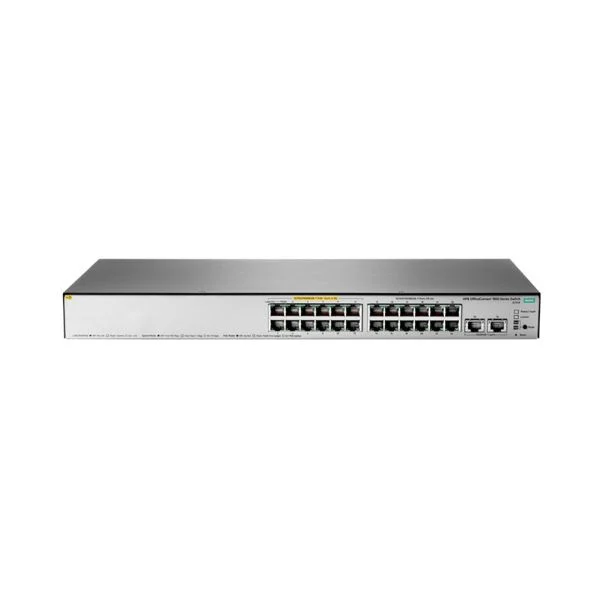
JL170A
HPE OfficeConnect 1850 24G 2XGT Switch
Trusted by the Highest-Stakes Buyers
Federal agencies and Fortune 500 operations source through ORM Systems.
US Government & Defense




Enterprise Clients



Built Global. Stocked Local.
Regional teams and 25+ distribution partners keep stock near you and accountability in your time zone.
Buyer Protection on Every Order
Pay by PayPal or Revolut with full chargeback rights. Order on PO terms, Net-30 for government.
Verified By Federal Bodies
Every registration we claim is public record — check our federal contractor status yourself before you spend a dollar.



Since 2016, Enterprise-Trusted
Ten years serving buyers who audit their vendors. From federal agencies to 20,000+ enterprise clients worldwide.
JL170A is a high-performance switch designed with a scalable multi-layer architecture that supports both Layer 2 and Layer 3 functionalities. It features versatile power options, including an AC power supply with redundancy support, and offers a comprehensive set of port configurations that include a mix of Ethernet and SFP ports for flexible connectivity.
JL170A supports stacking technologies for enhanced scalability and improved network performance, making it ideal for enterprise, campus, and data center deployments. With low-latency switching, robust throughput capabilities, and advanced management features, this switch is tailored for high-demand use cases that require reliability and efficient network operations.
JL170A price for new stock is is available on request. Get immediate quote. JL170A refurb price is $1,125.81.
Request bulk order quote for JL170A for additional pricing. Browse the full Hpe Aruba Officeconnect Switches series or explore all Hpe products.
Scenario: A 500-user corporate campus with four buildings needs to replace its aging 1 Gbps backbone to support HD video conferencing, VoIP and large file transfers. By deploying the JL170A-HPE OfficeConnect 1850 24G 2XGT Switch in each wiring closet, IT aggregates 24 × 1GbE access ports with 2 × 10GbE uplinks into the core network. Outcome: 40 % lower latency, 50 % more concurrent HD streams and seamless interbuilding traffic at scale.
Scenario: A retail chain with over 200 POS terminals, IP cameras and guest Wi-Fi must enforce PCI DSS compliance and isolate traffic flows. The JL170A-HPE OfficeConnect 1850 24G 2XGT Switch enables up to 256 VLANs and dedicated 10 GbE uplinks for secure backhaul to the data center. Outcome: Complete POS and surveillance isolation, 75 % faster compliance audits and zero network breaches in 12 months.
Scenario: An SMB data center running VMware ESXi hosts and shared storage arrays requires low-latency, high-throughput connections for VM migrations and I/O. Deploying the JL170A-HPE OfficeConnect 1850 24G 2XGT Switch provides 24 × 1GbE server links and dual 10 GbE uplinks to SAN switches. Outcome: 2× faster VM live migrations, sub-2 ms storage latency and a 30 % reduction in rack footprint.
Mon–Fri: [09:00-16:00]
Avg. response under 30 mins

| JL170A | 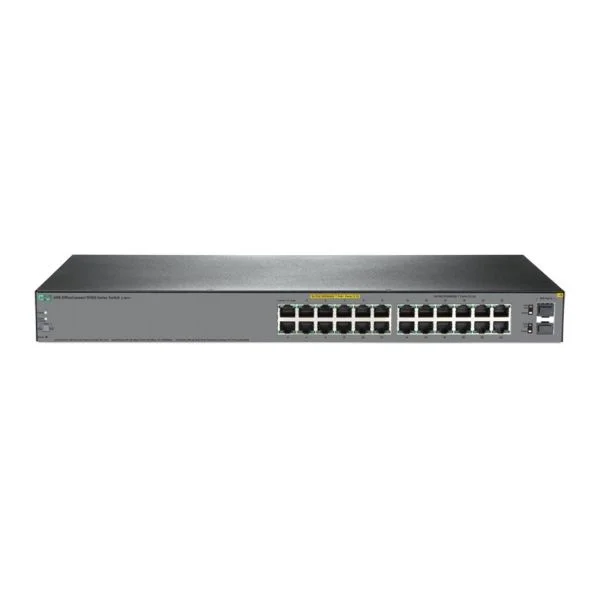 JL384A JL384A | 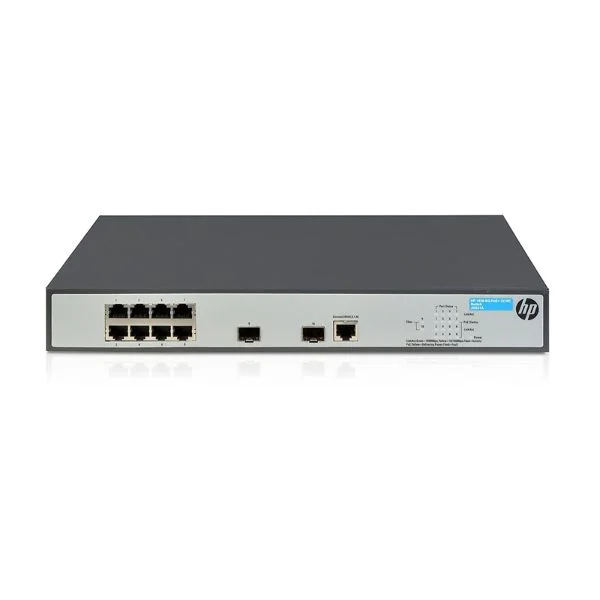 JG922A JG922A | 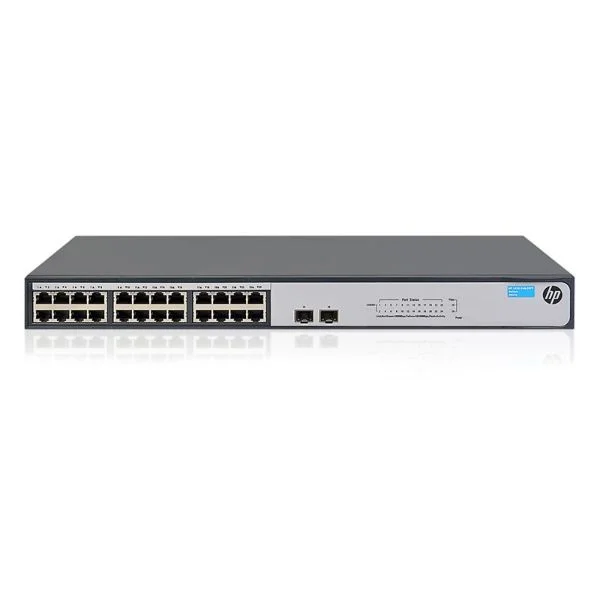 JH017A JH017A | 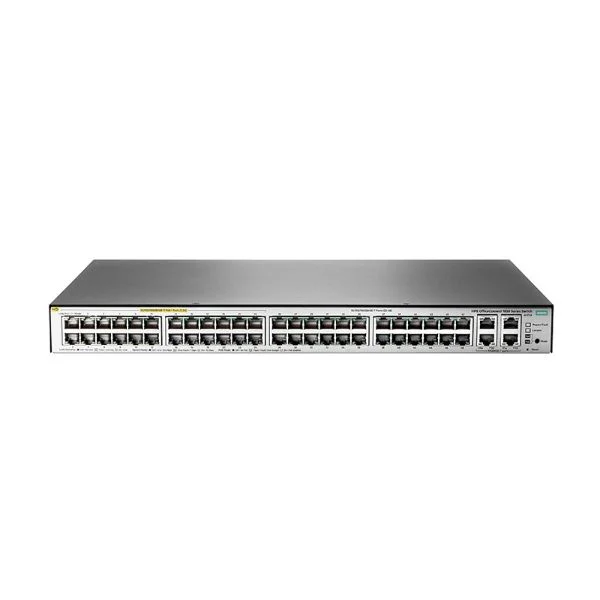 JL173A JL173A | |
|---|---|---|---|---|---|
| Depth | 10 inches | 12 inches | 11 inches | 18 inches | 10 inches |
| Ethernet Technology | 10/100/1000 | 10/100/1000 | 10/100/1000 | 10/100/1000 | 10/100/1000 |
| Flash Memory | 64 MB | 64 MB | 64 MB | 256 MB | 64 MB |
| Form Factor | Rack-mount | Rack-mount | Rack-mount | Rack-mount | Rack-mount |
| Height | 1.75 inches | 1 inch | 1.75 inches | 1.75 inches | 1.75 inches |
| IOS | LAN Base | IP Services | IP Services | IP Services | LAN Base |
| Interface Ports | 10/100/1000 | 10/100/1000 | 10/100/1000 | 10/100/1000 | 10/100/1000 |
| Layer Supported | Layer 2 / Layer 3 | Layer 2 / Layer 3 | Layer 2 / Layer 3 | Layer 3 | Layer 2 / Layer 3 |
| Manageable | Managed | Managed | Managed | Managed | Managed |
| Manufacturer Part Number | JL170A | JL384A | JG922A | JH017A | JL173A |
| Media Type Supported | Twisted Pair / Fiber / Combo | Twisted Pair / Fiber / Combo | Combo | Combo | Combo |
| Memory | 256 MB | 256 MB | 256 MB | 512 MB | 256 MB |
| Number of Downlink Ports | 24 Ports | 24 Ports | 24 Ports | 24 Ports | 24 Ports |
| Number of Ethernet Ports | 24–48 Ports | 24–48 Ports | 24–48 Ports | 24–48 Ports | 24–48 Ports |
| POE Support | POE+ | POE+ | POE+ | POE+ | POE+ |
| Power Consumption | 70W | 150 W | 150W | 150 W | 75 W |
| Power Source | AC Power Supply | Redundant Power Supply / AC Power Supply | Redundant Power Supply / AC Power Supply | AC Power Supply | Redundant Power Supply |
| Product Name | JL170A Enterprise Stackable Switch | JL384A High-Performance Managed Switch | JG922A Enterprise Stackable Switch | JH017A Modular Enterprise Switch | JL173A Enterprise Managed Switch |
| Product Type | Switch | Switch | Switch | Switch | Switch |
| Rack Units | 1 RU | 1 RU | 1 RU | 1 RU | 1 RU |
| Redundant Power Supply Supported | Yes | Yes | Yes | Yes | Yes |
| SFP Ports | 4 SFP Ports | 4 SFP Ports | 4 SFP Ports | 4 SFP Ports | 4 SFP Ports |
| Switching Capacity | 176 Gbps | 128 Gbps | 128 Gbps | 320 Gbps | 128 Gbps |
| Switching Capacity with Stacking | 352 Gbps | 256 Gbps | 256 Gbps | 1280 Gbps | 256 Gbps |
| Uplink Configuration | 1G / 10G | 10G | 10G | 10G | 10G |
| Weight | 15 lbs | 12 lbs | 15 lbs | 15 lbs | 8 lbs |
| Width | 17.5 inches | 17 inches | 17.5 inches | 17.5 inches | 17.5 inches |


Every unit is authentic, sourced through trusted and authorised channels, and serial-verified on request. Genuine networking and IT hardware, guaranteed, or your money back.

New products are backed by up to 3 years of extended warranty, and certified refurbished units by up to 3 months, for dependable protection on every order. Coverage is clear, honoured in full, and confirmed on each product page.

If a unit ever falls short, our streamlined RMA process gets a replacement to you fast, with advance replacement available to keep your network running. No jargon, no runaround.

Every device is inspected, bench-tested, and firmware-verified, with configurations wiped before dispatch. Additional testing can be arranged to confirm full working condition on request.

Our specialists assist with compatibility, configuration, licensing, and installation, before and after you buy. Real hardware expertise, whenever you need it.

dispatched quickly and shipped worldwide from regional hubs, fully tracked and insured.
Reviewed on the 17 March 2022

Non-PoE model handled traffic efficiently.
Reviewed on the 7 July 2023
Stable switching for office use.
Reviewed on the 10 June 2021
Consistent performance.
Reviewed on the 8 August 2019
Easy installation.
Reviewed on the 22 June 2024
Good long-term reliability.
The HPE OfficeConnect 1850 24G 2XGT Switch (JL170A) is a web-managed Layer 2 Ethernet switch with 24 Gigabit RJ-45 ports and two 10GBase-T uplink ports, designed for reliable, high-speed connectivity in small and medium business networks.
The JL170A switch provides 24 10/100/1000 Mbps RJ-45 ports and two 10GBase-T RJ-45 uplink ports for scalable network expansion.
The switch delivers a switching capacity of 128 Gbps and a packet forwarding rate of up to 95.23 Mpps for smooth, high-performance data transfer.
No, the HPE OfficeConnect 1850 24G 2XGT (JL170A) does not support PoE or PoE+.
The JL170A offers a web-based GUI, CLI, SNMP v1/v2c/v3, DHCP, RMON, port mirroring, LLDP, LACP, VLAN configuration, and advanced QoS controls.
Yes, you can cluster up to four HPE OfficeConnect 1850 switches for unified management via a single IP address.
Yes, it supports IEEE 802.1Q VLANs (static and voice VLAN) and 8 priority queues with DSCP-based QoS.
The JL170A supports basic Layer 3 static routing with up to 16 static routes for simple inter-VLAN traffic management.
This switch is ideal for small to medium-sized businesses, branch offices, and high-performance wiring closet deployments.
It delivers simplified management, enterprise-class security, scalable performance, energy efficiency, and cost-effective networking.
The JL170A includes a one-year limited hardware warranty, with optional HPE Care Pack services available for extended support.
The switch complies with IEEE 802.3az Energy Efficient Ethernet and features intelligent power management to minimize energy consumption.
Installation is plug-and-play with an intuitive web GUI, quick-setup wizard, and auto-sensing ports for rapid configuration.
The JL170A is available through authorized HPE resellers, leading online marketplaces, and the official HPE website.
Access the switch’s web GUI, navigate to the firmware upgrade section, upload the latest firmware downloaded from HPE Support, and follow the on-screen upgrade wizard.







