 United States
Trusted by the Highest-Stakes Buyers
Federal agencies and Fortune 500 operations source through ORM Systems.
US Government & Defense
Enterprise Clients

Featured Deal
Hand-picked by our procurement team for standout value. This unit is offered at our sharpest price on current stock, verified against live market rates.
Name:

Added to cart 28 times recently
Ready to Ship
Certified Refurbished
Professionally inspected, bench-tested, and firmware-verified, with configurations wiped. Restored to full working order and backed by our warranty.


3 Year Extended Warranty


Same-day Shipping

30-Day Money Back Guarantee
Shipping:
Payment:
3 Year Extended Warranty
Same-day Shipping
30-Day Money Back Guarantee
Need Additional Discount on Product?
Request a quote below - Get Exclusive Pricing and Support.
Shipping:
Payment:
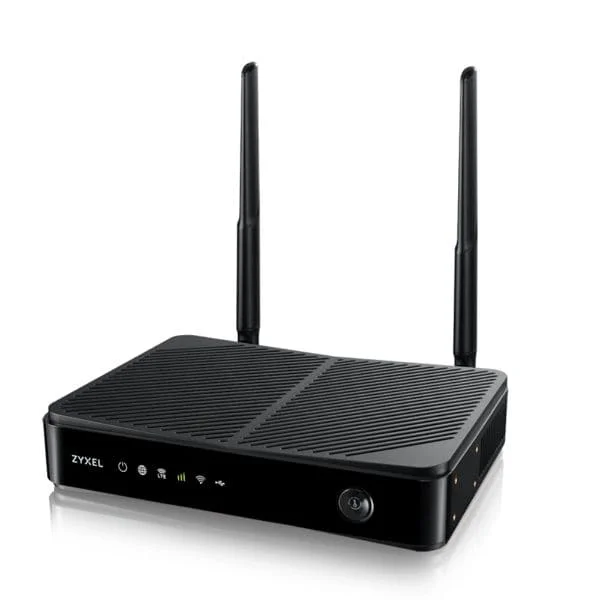
LTE3301-PLUS-EUZNN1F
4G LTE-A 300Mbps Indoor Router | Nebula Cloud Management | D...
Trusted by the Highest-Stakes Buyers
Federal agencies and Fortune 500 operations source through ORM Systems.
US Government & Defense




Enterprise Clients



Built Global. Stocked Local.
Regional teams and 25+ distribution partners keep stock near you and accountability in your time zone.
Buyer Protection on Every Order
Pay by PayPal or Revolut with full chargeback rights. Order on PO terms, Net-30 for government.
Verified By Federal Bodies
Every registration we claim is public record — check our federal contractor status yourself before you spend a dollar.



Since 2016, Enterprise-Trusted
Ten years serving buyers who audit their vendors. From federal agencies to 20,000+ enterprise clients worldwide.
LTE3301-PLUS-EUZNN1F is an advanced LTE wireless access point engineered for seamless connectivity in both indoor and outdoor environments. Designed to support dual-band operations on 2.4GHz and 5GHz frequencies with Wi-Fi 6 technology, it delivers data rates up to 1Gbps while featuring modern connectivity enhancements such as MU-MIMO and beamforming for optimized performance in high-density user scenarios.
Engineered with versatile installation in mind, LTE3301-PLUS-EUZNN1F supports multiple mounting options including ceiling, wall, and outdoor weatherproof configurations. Its omnidirectional antenna with a 5dBi gain provides robust coverage over an area of up to 1500 square feet, making it ideal for large offices, data centers, and public venues. Additionally, the device offers reliable Ethernet connectivity via an RJ-45 port and is powered by PoE for streamlined deployment and management.
LTE3301-PLUS-EUZNN1F price is is available on request. Get immediate quote.
Request bulk order quote for LTE3301-PLUS-EUZNN1F for additional pricing. Browse the full Zyxel Networks Mobile Broadband series or explore all Zyxel Networks products.
Mon–Fri: [09:00-16:00]
Avg. response under 30 mins

| LTE3301-PLUS-EUZNN1F | 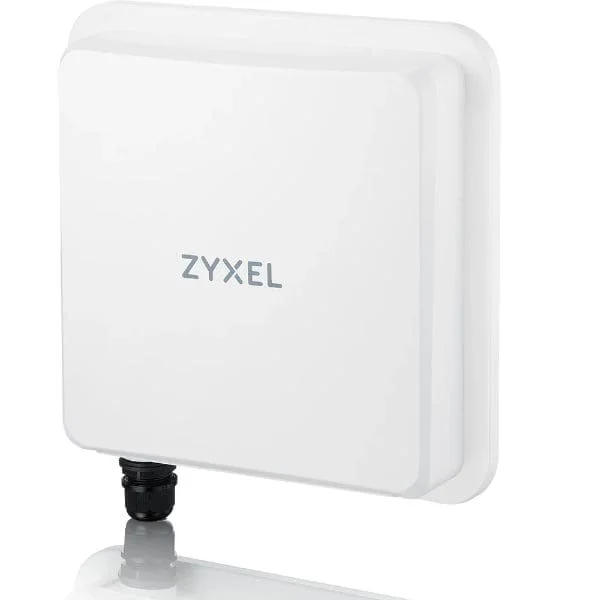 NR7101-EUZNN1F NR7101-EUZNN1F |  NR7101-GBZNN1F NR7101-GBZNN1F | 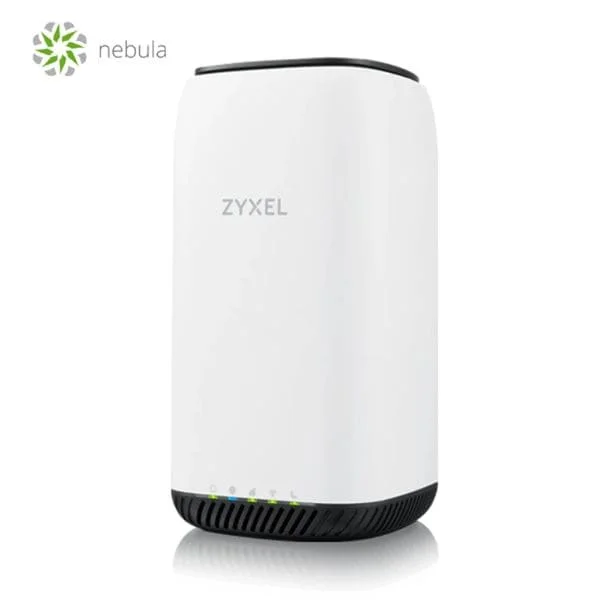 NR5101-EUZNN1F NR5101-EUZNN1F | |
|---|---|---|---|---|
| Product Type | Wireless Product | Wireless Product | Wireless Product | Wireless Access Point |
| Wireless Type | Access Point | Access Point | Access Point | Access Point |
| Wi-Fi Standard | Wi-Fi 6 | Wi-Fi 6 | Wi-Fi 6 | Wi-Fi 6 |
| Frequency Bands | 2.4GHz / 5GHz | 2.4GHz / 5GHz | 2.4GHz / 5GHz | 2.4GHz / 5GHz |
| Data Rate | 1Gbps | 2.5Gbps | 2.5Gbps | 2.5Gbps |
| Max Range | 100 meters | 50 meters | 100 meters | 100 meters |
| Coverage Area | 1500 square feet | 5000 square feet | 1500 square feet | 5000 square feet |
| Connector Type | RJ-45 | RJ-45 | RJ-45 | RJ-45 |
| Antenna Type | Omnidirectional | Omnidirectional | Omnidirectional | Omnidirectional |
| Antenna Gain | 5dBi | 8dBi | 5dBi | 5dBi |
| MIMO Technology | MU-MIMO | MU-MIMO | MU-MIMO | MU-MIMO |
| Beamforming | Yes | Yes | Yes | Yes |
| Mounting Options | Ceiling Mount / Wall Mount / Outdoor Mount | Ceiling Mount / Wall Mount | Ceiling Mount / Wall Mount | Ceiling Mount / Wall Mount |
| Power Supply | PoE | PoE | PoE | PoE |
| Mesh Networking | No | No | Yes | Yes |
| Ethernet Port | 1x Gigabit | 1x Gigabit | 1x Gigabit | 1x Gigabit |
| Max Number of Devices Supported | 64 | 128 | 128 | 150 |
| Protocols Supported | 802.11a/b/g/n/ac/ax | 802.11a/b/g/n/ac/ax | 802.11a/b/g/n/ac/ax | 802.11a/b/g/n/ac/ax |
| Management Features | Cloud Management / SNMP | Cloud Management / On-Premises / SNMP | Cloud Management / On-Premises / SNMP | Cloud Management / On-Premises |
| Security Features | WPA2 / WPA3 | WPA2 / WPA3 / 802.1X | WPA2 / WPA3 / 802.1X | WPA2 / WPA3 |
| Compliance | FCC / CE / RoHS | FCC / CE / RoHS | FCC / CE / RoHS | FCC / CE / RoHS |
| Processor | 1.2 GHz Quad-Core | Quad-Core 1.2GHz | Quad-Core 1.2GHz | Quad-Core 1.4GHz |
| Memory | 1GB | 2GB | 1GB | 2GB |
| Outdoor Use | Yes | No | No | No |
| Product Name | LTE3301-PLUS-EUZNN1F | NR7101-EUZNN1F Wireless Access Point | NR7101-GBZNN1F Wireless Access Point | NR5101-EUZNN1F High-Performance Access Point |
| Height | 2 inches | 4 inches | 1.2 inches | 1.2 inches |
| Width | 6 inches | 9 inches | 8.5 inches | 9 inches |
| Depth | 4 inches | 9 inches | 8.5 inches | 9 inches |
| Weight | 1.5 lbs | 2 lbs | 1.5 lbs | 1.5 lbs |


Every unit is authentic, sourced through trusted and authorised channels, and serial-verified on request. Genuine networking and IT hardware, guaranteed, or your money back.

New products are backed by up to 3 years of extended warranty, and certified refurbished units by up to 3 months, for dependable protection on every order. Coverage is clear, honoured in full, and confirmed on each product page.

If a unit ever falls short, our streamlined RMA process gets a replacement to you fast, with advance replacement available to keep your network running. No jargon, no runaround.

Every device is inspected, bench-tested, and firmware-verified, with configurations wiped before dispatch. Additional testing can be arranged to confirm full working condition on request.

Our specialists assist with compatibility, configuration, licensing, and installation, before and after you buy. Real hardware expertise, whenever you need it.

dispatched quickly and shipped worldwide from regional hubs, fully tracked and insured.
Reviewed on the 13 June 2025

Reliable 4G LTE router with stable dual-WAN failover.
Reviewed on the 30 August 2024
Consistent 300Mbps speeds for branch connectivity.
Reviewed on the 25 March 2024
Cloud management simplifies remote monitoring.
Reviewed on the 9 June 2018
Strong indoor coverage with dependable uptime.
Reviewed on the 25 February 2026
Professional LTE solution for SMB networks.
The LTE3301-PLUS-EUZNN1F is a 4G LTE-Advanced indoor router delivering up to 300 Mbps download, dual-WAN failover and AC1200 Wi-Fi for up to 32 devices.
Plug in the LTE3301-PLUS, insert your activated SIM, connect your LAN device or Wi-Fi, then follow the quick-start guide’s web-UI prompts to complete configuration.
The LTE3301-PLUS supports multi-band LTE Cat 6, including Bands 1/3/7/8/20/28 and 40 for broad carrier compatibility.
It offers concurrent dual-band Wi-Fi (2.4 GHz 300 Mbps + 5 GHz 867 Mbps) for AC1200 performance across up to 32 simultaneous devices.
Dual-WAN failover automatically switches traffic to LAN/WAN or a secondary connection when the primary 4G link fails, ensuring uninterrupted Internet access.
Nebula Cloud Management provides a centralized, browser-based dashboard for real-time monitoring, configuration and firmware updates of your LTE3301-PLUS remotely.
The router can simultaneously serve up to 32 Wi-Fi or wired clients without compromising throughput or stability.
External LTE antennas can enhance reception in weak coverage areas; the LTE3301-PLUS includes TS-9 ports for easy antenna connection.
Yes. Plug in power and SIM, and the LTE3301-PLUS auto-detects the network and broadcasts Wi-Fi—no manual ISP settings required.
It supports WPA3 encryption, SPI firewall, MAC filtering and VPN pass-through to protect your network and data integrity.
Yes. The built-in QoS engine lets you assign traffic priority by application, IP address or MAC address to optimize performance.
Access the Nebula portal or local web UI, navigate to System > Firmware Upgrade, and click Check & Update to apply the latest firmware.
Yes. The LTE3301-PLUS supports PPTP, L2TP and IPsec VPN pass-through for secure remote access.
You receive the LTE3301-PLUS router, power adapter, Ethernet cable, quick-start guide and, if applicable, external antenna adapters.
Connect via Ethernet or Wi-Fi, open your browser to http://192.168.1.1, and log in with the default credentials found on the device label.
Press and hold the reset button for 10 seconds until LEDs flash; the router will reboot with default settings and credentials.







