 United States
1800 Router Memory & Flash Excellence
Enhance network performance with our high-quality memory and flash solutions engineered for 1800 routers. Optimize device reliability and security using advanced, industry-certified components for superior data handling.
Talk to an expert
2 Matching results
- BEST SELLING
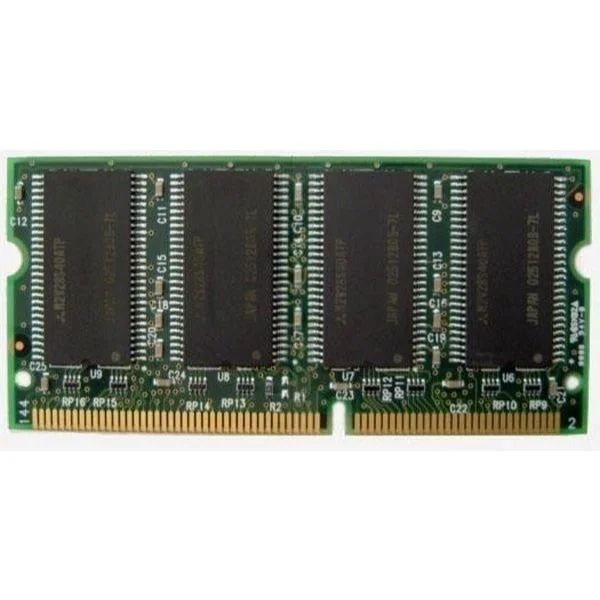
MEM1841-128D (MEM1841-128D Cisco 1841 128MB SODIMM DRAM)
4.6 (5)- Computer Memory
- Cisco
- DDR4
- 128 GB
- Desktop / Laptop / Server
- Workstation
- UDIMM
Est Value $1,000.00
$485.10
51.5% offIn stockNewFirst-Time Buyer Discount – Get up to 2% additional off on your first order
ORM Rewards Earn $50 in Rewards + Free Expedited Delivery – Join Now!
Use eCoupon ORMSAVE10
eCoupon limited to 5 units
- BEST SELLING
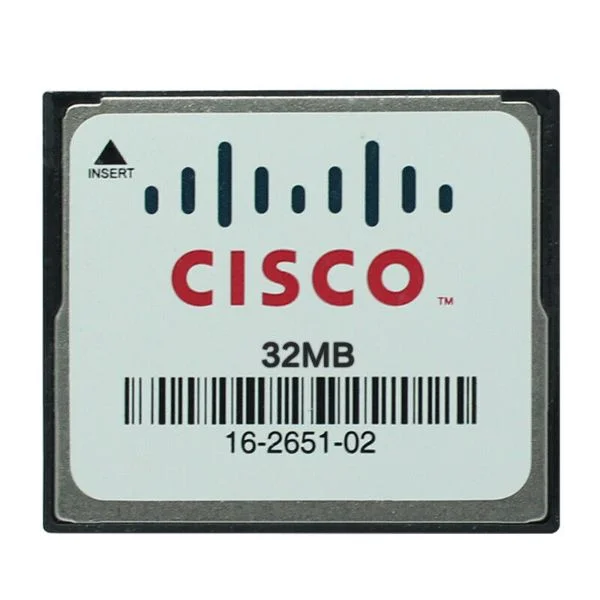
MEM1800-32CF (MEM1800-32CF, 32MB flash card, 1800 series router)
4.8 (5)- Computer Memory
- Cisco
- DDR4
- 32 GB
- Desktop
- UDIMM
Est Value $300.00$63.00
79% offIn stockNewRefurbishedFirst-Time Buyer Discount – Get up to 2% additional off on your first order
ORM Rewards Earn $50 in Rewards + Free Expedited Delivery – Join Now!
Use eCoupon ORMSAVE10
eCoupon limited to 5 units

ORM Sales Advisors
Buying for your business? Get a personalised quote in under 2 hours. Talk to an expert
LEARNFilters (2) 
Questions & Answers
What is the default DRAM and Flash memory on a Cisco 1800 Series router?
Default memory varies by model. For example, the Cisco 1841 ships with 128 MB DRAM and 32 MB Flash, while entry models may start at 32 MB DRAM and 8 MB Flash.
How much DRAM and Flash can a Cisco 1800 router support?
Cisco 1800 routers support up to 256 MB of DRAM and up to 256 MB of CompactFlash, depending on IOS and platform licensing.
What types of Flash memory are compatible with Cisco 1800 routers?
Cisco 1800 routers accept onboard Flash modules and Type I or Type II CompactFlash cards with industrial temperature ratings and Cisco-approved part numbers.
How do I check current memory and Flash availability on a Cisco 1800 router?
Use the CLI commands “show version” for installed DRAM/Flash and “show flash:” or “dir flash:” to list available Flash and free space.
How can I upgrade DRAM on a Cisco 1800 router?
Power off the router, remove the chassis cover, install the approved DRAM module into the memory slot, replace covers, and power on. Verify with “show version.”
How can I upgrade Flash memory on a Cisco 1800 router?
Shut down the router, remove the CompactFlash card, replace it with a larger Cisco-approved card, power on, then format and verify with “format flash:” and “show flash:.”
Can I use third-party CompactFlash cards in my Cisco 1800 router?
Cisco recommends using only Cisco-approved CompactFlash cards to ensure compatibility, reliability, and firmware support on 1800 Series routers.
What command formats a Flash or CompactFlash on a Cisco 1800 router?
Enter global configuration mode and run “format flash:” or “format flash0:” to reinitialize the Flash file system.
How do I boot a Cisco 1800 router from the Flash memory?
Configure the boot variable with “config-terminal” and “boot system flash ,” then save with “write memory” and reload.
How do I recover a Cisco 1800 router with corrupted Flash?
Use ROMMON mode, set the boot parameter to load via TFTP, upload a valid IOS image to RAM or Flash, then reboot normally.
Why is my Cisco 1800 router showing “insufficient memory” errors?
Errors occur when IOS features exceed available DRAM or Flash. Resolve by disabling unused features, upgrading memory, or using a compact IOS image.
How does increased Flash memory affect Cisco 1800 router performance?
Larger Flash allows multiple IOS images, larger configs, and more feature sets, reducing upgrades downtime but does not directly boost runtime throughput.
Are there any power requirements when adding memory modules to a Cisco 1800?
No additional power supply is required. Ensure the router is powered off before installing DRAM or replacing CompactFlash to avoid damage.
Can I hot-swap CompactFlash cards on a Cisco 1800 router?
No. Cisco 1800 routers do not support hot-swapping CompactFlash. Always power down the router before inserting or removing Flash cards.
What file system does a Cisco 1800 router Flash memory use?
Cisco 1800 Flash uses the proprietary Cisco File System (CFS) which supports directory structures and IOS image integrity checks.
How do I back up and restore Cisco 1800 router Flash configurations?
Use “copy flash: tftp:” to back up and “copy tftp: flash:” or “copy tftp: system:” to restore IOS images and config files via TFTP server.