 United States
Network Cameras by Logitech
Experience superior surveillance with Logitech Network Cameras engineered for reliable, high-resolution imaging and secure connectivity. Enhance your facility’s security with advanced digital clarity and scalable remote monitoring solutions.
Talk to an expert
4 Matching results
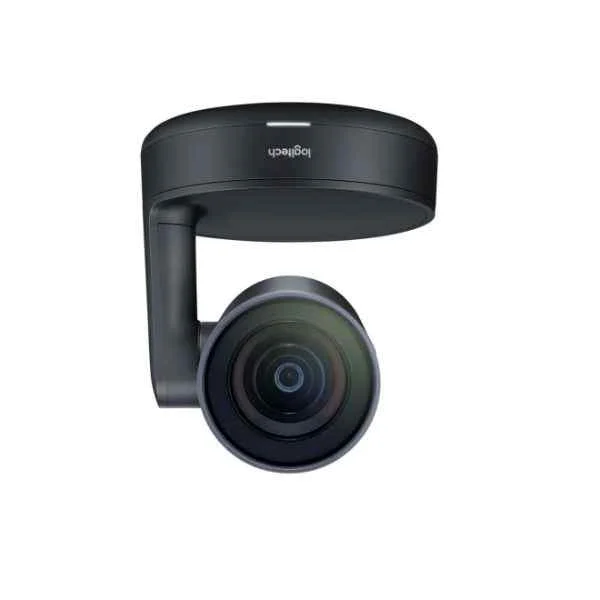
960-001227 (ConferenceCam Rally black bulk 960-001227)
4.7 (6)- Security Camera
- Logitech
- Bullet
- IP Camera
- 4MP
- Fixed
- Motion Detection
Est Value $1,734.05
$1,480.29
14.6% offIn stockRefurbishedFirst-Time Buyer Discount – Get up to 2% additional off on your first order
ORM Rewards Earn $50 in Rewards + Free Expedited Delivery – Join Now!
Use eCoupon ORMSAVE10
eCoupon limited to 5 units
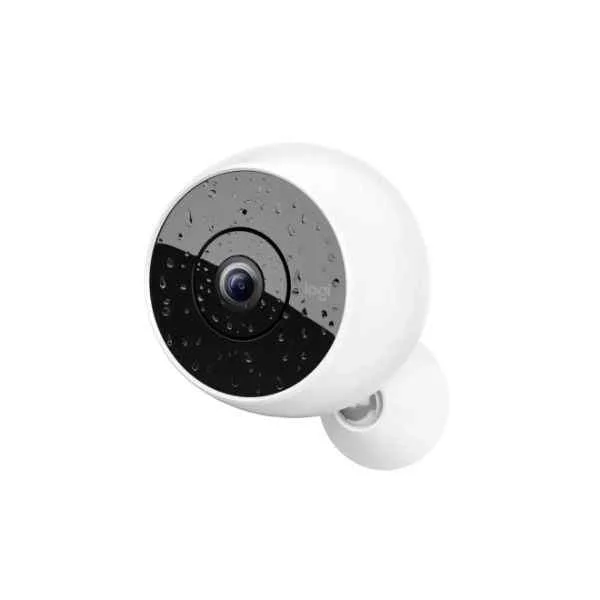
961-000420 (Circle 2 - IP security camera - Indoor & outdoor - Wireless - Dome - Ceiling/Wall/Desk - Black,White)
4.5 (6)- Security Camera
- Logitech
- Dome
- IP Camera
- 4K
- Fixed
- Motion Detection
Est Value In stockFirst-Time Buyer Discount – Get up to 2% additional off on your first order
ORM Rewards Earn $50 in Rewards + Free Expedited Delivery – Join Now!
Use eCoupon ORMSAVE10
eCoupon limited to 5 units
961-000419 (Circle 2 - IP security camera - Indoor & outdoor - Wired & Wireless - Ceiling/wall - White - 180°)
4.8 (6)- Security Camera
- Logitech
- Bullet
- IP Camera
- 4MP
- Varifocal
- Motion Detection
Est Value In stockFirst-Time Buyer Discount – Get up to 2% additional off on your first order
ORM Rewards Earn $50 in Rewards + Free Expedited Delivery – Join Now!
Use eCoupon ORMSAVE10
eCoupon limited to 5 units

961-000474 (Logitech CIRCLE 2 Multi-Pack Indoor Spherical Black,White)
4.5 (6)- Security Camera
- Logitech
- Bullet
- IP Camera
- 4MP
- Fixed
- ANPR
Est Value In stockFirst-Time Buyer Discount – Get up to 2% additional off on your first order
ORM Rewards Earn $50 in Rewards + Free Expedited Delivery – Join Now!
Use eCoupon ORMSAVE10
eCoupon limited to 5 units

ORM Sales Advisors
Buying for your business? Get a personalised quote in under 2 hours. Talk to an expert
LEARNFilters (4) 
Questions & Answers
What is a Logitech network camera?
A Logitech network camera is an IP-enabled video device that streams HD footage over your home or business network for real-time monitoring and recording.
Which Logitech models are available as network cameras?
Logitech offers the Circle 2 and Circle View series, featuring wired and wireless IP cameras designed for indoor and outdoor surveillance with 1080p resolution.
How do I set up my Logitech network camera?
Install the Logitech Circle app, power your camera, follow the in-app prompts to connect to your Wi-Fi network, and position the device for optimal coverage.
What network requirements are needed for Logitech cameras?
Logitech network cameras require a stable 2.4 GHz or 5 GHz 802.11b/g/n/ac Wi-Fi connection with at least 2 Mbps upload speed per camera.
How do I connect my Logitech camera to Wi-Fi?
Use the Logitech Circle app to scan the camera’s QR code, select your network SSID, enter the password, and complete the on-screen pairing process.
Can I use Ethernet or PoE with Logitech network cameras?
Logitech network cameras are designed for Wi-Fi or USB power and do not natively support PoE connections or direct Ethernet interfaces.
What video resolution do Logitech network cameras support?
All Logitech network cameras stream crisp 1080p HD video at 30 frames per second, with HDR on select models for enhanced contrast.
Does Logitech offer cloud storage for network cameras?
Yes. Logitech provides a free 24-hour rolling cloud history and optional subscription plans for 30-day video storage in secure, encrypted cloud servers.
Can I store video locally on my Logitech camera?
Logitech network cameras do not include built-in SD storage but support local recording via HomeKit Secure Video or compatible NVR solutions with select integrations.
Are Logitech network cameras compatible with smart home systems?
Yes. Logitech network cameras integrate seamlessly with Apple HomeKit, Amazon Alexa, and Google Assistant for voice control and automation.
How secure is the video feed from Logitech network cameras?
All video feeds are protected with AES-128 encryption in transit and at rest, ensuring secure access and privacy compliance.
Do Logitech network cameras support two-way audio?
Models like the Circle 2 feature built-in microphones and speakers for real-time two-way audio communication through the Logitech Circle app.
Can I view Logitech camera feeds remotely?
Yes. You can access live and recorded footage from anywhere via the Logitech Circle mobile app or web portal using secure login credentials.
What warranty is offered on Logitech network cameras?
Logitech network cameras come with a standard one-year limited hardware warranty covering defects in materials and workmanship.
How do I update firmware on my Logitech network camera?
Firmware updates are delivered automatically via the Logitech Circle app; you can also trigger manual updates in the device settings menu.
How do I integrate Logitech network cameras into my security system?
Logitech network cameras integrate natively via the Circle app and work with select smart home hubs, but they do not support ONVIF or third-party NVRs.
What is Logitech’s return policy for network cameras?
Logitech offers a 30-day return policy on purchases made through Logitech.com; items must be in original condition with all accessories.