 United States
Video Surveillance Dahua 128 Channel NVR
Elevate your security infrastructure with Dahua’s advanced 128-Channel NVR that delivers unparalleled performance, robust connectivity, and scalable surveillance solutions designed to meet diverse security needs in modern facilities.
Talk to an expert
1 Matching results
- BEST SELLING
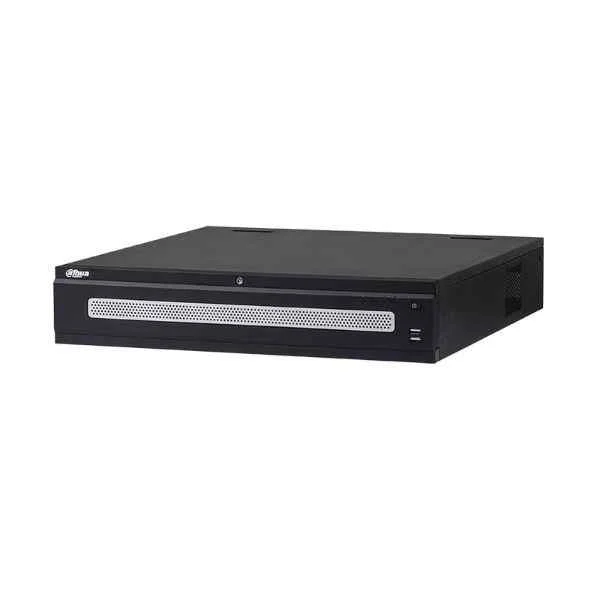
DHI-NVR6A08-128-4KS2 (Dahua 128 Channel NVR)
4.8 (6)Est Value In stock
First-Time Buyer Discount – Get up to 2% additional off on your first order
ORM Rewards Earn $50 in Rewards + Free Expedited Delivery – Join Now!
Use eCoupon ORMSAVE10
eCoupon limited to 5 units

ORM Sales Advisors
Buying for your business? Get a personalised quote in under 2 hours. Talk to an expert
LEARNFilters (1) 
Questions & Answers
What is a Dahua 128 Channel NVR?
The Dahua 128 Channel NVR is a high-density network video recorder that supports up to 128 IP cameras, offering real-time recording, playback, and advanced smart analytics for large-scale surveillance.
How many IP cameras can the Dahua 128 Channel NVR support?
It supports up to 128 IP cameras simultaneously, enabling comprehensive coverage with individual channel management and synchronized recording.
What video resolutions does the Dahua 128 Channel NVR support?
The NVR supports video resolutions up to 12 MP per channel, including 4K (3840×2160), 1080p, 720p, and lower, for high-definition monitoring.
What storage capacity does the Dahua 128 Channel NVR provide?
It features eight SATA III interfaces, supporting up to 10 TB per drive (80 TB total) and RAID 0/1/5/6/10 configurations for optimized capacity and redundancy.
How do I configure remote access on the Dahua 128 Channel NVR?
Use Dahua SmartPSS or the DMSS mobile app to add the NVR via P2P or DDNS; scan the device QR code, authorize access, and enjoy secure remote live view and playback.
Is the Dahua 128 Channel NVR compatible with third-party IP cameras?
Yes. It is ONVIF Profile S conformant, ensuring interoperability with most third-party IP cameras for flexible integration into existing systems.
What codecs and compression standards are supported by the Dahua 128 Channel NVR?
The NVR supports H.265+, H.265, H.264+, H.264, and MJPEG codecs to optimize bandwidth usage and reduce storage costs.
How do I perform firmware updates on the Dahua 128 Channel NVR?
Download the latest firmware from Dahua’s official website, then upload it via the NVR web client or USB drive under System > Maintenance > Upgrade.
What network protocols does the Dahua 128 Channel NVR support?
It supports TCP/IP, DHCP, PPPoE, DDNS, NTP, SNMP, HTTP, HTTPS, and ONVIF for robust connectivity, management, and remote monitoring.
Does the Dahua 128 Channel NVR have built-in PoE ports?
No. This model requires an external PoE switch for power and data over Ethernet, but it offers multiple UTP and fiber interfaces for network extension.
What are the system requirements for installing the Dahua 128 Channel NVR?
You need a stable Ethernet network (Cat5e/Cat6), dedicated IP addresses, a display (HDMI/VGA), reliable AC 100–240 V power, and proper ventilation.
How do I set up motion detection on the Dahua 128 Channel NVR?
Navigate to Camera > Camera Settings > Detection > Motion Detection, define the detection area and sensitivity, then schedule and enable recording triggers.
What mobile apps are available for remote monitoring with the Dahua 128 Channel NVR?
Use Dahua’s DMSS and IntelliView Pro apps on iOS and Android for live view, playback, alarm notifications, and system management on the go.
How do I backup and export footage from the Dahua 128 Channel NVR?
In Playback, select camera and time range, click Backup, then export via USB or FTP in H.264 or MP4 format to your chosen destination.
What warranty and support options are available for the Dahua 128 Channel NVR?
Dahua provides a standard two-year warranty, global technical support, firmware updates, and optional extended warranty packages for long-term protection.