 United States
Security NVR Dahua 16 Channel
Upgrade your surveillance systems with Dahua's 16 Channel NVR engineered for robust connectivity, efficient recording, seamless integration, and enhanced performance for dynamic and resilient security solutions.
Talk to an expert
1 Matching results
- BEST SELLING
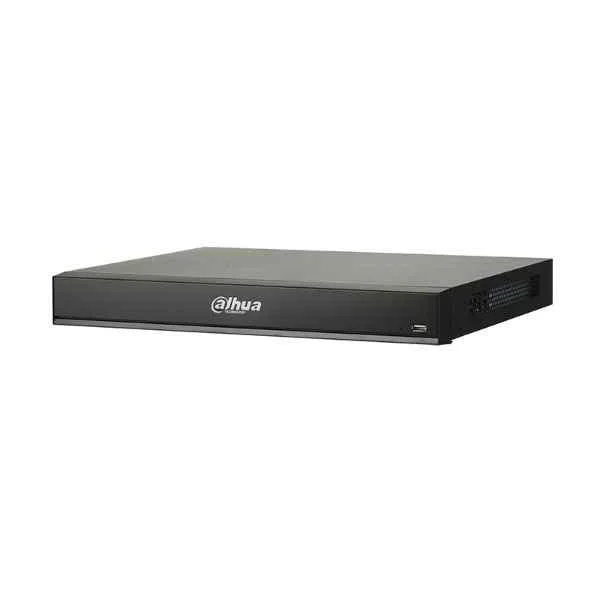
DHI-NVR4216-16P-I (Dahua 16 Channel NVR)
4.8 (6)Est Value In stock
First-Time Buyer Discount – Get up to 2% additional off on your first order
ORM Rewards Earn $50 in Rewards + Free Expedited Delivery – Join Now!
Use eCoupon ORMSAVE10
eCoupon limited to 5 units

ORM Sales Advisors
Buying for your business? Get a personalised quote in under 2 hours. Talk to an expert
LEARNFilters (1) 
Questions & Answers
What is a Dahua 16 Channel NVR?
A Dahua 16 Channel NVR is a network video recorder that manages, records, and stores video feeds from up to 16 IP cameras on a centrally managed platform.
What video resolution does the Dahua 16 Channel NVR support?
It supports up to 12MP per channel and 4K HDMI output for ultra-high-definition live view and playback.
Does the Dahua 16 Channel NVR include PoE ports?
Yes, select models feature 16 PoE ports that supply power and data over a single Ethernet cable for plug-and-play installation.
What is the maximum HDD capacity for the Dahua 16 Channel NVR?
It supports up to 2 SATA drives, each up to 10 TB, for a total storage capacity of 20 TB.
How do I set up remote viewing on the Dahua 16 Channel NVR?
Install the Dahua DMSS or SmartPSS app, scan the NVR QR code, and log in to access live view, playback, and notifications remotely.
Which network protocols are supported by the Dahua 16 Channel NVR?
It supports ONVIF, TCP/IP, DHCP, DNS, NTP, RTSP, and HTTPS for seamless integration and secure data transmission.
Can I integrate third-party cameras with the Dahua 16 Channel NVR?
Yes, it is ONVIF Profile S compatible, allowing most third-party IP cameras to connect and stream video.
What mobile apps are compatible with the Dahua 16 Channel NVR?
Use Dahua DMSS (iOS/Android) or SmartPSS (Windows/macOS) for live view, playback, and system management on any device.
Does the Dahua 16 Channel NVR support AI analytics?
Select models support AI-enhanced features like perimeter protection, facial detection, and line crossing to reduce false alarms.
What is the maximum recording bitrate of the Dahua 16 Channel NVR?
It delivers a maximum recording throughput of 256 Mbps for simultaneous high-resolution streams.
How many simultaneous streams does the Dahua 16 Channel NVR handle?
It can process up to 16 incoming streams and 8-channel simultaneous playback without performance degradation.
Which video outputs are available on the Dahua 16 Channel NVR?
It features one HDMI output up to 4K, one VGA output up to 1080p, and simultaneous display capabilities.
How do I update the firmware on a Dahua 16 Channel NVR?
Download the latest firmware from Dahua’s website, upload via the web interface under System > Maintenance > Firmware Upgrade, and reboot.
What are the power requirements for the Dahua 16 Channel NVR?
It operates on DC 12 V/3 A or AC 100–240 V, with built-in surge protection to ensure stable performance.
Does the Dahua 16 Channel NVR include warranty and support?
Dahua offers a standard 2-year warranty and global technical support, including firmware updates and troubleshooting assistance.
How do I configure motion detection on the Dahua 16 Channel NVR?
Access Camera > Event > Motion Detect in the web interface, enable detection zones, set sensitivity, and assign recording schedules.