 United States
Surveillance Dahua 24 Channel NVR
Experience robust surveillance and efficient real-time monitoring with the professional Dahua 24 Channel NVR system, engineered for optimal performance, advanced security protocols, and seamless network integration reliability.
Talk to an expert
1 Matching results
- BEST SELLING
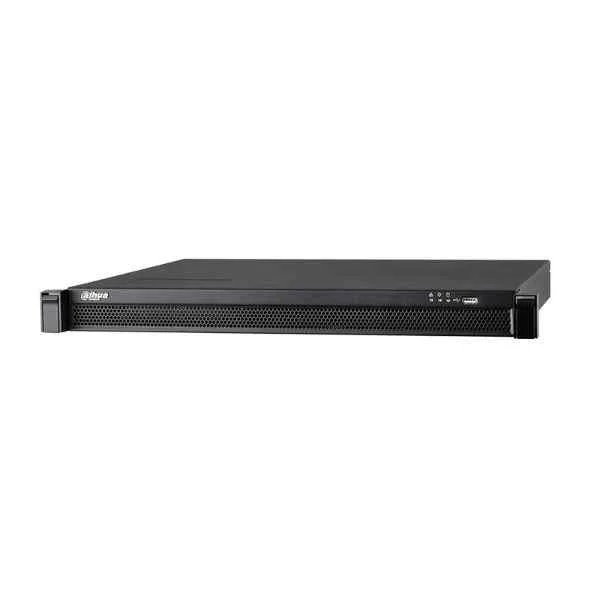
N52A4P (Dahua 24 Channel NVR)
4.7 (6)Est Value In stock
First-Time Buyer Discount – Get up to 2% additional off on your first order
ORM Rewards Earn $50 in Rewards + Free Expedited Delivery – Join Now!
Use eCoupon ORMSAVE10
eCoupon limited to 5 units

ORM Sales Advisors
Buying for your business? Get a personalised quote in under 2 hours. Talk to an expert
LEARNFilters (1) 
Questions & Answers
What is a Dahua 24 Channel NVR?
A Dahua 24 Channel NVR is a network video recorder designed to capture, process and store video feeds from up to 24 IP cameras, delivering reliable surveillance with H.265/H.264 compression and up to 4K resolution support.
Which video resolutions are supported by the Dahua 24 Channel NVR?
The Dahua 24 Channel NVR supports live viewing, recording and playback at resolutions up to 8MP (4K UHD) per channel, ensuring clear, detailed surveillance footage.
Does the Dahua 24 Channel NVR support 4K Ultra HD cameras?
Yes, this NVR is fully compatible with 4K Ultra HD IP cameras, allowing you to record and view video at 3840 x 2160 resolution for maximum detail.
How much hard drive storage does the Dahua 24 Channel NVR support?
The unit features two SATA interfaces, each supporting up to 10 TB HDDs for a maximum total capacity of 20 TB, enabling extended recording periods without overwriting.
Which hard drive types are compatible with the Dahua 24 Channel NVR?
This NVR is compatible with standard 3.5-inch SATA HDDs (7200 RPM or higher) and SSDs (SATA III) that meet Dahua’s surveillance-grade specifications.
Does the Dahua 24 Channel NVR support Power over Ethernet (PoE)?
Yes, PoE models of the Dahua 24 Channel NVR deliver up to 25 W per port, simplifying camera installation by providing power and data connectivity over a single Ethernet cable.
How do I configure remote viewing on a Dahua 24 Channel NVR?
To enable remote viewing, connect the NVR to your router, configure port forwarding or use Dahua P2P (EZDDNS), then link the NVR’s serial number in the DMSS app or SmartPSS on your mobile or PC.
Which mobile app is recommended for remote monitoring?
Dahua’s DMSS (Digital Mobile Surveillance System) app for iOS and Android provides secure remote live view, playback, alarm push notifications and PTZ control for your 24-channel NVR.
Is the Dahua 24 Channel NVR ONVIF compatible?
Yes, the NVR is ONVIF Profile S compliant, allowing interoperability with most third-party IP cameras for flexible system expansion.
What video compression formats are supported?
This NVR supports H.265, H.265+, H.264 and H.264+ encoding, reducing bandwidth and storage requirements without compromising video quality.
How do I configure motion detection recording?
In the NVR menu, navigate to Event > Basic Event > Motion Detection, select the camera, define the detection area and schedule, then assign recording and alarm outputs.
How do I upgrade the firmware on my Dahua 24 Channel NVR?
Download the latest firmware from Dahua’s official website, copy it to a FAT32 USB drive, insert into the NVR’s USB port, then navigate to System > Maintenance > Upgrade and follow on-screen prompts.
What network interfaces does the Dahua 24 Channel NVR offer?
The NVR includes one RJ-45 10/100/1000 Mbps Ethernet port for network connectivity and two USB 2.0 ports for backup, mouse control or firmware upgrades.
What is the power consumption of the Dahua 24 Channel NVR?
Typical power consumption is ≤15 W (without HDD), rising to approximately 50 W when fully populated with two 10 TB drives and PoE-powered cameras.
Does the Dahua 24 Channel NVR support RAID?
No, this model does not feature hardware RAID; for redundancy, configure scheduled backups to external USB drives or network storage targets.
What warranty and support options are available?
Dahua offers a standard two-year warranty on the 24 Channel NVR and provides global technical support, firmware updates and access to online resources for troubleshooting.