 United States
Video Surveillance Dahua 32 Channel NVR
Engineered for superior performance, the Dahua 32 Channel NVR delivers advanced security management, seamless integration, and robust video analytics, ensuring a reliable and future-ready surveillance solution.
Talk to an expert
1 Matching results
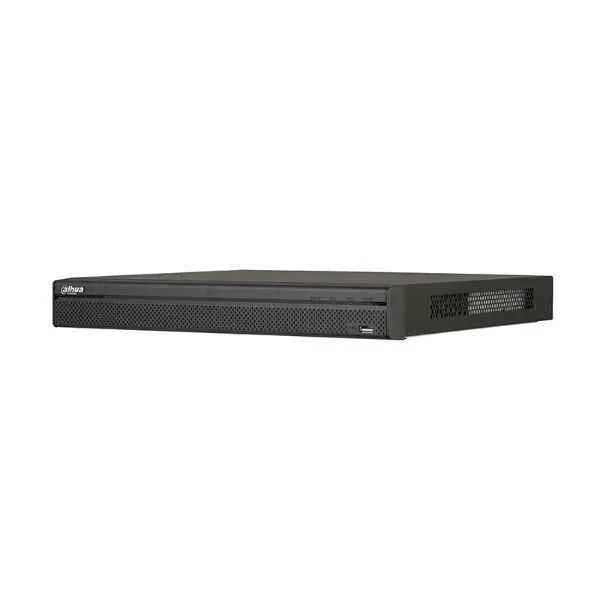
N52B5P (Dahua 32 Channel NVR)
4.8 (6)Est Value In stock
First-Time Buyer Discount – Get up to 2% additional off on your first order
ORM Rewards Earn $50 in Rewards + Free Expedited Delivery – Join Now!
Use eCoupon ORMSAVE10
eCoupon limited to 5 units

ORM Sales Advisors
Buying for your business? Get a personalised quote in under 2 hours. Talk to an expert
LEARNFilters (1) 
Questions & Answers
What is a Dahua 32 Channel NVR?
A Dahua 32 Channel NVR is a high-performance network video recorder that simultaneously records, manages, and stores video streams from up to 32 IP cameras.
What video resolutions does the Dahua 32 Channel NVR support?
It supports up to 12MP per channel, including 4K (3840×2160), 5MP (2592×1944), 1080p (1920×1080) and analog HD resolutions via hybrid models.
How many hard drives can the Dahua 32 Channel NVR accommodate and what is the maximum storage capacity?
The NVR accommodates up to two SATA hard drives, each with a maximum capacity of 10 TB, for a total internal storage of 20 TB.
Does the Dahua 32 Channel NVR support PoE cameras?
Yes. Select models include 16 or 32 built-in PoE ports that provide automatic power supply and data transmission over a single Ethernet cable.
Which video compression standards are supported by the Dahua 32 Channel NVR?
It supports H.265, H.264, and MJPEG compression, enabling efficient bandwidth use and extended storage retention.
Can I access the Dahua 32 Channel NVR remotely?
Yes. You can access it via the Dahua web client, SmartPSS desktop software, or the DMSS mobile app for live view, playback, and system configuration.
Which mobile applications are compatible with the Dahua 32 Channel NVR?
The NVR is compatible with Dahua DMSS for iOS and Android, offering live streaming, push notifications, and PTZ control.
Does the Dahua 32 Channel NVR support the ONVIF protocol?
Yes. It is ONVIF Profile S compliant, ensuring interoperability with third-party IP cameras and surveillance devices.
What AI analytics features does the Dahua 32 Channel NVR offer?
It provides AI-powered features such as face detection, perimeter protection, line crossing detection, intrusion detection, and people counting.
How do I set up and configure the Dahua 32 Channel NVR?
Connect cameras via Ethernet or PoE, power on the NVR, access the initial setup wizard through the HDMI/VGA output or web interface, and follow on-screen prompts to configure network, storage, and camera settings.
How can I export video footage from the Dahua 32 Channel NVR?
Use the backup function in the web client, SmartPSS, or front-panel USB port to export selected recordings to USB drives or network shares in MP4 or AVI format.
What are the network requirements for the Dahua 32 Channel NVR?
A gigabit Ethernet network is recommended. Ensure at least 200 Mbps inbound and outbound bandwidth for uninterrupted remote access and multi-stream playback.
How do I update the firmware on my Dahua 32 Channel NVR?
Download the latest firmware from the official Dahua website, upload it via the web interface’s System > Maintenance section, and reboot the device to complete the update.
What power supply does the Dahua 32 Channel NVR require?
It operates on an AC 100–240 V power input with a typical consumption of under 30 W (excluding PoE load).
What warranty and technical support options are available for the Dahua 32 Channel NVR?
Dahua offers a standard three-year warranty with 24/7 technical support, online documentation, and firmware updates.